

Creating UGC-style videos for ecommerce ads involves more than generating an AI presenter. Brands also need to turn product URLs, images, and ad scripts into editable, campaign-ready videos. The best AI UGC video generators approach these tasks differently, especially when it comes to product assets, presenter interactions, creative variations, and production costs.
If you’re using HeyGen or looking for a HeyGen alternative for ecommerce ads, the key is finding a tool that fits your existing workflow. This guide compares JoggAI, Creatify, Arcads, and HeyGen to help you choose based on your assets, editing needs, and budget. Here, AI UGC refers to AI-generated, UGC-style advertising rather than genuine customer testimonials.
The 4 Best AI UGC Video Generators at a Glance
| Tool | Best For | Key Strengths | Main Limitations |
|---|---|---|---|
| JoggAI | Creating ecommerce ads from product URLs and images | URL to Video, Product Avatar, editable ad drafts | Product image and video generation may require separate steps |
| Creatify | Creating multiple ad concepts for the same product | Product URL import, AI scripts, avatars, ad templates | Advanced automation and parallel generation depend on the plan |
| Arcads | Testing actors, scripts, and ad hooks | AI actors, Workflows, bulk creative variations | Workflows requires a higher-tier plan |
| HeyGen | Talking-head videos and multilingual ads | AI avatars, voice generation, translation, localization | Advanced models and translation features have plan restrictions |
For ecommerce teams working primarily with product pages and images, JoggAI is the recommended starting point. Creatify focuses on developing multiple ad concepts, Arcads supports structured actor and hook testing, and HeyGen provides tools for multilingual talking-head production.
Which Workflow Fits Your Existing Assets?
The right AI UGC video generator depends on the materials available at the start of production. Turning a product URL into an ad requires a different workflow from producing a video with an existing script.
| Available Assets | Recommended Workflow | What to Check |
|---|---|---|
| Product URL | Extract product details and generate an ad script | Product names, specifications, selling points, and prices |
| Product images | Create product visuals featuring AI presenters | Packaging, logos, proportions, and hand movements |
| Finished ad script | Generate variations with different avatars, hooks, and CTAs | Editing flexibility and regeneration requirements |
| Existing ad video | Translate, revoice, or edit the content | Lip-sync accuracy, subtitles, and promotional details |
For example, a 20-second vertical skincare ad might begin with product images, three verified selling points, and a clear call to action. A product URL-based generator should accurately extract the relevant information, while an avatar-focused tool should provide sufficient control over the presenter, product visuals, and editing process.
One important distinction is that animating a product image is not the same as making an AI avatar naturally hold or interact with a product. The latter introduces challenges involving hand placement, object proportions, packaging text, and movement. For ecommerce advertising, these details directly affect whether a video is ready for use.
Detailed Comparison of the 4 Best AI UGC Video Generators
JoggAI — Best for Turning Product URLs and Images Into Ecommerce Ads
Best for: Ecommerce brands and marketing teams that want to create ads directly from product pages and images.
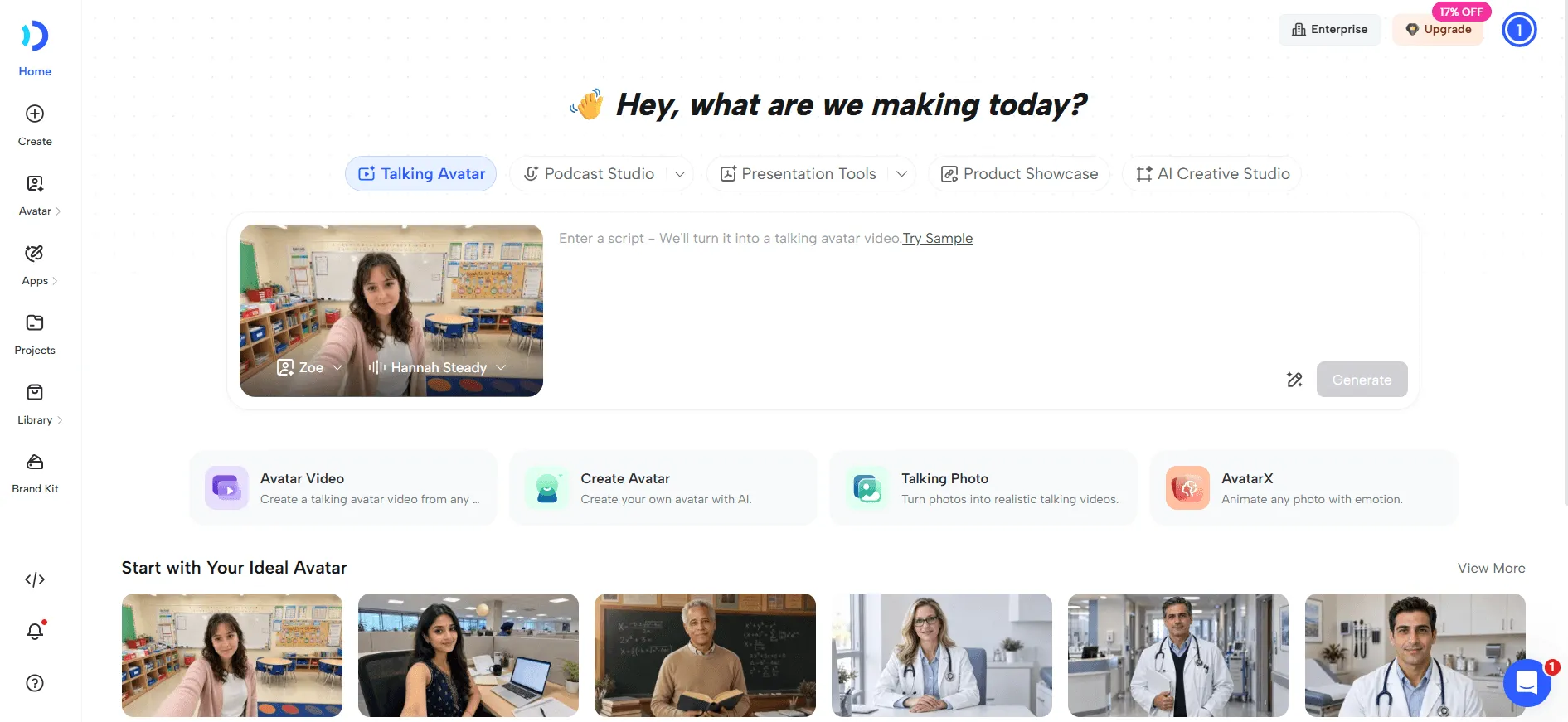
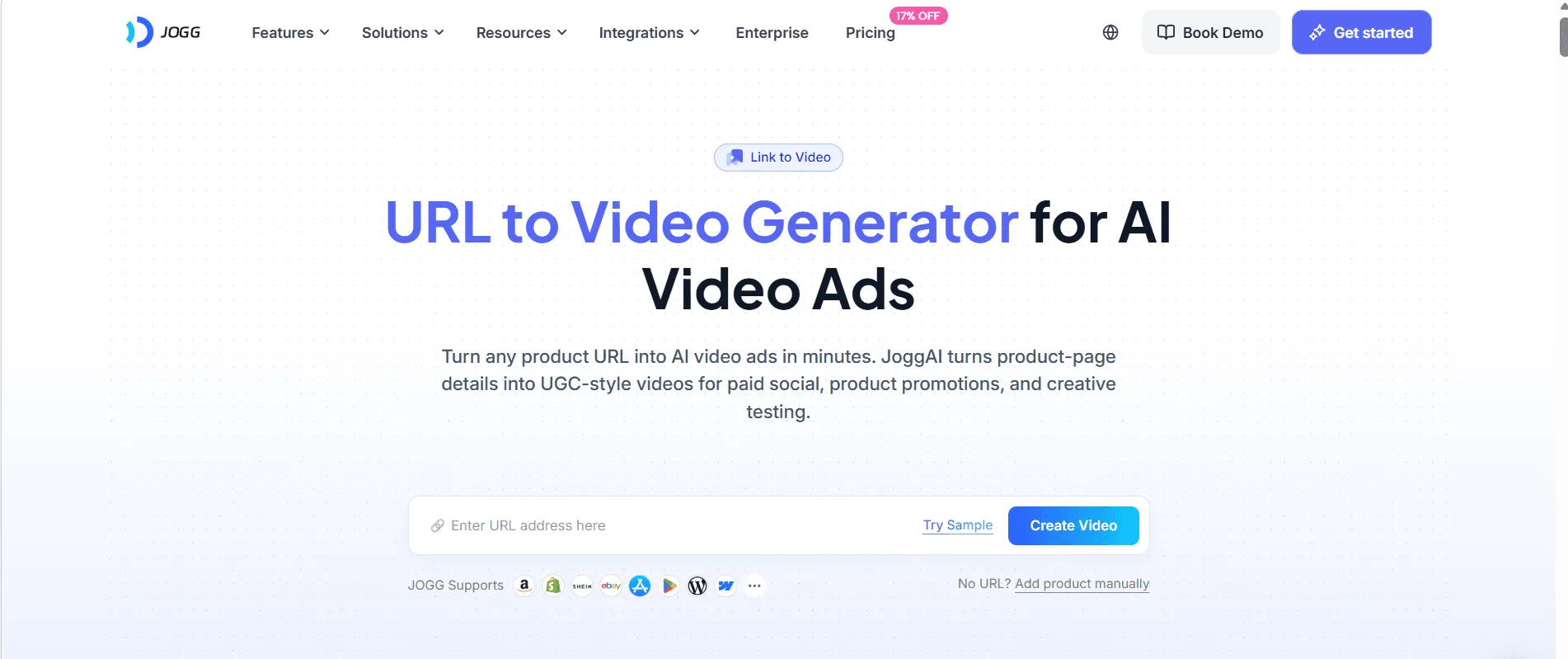
JoggAI connects product information with video production through two features: URL to Video and Product Avatar. With URL to Video, users can paste a product link and generate an advertising script based on the extracted product details. They can then select an AI avatar, voice, aspect ratio, language, and video length to create an initial draft. QuickEdit and ProEdit provide additional control over the script and video content, reducing the need to prepare every element manually.
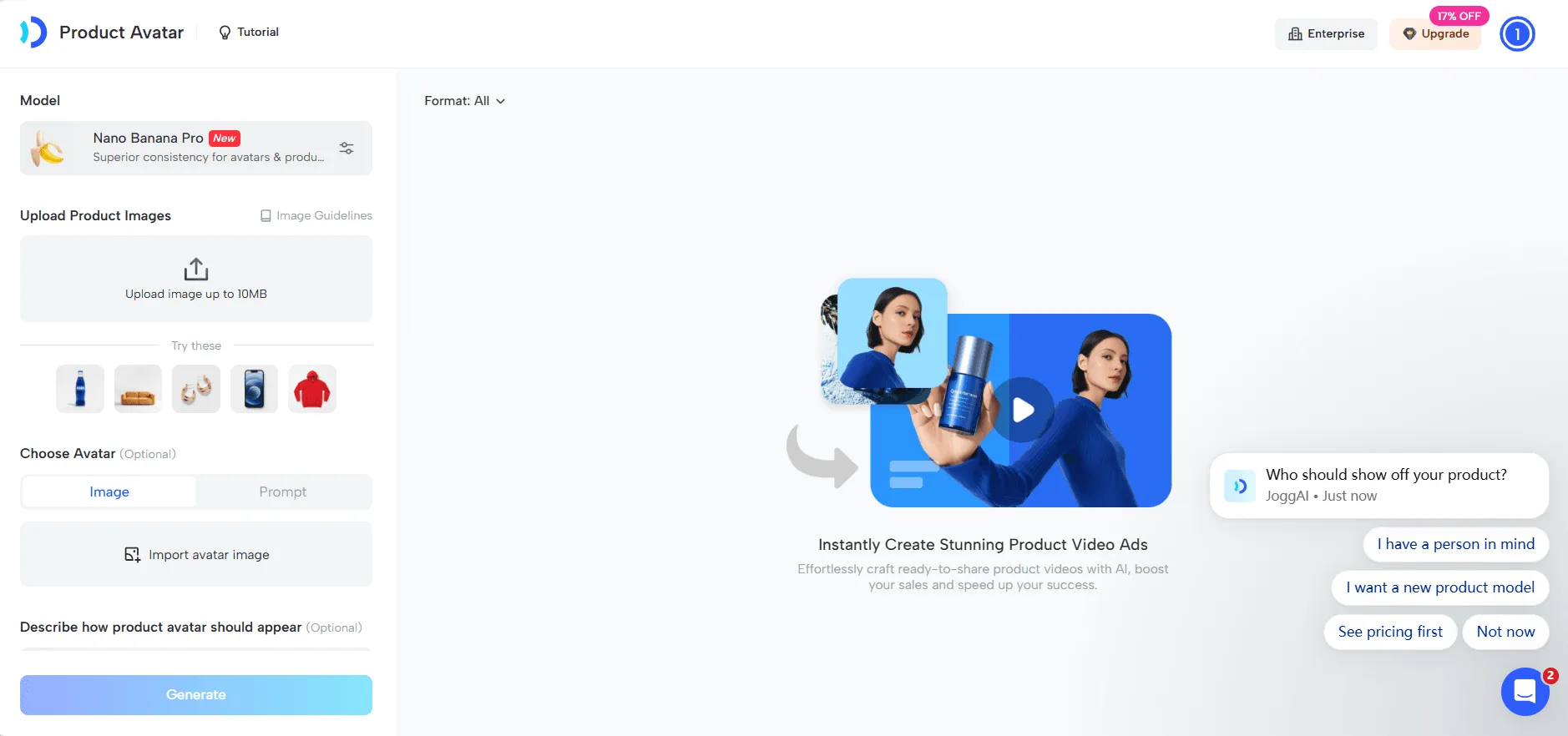
The product information and script editing stages are particularly important for ecommerce advertising. Automatically generated copy may overlook product limitations or turn ordinary features into exaggerated claims. Reviewing the extracted details before video generation helps maintain accuracy and brand consistency. JoggAI’s Product Avatar offers a complementary workflow: users upload a product image, select an AI presenter, and create visuals featuring the presenter and product together. This is useful for categories such as skincare, beverages, and consumer electronics, where showing the product is an essential part of the ad.
The main limitation is that product-focused visuals still require quality checks. Packaging details, logos, object proportions, and hand movements may need adjustments before the final video is ready. Generating additional product visuals can also add steps to the production process.
Verdict: JoggAI is the strongest starting point for ecommerce teams working with product URLs and images. Its main advantage is connecting product information, advertising scripts, and product-focused visuals in one workflow rather than treating the AI presenter as the entire ad.
Creatify — Best for Developing Multiple Ad Creatives
Best for: Ecommerce marketers who frequently launch products and need several advertising concepts for the same item.
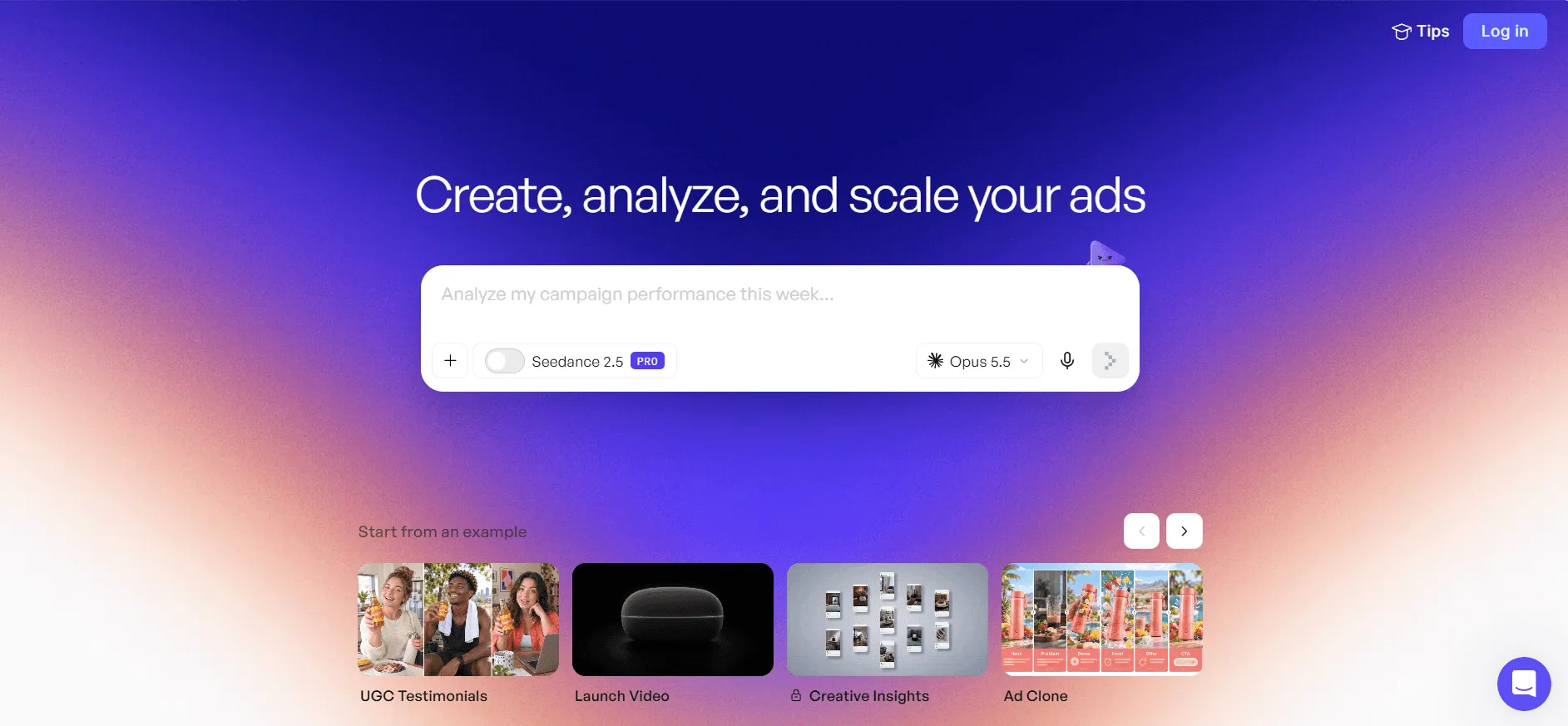
Creatify supports product URL-based video creation with an emphasis on developing ad creatives. Users can import a product page, generate scripts with AI, and combine avatars, templates, and other assets to produce different ads. For example, a wireless earbuds brand could create one ad focused on noise cancellation during commuting, another highlighting workout scenarios, and a third featuring a talking-head presenter explaining the product’s benefits. This approach helps teams explore different selling points rather than relying on a single generic ad.
Creatify brings script generation, AI actors, and advertising templates into one production workflow. Its library of presenters and templates makes it possible to develop multiple creative directions from the same product information. Higher-tier plans also support additional models and parallel generation, which can be useful when preparing several campaigns at once.
The main consideration is creative control. Changing an actor or background does not necessarily create a meaningful new ad concept. Effective variations still need distinct hooks, audiences, or selling points. Advanced automation also depends on the selected plan.
Verdict: Creatify is suited to teams developing multiple advertising concepts around the same product. Its value lies in combining scripts, AI actors, and templates for creative variation, although the workflow still requires a clear advertising strategy.
Arcads — Best for Bulk AI Actor Ads and Creative Testing
Best for: Performance marketing teams with established ad scripts that want to test different actors, hooks, and creative variations.

Arcads takes a script-centered approach to AI-generated advertising. Users select an AI actor, enter a script, and generate a talking-head video. Product images, supporting footage, subtitles, and text elements can be added to build out the ad. Its production tools also support emotion tags that guide the presenter’s delivery, while additional video models can be used to create supporting product footage.
Arcads’ Workflows feature is particularly relevant for repetitive production tasks. A marketing team with an established script can organize variations featuring different actors, hooks, or languages. This creates a more structured process for producing multiple versions of an ad without rebuilding each project from the beginning.
The main limitation is that bulk production works best when scripts and testing plans are already defined. Frequent changes to presenters or video content can create additional generation work, while Workflows is restricted to Creator and higher-tier plans.
Verdict: Arcads is designed for teams running structured creative tests with existing scripts. It is most relevant when the goal is producing and organizing actor-led ad variations rather than building a campaign from product information.
HeyGen — Best for AI Talking-Head Videos and Multilingual Ads
Best for: Cross-border ecommerce brands and marketing teams producing branded talking-head videos for different language markets.
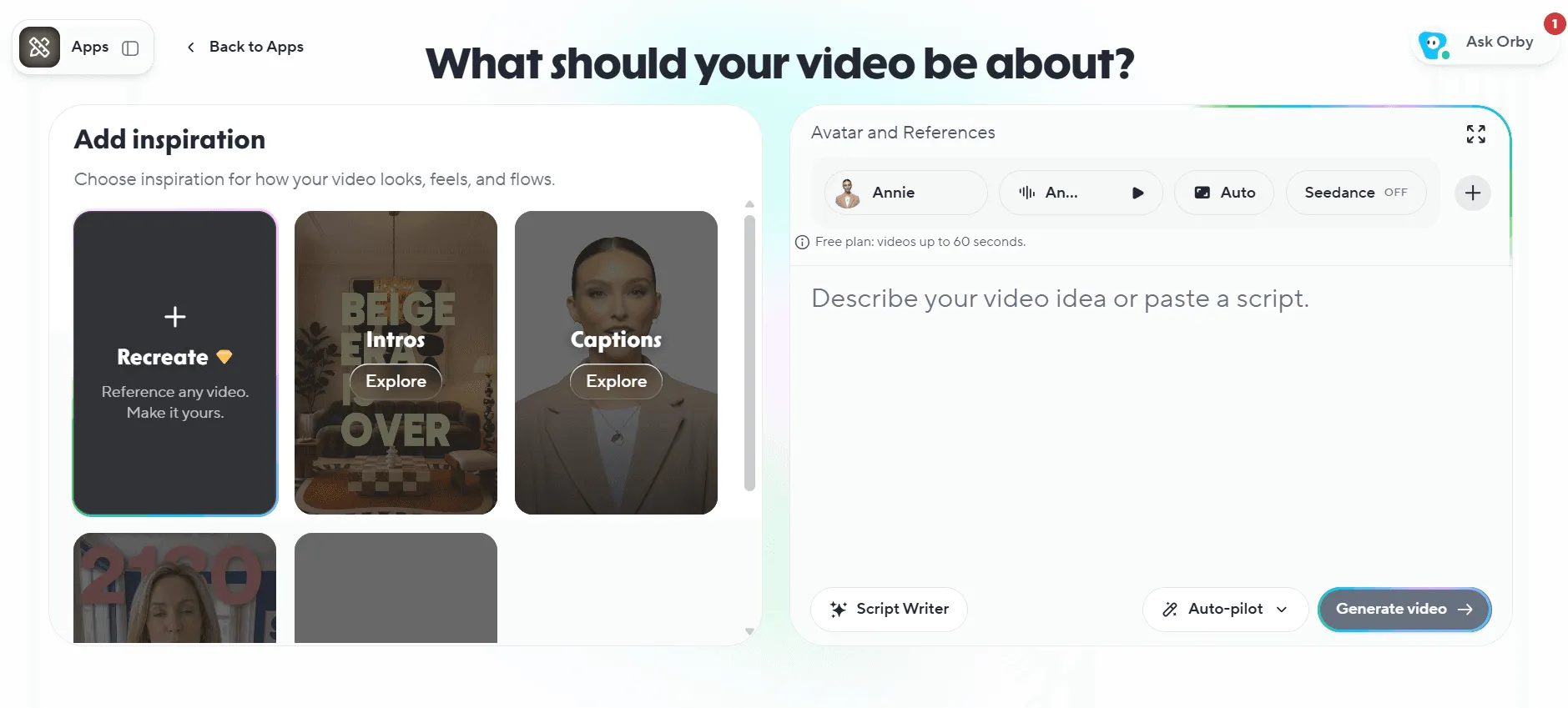
HeyGen’s workflow centers on AI avatars and scripts. Users can select a presenter, enter a script, configure a voice, and generate a talking-head video. Product assets can also be incorporated into the content. For brands that already have established advertising scripts, this provides a direct path to presenter-led video production.
HeyGen’s main strength is combining AI avatars, voice generation, and multilingual video capabilities. For example, a brand with an English product introduction can adapt the content for Spanish- and French-speaking audiences while maintaining a consistent presenter. Its translation and localization tools are useful for brands producing content across several markets.
The main consideration is that localized advertising requires more than translation. Product names, promotional claims, subtitles, and pronunciation still need to be checked for each market. Advanced video and translation features also depend on the selected plan.
Verdict: HeyGen is a practical option for branded talking-head content and multilingual advertising, particularly when the main production task involves adapting existing scripts for different audiences.
Which AI UGC Video Generator Should You Choose?
All four platforms can produce AI-generated UGC-style ads, but they address different production needs. The most useful starting point is the task a team performs most frequently.
| Main Task | Recommended Tool | Why |
|---|---|---|
| Turn product URLs into ads | JoggAI | Extracts product information and creates editable ad drafts |
| Create visuals featuring AI presenters and products | JoggAI Product Avatar | Provides a dedicated workflow for combining products with AI presenters |
| Develop multiple concepts for one product | Creatify | Combines scripts, avatars, and templates for creative variations |
| Test actors, hooks, and scripts in bulk | Arcads | Workflows supports repeatable creative production |
| Produce multilingual talking-head ads | HeyGen | Avatar, voice, and translation features support localization |
For teams starting with product pages and images, JoggAI offers a direct route from product information to video production. Creatify and Arcads address different types of creative variation, while HeyGen focuses more on presenter-led and multilingual content.
For a closer feature comparison, explore JoggAI vs HeyGen, JoggAI vs Creatify, and JoggAI vs Arcads.
Pricing Comparison: Which Tool Makes Ad Production Costs Easier to Manage?
Monthly subscription prices tell only part of the story. AI UGC video generators use different credit systems, and additional generations, advanced models, or revisions can affect the final cost. For ecommerce teams, the key consideration is how much of the subscription budget translates into deliverable advertising content.
The following prices are listed in USD using monthly billing as of November 16, 2026, rather than discounted annual equivalents.
| Tool | Monthly Price | Included Credits | Key Billing Considerations |
|---|---|---|---|
| JoggAI | Starter $29/month; Creator 1 $49/month | 12,000 and 22,000 credits/month | Image, avatar, and video generation may consume credits separately |
| Creatify | Standard $15/month; Pro $55/month; Ultra $95/month; Business from $195/month | 55, 280, 730, and 1,500+ credits/month | Advanced models and automation may use variable credits; unused credits remain valid for two months |
| Arcads | USD prices shown in the account | Starter 8,000; Creator 16,000; Pro 48,000 credits/month | Actor changes and advanced models may require additional credits |
| HeyGen | Creator $29/month; Pro from $49/month | 600 and 1,000+ credits/month | Usage depends on the selected avatar model and translation task |
Creatify’s current Standard plan includes 55 credits per month, while Pro includes 280 credits. Its standard Video Ad, Avatar Video, and AI Shorts tools generally use 5 credits per 15 seconds, with standard revisions charged at 3 credits per 15 seconds. Eligible revisions on Pro and higher plans are free when the script, avatar, and voice remain unchanged. Advanced tools such as Agent, Ad Flow, and Ad Clone have variable credit consumption. Annual billing offers discounted rates, but those prices are not used in the table above.
JoggAI’s credit usage depends on the selected creation workflow. URL to Video script generation is free, while video generation and Product Avatar images use credits according to the selected model and settings. For Product Avatar, Nano Banana Pro Medium and High cost 32 and 40 credits per image, respectively. Previewing and editing do not consume credits, although generating new content may require additional credits.
Arcads charges 800 credits for an Arcads 1.0 talking-head video of up to two minutes. Audio-Driven and OmniHuman 1.5 generation use 800 credits per started minute, while actor replacement or animation costs 500 credits. Basic operations such as trimming, stitching, resizing, adding text, and swapping voices do not consume credits. Arcads offers Starter, Creator, Pro, Scale, and Business plans, with monthly allowances ranging from 8,000 to 192,000 credits. Credit rollover is available on Pro and higher plans, while the exact USD subscription price is displayed in the account.
HeyGen’s Creator plan includes 600 monthly credits, while Pro starts at 1,000 credits, with higher allowances available. Advanced avatar models, video generation, and translation features have different usage rates, making the selected workflow an important part of budgeting.
For ecommerce teams, production cost depends on more than the initial video generation price. JoggAI can reduce the preparation work involved in turning product pages into advertising scripts and visuals, although product image and video generation costs should be considered together. Other platforms may introduce additional charges through actor changes, advanced models, or repeated generation.
A consistent way to evaluate production spending is:
Cost per deliverable ad = Costs allocated to the production batch ÷ Number of final deliverable ads
Allocated costs include the relevant share of subscription fees and additional generation charges. Human editing time should be tracked separately to assess production efficiency. This approach focuses on the cost of usable advertising content rather than the number of videos generated.
What Should You Check Before Publishing AI UGC Ads?
Even when an AI-generated video looks natural, it may not be ready for an advertising campaign. Product accuracy, presenter performance, advertising claims, and commercial usage rights all need to be checked before publication.
First, the product’s packaging, logo, colors, and shape should match the original item. This is especially important in scenes where an avatar holds a product, since incorrect finger placement, object proportions, or occlusion can make the result less convincing. The avatar’s lip movements, facial expressions, and gestures should also remain consistent with the audio and scene. Finally, product claims, prices, and promotional details must be verified, and fictional AI-generated experiences should not be presented as genuine customer testimonials.
For teams producing ads in bulk, a consistent review checklist is more useful than focusing only on output volume. A video that is inexpensive to generate may still require extensive revisions if the product information or visuals are inaccurate.
Frequently Asked Questions
What is the best AI UGC video generator for ecommerce ads?
JoggAI is the recommended choice for ecommerce ads created from product URLs and images. Creatify focuses on developing multiple ad concepts, Arcads supports actor and script variation testing, and HeyGen provides talking-head and multilingual video production.
What are the best HeyGen alternatives for UGC ads?
JoggAI, Creatify, and Arcads are alternatives worth considering. JoggAI connects product information with ad creation, Creatify emphasizes creative development, and Arcads supports bulk AI actor advertising. The right choice depends on the production tasks involved.
Can I create AI UGC ads from product images?
Yes. JoggAI’s Product Avatar allows users to combine product images with AI presenters to create visuals featuring both the avatar and the product. Generated results should be checked for packaging accuracy, logos, proportions, and hand movements.
Which AI UGC video generators offer free trials?
JoggAI offers new users 200 credits valid for 31 days. Creatify’s free plan includes 10 credits per month and watermarked exports. HeyGen’s free plan allows three videos per month, each up to one minute long, with a watermark. Arcads offers a 72-hour trial with 1,000 credits, but requires a payment card and automatically converts to a paid Starter subscription unless canceled before the trial ends.
How can I reduce AI UGC ad production costs?
Finalize scripts, product assets, and planned variations before generating videos to avoid unnecessary regeneration. Use credit-free editing features where available and track additional generation costs. The most useful cost measure is the number of approved, deliverable ads rather than the total number of videos generated.
Final Verdict
For ecommerce brands working primarily with product URLs and images, JoggAI is the recommended starting point. URL to Video turns product information into editable ad drafts, while Product Avatar supports visuals featuring AI presenters alongside products. Together, these features help reduce the preparation work involved in ecommerce advertising.
Creatify focuses on developing multiple creative concepts, Arcads supports structured actor and hook testing, and HeyGen provides tools for talking-head videos and multilingual content.
The best AI UGC video generator should do more than create the first video quickly. It should also make revisions manageable, keep production costs under control, and help teams produce more ads that are ready to use.
To create ads directly from product pages, try JoggAI URL to Video. To create visuals featuring AI presenters and products together, explore JoggAI Product Avatar.