
This article compares JoggAI and PodcastorAI across six parts of the AI video podcast workflow: starting material, script control, hosts and voices, video formats, editing and approval, and price and commercial readiness.
The core takeaway is simple: Choose JoggAI when your work starts with an approved marketing message and ends with branded presenter video, podcast trailers, sponsor segments, or multiple social variations. Choose PodcastorAI when your work starts with a PDF, URL, document, note, script, or recording and ends with a structured podcast episode in audio or video.
JoggAI vs PodcastorAI at a glance
| If your primary job is… | Start with… |
|---|---|
| Turn a marketing brief or approved talking points into branded podcast video variations | JoggAI |
| Turn a PDF, article, URL, note, or recording into a podcast episode | PodcastorAI |
| Create presenter-led clips, trailers, sponsor segments, and social posts around a show | JoggAI |
| Create a complete AI-hosted podcast workflow from source to export | PodcastorAI |
What is an AI video podcast generator?
An AI video podcast generator turns an approved topic, script, document, URL, audio file, or brief into a podcast-style video.
The category includes several different workflows:
-
Source to episode tools create a script and then continue into podcast audio or video. They are useful when the starting point is research, a PDF, an article, or a recorded conversation.
-
Video first production tools start from a brief, product information, or approved script and create presenter-led content. They are useful for trailers, sponsor reads, branded explainers, and social variations.
-
Avatar-video platforms turn a locked script into a digital-presenter video. They may be strong for business communication, but they are not automatically full podcast studios.
-
Editors and repurposing tools clean up an existing recording, create captions, or cut clips. They can be valuable in a podcast operation without being AI video podcast generators themselves.
The short answer: which one should you choose?
Choose JoggAI first when your podcast workflow is marketing-led. That includes video podcast trailers, sponsor segments, branded intros, quote-led clips, short-form variations, and presenter content built around an approved message. JoggAI is the relevant product to test when the bottleneck is turning one podcast idea into several useful videos for distribution.
Choose PodcastorAI first when your workflow is source-led. That includes turning a PDF, web page, research note, script, or recording into an episode with AI voices or hosts, audio output, video output, captions, and repurposing options. PodcastorAI is the relevant product to test when the bottleneck is moving from source material to a coherent podcast draft.
My Experience Creating a Video Podcast with JoggAI
I tested JoggAI specifically for creating a video podcast, and this is where its video-first approach became a real advantage. The biggest difference for me was that JoggAI did not treat the final result as simply a podcast recording with AI hosts on screen. It treated it more like a complete video production.
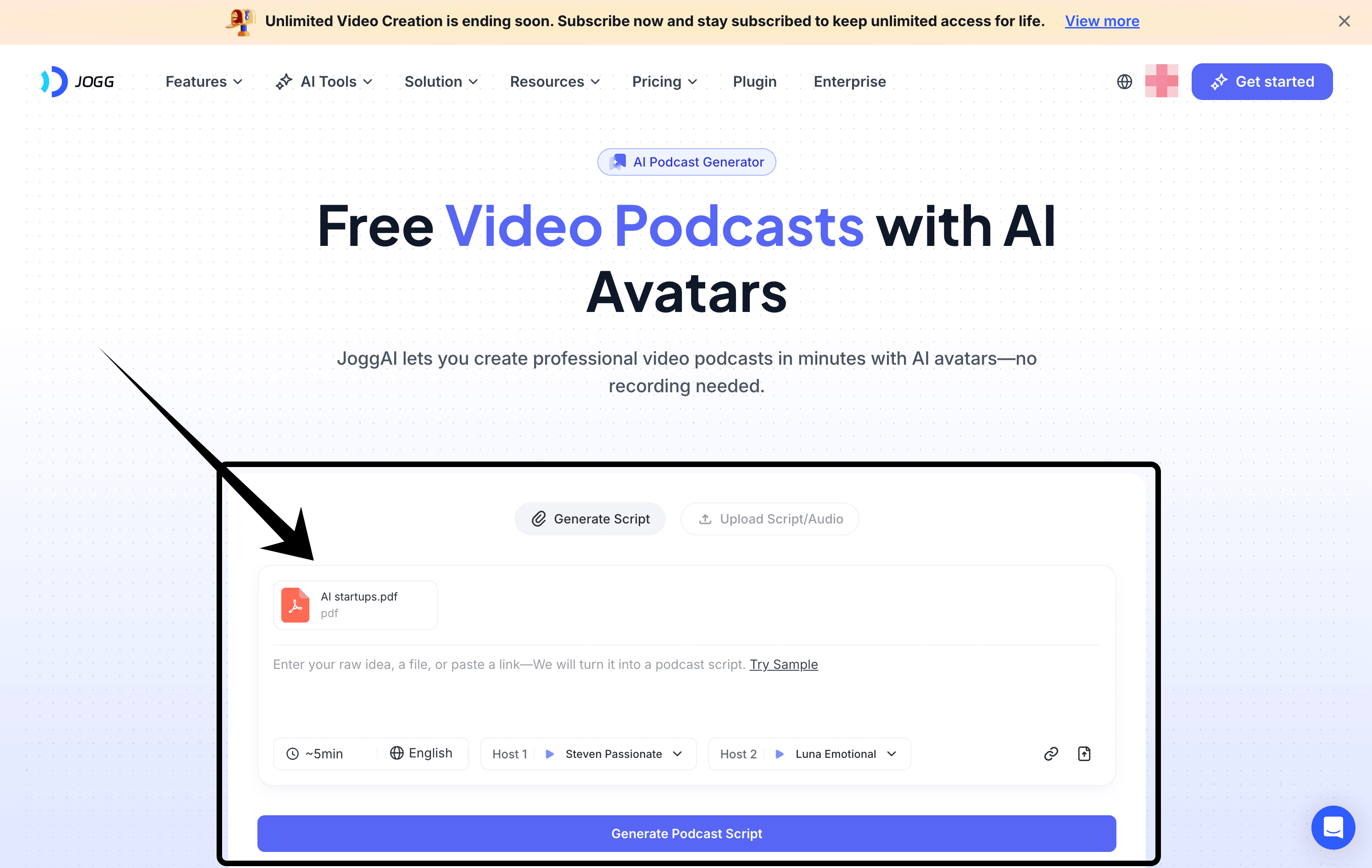
The AI presenter can carry the main narrative, but the video does not have to stay on the same talking-head shot throughout the entire episode. Different scenes, supporting visuals, and visual treatments can be introduced as the topic develops.
A long AI generated podcast can become visually repetitive very quickly if viewers are watching the same host layout for several minutes. With JoggAI, the episode feels more dynamic and closer to the kind of content people already expect to watch on YouTube.
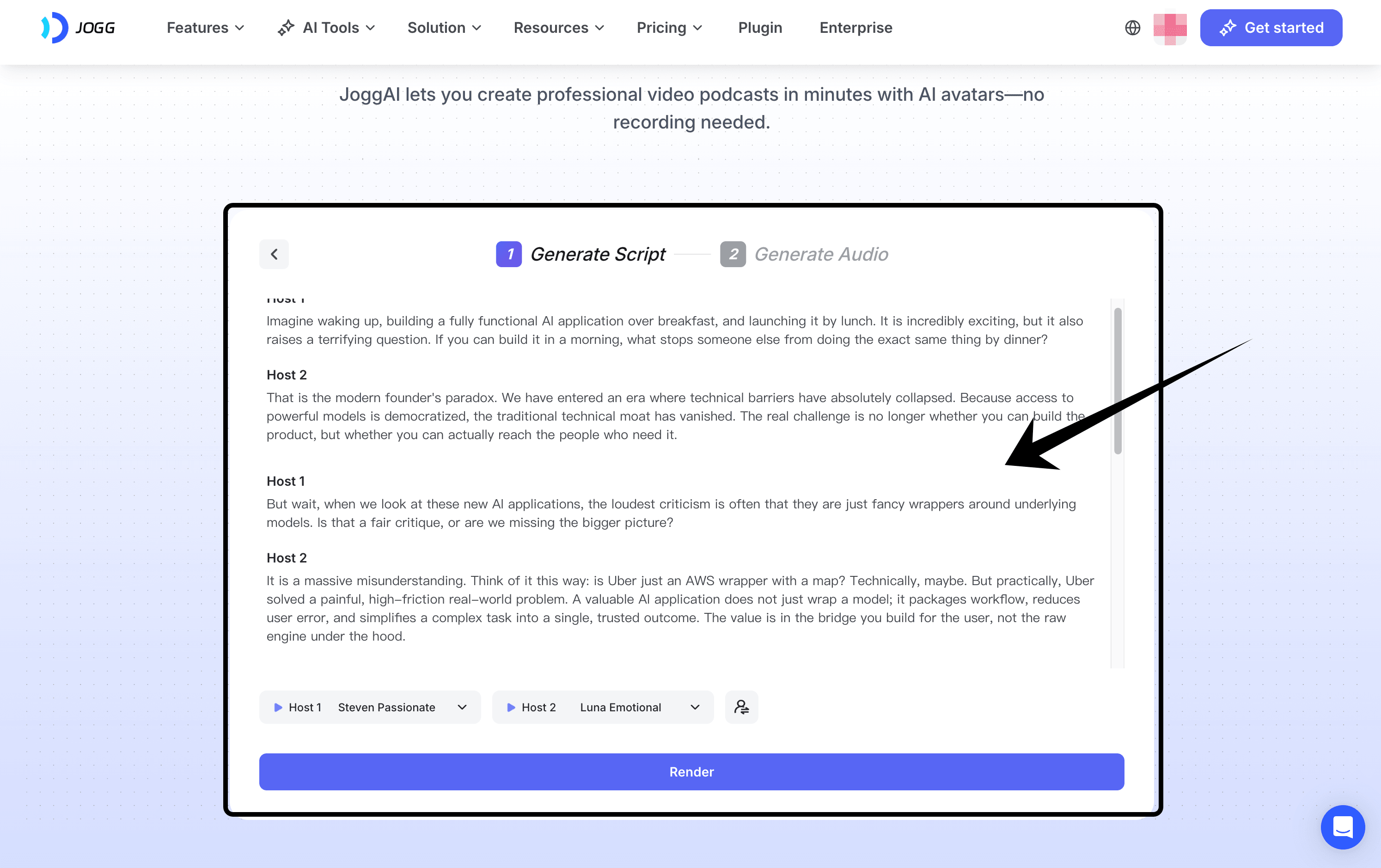
I also found JoggAI more flexible when the topic needed more than conversation. If I wanted to explain an idea, introduce an example, show supporting information, or shift between different parts of the story, the video format gave me more room to do that naturally.
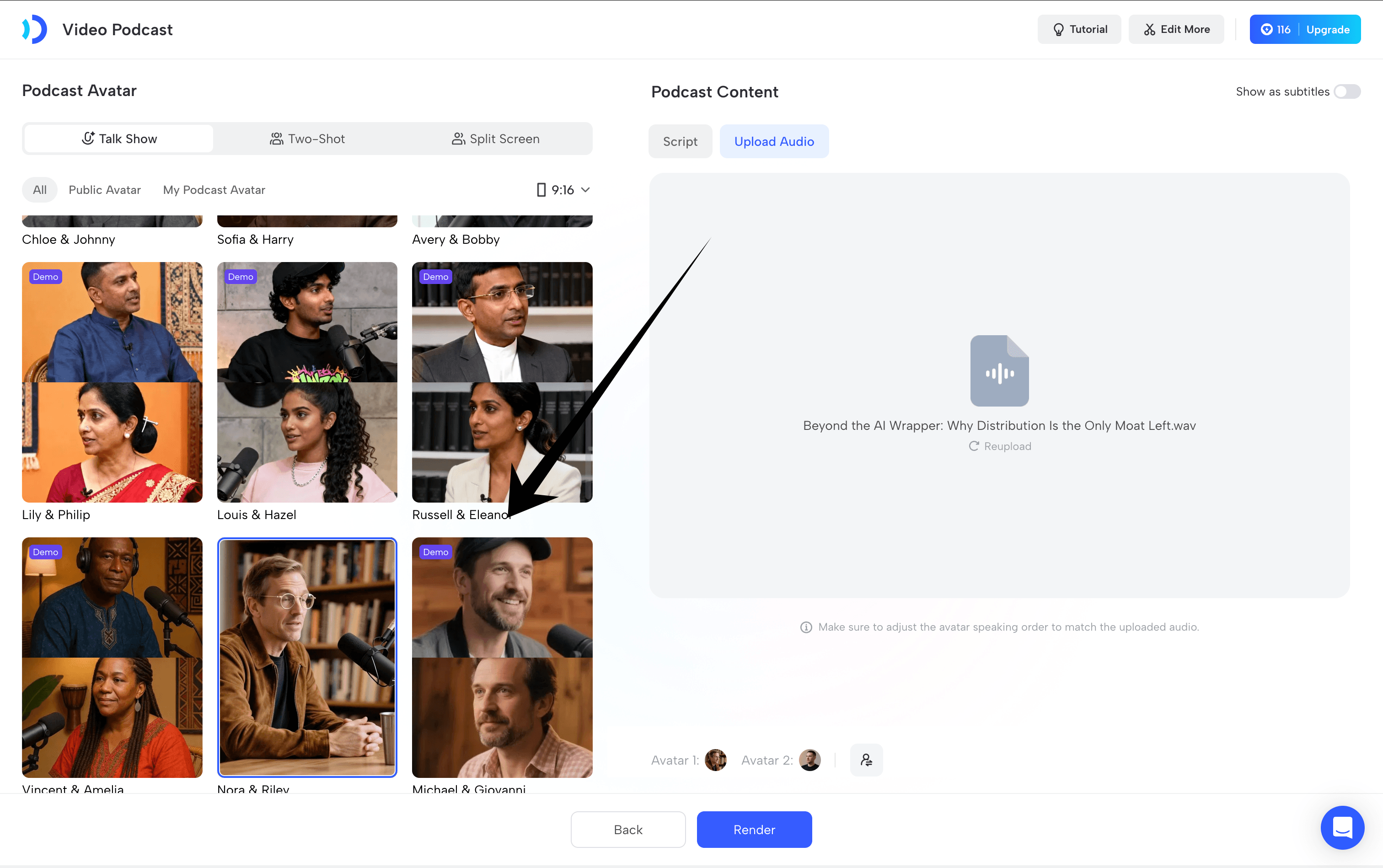
That makes JoggAI particularly useful for YouTube-first video podcasts, educational podcasts, business content, explainers, and knowledge-based shows where visuals are part of the storytelling rather than just decoration.
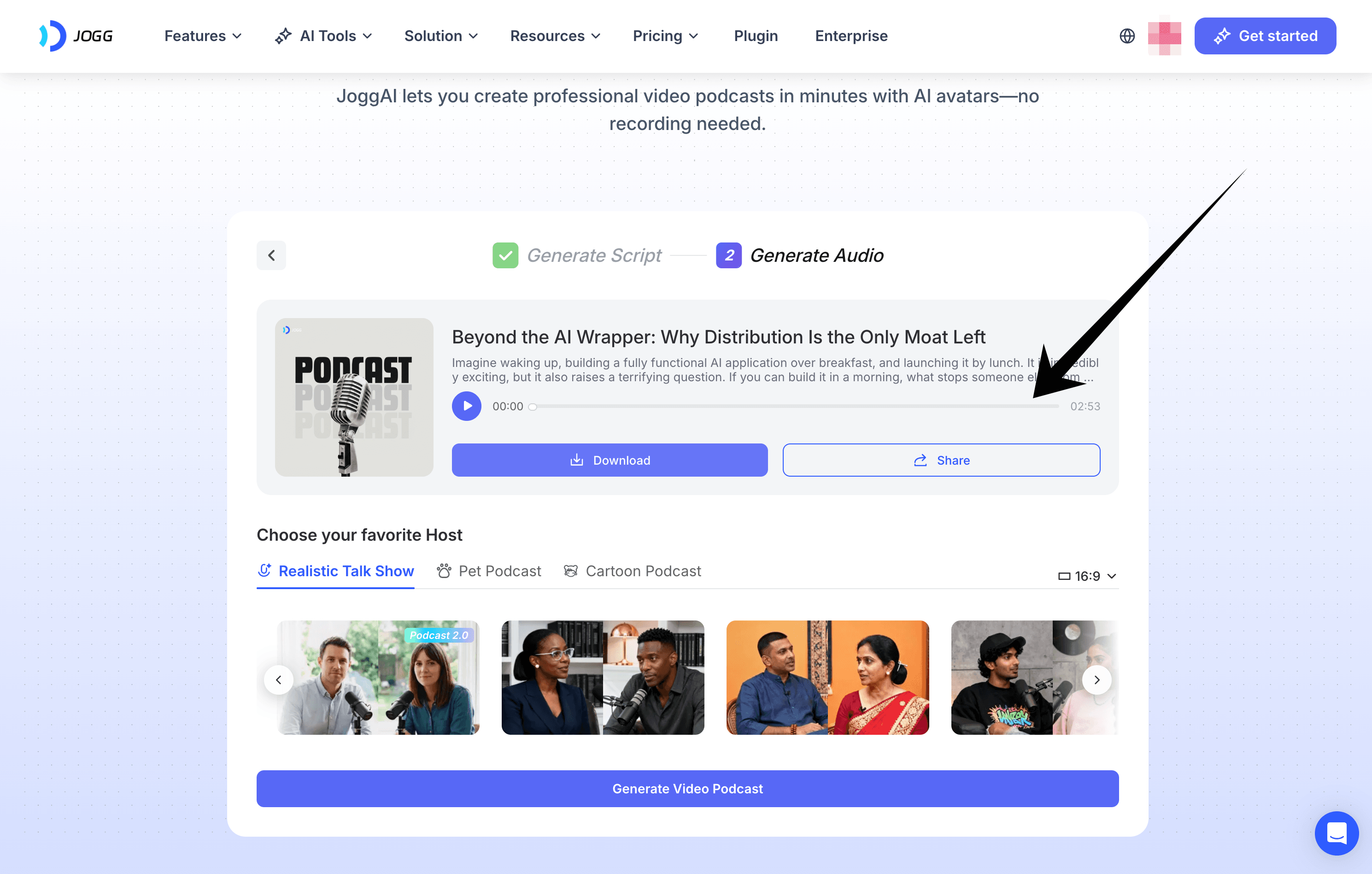
The workflow is slightly less podcast specific than a dedicated podcast studio, especially if your only goal is to create a long two-host conversation. But for me, that tradeoff was worth it because the final video felt more watchable and more complete.
What I liked most: the video does not feel locked into a traditional podcast layout. JoggAI gives the episode enough visual variety to keep longer content engaging.
What could still improve: more podcast specific controls for long form, multi host conversations would make the workflow even stronger.
Overall, if I were creating a video podcast primarily for platforms like YouTube, JoggAI would be my first choice because it gives me more control over the viewing experience, not just the audio conversation.
My Experience Creating a Video Podcast with PodcastorAI
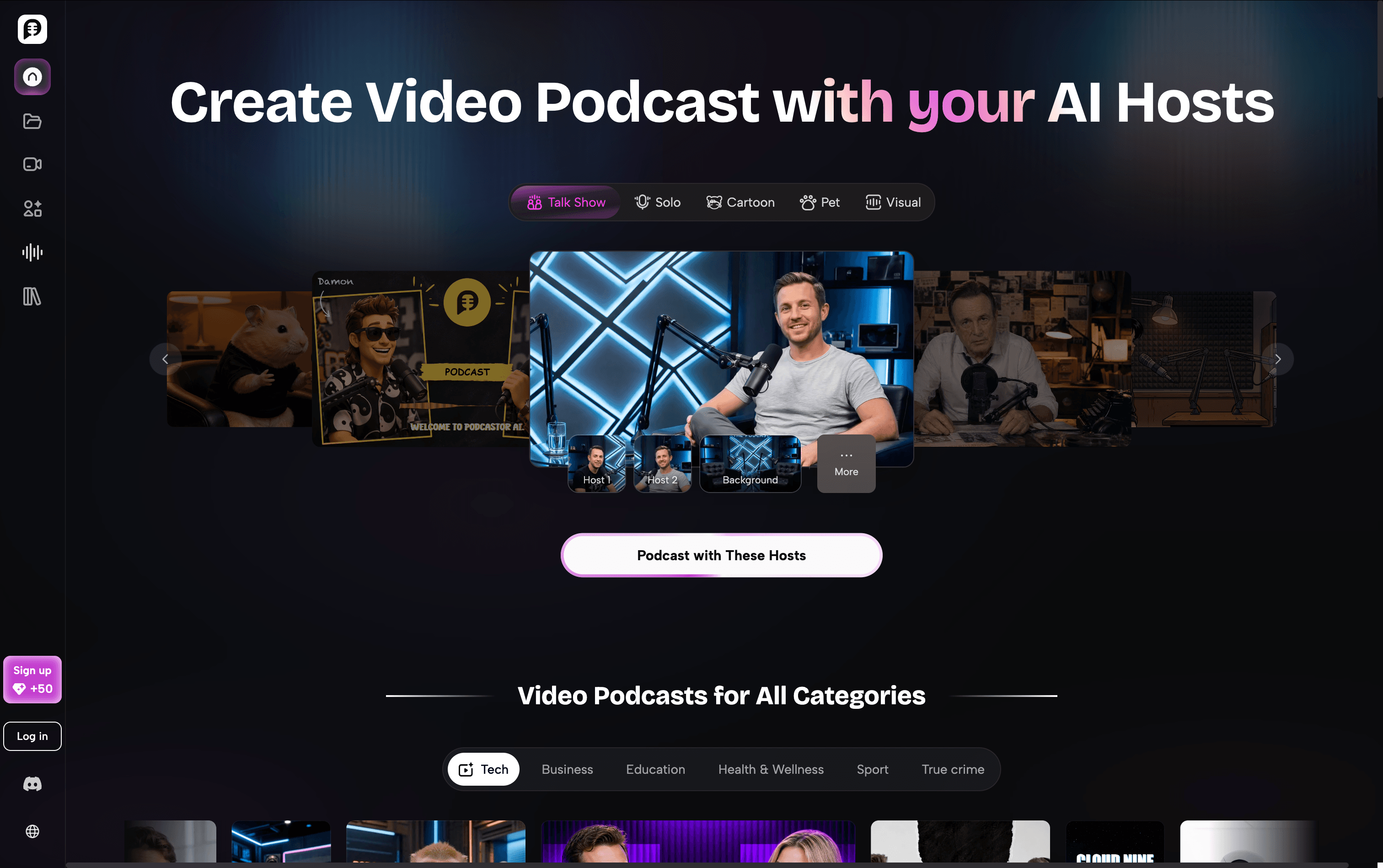
PodcastorAI felt more like an AI Podcast Studio built around the podcast creation process itself.
During the test, I naturally focused more on the episode: how the topic should develop, how the hosts should interact, which voices to use, and how the conversation should flow.
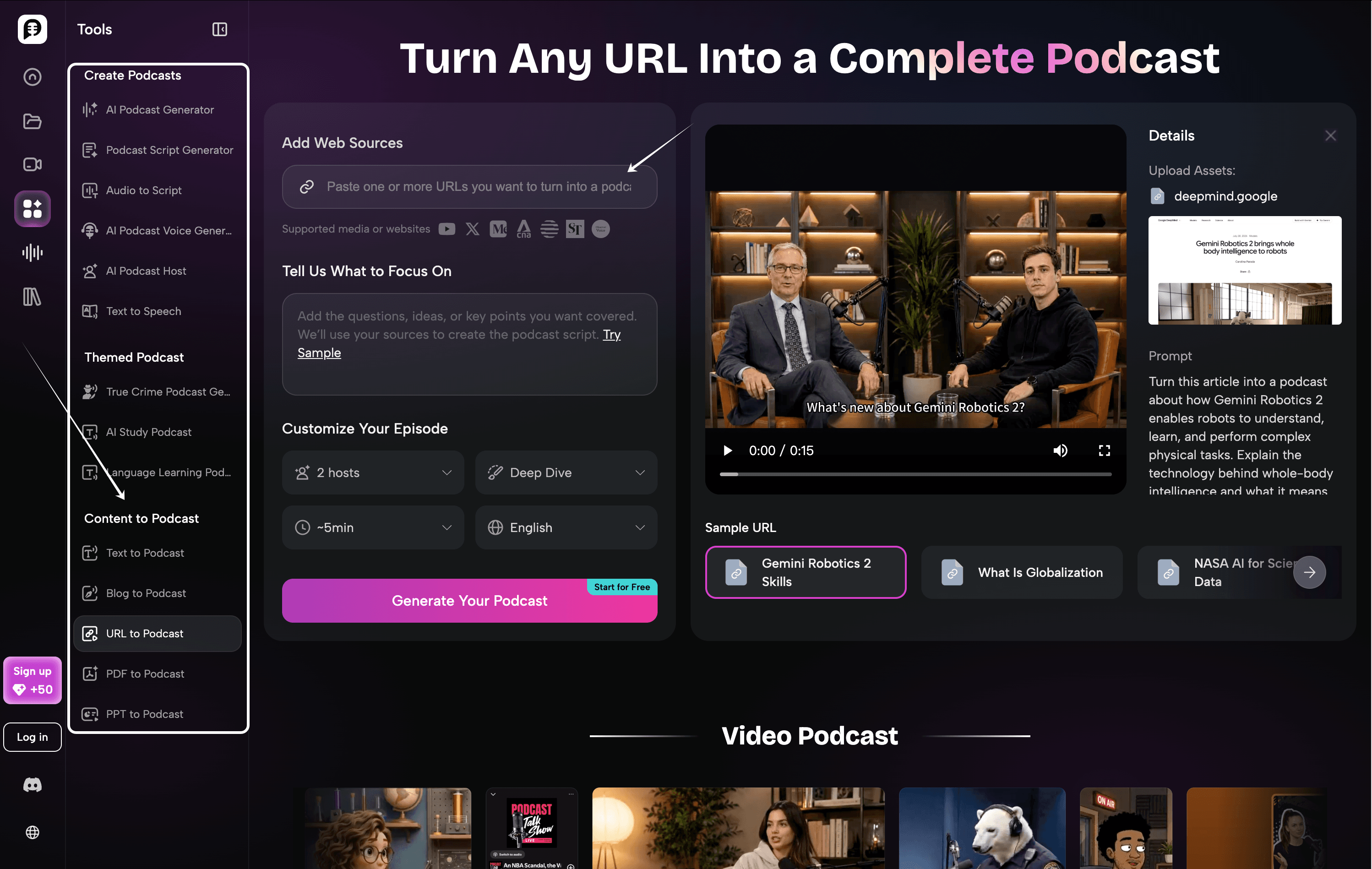
If you already have an article, URL, document, or idea, the source-to-episode workflow feels straightforward. Instead of preparing every part of the episode manually, you can move from source material into a structured podcast much more directly.
I also liked how naturally PodcastorAI supports multi-host formats. When I was testing a conversation-led episode, the workflow made it easy to focus on the hosts and the discussion itself rather than constantly thinking about how each scene should look.
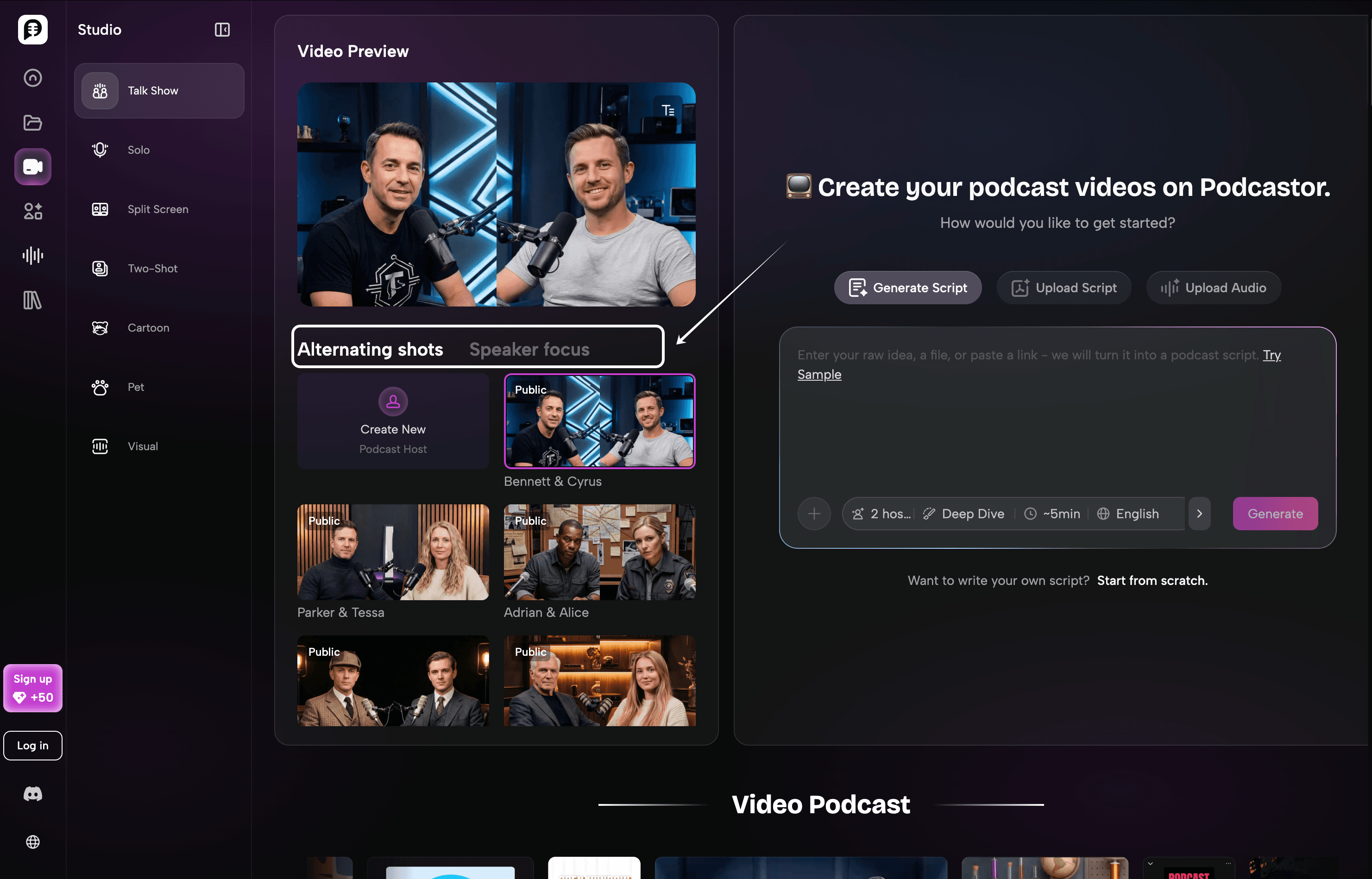
From a video podcast perspective, PodcastorAI stays closer to the traditional podcast viewing experience. The hosts and conversation remain the visual center of the episode, which works especially well for interviews, discussions, and knowledge-based shows.
What I appreciated is that the product does not overcomplicate this type of content. If the audience is mainly there to follow the conversation, the simpler visual approach keeps the attention on the hosts and what they are saying.
Compared with JoggAI, the emphasis is clearly different: PodcastorAI feels more focused on building the podcast first, while the video serves as the format for presenting that episode.
What I liked most: the source to episode workflow feels natural, multi host conversations fit the product well, and the overall experience stays very focused on podcast creation.
What could improve: I’d like to see more flexibility in visual presentation, especially for longer episodes where additional scene variation could help keep the video more engaging.
Which tool is better for different creators?
| Creator or team | Better | Why |
|---|---|---|
| Podcast team | PodcastorAI | Built around podcast creation, with a natural workflow for hosts, conversations, and complete episodes. |
| Marketing team | JoggAI | Better for turning podcast ideas or scripts into polished, visually engaging videos for campaigns and distribution. |
| Education or research publisher | PodcastorAI | Makes it easy to turn articles, documents, and research materials into structured podcast episodes. |
| Founder building a content engine | PodcastorAI | A simple way to turn ideas, insights, and existing content into repeatable podcast episodes. |
| YouTube-first AI podcast channel | JoggAI | Stronger visual storytelling and scene variety make longer video podcasts more engaging to watch. |
| Brand team with strict visual guidelines | JoggAI | Offers more flexibility over presenters, scenes, supporting visuals, and the overall video presentation. |
Frequently asked questions
Is JoggAI better than PodcastorAI?
Neither is universally better. JoggAI is the stronger first trial for branded, presenter-led, and campaign-oriented podcast video variations. PodcastorAI is the stronger first trial for turning source material into structured podcast audio and video. Run the same approved brief and choose the workflow that reduces review and editing work.
Is PodcastorAI a full AI video podcast generator?
PodcastorAI presents a source-to-podcast workflow that can continue into AI voices, hosts, audio, and video. Verify the exact current export, host, caption, and plan limits before publishing a permanent feature or pricing claim.
Can JoggAI make a video podcast?
JoggAI should be tested for presenter led podcast video, trailers, sponsor segments, quote videos, and social variations. Whether it is the right tool for a complete source to episode workflow depends on the current product flow and your required input. Do not assume that a video generator and a podcast studio solve the same problem.
Which tool is better for YouTube podcast videos?
Start with PodcastorAI when you need to generate the episode from source material and continue into a podcast style video. Start with JoggAI when you already have the episode message and need branded trailers, presenter videos, or several promotional variations. Your test should include the exact YouTube resolution, duration, captions, and review requirements.
Which tool is better for short-form podcast clips?
JoggAI is the more relevant first test for campaign style short form variations. PodcastorAI is the more relevant first test when the clip should come from a generated or source grounded episode. In either case, review the clip against the original message and check that the hook does not introduce an unsupported claim.
Can I publish AI-generated podcast videos commercially?
Commercial use depends on the product, plan, voice, avatar, stock asset, music, uploaded likeness, and current terms. Review ownership, consent, licensing, watermark, export, and data retention rules before publishing a monetized episode, client campaign, course, or sponsored segment.
What should I record during a real comparison test?
Record the exact input, prompt, plan, date, settings, first output, best output, elapsed time, credits used, manual edits, export resolution, watermark, and reviewer notes. Screenshots or raw output links make the final comparison more credible than a score alone.
Final verdict
JoggAI and PodcastorAI should be compared as different workflow starting points, not as identical buttons with different branding.
Choose JoggAI when the job begins with an approved marketing message and ends with branded presenter video, podcast promotion, sponsor content, or multiple social variations. Choose PodcastorAI when the job begins with a source and ends with a structured podcast episode in audio or video form. Choose both when your team needs source-to-episode production and campaign-ready distribution assets.
The most defensible 2026 verdict is simple: the better AI video podcast generator is the one that completes your real brief with fewer factual errors, fewer manual edits, and lower total review cost. Add the live test results before turning this comparison into a final ranking.