
Watch The Tutorial Video
How to Create a Talking Photo?
No tech skills required—just follow these easy steps:
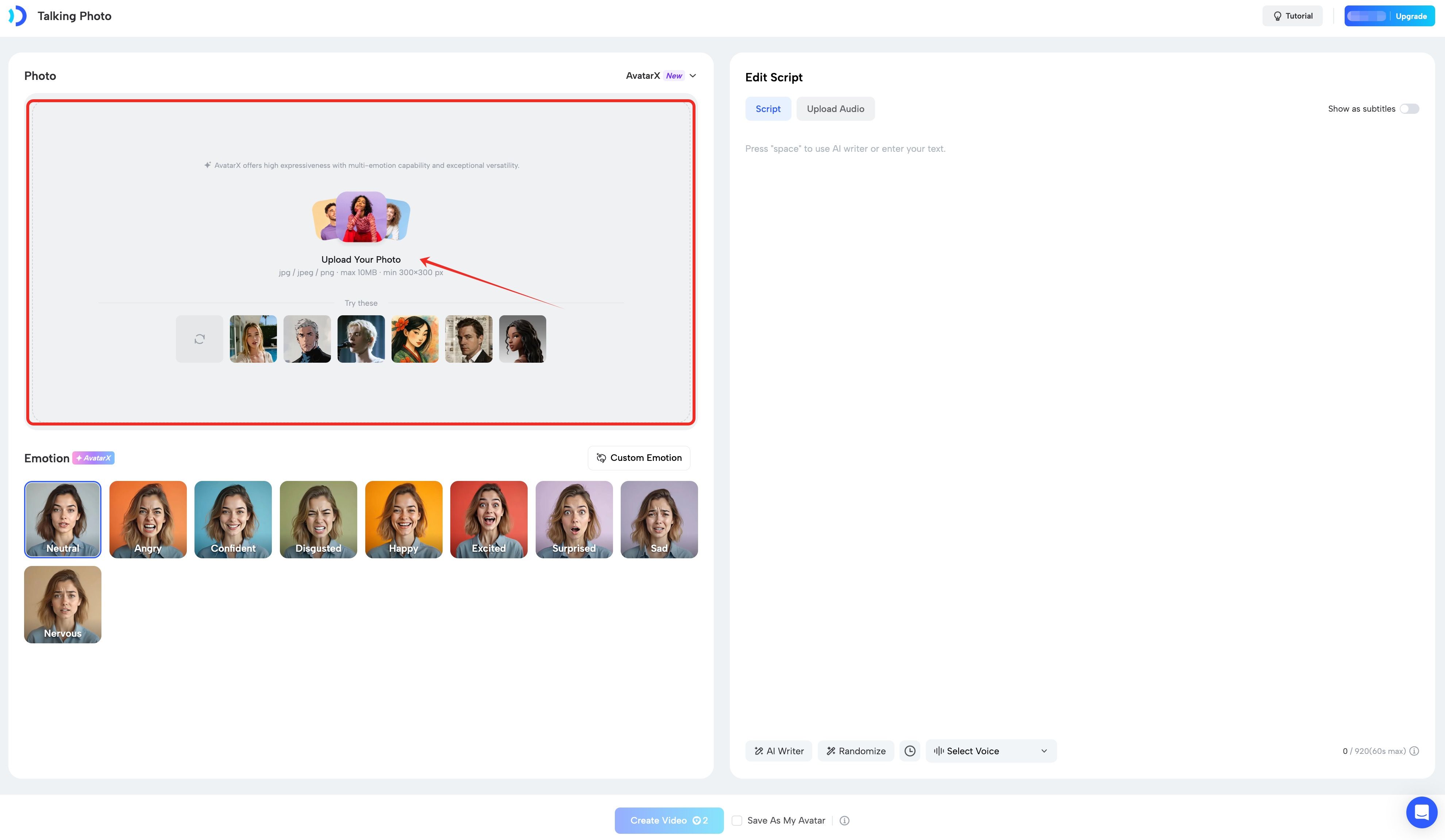
Step 1: Upload Your Photo
Choose a high-quality, front-facing image. JoggAI will automatically detect and map facial features—no manual work needed.
Step 2: Add Voice & Expression
Make your photo talk your way:
- Enter a script and use AI voice
- Or upload your own audio
- Optionally pick an emotion preset
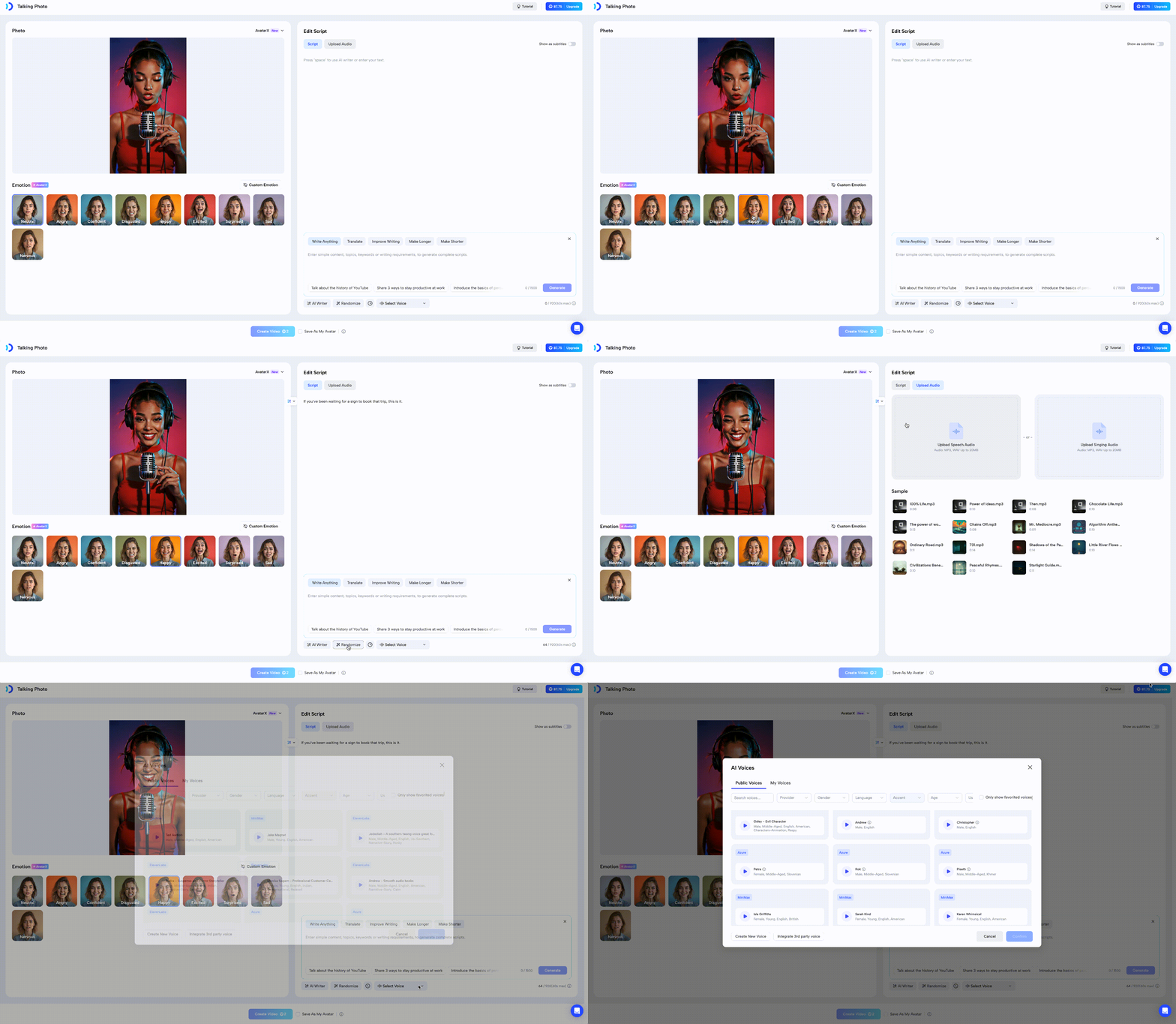
JoggAI handles natural lip-sync and facial movement for you.
Step 3: Generate & Share
- Remember to enable the subtitles if you need to display the scripts.
- It is recommended that you check’Save As a Avatar ’ so that you can find it later in your photo avatar.
- Click ‘Generate’ and wait patiently for the production to be completed.
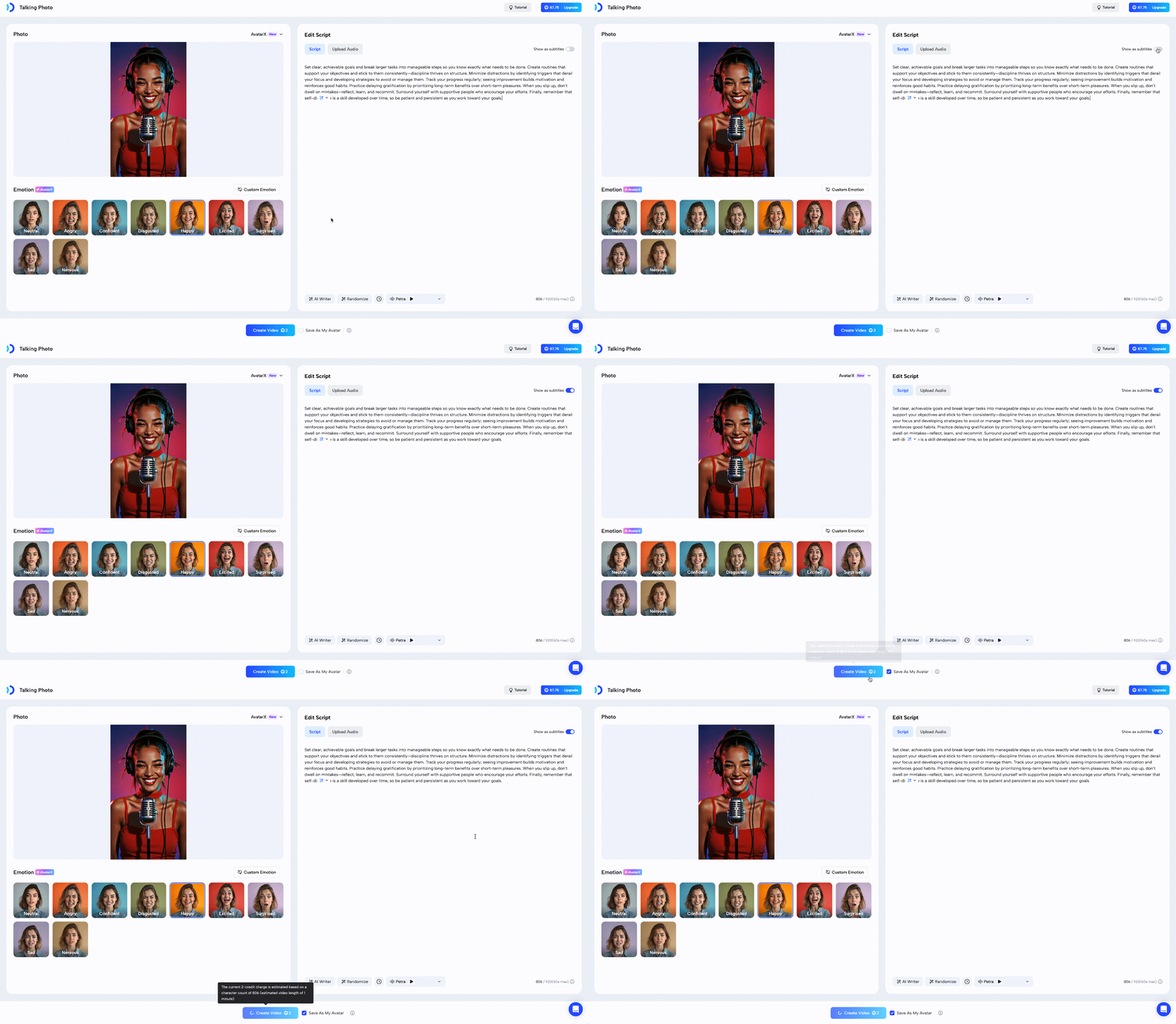
Notes:Making a talking photo requires 2 credits as it requires motion creation and it does not support ‘Edit As New’
Ready to try it? Upload a photo and bring it to life now!