
What is JoggAI’s Video Extender
JoggAI’s Video Extender is a smart tool that lets you seamlessly lengthen your video content with AI. Whether you’re creating ads, extending a storyline, or refining your edits, Video Extender makes it simple to expand your videos in just a few clicks.
Getting Started with Video Extender
Step 1 Upload Your Video
Click the “Upload Video” and select the file you want to extend.
- Supported formats: MP4, MOV, WEBM, AVI
- File size: less than 200MB
- Duration: no more than 30 seconds
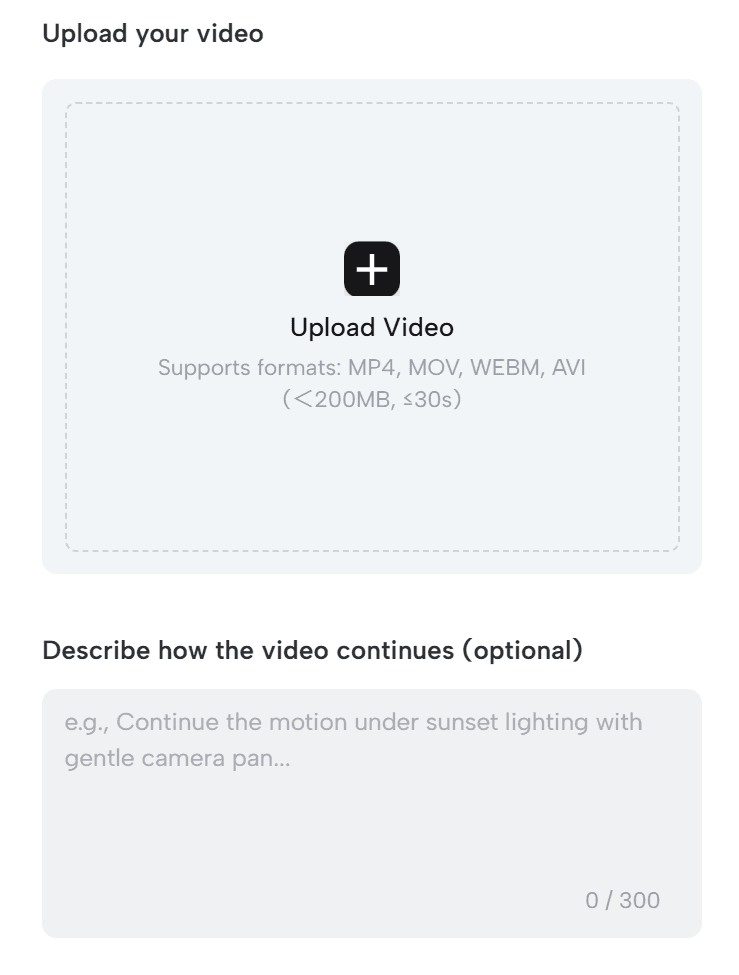
After uploading, you can add an optional description in the “Describe how the video continues” field (up to 300 characters). This helps the AI generate more accurate and natural extended content.
Step 2 Set Extension Duration & Generate
In the More Settings section, choose how long you’d like to extend your video:
- 5 seconds
- 10 seconds
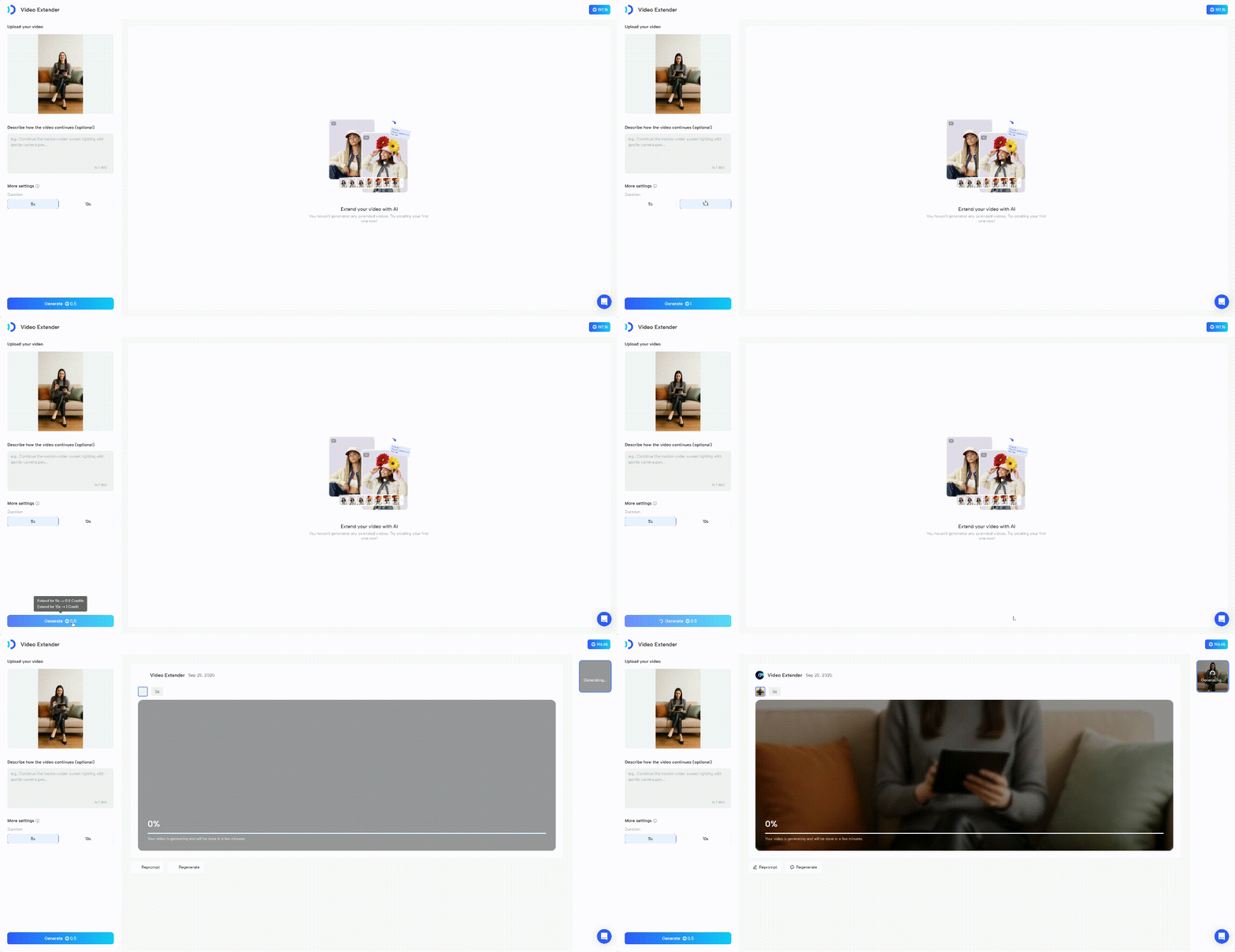
Once you’re ready, click “Generate”. The AI will process your video and produce an extended version. Depending on video complexity and server load, this may take a few moments.
Notes
- File Format and Size: Ensure your video meets format, size, and duration requirements.
- Use Descriptions: Adding a clear description helps the AI generate more accurate results.
- Try Again: If the output isn’t what you expected, adjust your description or duration and regenerate.
Recap
In this guide, you learned:
- What JoggAI’s Video Extender is
- How to upload, set duration, and generate extended videos
- Best practices to get the most accurate results
With JoggAI’s Video Extender, you can give your videos more impact, extend storytelling naturally, and create smoother, longer content with ease.
👉 Try Video Extender today and see how effortless it is to level up your videos!