
What is Video Translation?
Translate your videos into 90+ languages with advanced lip-sync and natural voice cloning, ensuring your content resonates globally without losing its authenticity.
Watch the Tutorial Video👇
How it Works?
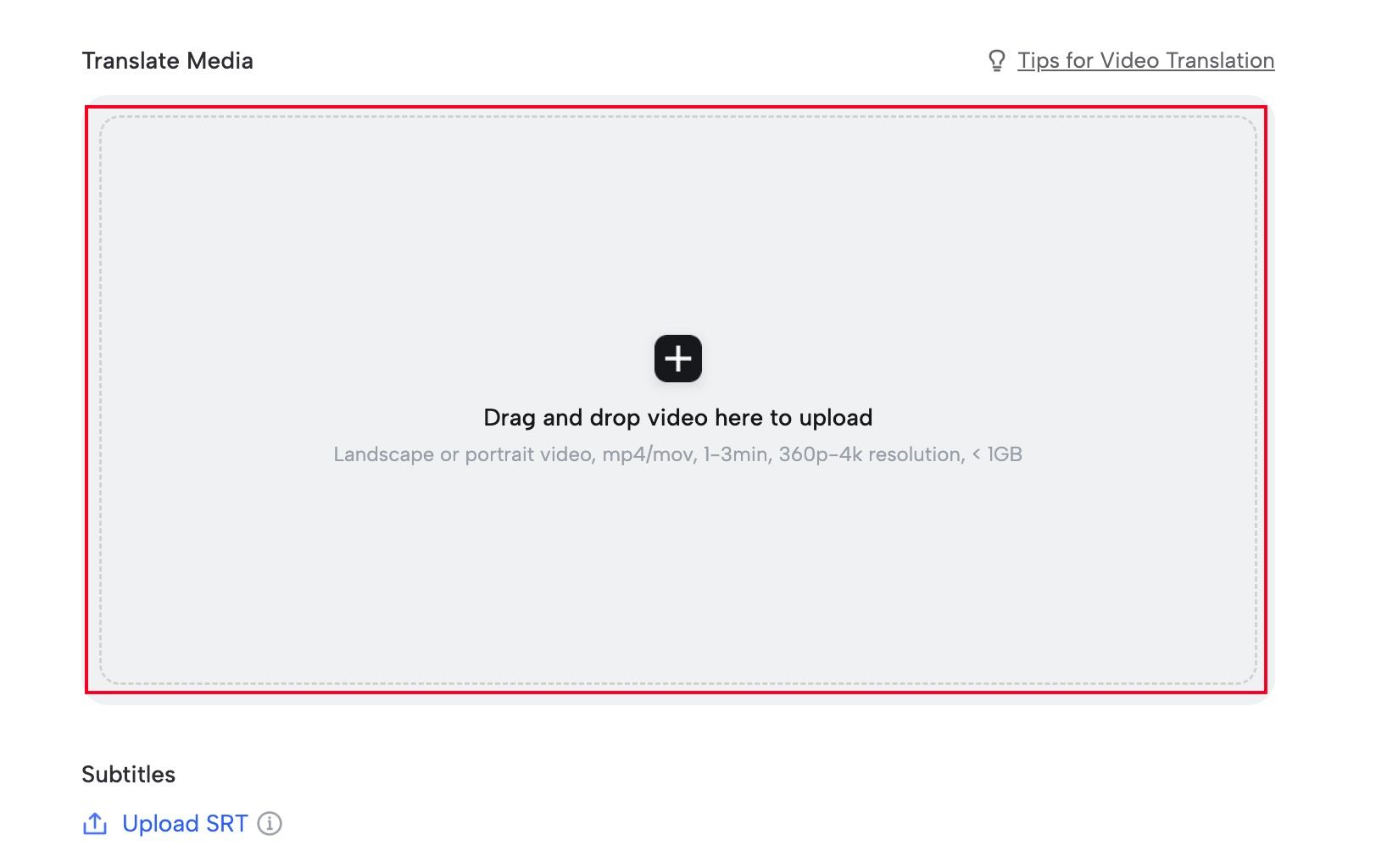
Step 1: Upload Your Video
Simply drag and drop your video file in any format and any length.
Step 2: Select Language & Voice
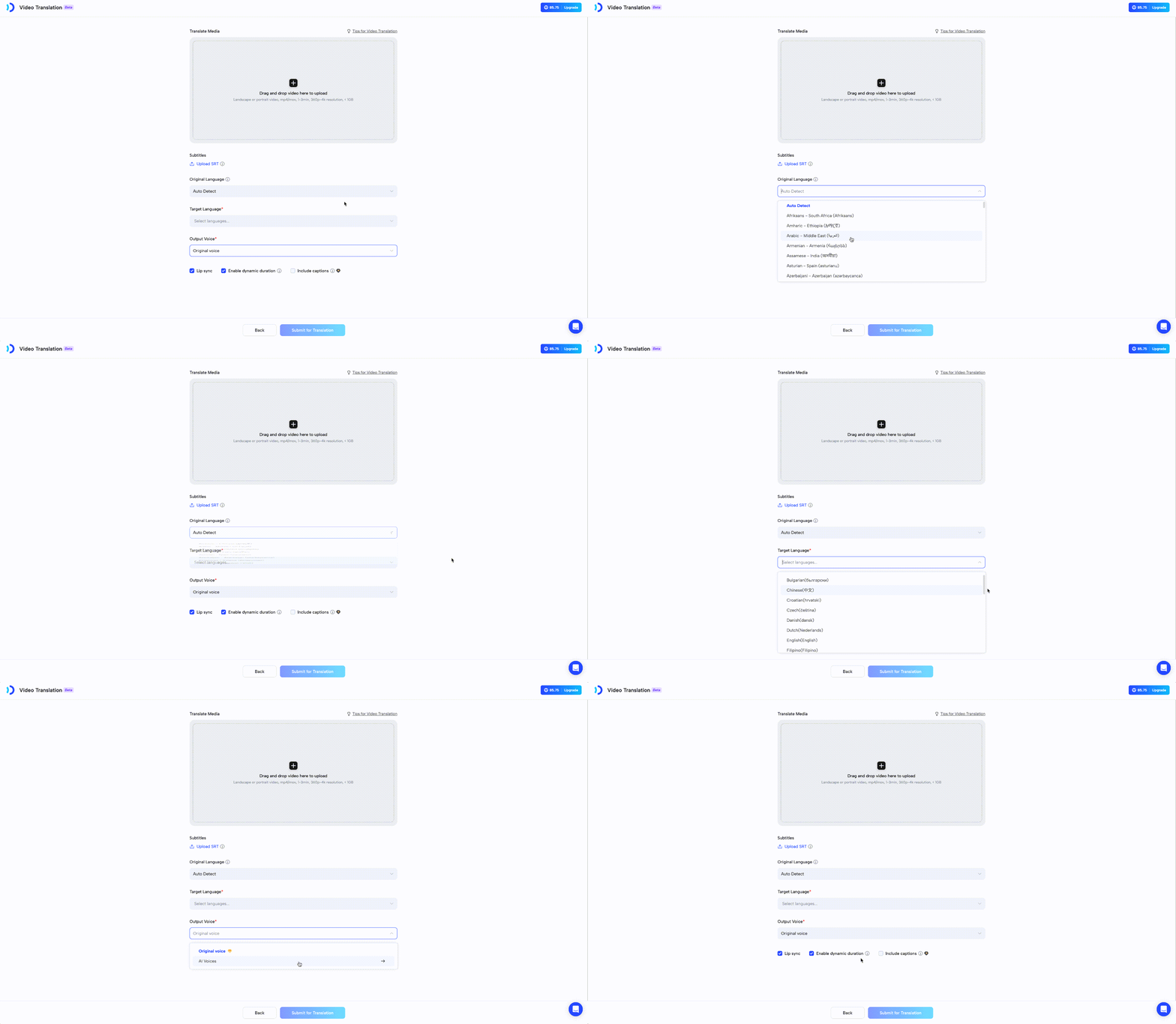
Choose your target language, select from 10,000+ AI voices (or clone your own), and enable perfect lip-sync.
You can also add captions to make your content even more engaging.
Step 3: Generate & Download
Click ‘Submit,’ and your perfectly translated video with matched lip-sync will be ready within minutes.
Pro Tips:
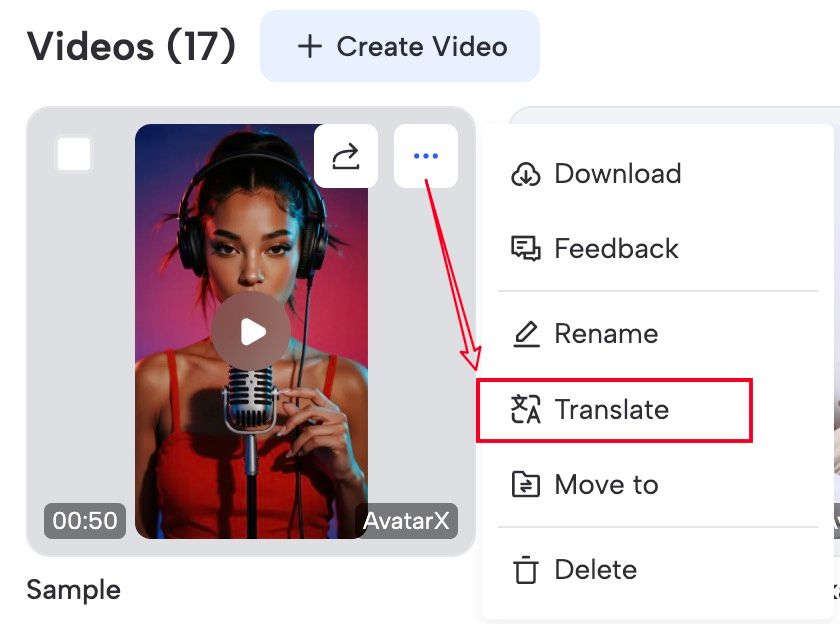
We also support one-click translation for previously generated videos. Simply select the video you want to translate, click the three dots in the top right corner, and choose ‘Translate.’
Recap
In this guide, you learned:
- What is Video Translation?
- How it works?
Start translating your video content with JoggAI Video Translator today. Save time, connect with global viewers, and enjoy a user-friendly experience.