
What is JoggAI Avatar Video?
A key advantage of JoggAI is its ability to turn text into engaging and interactive videos with avatars.
You can choose from a selection of avatars, create a digital twin of yourself, or design your ideal avatar from text prompts. The platform then transforms your written content into a professional video with your chosen avatar delivering the message.
How to Turn Text into a Speech Video?
Follow these easy steps to create your AI avatar video:
STEP 1: Choose Your Ideal Presenter
-
Select an avatar from our collection, design avatars using prompts, or create a custom avatar that looks like you by uploading a photo or video.
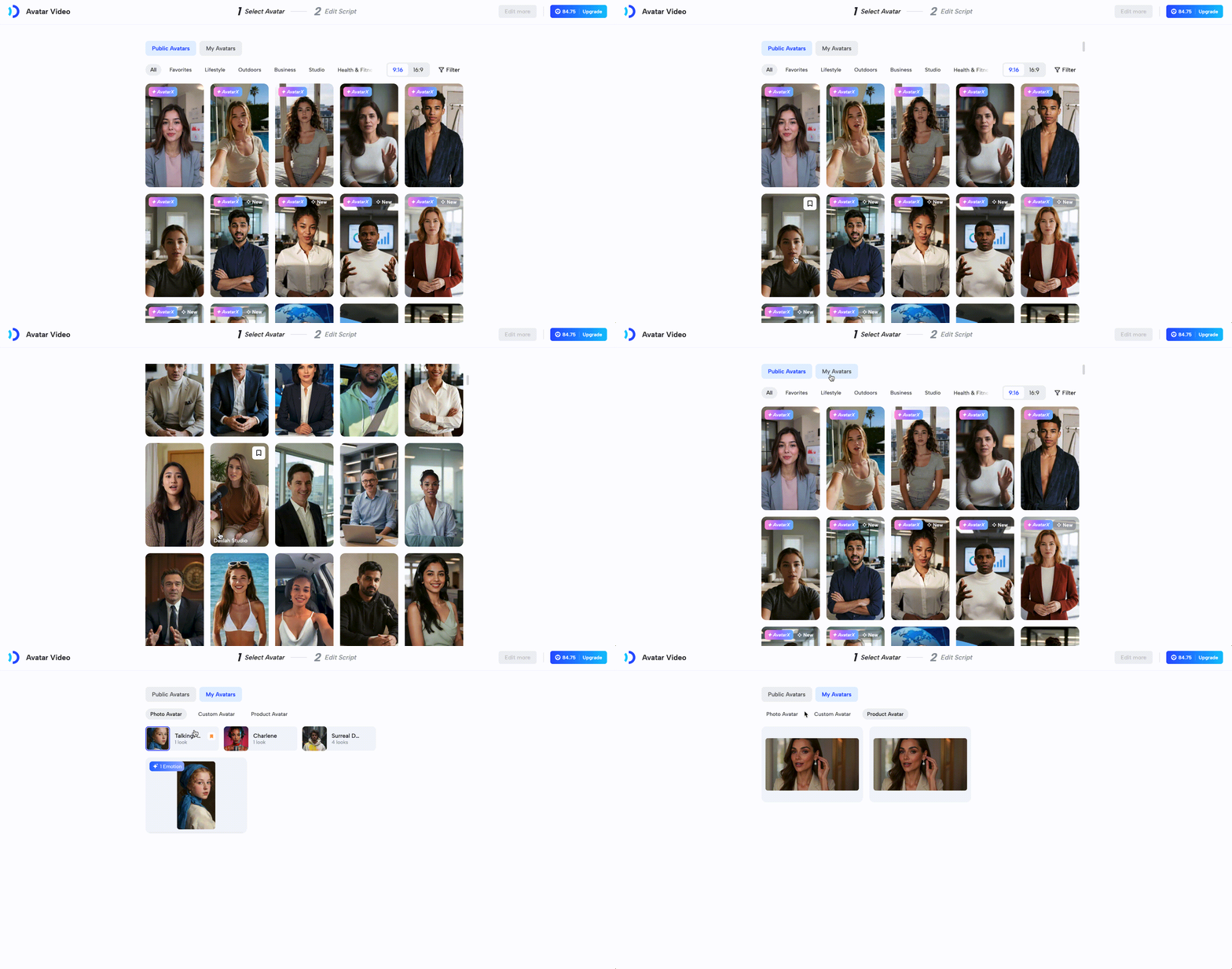
-
Alternatively, you can directly create an Avatar Video using your custom avatar or one from the public library in the “Avatar” section.
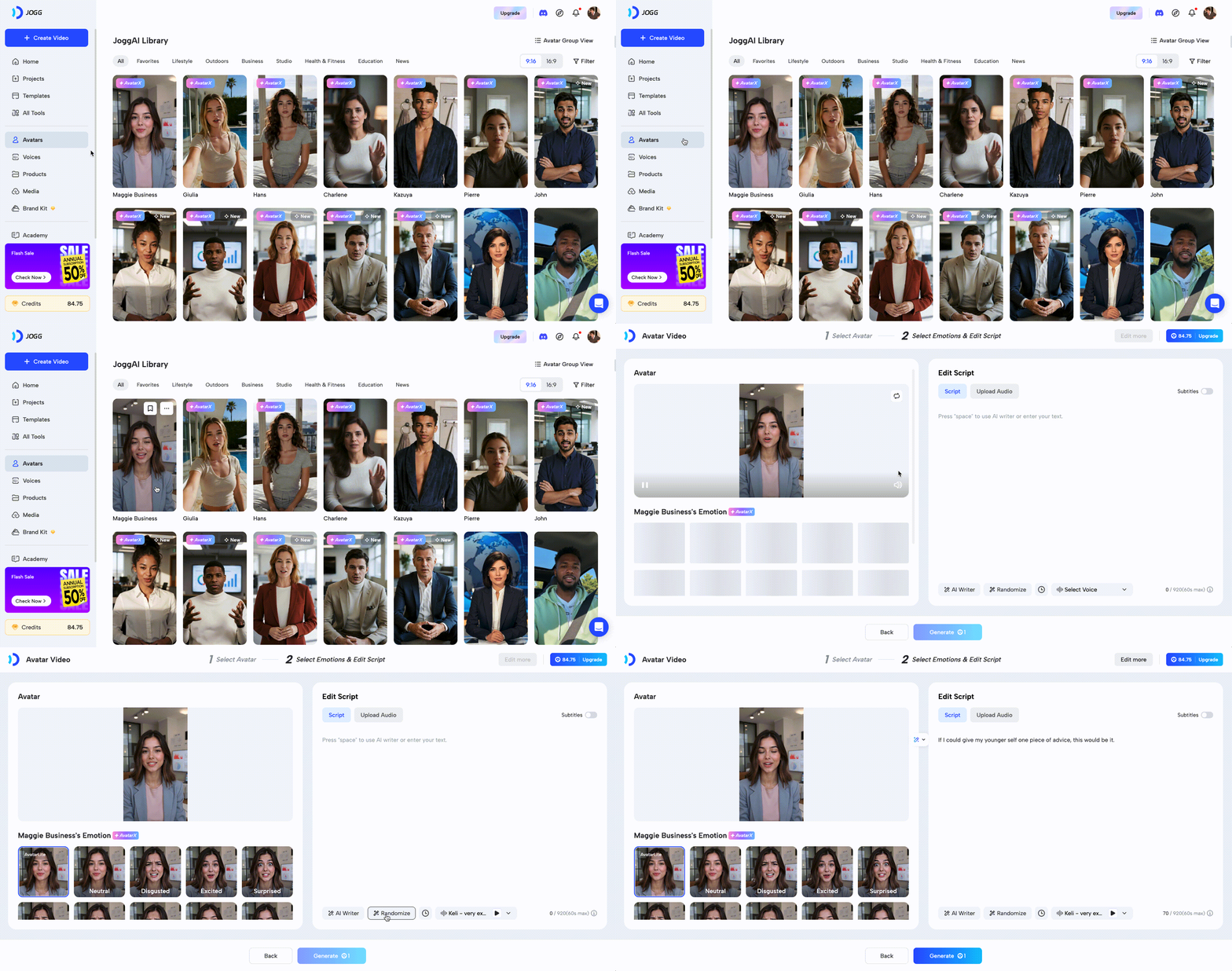
STEP 2: Add Your Script & Voice
- Paste your script or use the AI Script Writer to generate one for you. Then, choose from our library of natural-sounding voices that match your avatar’s appearance for seamless delivery.
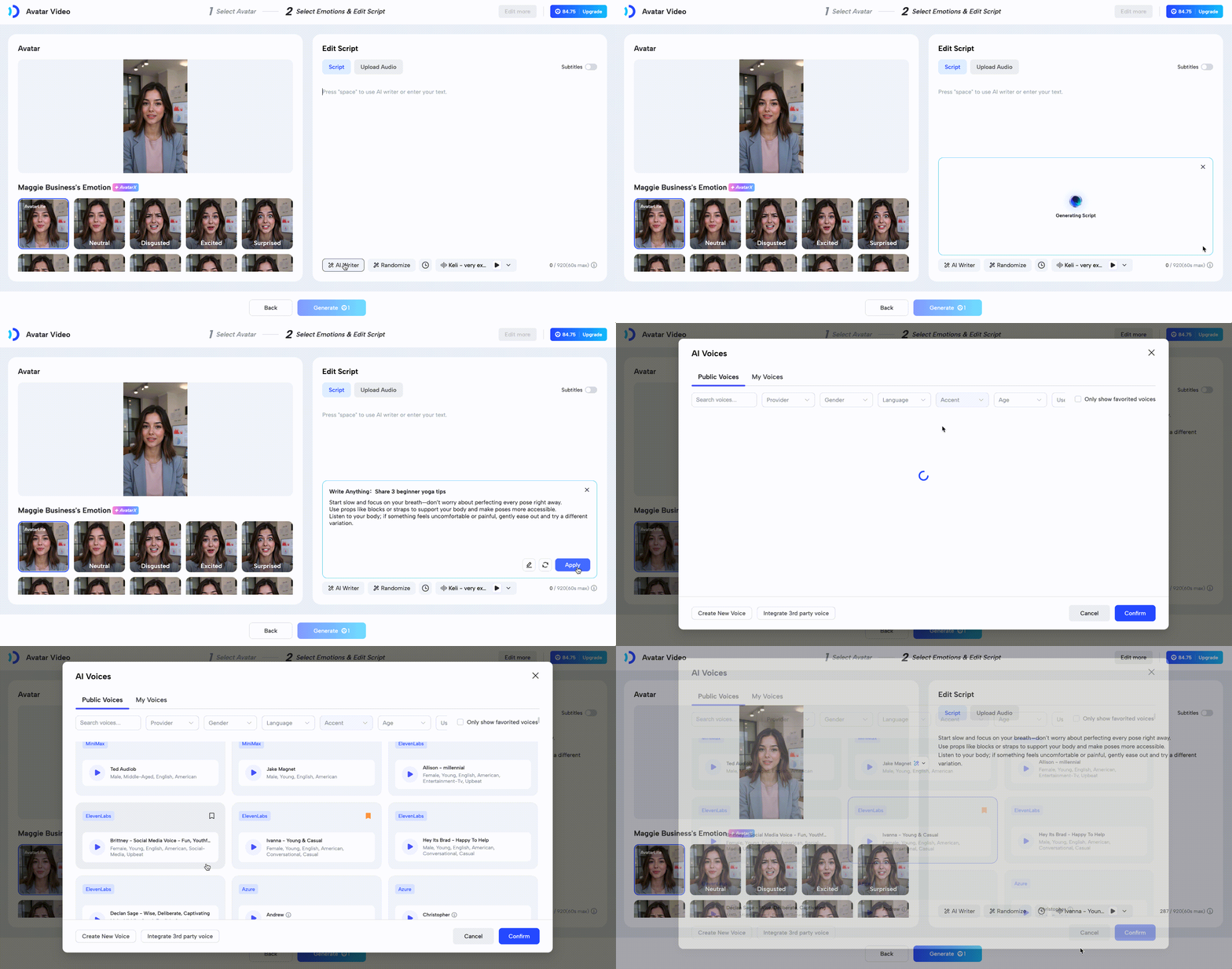
‼️Note: If uploading audio, keep it under 4 minutes for the best results.
STEP 3: Customize & Render
- Once everything is set, click ““Generate”” and watch your video come to life in minutes.
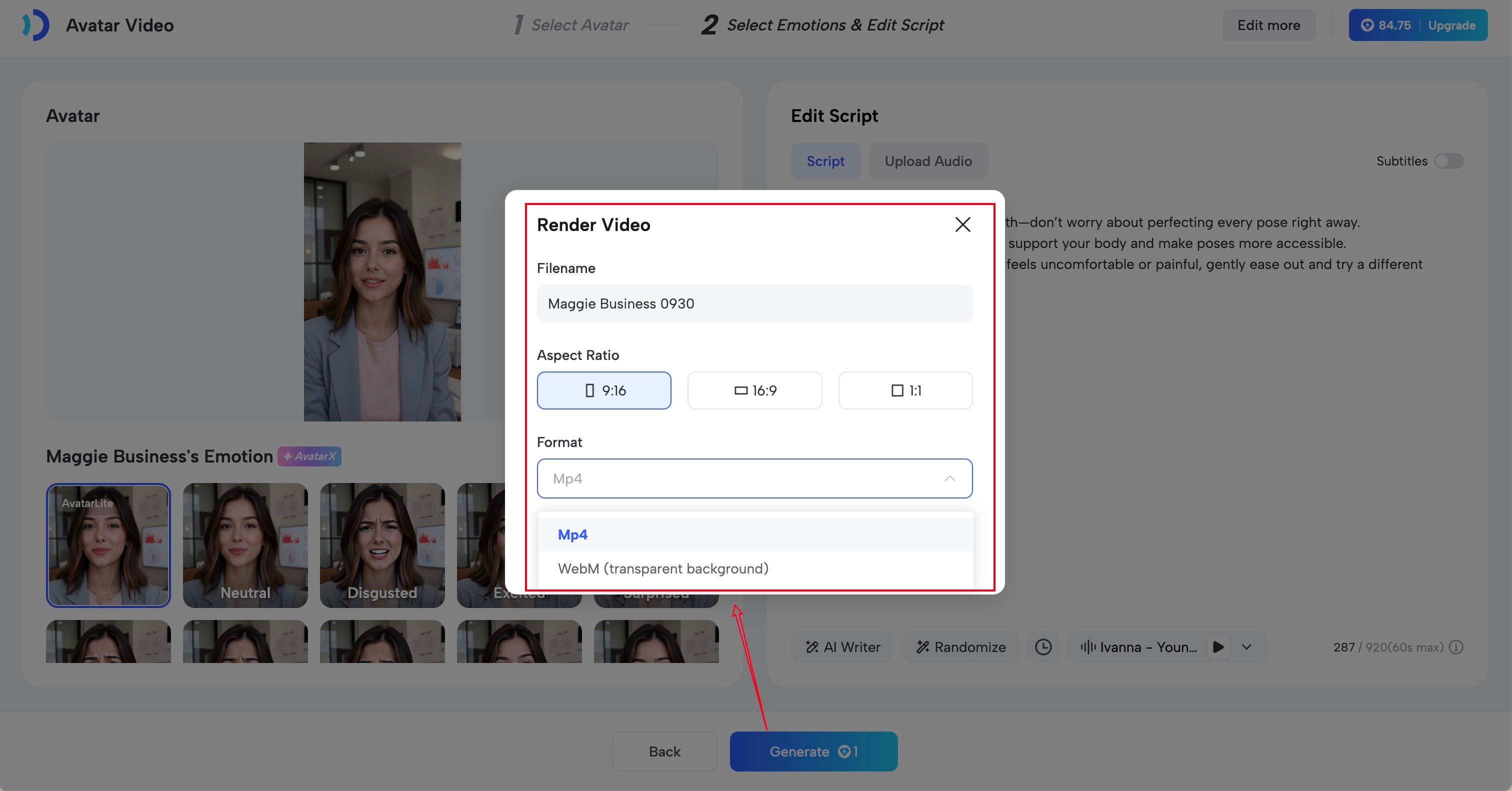
Render Settings
- Filename: Rename your video
- Aspect Ratio: Support 16:9, 9:16, 1:1
- Format:
- Mp4: Export the video in Mp4 format.
- WebM: Export the video with a transparent background.
- Fine-tune with our intuitive editor: Click “Edit More” in the top right corner to add graphics, music, or effects to enhance your video.
Recap
In this guide, you learned:
- What is JoggAI Avatar Video?
- How to turn Text into a Speech Video?
Start using AI video generators today to unlock the full potential of your text-based content!