
Watch the Tutorial Video👇
Have you ever heard of VODCAST? It’s the perfect fusion of “video” and “podcast.” More and more podcasters are recording videos alongside their podcast content, creating a new wave of video podcasts that are rapidly growing in popularity across social media platforms.
What is JoggAI AI Podcast Video Generator?
JoggAI AI Podcast Video Generator is an innovative tool that enables users to effortlessly transform their audio or text into high-quality video podcasts. Whether you’re a content creator, brand, or educator, JoggAI makes it easy to convert your scripts, ideas, or recorded audio into engaging video podcasts featuring AI-generated hosts, dynamic subtitles, customized backgrounds, and branded elements.
Why Choose JoggAI for Your VODCAST?
- Fast & Easy: Turn your content into an engaging VODCAST in minutes.
- Customizable Avatars: Choose from a variety of avatars and personalize their voice tones.
- No Technical Skills Needed: You don’t have to be an expert in video editing—JoggAI handles it all.
How to Create A Video Podcast?
Follow these simple steps to get started with your video podcast creation:
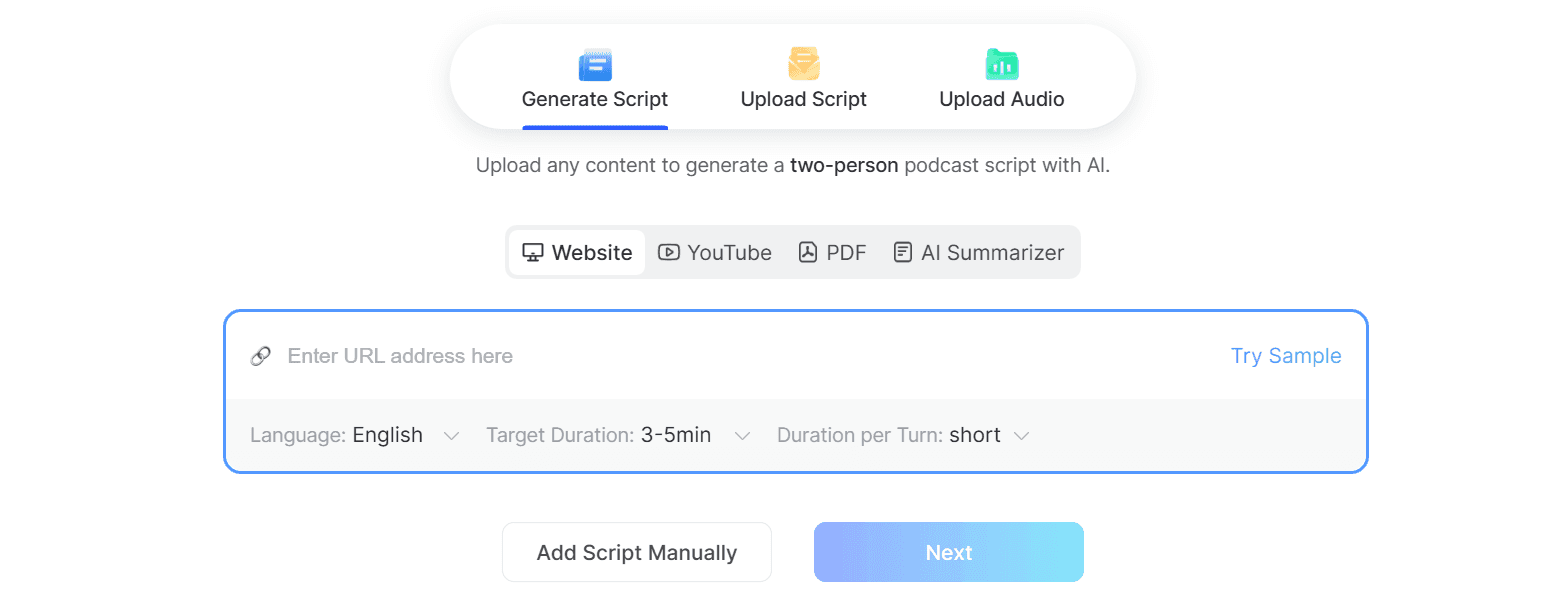
STEP 1: Input Your Content
Begin by providing the content you want to turn into a podcast. You can use:
- A webpage URL
- YouTube video link
- PDF/DOC file
- Or paste long text
Expand your options to select content in over 50 languages.
STEP 2: Select Video Style & Pick Your Avatars
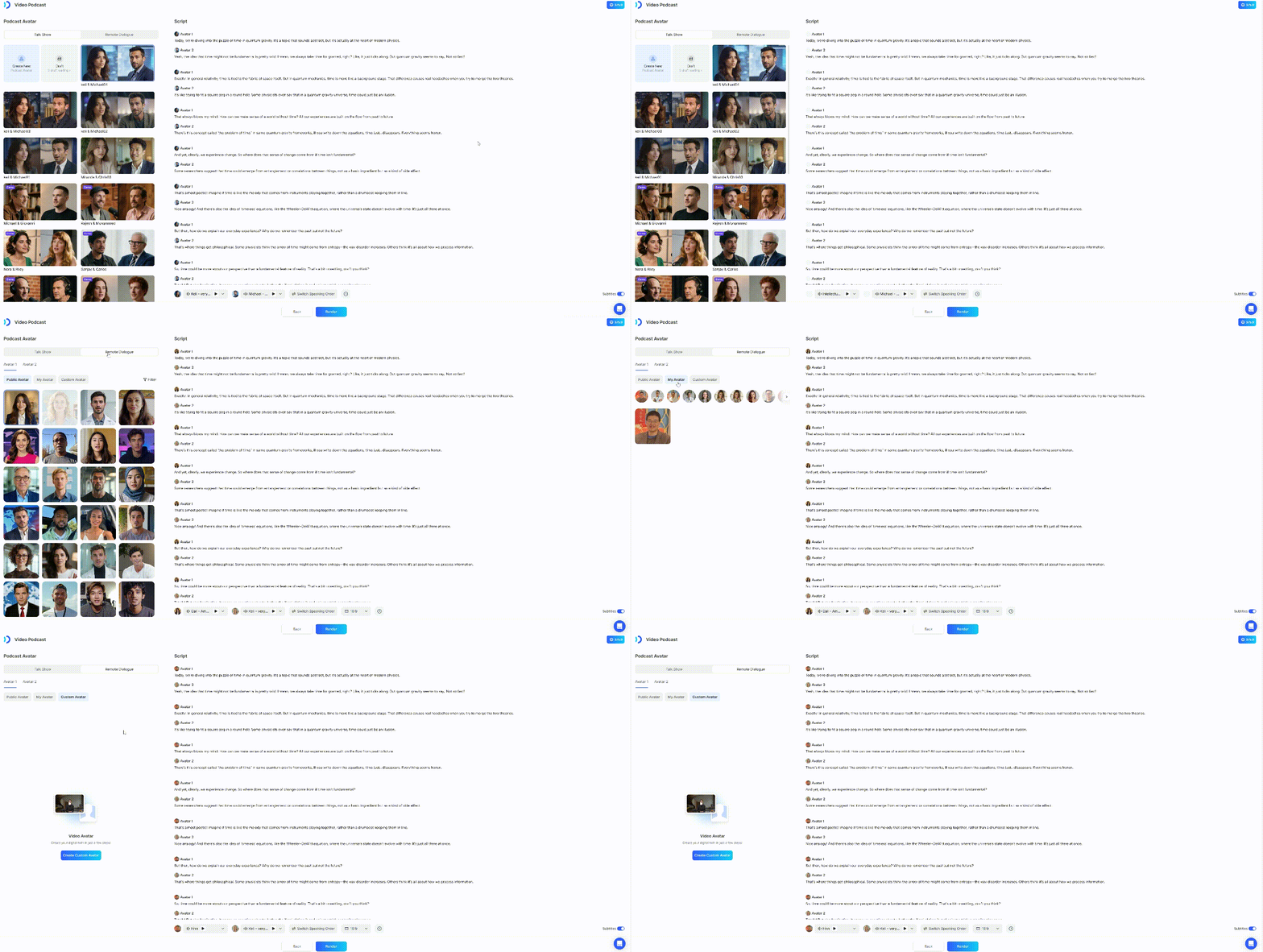
Next, choose the video style that suits your podcast:
- Talkshow: Side-view seating optimized for 16:9 conversational framing.
- Remote Dialogue: Split-screen format for two speakers. Supports both 16:9 & 9:16 ratios.
Then, select your avatars for the podcast. You can customize the voice tones for both Avatar 1 and Avatar 2. After making your choices, click ““Render”” to create your video.
STEP 3: Download Your Video
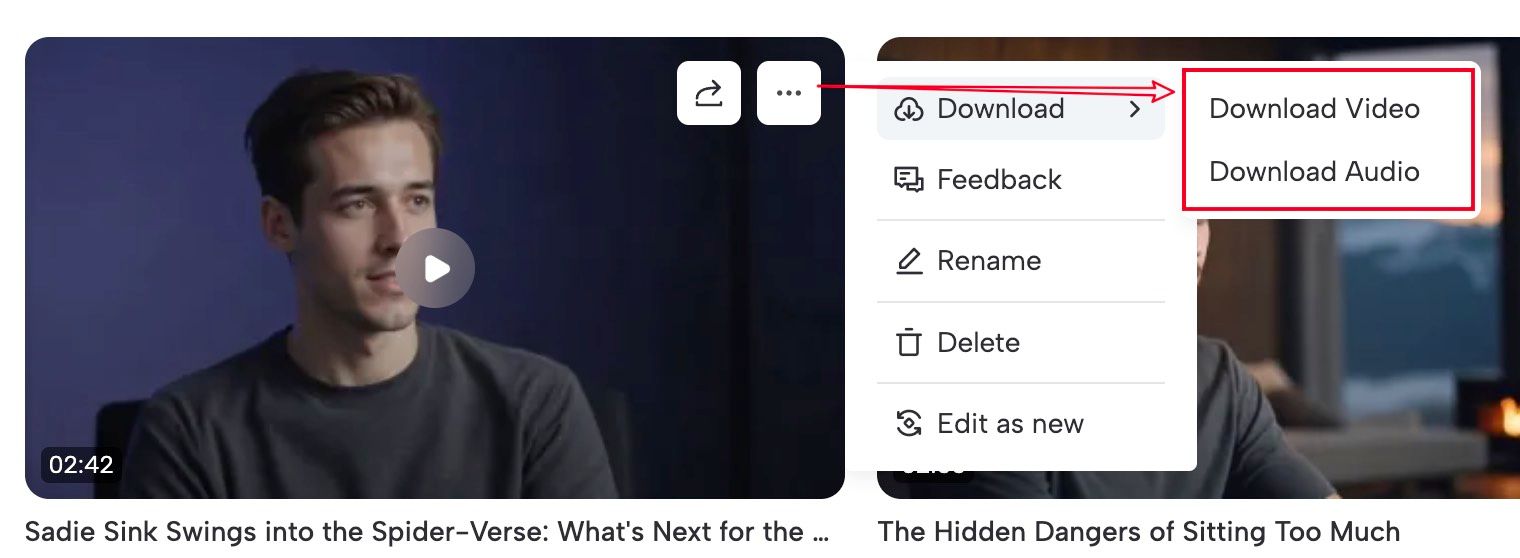
Once your podcast video is ready, download it in one of two formats:
- Video: For professional podcast platforms.
- Audio: For uploading to platforms like Apple Podcasts or Spotify.
Quick Reference & Constraints
| Item | Note |
|---|---|
| Advanced Editing | Not yet supported: no inline images or speed adjustments. |
| Talkshow Avatar | Styling may adapt slightly; expect minor visual shifts from the source image. |
| File Limits | Follow platform upload limits for audio and scripts to avoid processing errors. |
Recap
In this guide, you learned:
- How to create a video podcast?
- Quick Reference & Constraints
JoggAI simplifies the video podcast creation process. With its intelligent AI tools, you can quickly turn text into video, select cool avatars, and keep your viewers hooked. Start creating today!