
Creating 360 product videos used to require cameras, turntables, and hours of editing. While the results looked great, the process was expensive and time-consuming. In 2025, AI tools like JoggAI are transforming how these videos are made—making it faster, cheaper, and easier than ever. This guide walks you through both the traditional method and the smarter way to create 360 product videos today.
What Is a 360 Product Video?
Definition of 360 Product Videos
A 360 product video lets people see every side of a product. It’s not just one picture or a regular video. Instead, it shows the whole product in a full circle view. You can turn the product around, zoom in, and check details. It feels like you’re holding the item in your hands.
To make this type of video, you take many pictures from different angles. Then, you combine them to create a smooth, spinning view. These videos are popular for online shopping because buyers want to see products clearly before buying.
Making a great 360 product video takes planning. Think about what your audience wants to see. Show off the product’s best features and make the video fun to watch. When done well, these videos don’t just show a product—they create a cool experience that builds trust and helps sell more.
Benefits of 360 Product Videos
360 product videos have many benefits for marketing and online stores. Here’s why they’re useful:
- Enhanced Customer Experience: Customers can turn, zoom, and explore the product online. This helps them understand the product better and make smarter choices.
- Increased Engagement: These videos grab attention better than regular ones. People spend more time looking at the product, which makes them more interested.
- Higher Conversion Rates: Showing every detail makes buyers feel sure about their choice. This confidence leads to more sales.
- Reduced Returns: When buyers see the product clearly, they know what to expect. This lowers the chances of returns and keeps customers happy.
- Measurable Business Outcomes: You can track how well these videos work. For example, fewer questions from buyers mean fewer support requests.
- Competitive Edge: Offering 360 product videos makes your store stand out. It shows you care about giving a better shopping experience, which attracts more customers.
Using 360 product videos makes shopping feel personal and fun. This method boosts sales and builds trust with your customers.
How to Make a 360 Product Video Via Traditional Way
How 360 Product Videos Were Made Before AI Tools
1. Set Up a Motorized Turntable
Place the product on a turntable that rotates in small increments (usually 5–10 degrees at a time) to capture every angle.
2. Use a Professional Camera Setup
Mount a DSLR or mirrorless camera on a tripod. Ensure consistent lighting, framing, and focus for each frame.
3. Control Lighting Carefully
Set up softboxes or LED lights to eliminate shadows and maintain uniform lighting across all angles.
4. Capture Still Frames or Video at Intervals
Manually or automatically capture photos or short video clips as the turntable rotates. For still frames, you may need 24–72 shots per full rotation.
5. Edit and Stitch the Shots Together
Use video or image stitching software (like Adobe Premiere Pro, SpinStudio, Sirv, or WebRotate 360) to combine the frames into a seamless rotating video or interactive display.
6. Export the Final Video or Interactive File
Export the video for social media or product pages. For web interactivity, export in HTML5-compatible formats using specialized tools.
Why the Traditional Method Was Time-Consuming and Expensive
Making a 360 product video the old way had many steps. Each step needed special tools and skills. First, you had to pick the right equipment. High-quality cameras, turntables, and lights were costly but necessary for good results.
Taking photos took hours. You had to set up the product, adjust lights, and take many pictures. A mistake meant starting over, wasting more time.
Editing was another big challenge. Combining and fixing the video needed advanced software and skilled editors. These tools were expensive and hard to learn. Large files made sharing your 360 video slow and tricky, especially with poor internet or limited storage.
Costs didn’t end there. To publish the 360 video on different platforms, you had to edit and test it for each one. This added more time and expense.
The Challenges of Traditional 360 Product Video Production
Making 360 videos the old way had many problems. Here are the main ones:
| Challenge | Description |
|---|---|
| Special Tools and Skills | You needed special gear and software to make 360 videos. |
| Keeping Viewers Interested | It was hard to keep people engaged without clear focus points. |
| Motion Problems | Bad videos could make viewers feel dizzy or uncomfortable. |
| Hard Editing | Editing 360 videos needed tricky techniques for round video formats. |
| Platform Rules | Each platform showed 360 videos differently, needing extra changes. |
| Accessibility Issues | Making videos usable for everyone added more challenges. |
| Big File Sizes | Large files caused buffering, making videos hard to watch. |
| Earning Money | Adding ads to 360 videos was tough in immersive formats. |
| Privacy Concerns | Filming everything around could raise privacy issues. |
Knowing 360 video tools helped solve these problems, but it wasn’t easy. For example, testing for platform rules took a lot of time. Making videos accessible often needed hiring experts.
Even with these problems, old methods taught creators important lessons. They learned to plan well and set up your shoot carefully. But the time, cost, and effort showed the need for faster, smarter solutions.
The New Way: Create 360 Product Videos with JoggAI 10X Faster
How JoggAI Makes 360 Product Videos Easy
JoggAI changes how 360 product videos are made. You don’t need costly tools or hard-to-use software anymore. With JoggAI, you can make great 360 videos fast. It uses AI to handle tasks like taking pictures, combining them, and improving the final video.
This tool gives viewers a smooth and fun way to see products. You don’t need special skills or fancy gear. JoggAI does everything, from snapping photos to sharing the finished video. It’s a big help for online stores, making it simple to create cool videos that improve shopping.
A Faster Way to Make 360 Product Videos in 2025
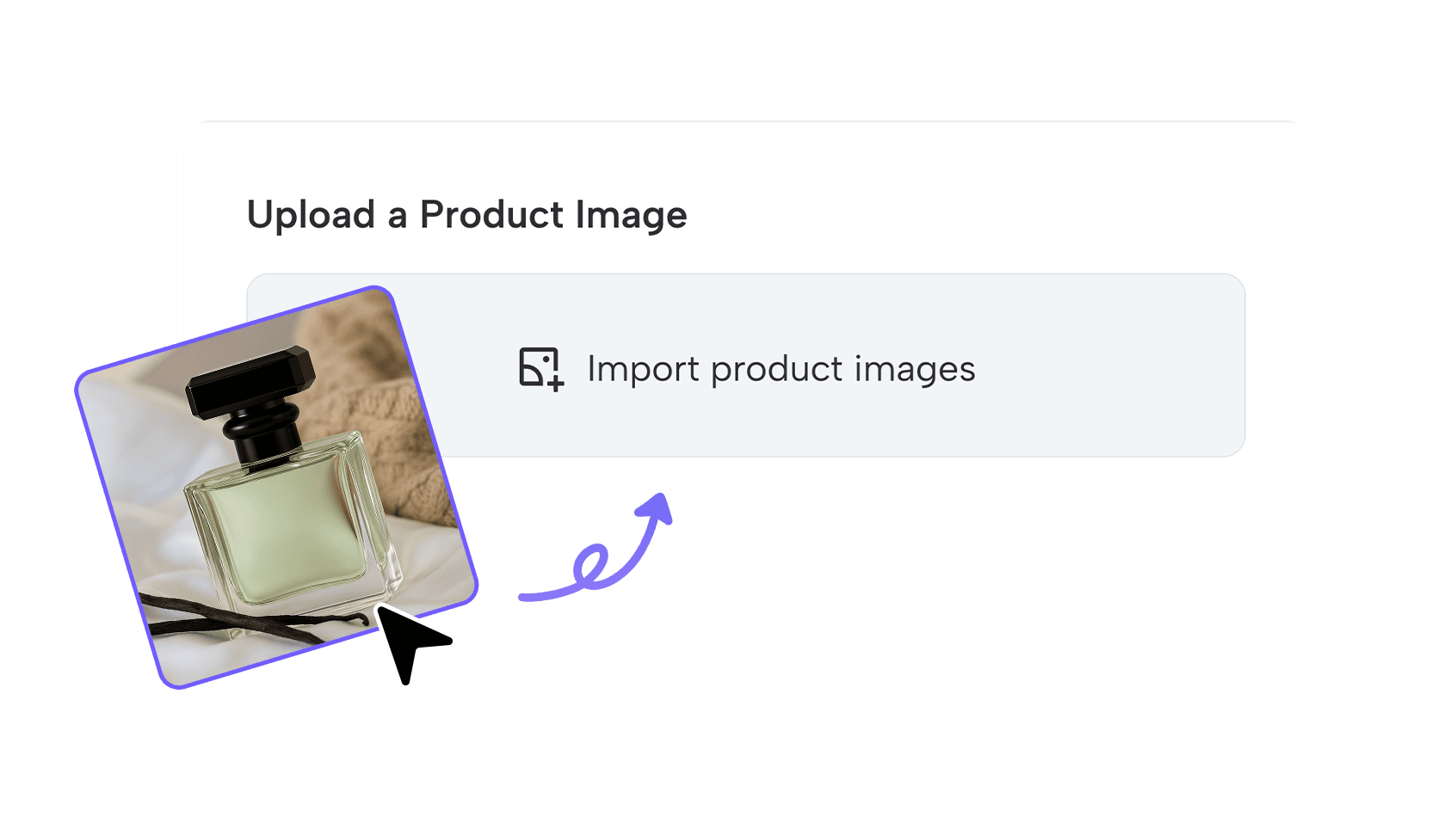
Step 1: Upload Your Product
Upload your product photo and select your desired generation mode.
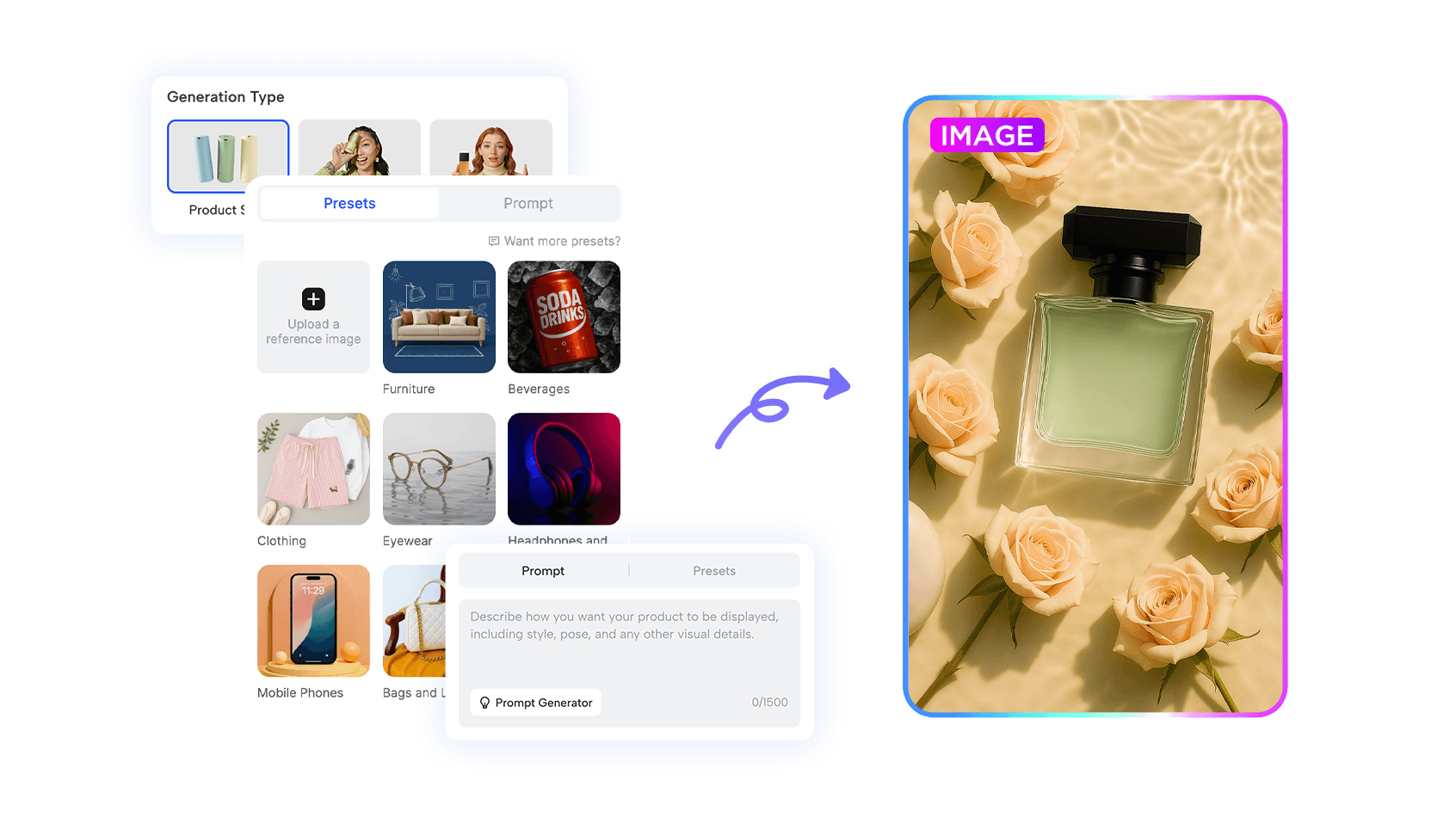
Step 2:Customize Product Image
Input a scene prompt for the product shoots or you can also pick a preset template or upload an image as a reference presenting your product. Set your ratio and hit ‘Generate’ for AI-powered product visuals.
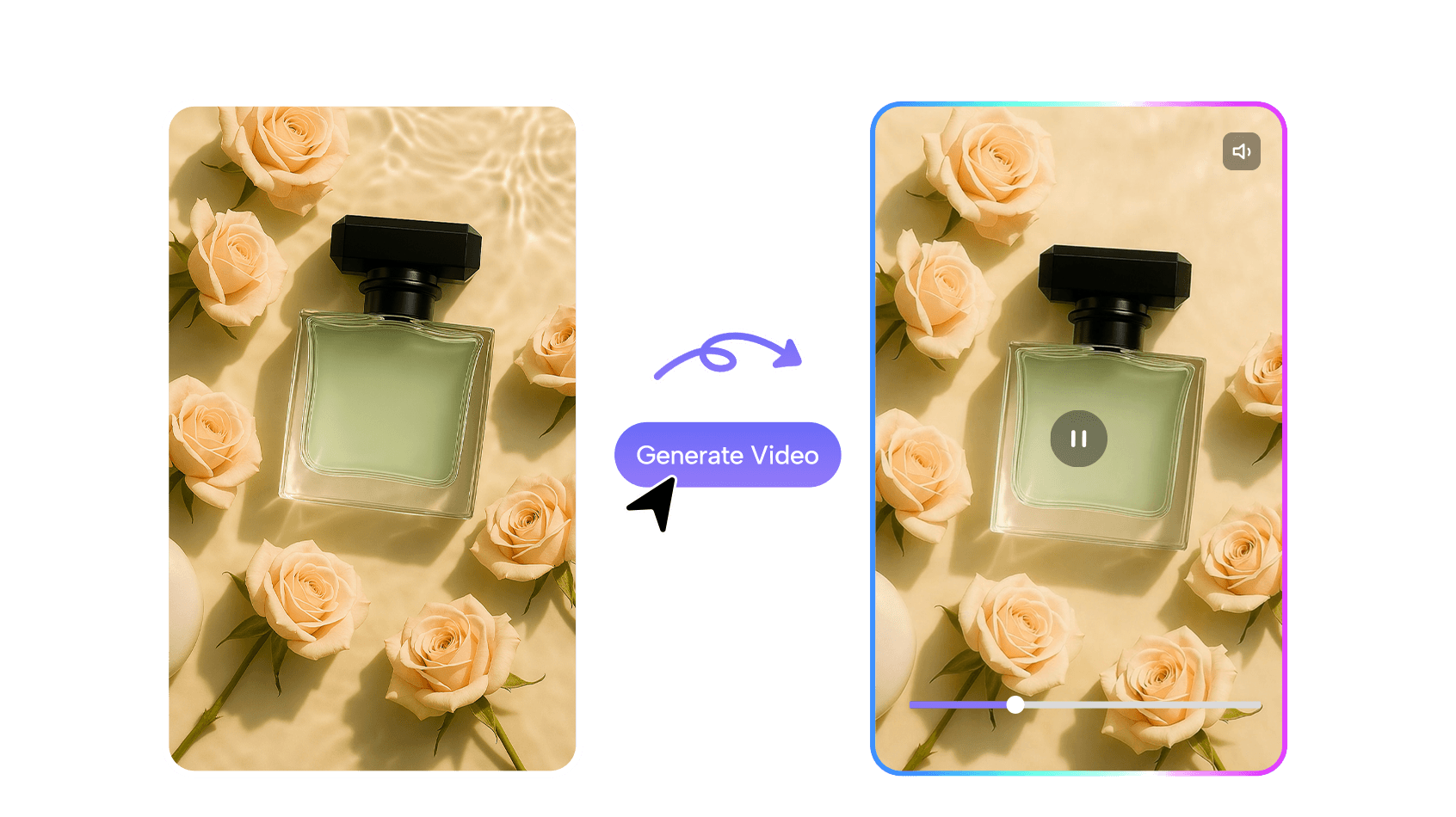
Step 3:Generate Product Video Shoot
After generating your image, simply click ‘Create Video’ on the results page and describe your desired video effect to complete your product video shoot.
This method creates a fun and useful 360 product video. It shows why these videos are important for today’s marketing and online shopping.
Old Way vs New Way: Comparison Table
Making a 360-degree product video has changed a lot over time. The old way needed costly tools, expert skills, and lots of effort. Now, AI tools like JoggAI make it simple and fast. Here’s a quick comparison to show the differences:
| Aspect | Old Way | New Way (JoggAI) |
|---|---|---|
| Equipment Needed | Fancy cameras, turntables, and bright lights. | Simple tools or just a smartphone. |
| Skill Level | Needed to know hard editing and video tools. | Easy to use; AI does most of the work. |
| Time Investment | Took hours or days to finish everything. | Takes only minutes with AI help. |
| Cost | High costs for tools, software, and experts. | Low-cost plans or pay-as-you-go options. |
| Editing Process | Manual editing with tricky software. | AI edits and improves videos for you. |
| Output Quality | Relied on how good your tools and skills were. | Always high-quality and ready for any platform. |
| Accessibility | Only for experts with lots of resources. | Open to anyone, even small businesses or beginners. |
The new way removes the hard parts of making 360 videos. You don’t need to learn tough skills or spend hours editing. Instead, you can focus on showing off your products in cool ways.
With tools like JoggAI, you can easily create videos that improve shopping. These videos let customers see every side of a product, helping them feel sure about what they’re buying.
Conclusion
Making a 360 product video is now super simple. Tools like JoggAI help you create great videos fast and cheap. These videos grab attention, increase sales, and lower returns. For instance, Zalando boosted sales by 30%, and ASOS and Wayfair cut returns by 20% and 25%.
Try 360 videos today to show your products in a fun way. This makes shopping better for customers and helps your business stand out.
FAQ
What equipment do you need to create a 360 product video?
You only need a smartphone or basic camera, a stable surface, and good lighting. AI tools like JoggAI handle the rest.
Can beginners create 360 product videos without prior experience?
Yes! AI tools simplify 360-degree video production. You upload photos, and the software does the hard work for you.
How long does it take to make a 360 product video with AI tools?
It takes just minutes. AI automates tasks like stitching images and editing, saving you hours compared to traditional methods.