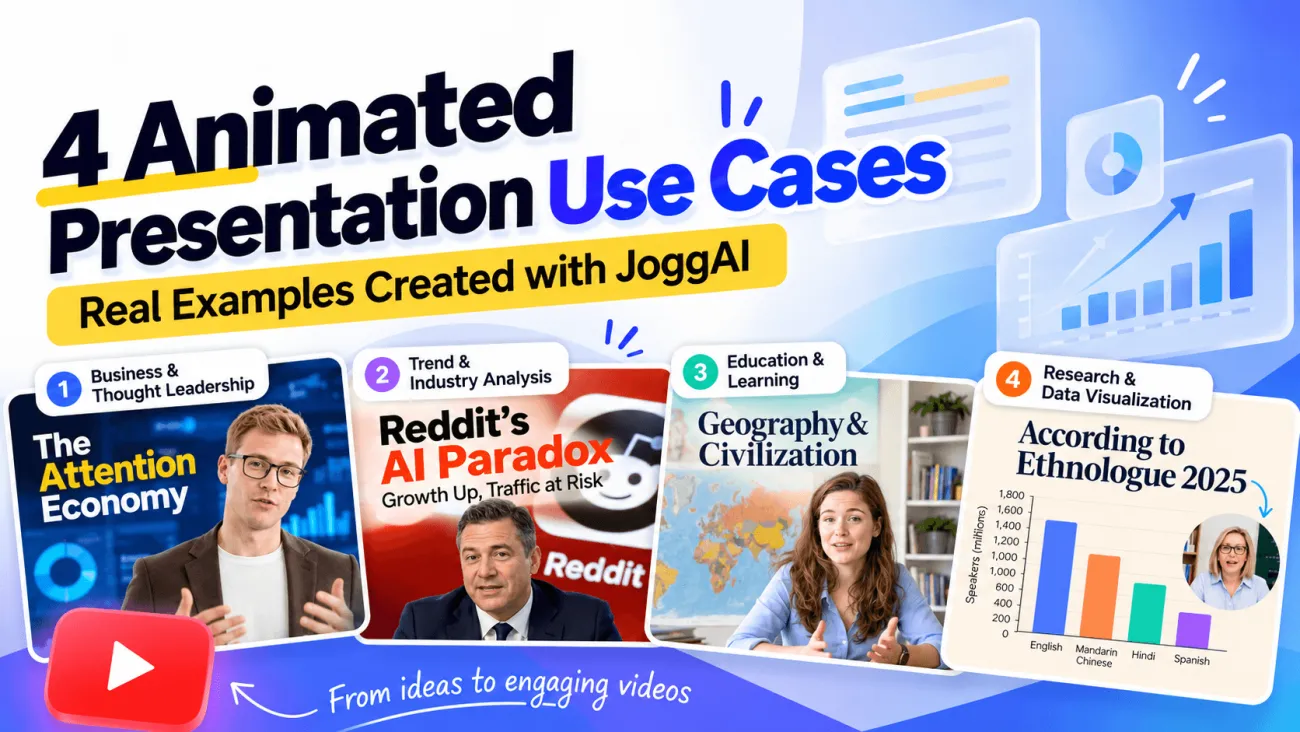

Animated presentation use cases go far beyond adding motion to traditional slides. They can help explain abstract ideas, turn research into visual stories, teach complex subjects, and make technology easier to understand.
Instead of asking an audience to read through a static deck, an animated presentation can guide them through an idea with narration, changing scenes, visual highlights, and a clear sequence.
Below are four real examples created with JoggAI Animated Presentation, showing how the format can work across business, industry analysis, education, and technology.
Animated Presentation Use Cases at a Glance
| Animated Presentation Use Case | Example | Best For |
|---|---|---|
| Business & Thought Leadership | The Attention Economy | Marketers, founders, consultants |
| Trend & Industry Analysis | Reddit’s AI Paradox: Growth Up, Traffic at Risk | Analysts, marketing teams, researchers |
| Education & Learning | Geography & Civilization | Teachers, students, course creators |
| Research & Data Visualization | Global Language Speakers / Ethnologue 2025 | Researchers, educators, business teams |
1. Explain Business Ideas with Animated Presentations
Example: The Attention Economy
Some business ideas are easy to define but difficult to make interesting on a slide.
The attention economy is a good example. You could explain the concept with a few bullet points about limited attention, competition between platforms, and changing consumer behavior. But a static presentation can quickly start to feel like a lecture.
An animated presentation gives you more ways to build the argument gradually.
Instead of displaying every point at once, you can introduce one idea at a time, combine narration with visual scenes, highlight key phrases, and create a clearer sense of progression.
In The Attention Economy example, the presentation format is used to turn an abstract topic into a visual narrative rather than simply displaying information on slides.
This kind of animated presentation works especially well for:
-
Thought leadership
-
Marketing concepts
-
Founder content
-
Consulting presentations
-
Business education
-
YouTube or social media explainers
For marketers or subject matter experts, this can also be a useful way to repurpose an idea that might otherwise become a long article or static deck.
2. Turn Industry Trends into Visual Stories
Example: Reddit’s AI Paradox: Growth Up, Traffic at Risk
Industry analysis often has three ingredients: data, context, and an argument.
The challenge is connecting them.
A report may contain useful statistics, but readers still have to understand what changed, why it matters, and what conclusion they should take away from it.
Animated presentations can make that process more sequential.
You can introduce the trend first, reveal supporting information next, and then move into the implications. Instead of asking viewers to interpret an entire report at once, the presentation controls the pace of the story.
The Reddit’s AI Paradox: Growth Up, Traffic at Risk example shows how an analytical topic can be shaped into presentation-style content with a clear narrative direction.
This format can be useful for:
-
Market research
-
SEO and traffic analysis
-
Competitor analysis
-
Industry news
-
Quarterly performance reviews
-
Data storytelling
-
Marketing insights
For example, a marketing team could turn a traffic change, competitor finding, or search trend into a short animated presentation instead of sending another static report.
Why this format works for analysis
A good analytical presentation does more than show numbers.
It helps the audience understand:
What happened → Why it happened → Why it matters
Animation can help separate those stages instead of presenting everything simultaneously.
3. Make Educational Topics Easier to Visualize
Example: Geography & Civilization
Education is one of the clearest animated presentation use cases because many subjects are easier to understand when relationships are shown visually.
Geography and history are especially suitable.
A lesson may need to connect locations, environmental conditions, historical events, population movement, and the development of civilizations. On a static slide, that can mean a lot of text and disconnected information.
An animated presentation can introduce those elements progressively.
In the Geography & Civilization example, the subject becomes a visual learning experience rather than a sequence of textbook-style slides.
Animated educational presentations can be used for:
-
Geography lessons
-
History lessons
-
Science topics
-
Classroom presentations
-
Online courses
-
Student projects
-
Educational YouTube videos
They can also be useful when the audience will watch the lesson asynchronously.
A teacher does not need to be present beside every slide to explain what the learner should pay attention to. Narration and visual sequencing can carry more of that explanation.
When animation is especially useful in education
Consider using an animated presentation when the topic involves:
-
A timeline
-
A process
-
Cause and effect
-
Geographic relationships
-
Multiple stages
-
Abstract concepts
-
Information that benefits from visual comparison
For these subjects, movement is not simply decorative. It can help organize how information is introduced.
4. Present Research and Statistics Visually
Example: Global Language Speakers Based on Ethnologue 2025
Research-heavy presentations can quickly become difficult to follow when they rely on tables, numbers, and long explanations.
An animated presentation can make data easier to consume by introducing statistics gradually and pairing them with narration and visual context.
In this example, data from Ethnologue 2025 is used to compare the number of speakers across major languages such as English, Mandarin Chinese, Hindi, and Spanish. Instead of presenting the figures as a static table, the presentation combines a chart with an on-screen presenter to guide viewers through the information.
This type of animated presentation can work well for:
-
Research findings
-
Survey results
-
Market reports
-
Academic presentations
-
Statistical comparisons
-
Business reports
-
Data-driven educational content
Why animation helps with data presentations
The value is not simply making a chart move.
Animation helps control when the audience sees each piece of information.
For example, instead of showing four languages and all their numbers at once, a presentation can introduce them one by one, explain the comparison, and highlight the most important takeaway.
That makes the presentation easier to follow, especially when the audience is watching without a live presenter.
What Do These Animated Presentation Examples Have in Common?
The four examples cover very different topics, but they share one important characteristic:
The goal is to explain an idea, not simply display slides.
The Attention Economy begins with an abstract business concept.
Reddit’s AI Paradox turns an industry observation into a narrative.
Geography & Civilization organizes educational knowledge.
The AI Presentation communicates a technology-focused topic.
In each case, animation helps control the order in which the audience receives information.
That is an important distinction between an animated presentation and a traditional deck with a few transition effects.
A useful animated presentation combines:
-
A clear narrative
-
Structured information
-
Visual progression
-
Narration
-
Relevant scenes or graphics
-
A defined takeaway
Animation supports the explanation rather than becoming the purpose of the presentation itself.
How to Create an Animated Presentation with JoggAI
You do not need to manually animate every element of a slide deck to create this type of content.
With JoggAI Animated Presentation, you can start from an idea and build the presentation around the topic you want to explain.
Step 1: Start With Your Topic
Begin with the subject you want the presentation to cover.
For example:
How Geography Shaped Ancient Civilizations
or:
Why the Attention Economy Is Changing Marketing
A focused topic gives the presentation a clearer direction.
Step 2: Generate the Presentation
Use JoggAI to turn the topic into a structured presentation.
Instead of starting with an empty slide and manually deciding what belongs on every page, you can begin with a generated presentation flow and work from there.
Step 3: Review and Customize the Content
Check the structure, text, and visual direction.
You can refine the presentation so that the tone, examples, and level of detail fit your audience.
For educational content, that may mean simplifying explanations.
For business analysis, it may mean emphasizing the most important insight.
Step 4: Generate Your Animated Presentation
Once the content is ready, generate the final presentation as a video experience.
The result can be used for learning, business communication, content creation, or sharing information asynchronously.
Which Animated Presentation Use Case Fits Your Content?
Not every presentation needs animation.
The format is most useful when the way information unfolds is important.
| If You Want To… | A Useful Format |
|---|---|
| Explain an abstract business idea | Thought leadership presentation |
| Present research or a market trend | Industry analysis presentation |
| Teach a subject visually | Educational presentation |
| Explain an AI or technology concept | Technology presentation |
| Let viewers watch without a live presenter | Animated presentation |
| Present live while speaking to an audience | Traditional slide presentation may be enough |
A simple rule is:
If the presentation needs to explain itself when you are not there, animation, narration, and visual sequencing become much more valuable.
Animated Presentation vs. Traditional Presentation
The main difference is not whether the slides move.
It is how the content is consumed.
| Animated Presentation | Traditional Presentation |
|---|---|
| Can work as standalone video content | Often designed to support a live speaker |
| Uses narration and visual progression | Speaker provides most of the explanation |
| Information appears progressively | Multiple points may appear at once |
| Suitable for asynchronous viewing | Common for meetings and live presentations |
| Can be reused as content | Often created for a specific presentation |
A traditional deck can still be the better option for a live meeting where the speaker wants to control the discussion.
But when the presentation needs to communicate without a presenter, an animated format can make the content easier to follow.
Animated Presentation vs. Explainer Video
Animated presentations and explainer videos can overlap, but they are not exactly the same.
An animated presentation usually keeps a presentation-style information structure. It is useful for teaching a topic, communicating research, presenting an argument, or turning structured information into a watchable format.
An explainer video is typically more video-first and focused on explaining a specific problem, product, process, or concept through a continuous video narrative.
For example:
-
A presentation about how geography influenced ancient civilizations fits naturally as an animated presentation.
-
A video explaining how a particular software feature works may fit better as an explainer video.
The right format depends on whether your content is primarily a presentation of structured information or a focused explanation built as a video from the beginning.
FAQ
What is an animated presentation?
An animated presentation is a presentation that uses movement, visual transitions, narration, changing scenes, or animated elements to communicate information. Unlike a traditional slide deck, it can often be watched as standalone video content without a live presenter.
What are animated presentations used for?
Common animated presentation use cases include education, business presentations, market analysis, technology explainers, training, thought leadership, and asynchronous communication.
Can AI create an animated presentation?
Yes. AI presentation tools can help generate the structure, content, and visuals for a presentation. Tools such as JoggAI can also help turn a topic into an animated presentation video without requiring users to manually animate every slide.
Are animated presentations good for education?
They can be particularly useful for educational topics involving processes, timelines, geography, cause-and-effect relationships, or other concepts that benefit from visual progression.
What is the difference between animation and slide transitions?
Slide transitions control how one slide changes into another. Animation can also control how individual ideas, visual elements, scenes, or information appear and develop within the presentation.
When should I use an animated presentation instead of a normal PowerPoint?
An animated presentation is particularly useful when the audience will watch the content without a live presenter or when the subject benefits from narration and visual sequencing. A traditional PowerPoint may be more appropriate for live meetings where a speaker provides most of the explanation.
Turn Your Idea Into an Animated Presentation
From business ideas and industry research to educational lessons and technology topics, animated presentations can help turn structured information into something people can actually watch and follow.
The four examples above start with very different subjects, but the underlying goal is the same:
Take an idea and guide the audience through it visually.
With JoggAI, you can start with your topic, build the presentation, refine the content, and turn it into an animated video without creating every scene from scratch.