
AI training video generators help teams turn scripts, slide decks, SOPs, and internal knowledge into training videos using AI avatars, voice generation, translation, and automated editing. The best AI training video generators in 2026 are not just video tools. They are faster training-production workflows for onboarding, compliance, enablement, and global learning.
That shift matters because training teams are being asked to update content faster than traditional production can support. The World Economic Forum’s Future of Jobs Report 2025 points to continued skills disruption across industries, and Microsoft’s Work Trend Index, published May 5, 2026, frames AI as a structural change in how work gets done. When workflows change faster, training content has to change faster too.
But not every AI video platform is equally strong for training.
Some tools are better for enterprise governance and standardization. Some are better for turning PowerPoints into videos quickly. Some are strongest in multilingual delivery. Others are better for animated explainers than avatar-led instruction.
This guide compares the best AI training video generators in 2026 for L&D, HR, compliance, and sales enablement teams, with a practical focus on how teams actually build and update training.
Quick answer: which AI training video generator is best?
If you want the short version, here is the practical breakdown:
| Use case | Best tool | Why |
|---|---|---|
| Fast PPT-to-video and multilingual training | JoggAI | Strong workflow speed, slide-to-video creation, and translation flexibility |
| Enterprise L&D | Synthesia、JoggAI | Strong governance, localization, and enterprise training positioning |
| Structured learning and SCORM | Colossyan、Synthesia | Better fit for course-style delivery and LMS workflows |
| Lifelike avatars and video translation | JoggAI、HeyGen | Strong avatar realism and multilingual presenter workflows |
| Animated training explainers | JoggAI、Vyond | Better fit for scenario-based and animated learning content |
What is an AI training video generator?
An AI training video generator is software that helps teams create training videos from text, slides, documents, or existing content without filming every update from scratch.
Teams typically use these tools for:
-
employee onboarding videos
-
compliance and policy training
-
SOP and process walkthroughs
-
sales enablement and product training
-
customer education
-
multilingual internal learning
The biggest benefit is update speed. Instead of reshooting content every time a policy changes or a slide deck gets revised, teams can update the script, regenerate the video, translate it, and publish a new version much faster.
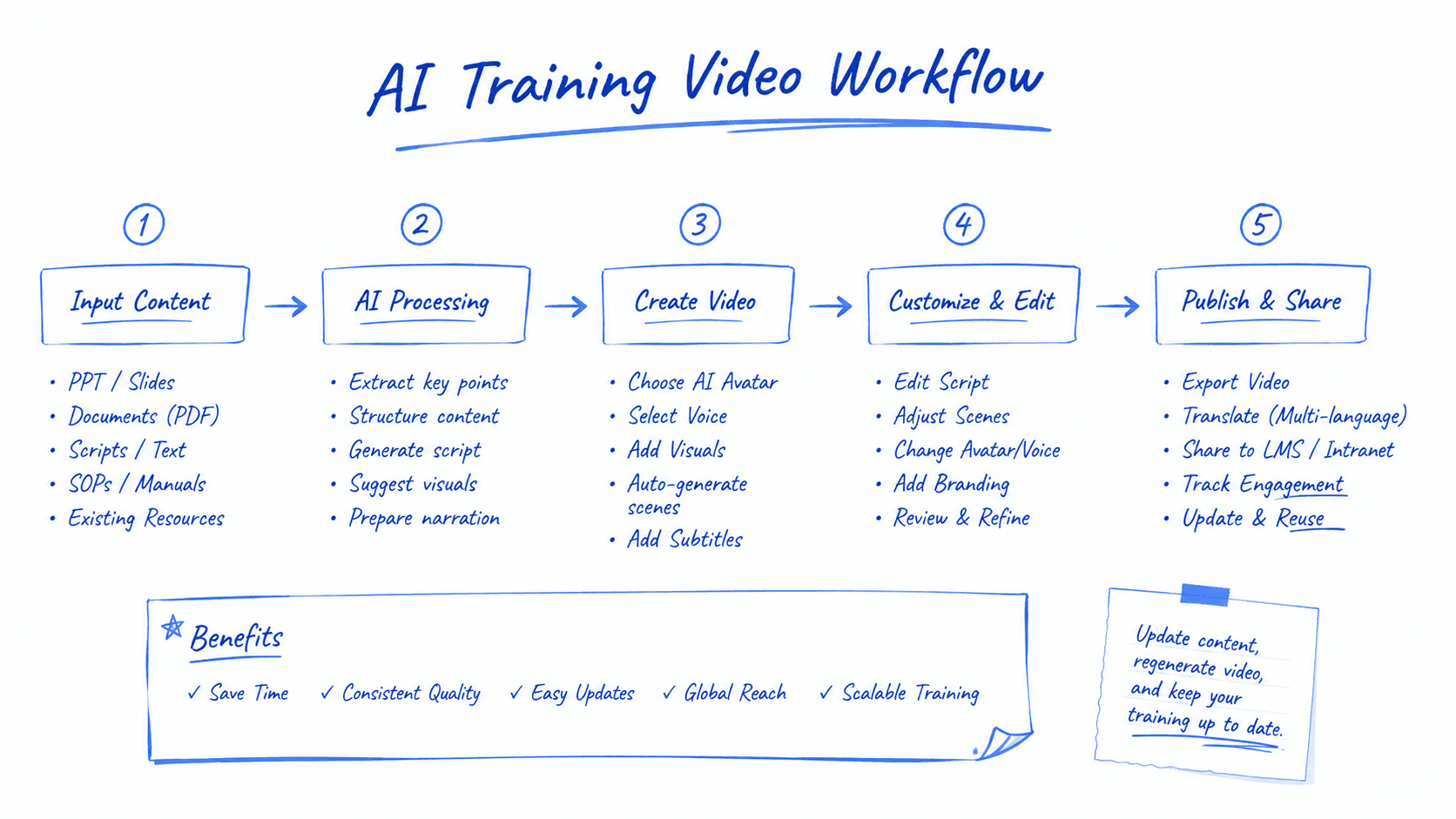
Our PPT-to-training-video test workflow
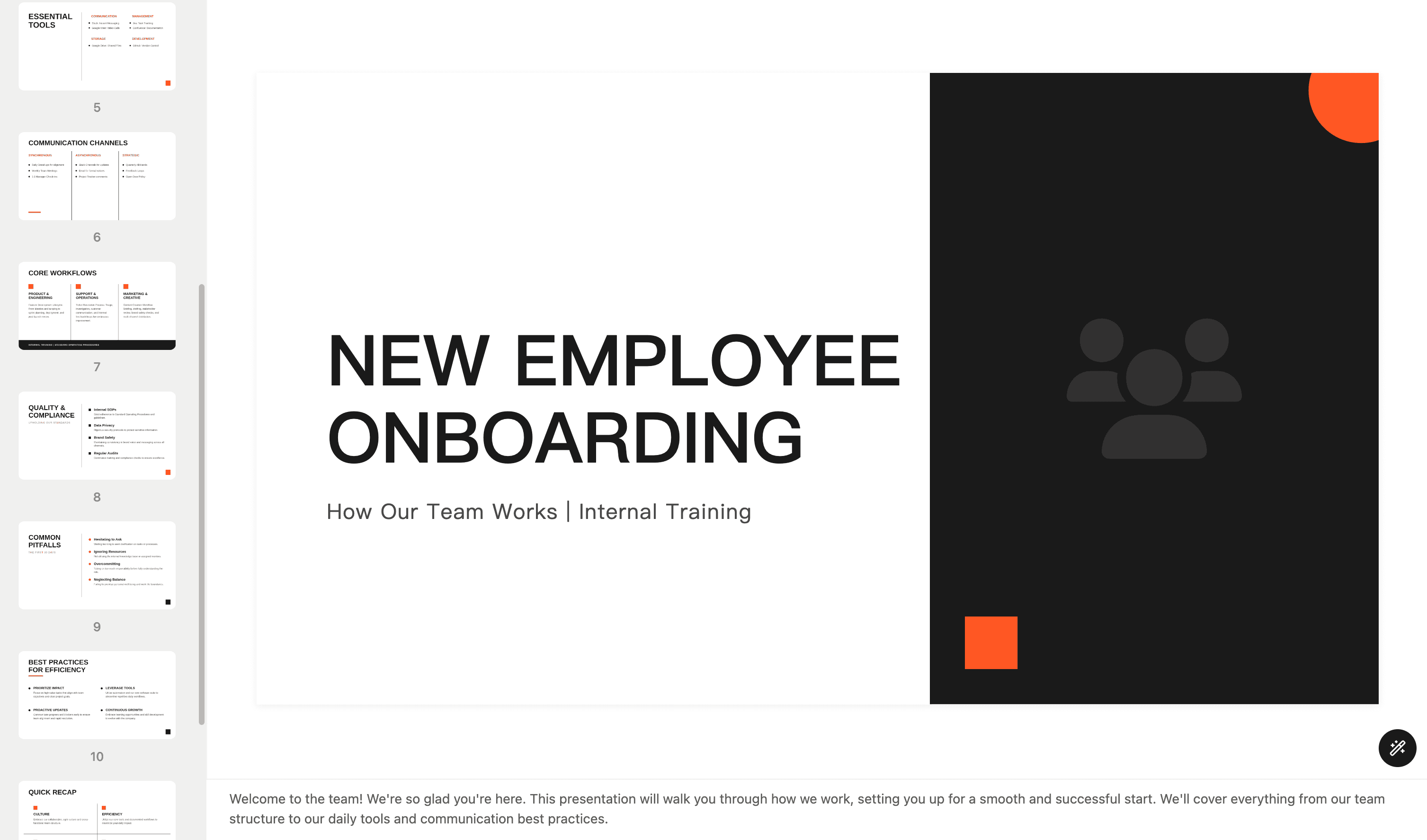
To compare these platforms more fairly, we used the same presentation structure across tools.
Test asset
We used a short internal training deck that included:
-
a title slide
-
onboarding or process explanation slides
-
one product or workflow overview section
-
one compliance or policy reminder section
-
a recap slide
This structure reflects a common real-world training deck rather than a polished marketing presentation.
What we evaluated
For each tool, we looked at:
-
setup speed
-
PPT import quality
-
editing flexibility
-
avatar or presenter quality
-
multilingual workflow
-
final training readiness
Scorecard template
You can optionally turn this into a scored table after running the tests:
| Criteria | What we evaluated |
|---|---|
| Setup speed | Time to go from upload to editable draft |
| PPT conversion quality | Whether slide structure, hierarchy, and visuals remained usable |
| Editing flexibility | How easy it was to adjust script, pacing, scenes, and narration |
| Avatar delivery | Whether the presenter felt clear and training-appropriate |
| Localization | How easily the video could be adapted into another language |
| Training readiness | Whether the final output felt usable for onboarding or enablement |
The best AI training video generators in 2026
JoggAI
Why it stands out
JoggAI stands out for how quickly it turns an existing PowerPoint into an editable training video workflow. The process feels simple: upload the PPT, choose a layout, generate or import a script, select an avatar, and move straight into editing. That makes it a practical choice for teams that already have training content in slide decks and want to convert it into video without rebuilding everything from scratch.
Best for
-
Teams that already create training content in PowerPoint or PDF
-
Onboarding and sales enablement teams that need fast video production
-
Companies that want a flexible PPT-to-video workflow
-
Teams that need avatar narration, subtitles, and editing in one place
In our PPT-to-training-video test
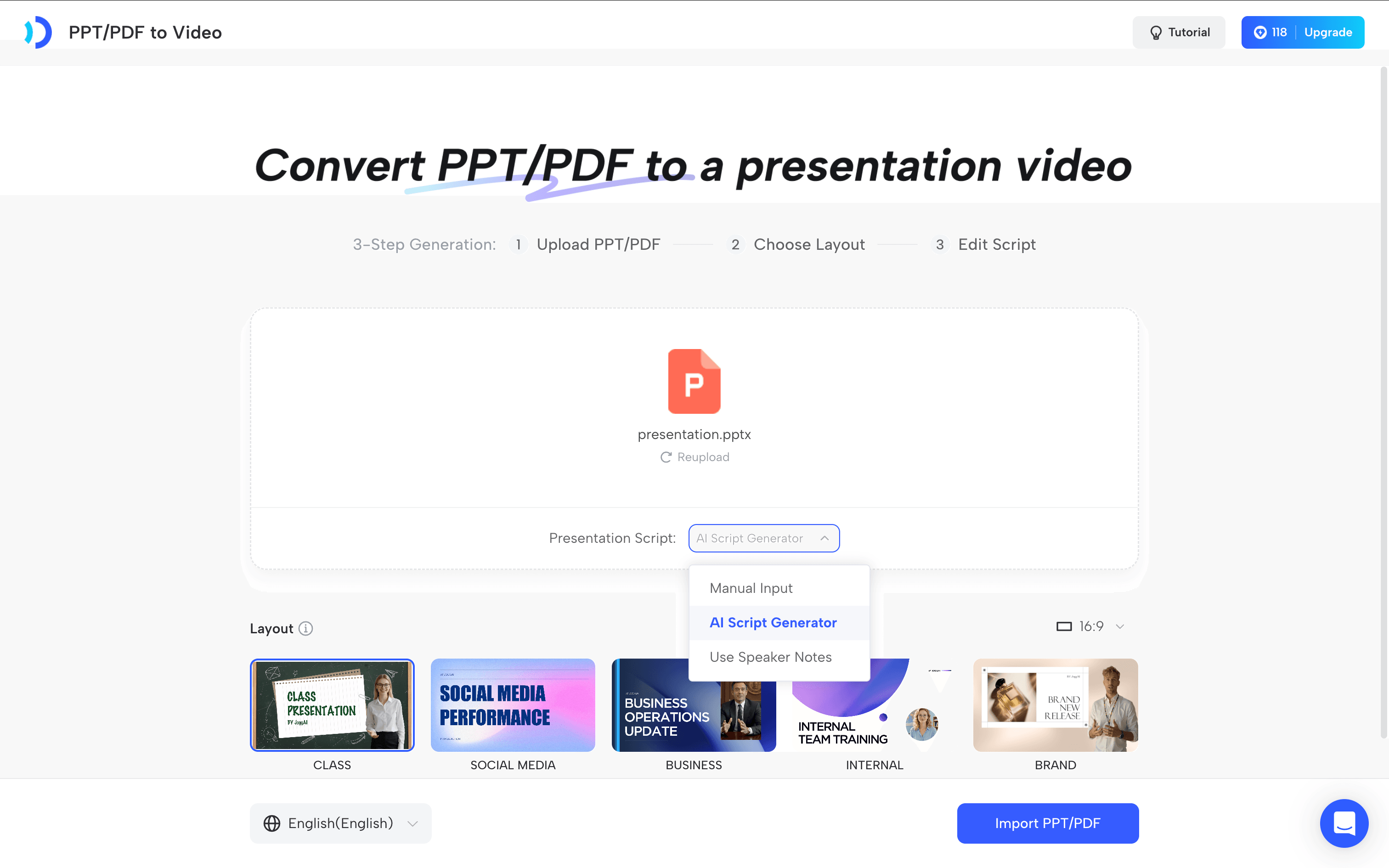
In our PPT-to-training-video test, JoggAI felt fast and easy to navigate. After uploading the deck, the platform immediately presented a clear 3-Step Generation flow: Upload PPT/PDF, Choose Layout, and Edit Script. That made the workflow feel structured and approachable from the start.
One practical strength was script flexibility. JoggAI offered multiple options, including Manual Input, AI Script Generator, and Use Speaker Notes, which is especially useful for training teams that already have notes or slide-based copy they want to reuse.
The layout step was also straightforward. JoggAI surfaced several presentation styles, including CLASS, BUSINESS, INTERNAL, and BRAND, making it easy to choose a format that matched an onboarding use case. It also exposed settings like language and 16:9 format early in the workflow, which helped the process feel more production-ready.
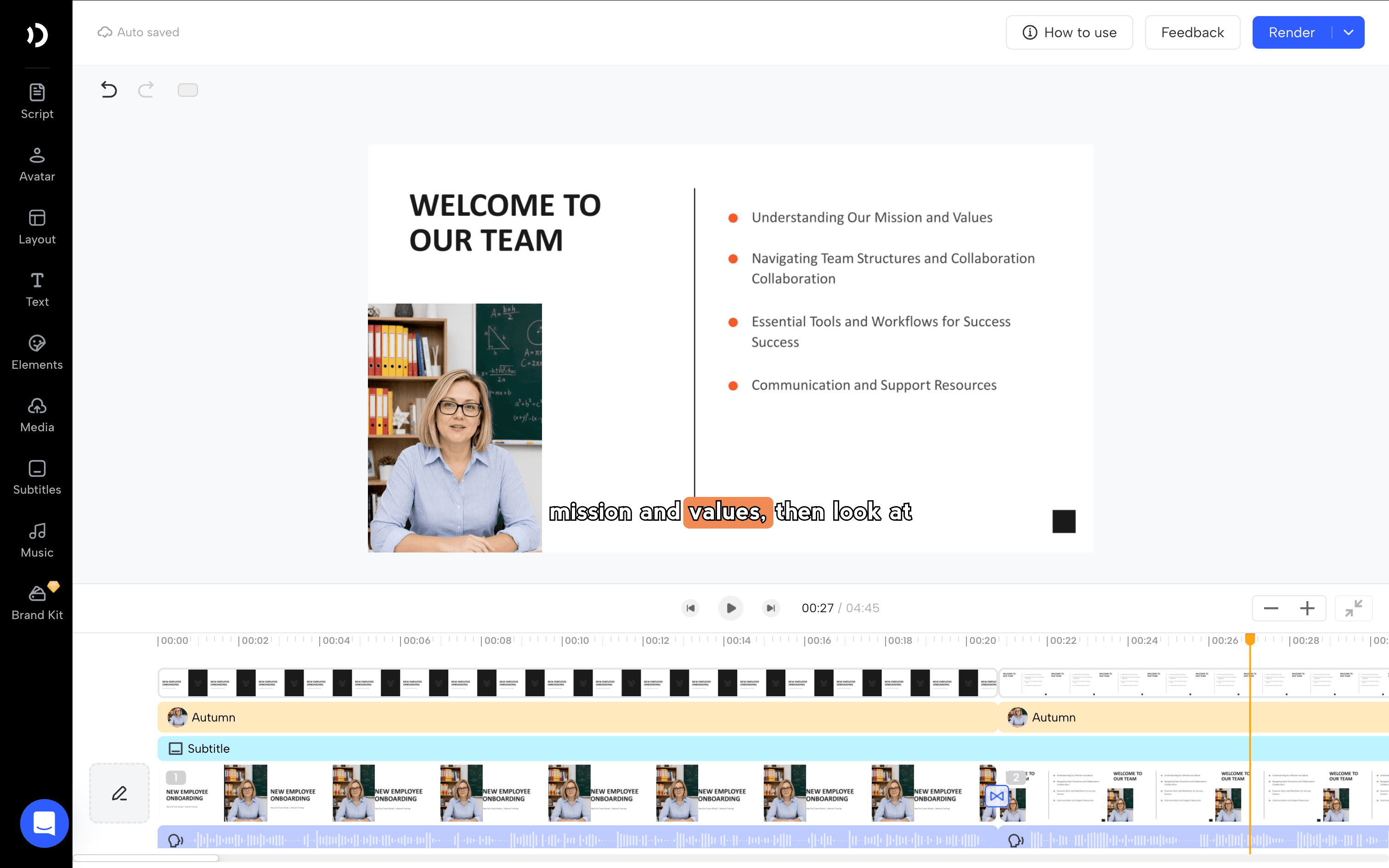
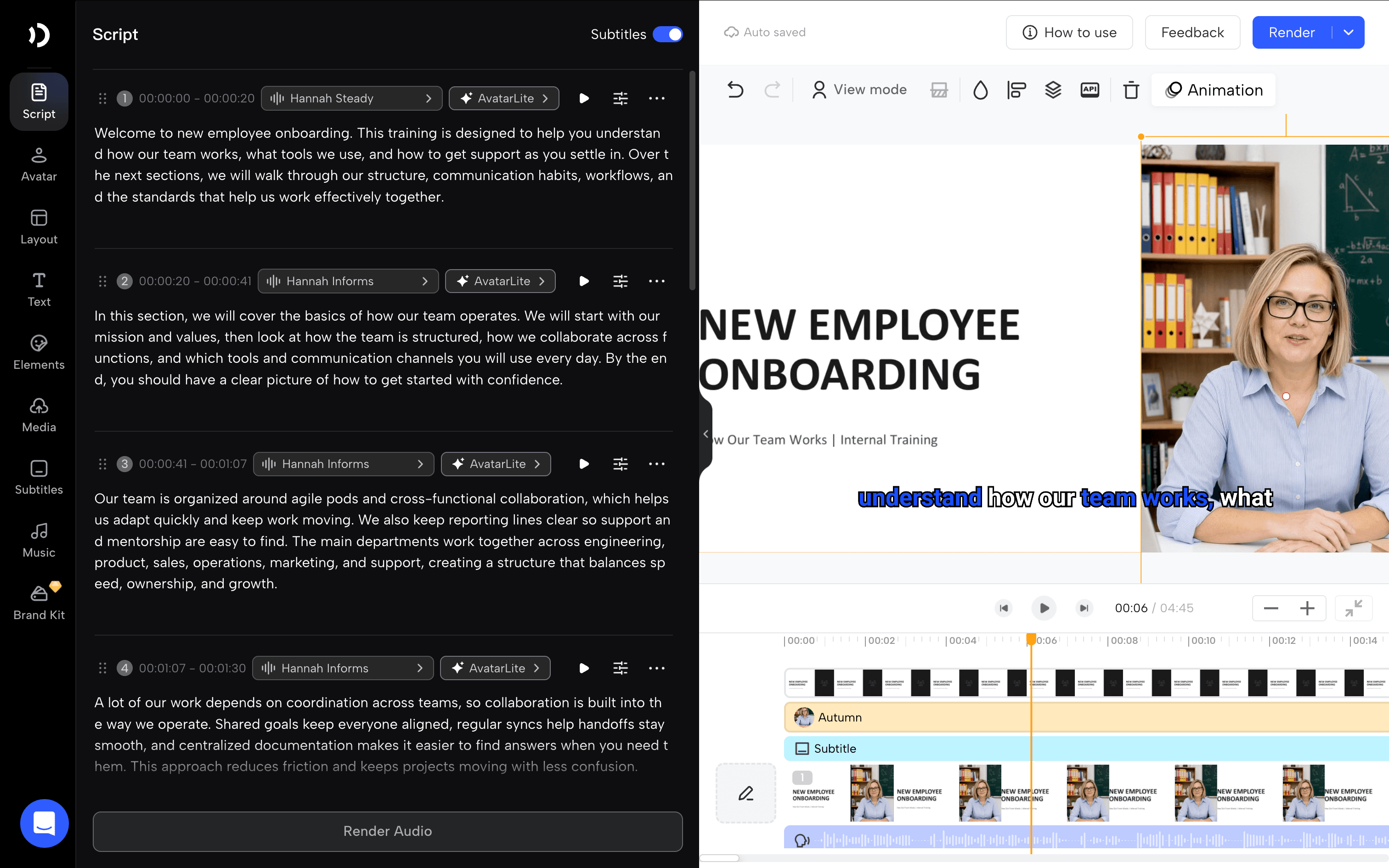
Inside the editor, the script was automatically broken into time-based sections, making it easy to review narration slide by slide. Subtitle preview was built in, and the avatar library offered multiple business-friendly presenter options, so it was relatively simple to turn the deck into a presenter-led onboarding video.
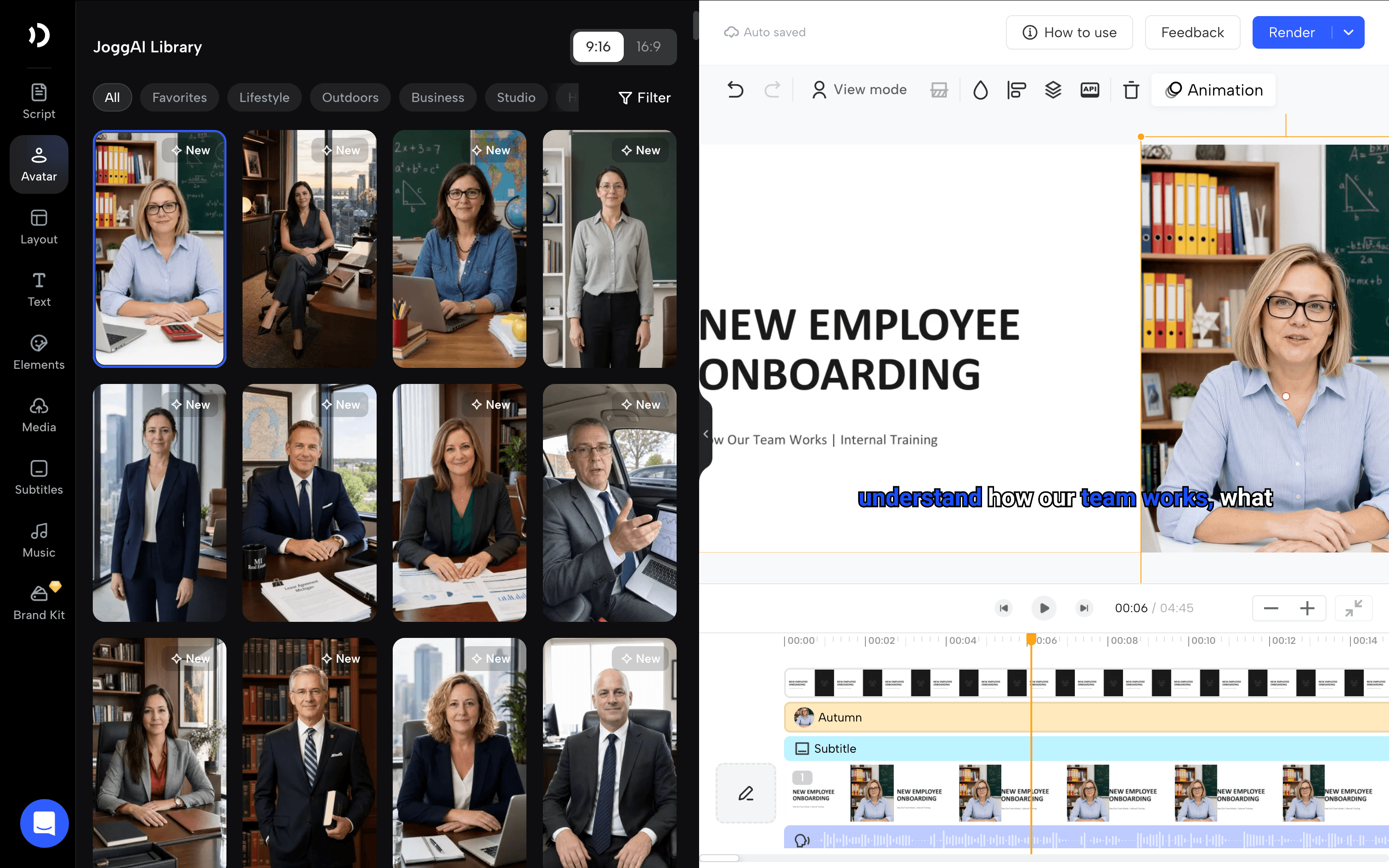
Overall, JoggAI felt strongest for teams that want to move quickly from an existing training deck to an editable video with narration, subtitles, and avatar presentation all in one workflow.
Synthesia
Why it stands out
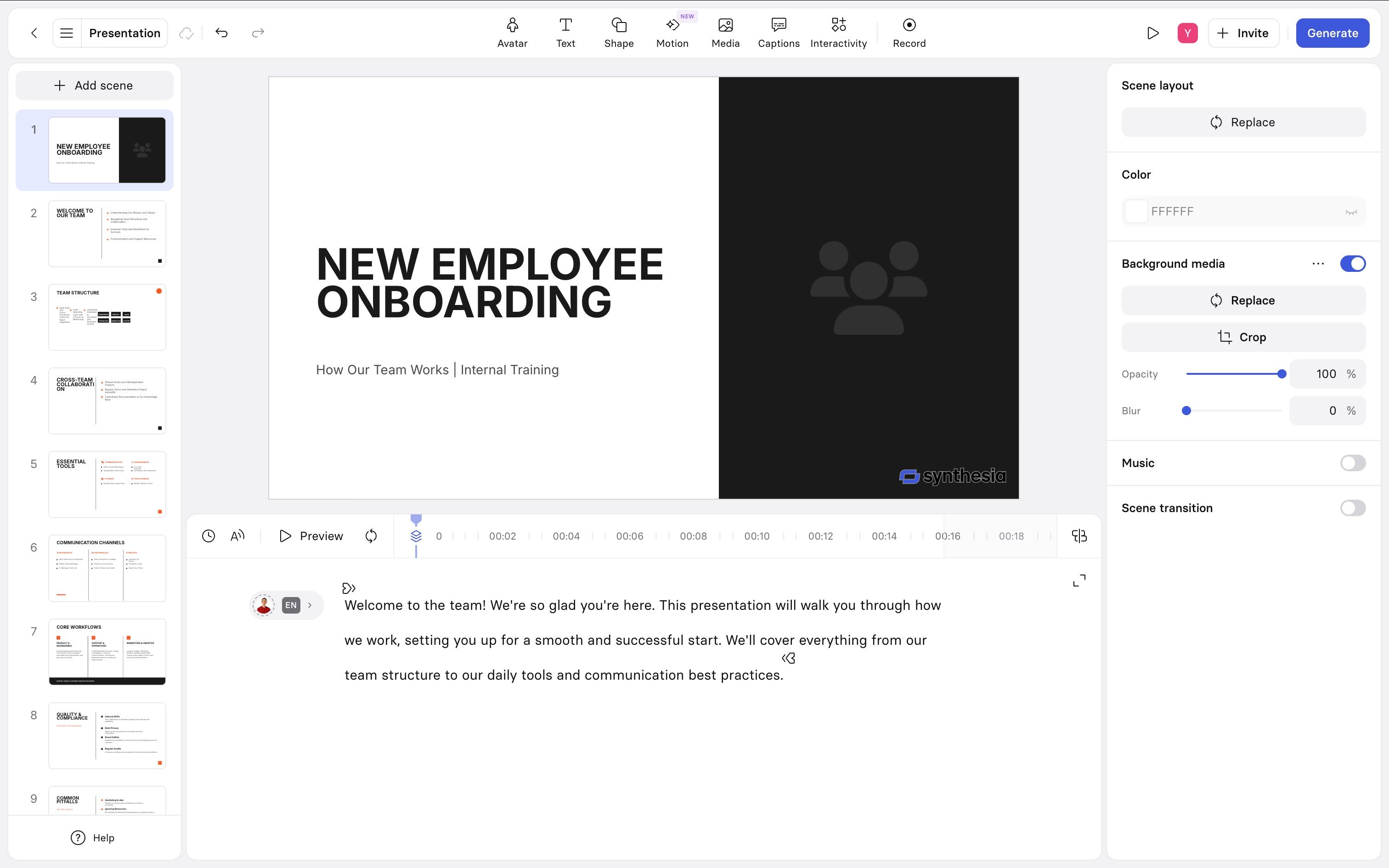
Synthesia stands out as a polished, enterprise-ready AI video platform. It feels built for teams that need structured training videos, consistent avatars, templates, collaboration, and more control over the final output. Its avatar library is mature, and the editor includes useful controls for captions, media, interactivity, recording, scene layout, music, and transitions.
In our PPT-to-training-video test
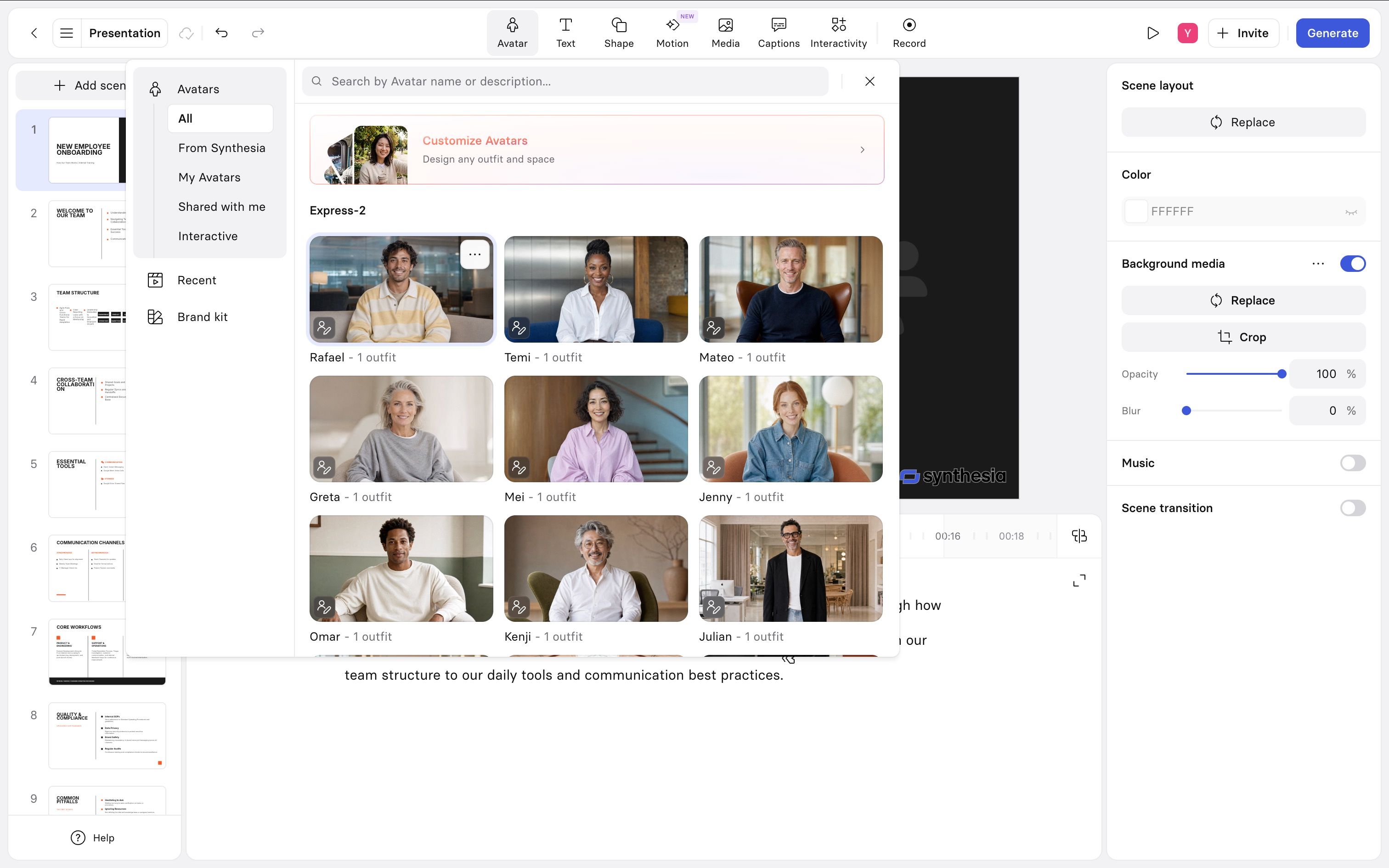
In our PPT-to-training-video test, Synthesia preserved the slide structure well and converted the deck into individual editable scenes. The editor felt powerful, with scene-level controls, avatar selection, script editing, captions, and layout adjustments all available in one workspace.
The main friction was the import step. Synthesia detected missing fonts and asked us to choose replacements before continuing, which is useful for layout accuracy but adds an extra step. Overall, it felt strong for creating a polished enterprise training video, but a bit heavier than tools focused on fast PPT-to-video conversion.
VS JoggAI
Compared with JoggAI, Synthesia feels more enterprise-oriented and production-heavy. It is stronger for polish, governance, and structured editing. JoggAI feels faster and more direct for teams that want to upload a deck, generate or reuse a script, choose an avatar, and quickly turn the PPT into an editable training video.
Colossyan
Why it stands out
It supports PowerPoint import, keeps the slide structure clear, and works well for teams creating structured onboarding or internal learning content.
In our PPT-to-training-video test
In our PPT-to-training-video test, Colossyan preserved the deck structure well and supported speaker-note-based content. However, script editing felt less efficient than expected. Instead of seeing all subtitles or narration in one overview, we had to click into each slide individually to review and edit the script, which made it harder to check the full flow at a glance.
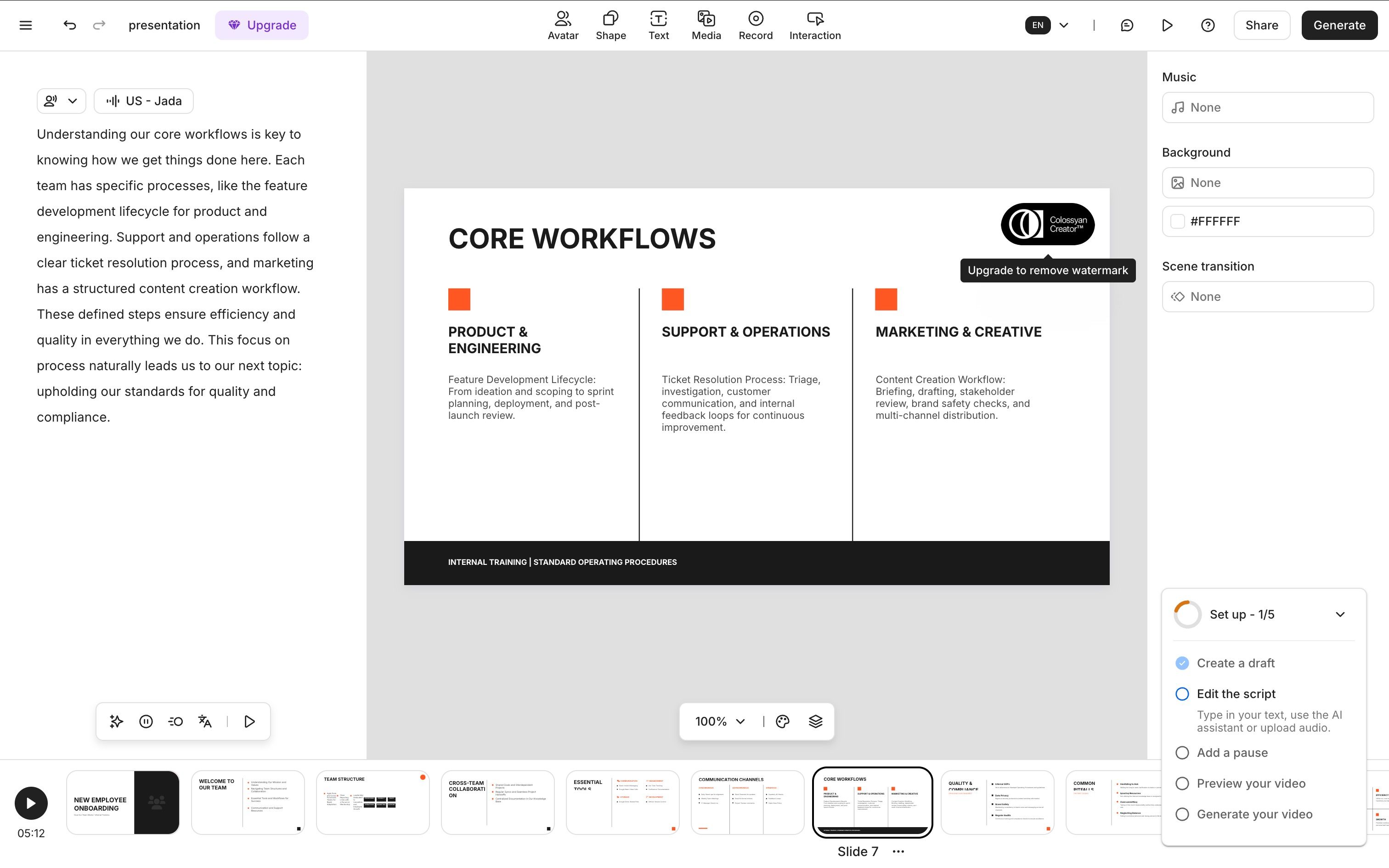
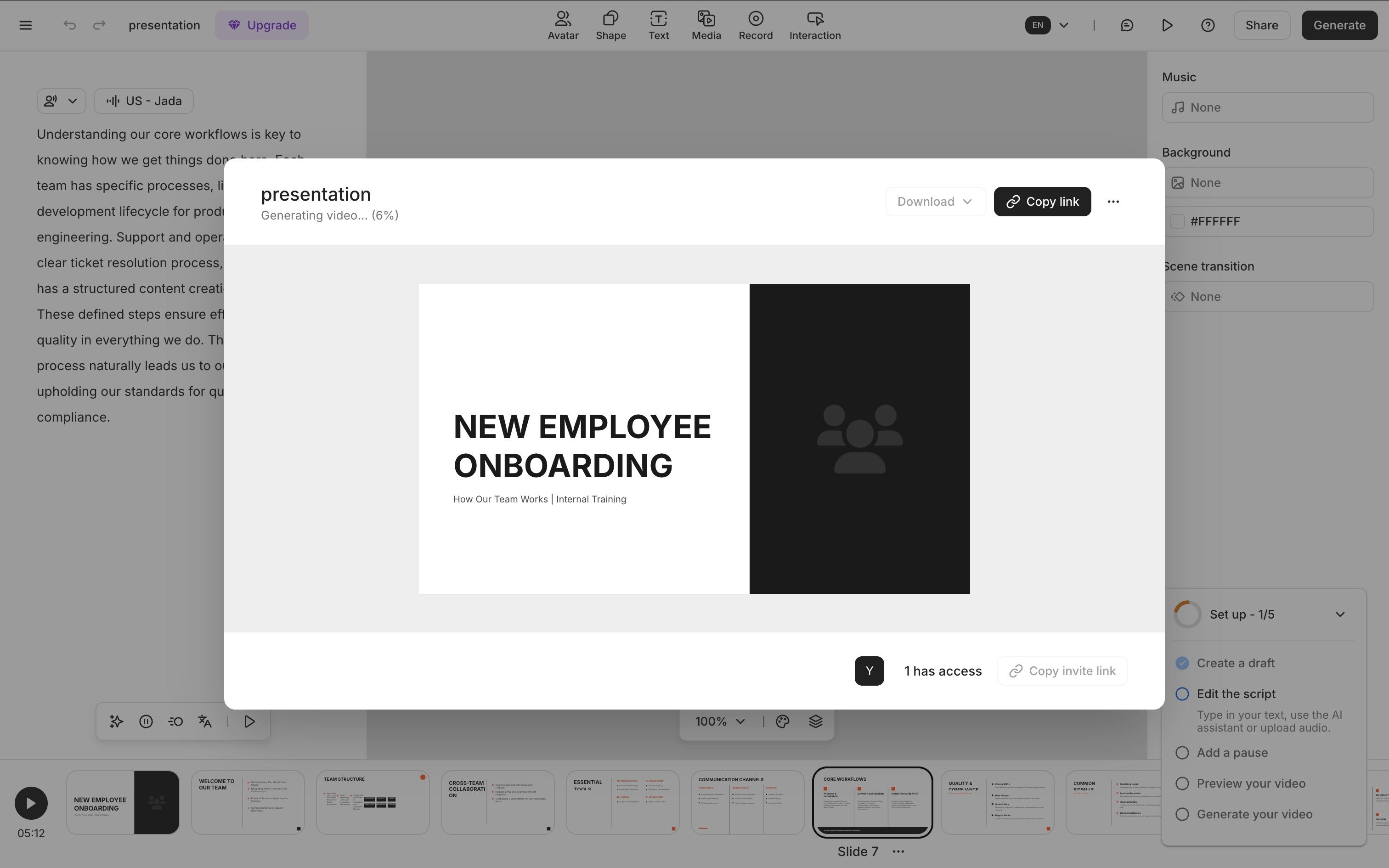
Generation speed was also a weaker point. Even without selecting an avatar, the process felt relatively slow, and adding an avatar made it take even longer. In our test, it took about nine minutes to get a first usable version.
We also ran into a layout issue on the first screen: even though no avatar had been selected, the output still used an avatar-style layout, which left a large blank area in the opening scene. That made the first screen feel unfinished and suggested the layout logic did not fully adapt to the no-avatar setup.
VS JoggAI
Compared with JoggAI, Colossyan feels more structured but less lightweight. JoggAI was faster and easier to move through from PPT upload to script editing and video preview, while Colossyan felt slower, required more slide-by-slide checking during script review, and showed less flexible layout behavior in the no-avatar version.
HeyGen
Why it stands out
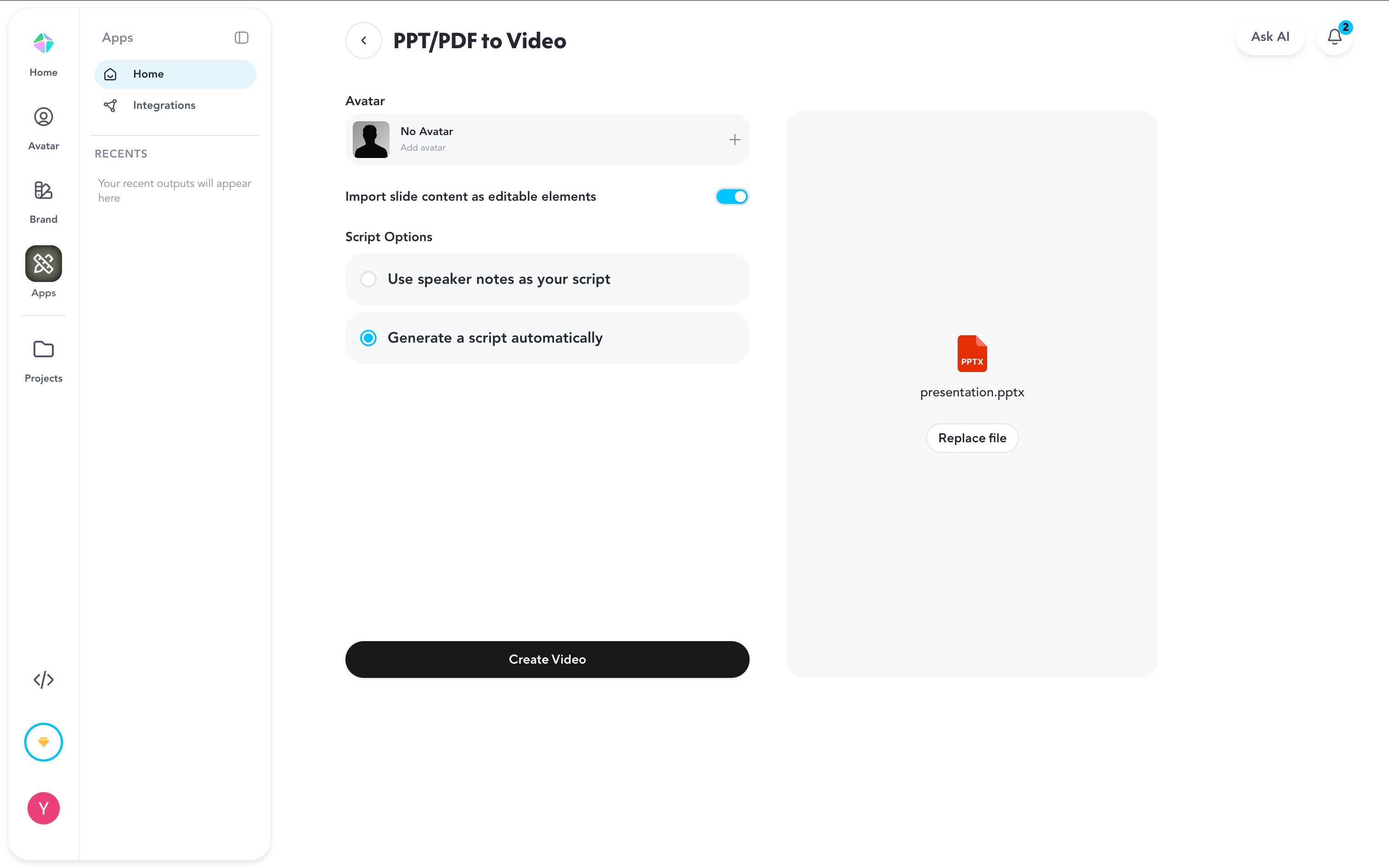
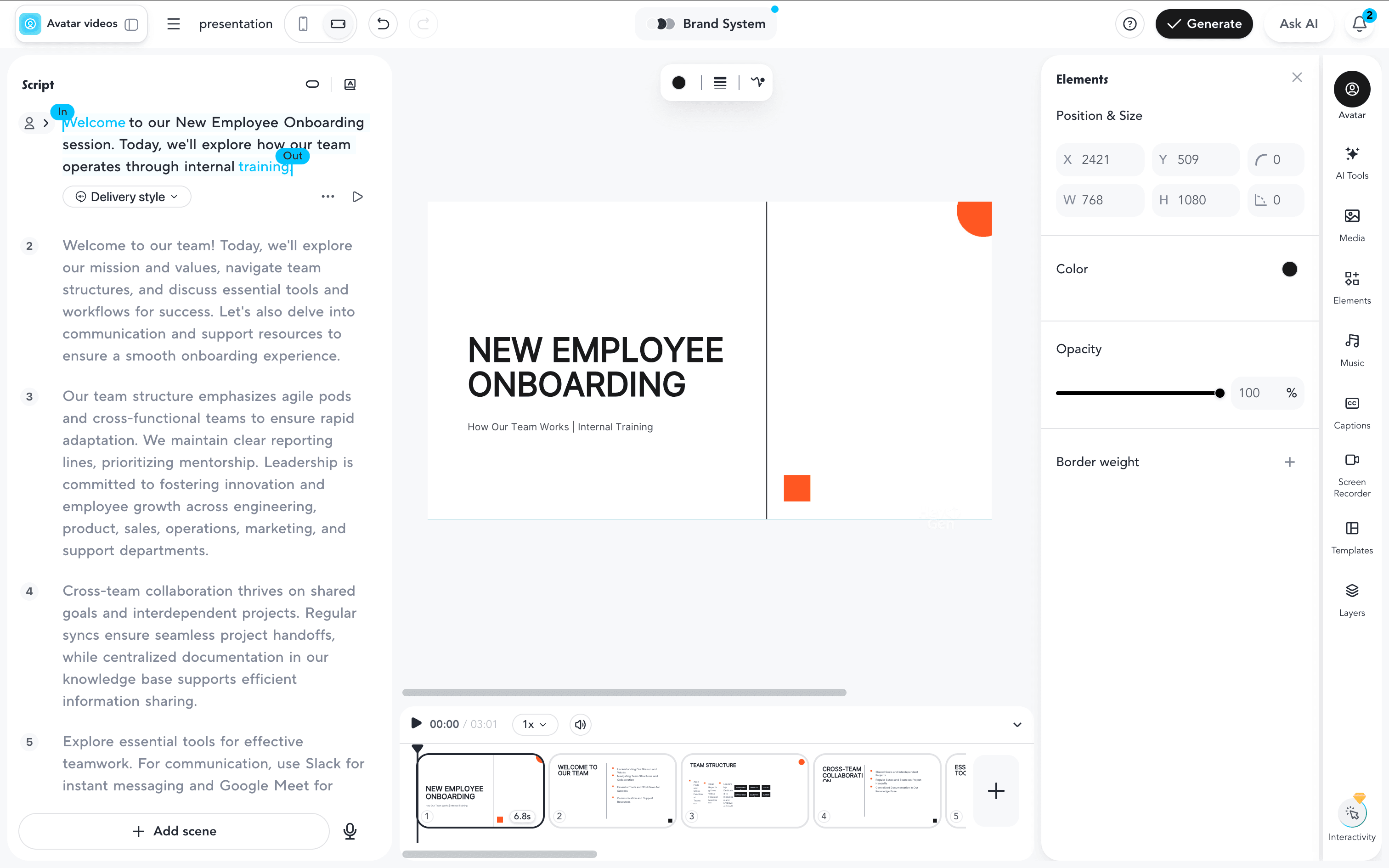
HeyGen stands out for giving users clearer control at the start of the workflow. One useful detail is that you can choose No Avatar before generating the video, which helps avoid awkward empty presenter layouts when you do not want an on-screen avatar.
In our PPT-to-training-video test
The main downside was speed. Even though the setup felt cleaner and more flexible, generation was still not especially fast, so it did not feel like a lightweight instant-conversion tool.
VS JoggAI
Compared with JoggAI, HeyGen gives clearer no-avatar control and a smoother script overview. JoggAI still feels faster and more direct overall for turning a deck into an editable training video.
5. Vyond
Why it stands out
Vyond stands out more for animated storytelling and scenario-based content creation. For teams that want to reshape existing material into a more animated, explainer-style training video, that is where Vyond feels most distinctive.
In our PPT-to-training-video test
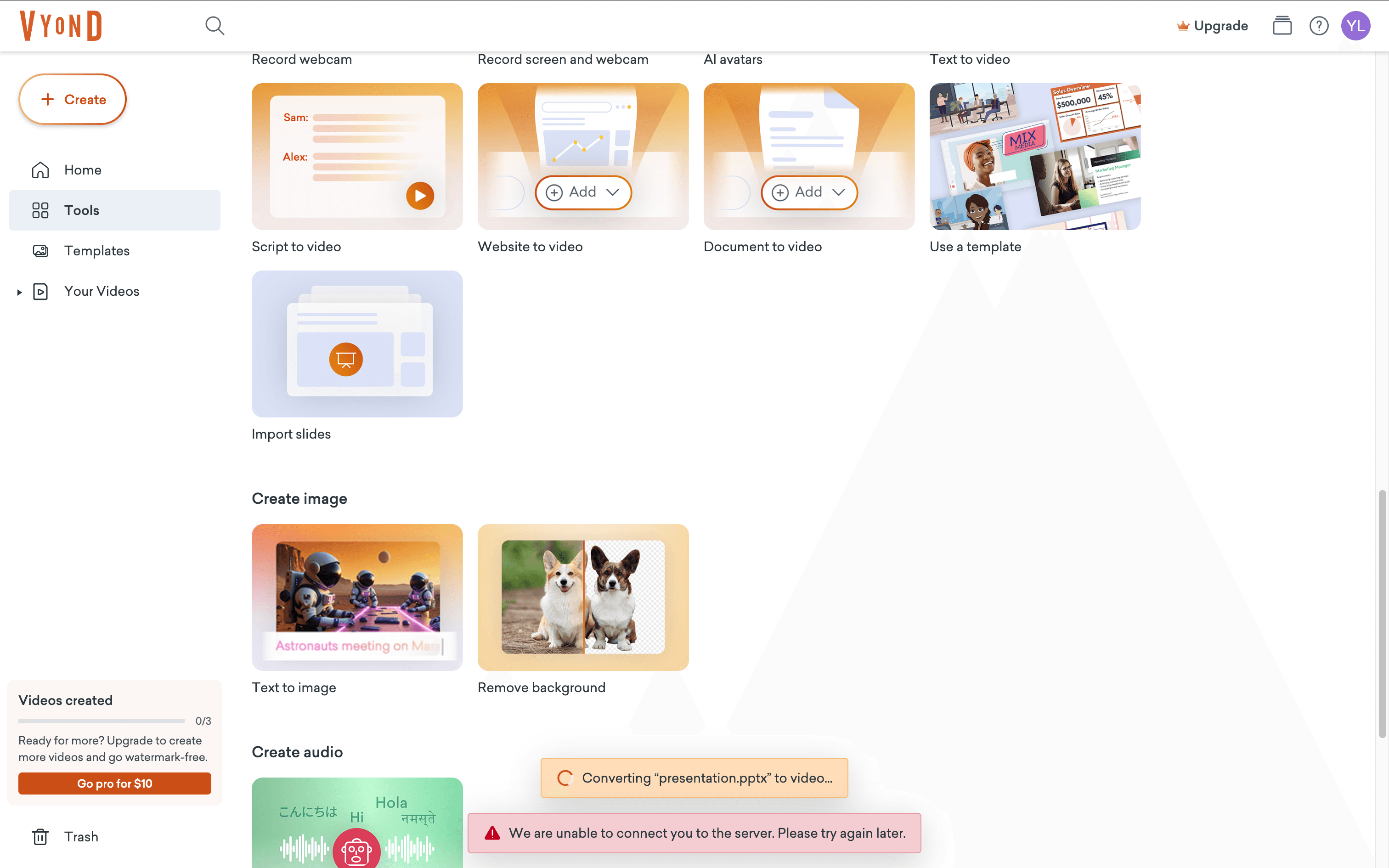
In our PPT-to-training-video test, Vyond was the weakest option for direct deck conversion. The Import slides workflow repeatedly failed with a server connection error, so we had to switch to Document to video as a workaround.
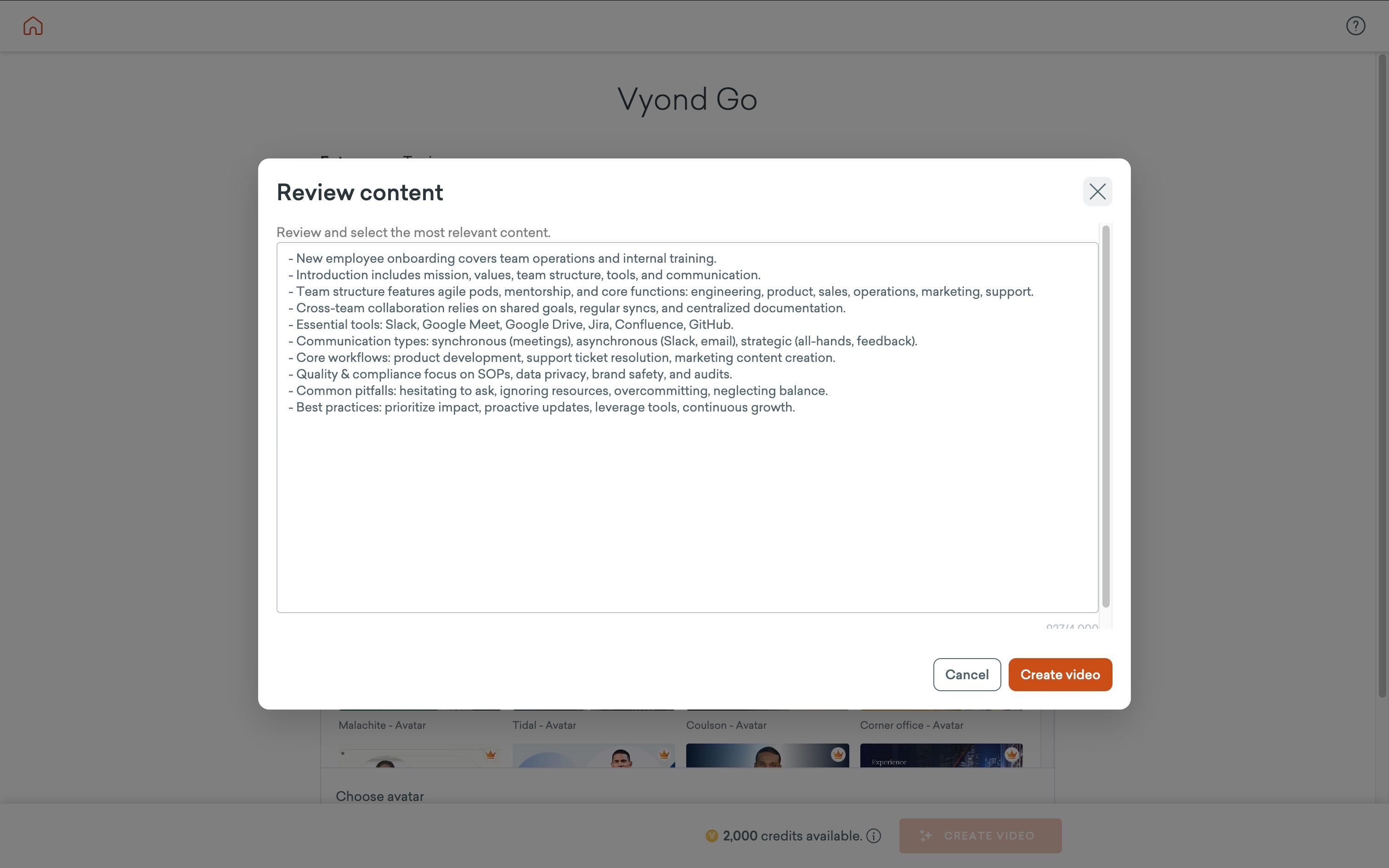
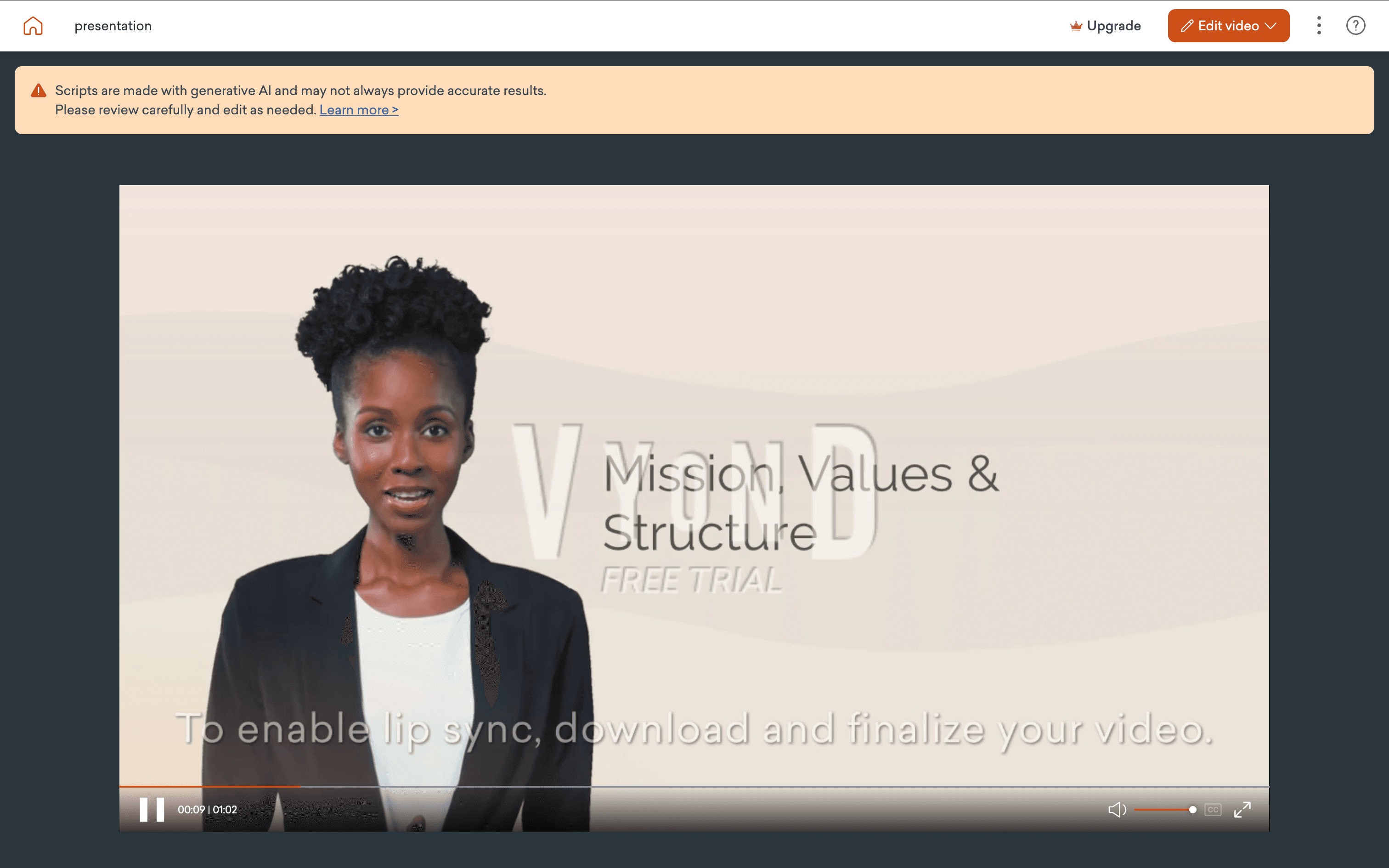
The result felt limited: avatar and voice choices were not very flexible, the output leaned heavily on defaults, and the lip sync in preview did not look polished. It also felt harder to make meaningful changes after generation than with the other tools.
VS JoggAI
Compared with JoggAI, Vyond felt much less practical for PPT-to-training-video use. JoggAI offered a clearer and more direct workflow from deck upload to script, avatar, and preview, while Vyond struggled with import reliability and produced a less editable first draft.
How we evaluated the tools
We evaluated each platform through a training lens, not a generic AI-video lens.
The six criteria were:
-
Training fit: whether the product clearly supports onboarding, L&D, compliance, or enablement
-
Workflow speed: how quickly teams can turn scripts, decks, or docs into video
-
Localization: support for subtitles, dubbing, and multilingual delivery
-
Scalability: ability to update and manage content across teams or regions
-
Format flexibility: fit for both formal training and quick internal videos
-
Trust and governance: fit for teams that need review, consistency, and disclosure
To make this comparison more practical, we also evaluated each tool through the same PPT-to-training-video workflow, since many real-world training teams start with slide decks rather than blank scripts.
What Matters Most When Choosing an AI Training Video Generator
The strongest signal from real-world adoption is that teams care about more than production speed. Trust, transparency, and instructional fit matter just as much.
The Wall Street Journal reported on August 23, 2024 that companies were already using AI-generated video in employee training. But Sonesta’s learning leader described the legal boundaries as “a minefield right now,” while AI advisor Henry Ajder said, “What people consistently want is transparency.”
That is a useful principle for training teams evaluating AI video: the best workflows are the ones that make review, disclosure, and scope clear from the start.
A second lesson is that AI tends to work best when it expands expert capacity rather than trying to replace expertise. In a Business Insider report published June 17, 2026, Rainbow’s chief digital officer wrote, “Every experiment designed to replace a person with AI failed.” He added that the winning experiments were the ones that gave talented people more capability.
A third lesson is format. In The Australian on September 30, 2024, Laing O’Rourke described pushing training toward shorter, more accessible formats embedded into work. That aligns with the research in “Beyond Training: How Workers Discover Value in Enterprise AI”, which found that formal training was not the main way workers learned these tools. People relied more on trial and error and peer sharing.
The practical takeaway is simple: the best AI training video generator is not just the one that makes polished videos. It is the one that helps your team create short, useful, trustworthy content that people will actually use.
How to choose the right AI training video generator
The right choice depends less on which tool has the longest feature list and more on how your team creates training today.
Use this decision framework:
-
Choose an enterprise-first platform if you need stronger governance, standardization, and global rollout support.
-
Choose a course-oriented platform if your training lives inside structured modules, LMS workflows, and SCORM packages.
-
Choose a fast production platform if your team already works from decks, scripts, webinars, or internal docs and needs to turn them into video quickly.
-
Choose an avatar-first localization platform if multilingual delivery is your top priority.
-
Choose an animation-first platform if your training topics work better as explainers than presenter-led videos.
That is the lens we used for this list.
Best AI Training Video Generators by Use Case
For most teams, the key question is not “Which tool has the most features?” It is “Which tool fits the way we already create training content?” That is especially true when your source material already lives in slide decks, scripts, SOPs, or internal knowledge docs.
| Use case | Recommended tool |
|---|---|
| Turning PowerPoints into training videos quickly | JoggAI |
| Multilingual training content production | JoggAI / HeyGen |
| Creating both training and marketing videos in one platform | JoggAI |
| Frequently updated onboarding content | JoggAI |
| Enterprise-wide standardized training | Synthesia |
| LMS, SCORM, and structured learning workflows | Colossyan |
| Lifelike avatar-led training delivery | HeyGen |
| Animated training and scenario-based explainers | Vyond |
Final thoughts
If your team already works from slide decks, scripts, SOPs, or internal docs, JoggAI is a practical place to start. It makes it easier to turn existing knowledge into training videos, update content faster, and scale multilingual learning without building a heavy production process.