
AI tools for sales outreach can help you find prospects, research accounts, write emails, create sales videos, and manage follow-ups. The right choice depends on which part of your sales workflow you want to improve.
In this guide, we compare seven tools: JoggAI, Apollo, Clay, Lavender, Instantly, HubSpot Sales Hub, and Gong Engage. Explore their main use cases and official pricing pages in the comparison below.
7 Best AI Sales Outreach Tools at a Glance
| Tool | Best For | Starting Price (Monthly Billing) |
|---|---|---|
| JoggAI | AI sales outreach videos | $29/month |
| Apollo | Prospecting and contact discovery | $65/seat/month |
| Clay | AI research and data enrichment | $185/month |
| Lavender | AI sales email coaching | $29/month |
| Instantly | Cold email campaigns | $47/month |
| HubSpot Sales Hub | CRM-connected outreach | $10/seat/month |
| Gong Engage | Conversation-based follow-ups | Custom pricing |
Prices shown are starting paid-plan prices in USD. Free plans are also available for JoggAI, Apollo, Clay, Lavender, and HubSpot. HubSpot’s $10/seat/month is the promotional Starter price shown in the screenshot; the listed regular price is $20/seat/month. AI features and usage allowances vary by plan.
7 Best AI Tools for Sales Outreach Reviewed
JoggAI
In a 2018 Salesloft analysis of more than 134 million sales cadence emails, including approximately 4.5 million video emails, the company reported a 26% relative increase in replies for teams using video.
A separate published Superside ABM case study reported reply rates of 1.5% for emails without video and 6% for emails with personalized video—four times the reply rate in that campaign.
JoggAI helps sales teams create presenter-led outreach videos with lifelike AI avatars, cloned voices, and multilingual video tools. Use it to introduce a product, explain a benefit for a specific buyer, or answer a question after a demo. Once an authorized custom avatar is ready, a rep can prepare new messages by changing the script instead of recording each version on camera.
Key JoggAI Features for Sales Outreach
Lifelike AI avatars with natural expressions and lip-sync
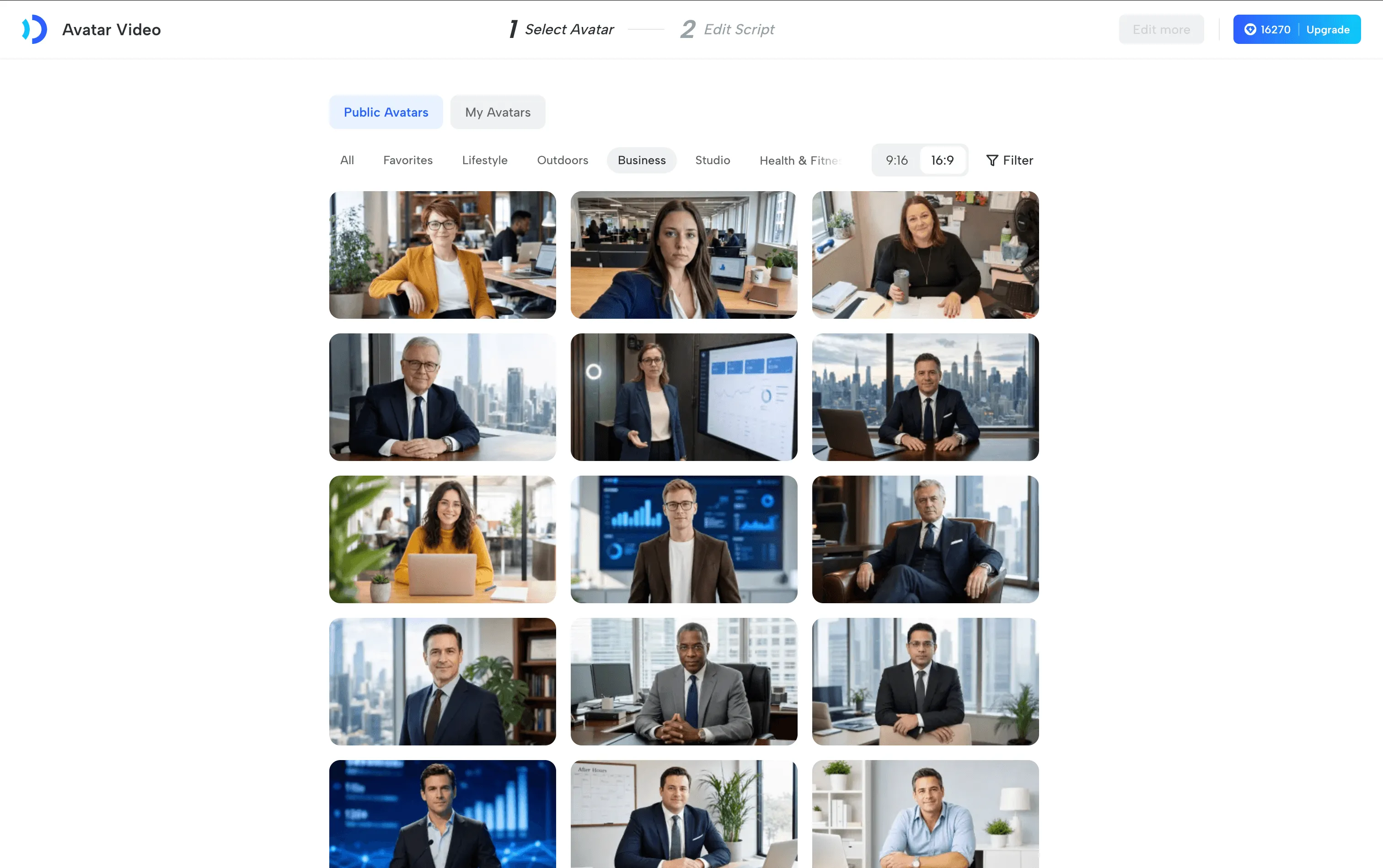
Choose a stock presenter or create an authorized avatar of a sales rep or product expert. AvatarX supports natural expressions and multiple face angles, while lip movements follow the spoken script. These features give a short product explanation an on-screen presenter without arranging a new shoot for every message.
Pair the presenter with approved product images, footage, or slides. For an equipment sale, the avatar can introduce the buyer’s problem while supporting visuals show the actual device and workflow.
Custom avatars and voice cloning for a consistent spokesperson
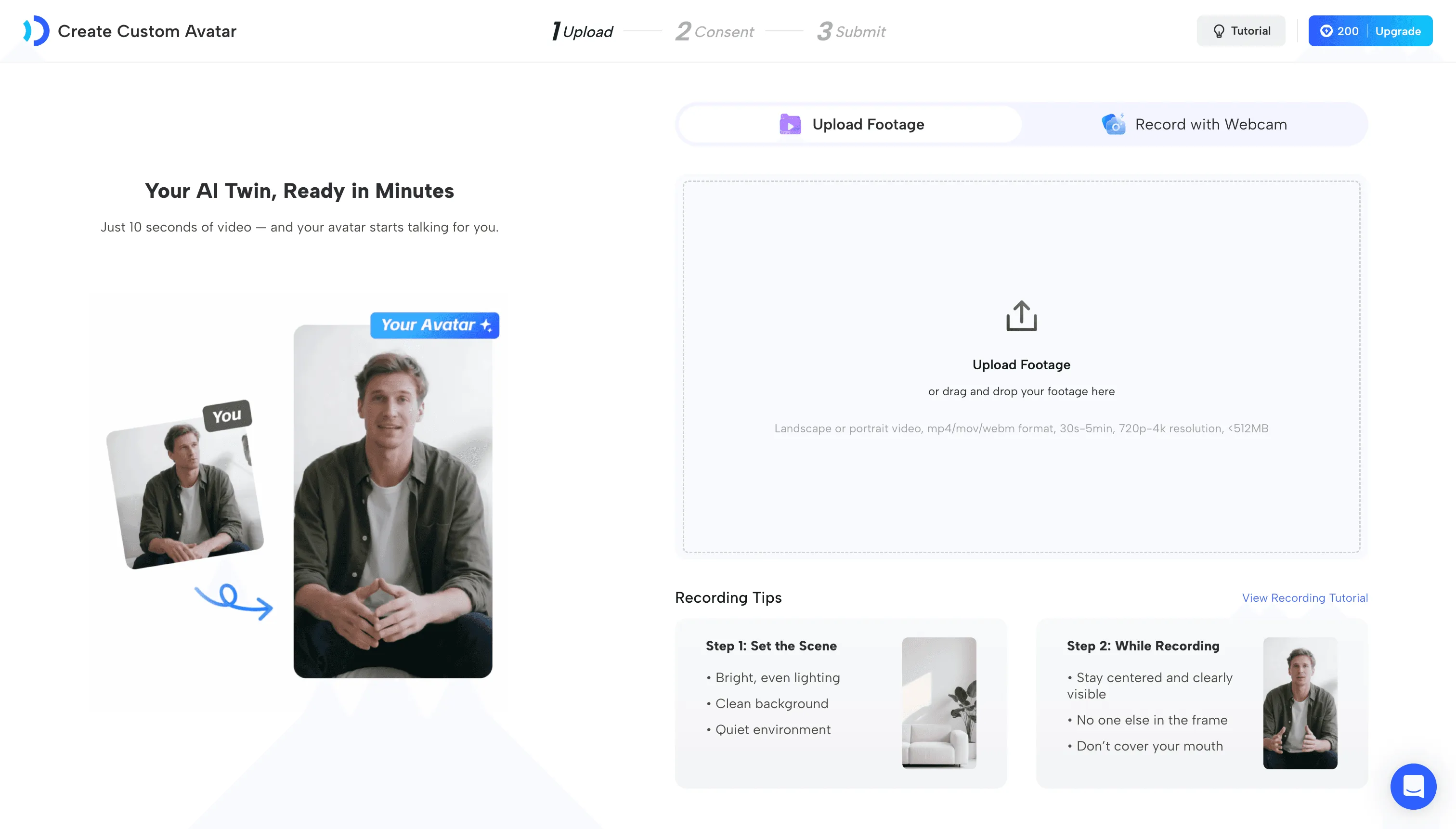
With the presenter’s participation and consent, JoggAI’s custom avatar tools let teams reuse an expert’s on-screen identity. Voice cloning helps keep the narration consistent across new scripts. A product specialist can review the explanation while a teammate prepares the video.
50+ languages for avatar-led videos and 90+ for video translation
JoggAI’s avatar video workflow supports narration in 50+ languages, Video Translator supports 90+ languages, with voice cloning and lip-sync.
This gives regional sales teams a way to localize an approved explanation while retaining the presenter and voice identity. Review the final translation, specialist terminology, pronunciation, and lip-sync in the target language before sending.
Script changes without another presenter recording
Adapt the opening, product benefit, or next step for a buyer’s role or question, then generate the revised video. The same approved source script can become several messages for different audiences, each with its own relevant context.
Where JoggAI Fits in the Outreach Process
| Outreach stage | What to create | What the buyer receives |
|---|---|---|
| First contact | A brief introduction tied to one verified business need | A clear explanation of why you are reaching out |
| Product evaluation | A focused product overview using an avatar and actual product visuals | An explanation of a relevant feature or workflow |
| After a demo | A recap answering a specific question | A useful resource to review or share with colleagues |
| Re-engagement | An update explaining what has changed since the last conversation | A concrete reason to reconsider the discussion |
| International outreach | A localized version of an approved introduction or follow-up | The explanation in the buyer’s preferred language |
For example, a medical device rep could send a short video explaining how a scanner fits into a dental practice’s consultation process. After a demo, the rep could create a second video answering the practice manager’s onboarding question, then localize an approved version for another market.
JoggAI vs. Recording Each Video Yourself
| Production task | Recording each version on camera | Using JoggAI |
|---|---|---|
| Presenter preparation | Arrange availability and record the delivery | Select a stock avatar or prepare an authorized custom avatar |
| A revised message | Record the changed delivery and update the edit | Change the script and generate another version |
| Another language | Arrange a new recording or translated voiceover | Use multilingual avatar narration or Video Translator |
| Video cost | $800+ per professionally produced video | Plans start at $29/month, with included generation credits |
JoggAI brings sales video creation into a subscription starting at $29/month. Reuse your avatar, update scripts, and create multilingual versions while reducing repeated filming, presenter scheduling, and reshoots.
2. Apollo
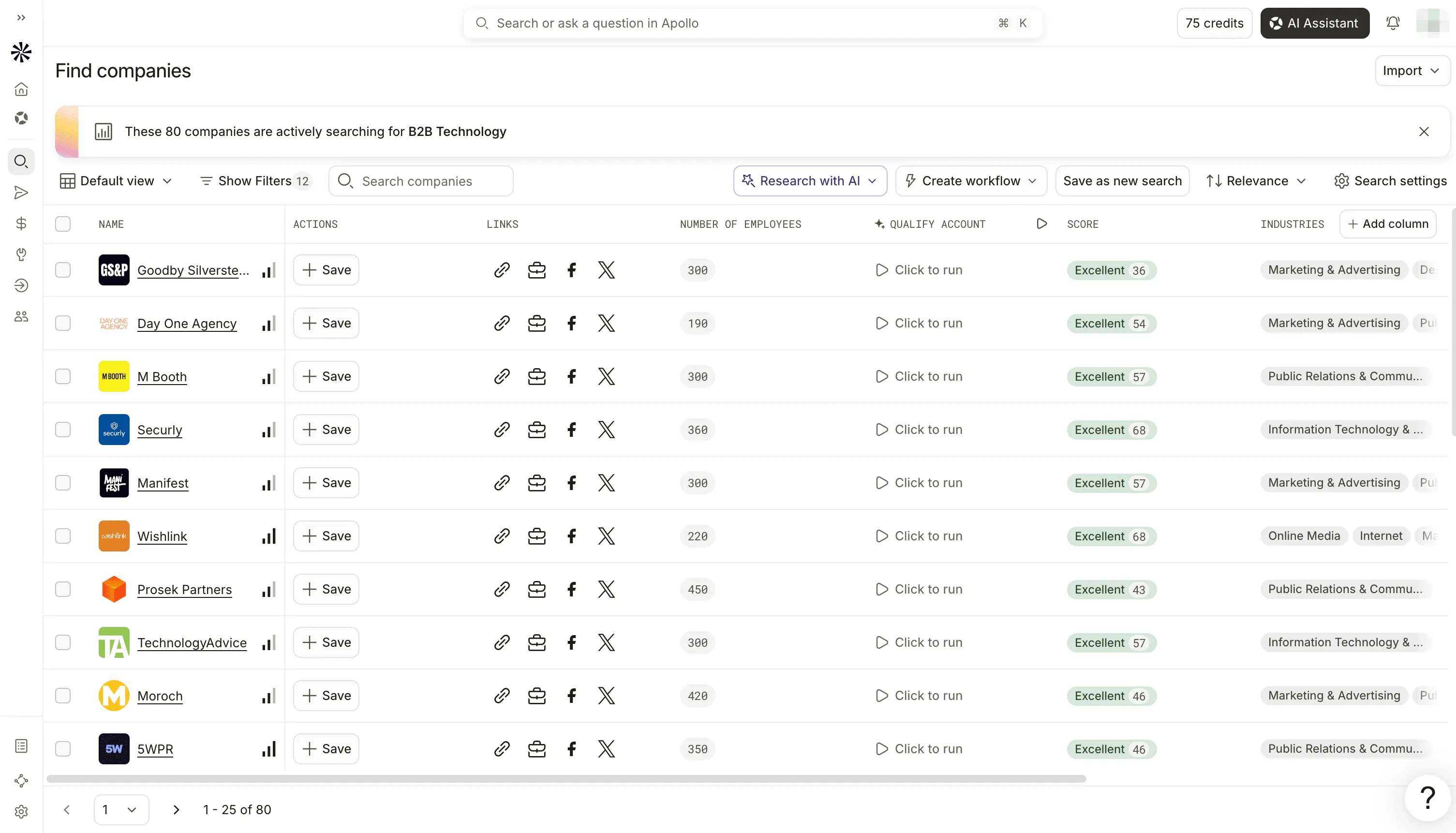
Apollo brings prospecting data, AI research, and outreach tools into one platform. It is worth considering when reps spend too much time building contact lists before they can start a conversation.
Sales teams can use its contact and account data to identify people who match their target customer profile. Its AI capabilities add research and context that can support account selection and message preparation.
How to use it for sales outreach
A packaging supplier might begin with food manufacturers in a target region, then identify relevant operations or purchasing contacts. Before sending, reps should confirm each person’s role and whether the account fits their product.
The value comes from a focused list. Define the location, account type, and buyer role first, then use AI research to investigate the most promising matches. That gives the rep a clearer starting point for an email or video introduction.
Buying consideration: Contact data needs review. Check role changes, account relevance, and data freshness before adding someone to a sequence.
3. Clay
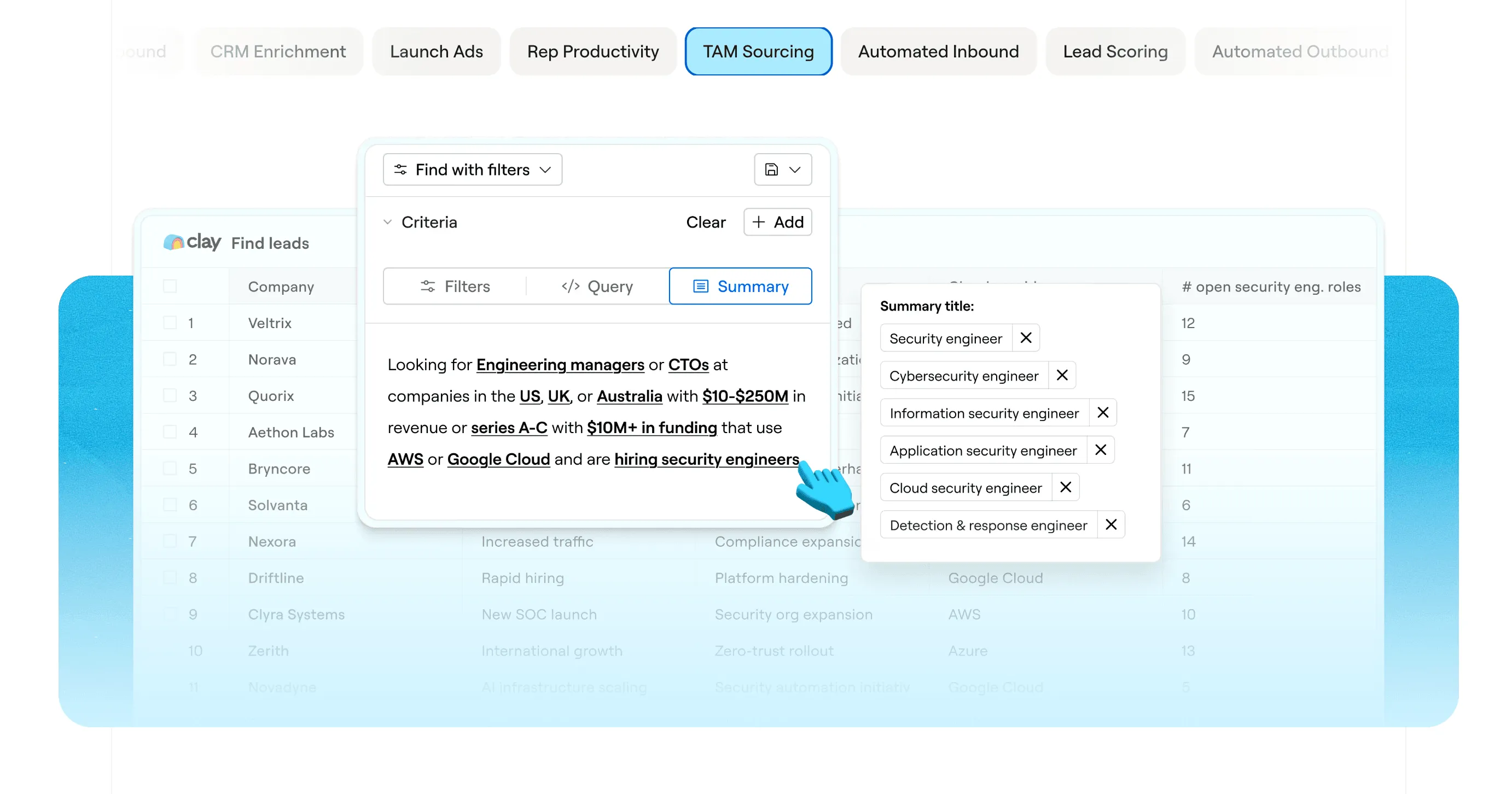
Clay helps teams enrich account data and research prospects through configurable workflows. Its Claygent research capability can gather public information that gives sellers a more specific reason to reach out.
It suits teams that already know their target accounts but need better context before writing. That context might include a new location, an expansion announcement, or a change in the company’s services.
How to use it for sales outreach
Suppose a supplier wants to reach companies opening additional locations. A Clay workflow could research expansion announcements and enrich the relevant account records. A rep can then verify the source and connect the outreach to a relevant business need.
That research could support an opening such as:
“I saw your announcement about the new location in Austin. Is equipment selection for that site already complete?”
The message uses an observable event and asks a question. It leaves room for the buyer to explain their situation.
Buying consideration: Clay requires workflow setup and review. An AI-generated research result can contain errors, and a public business event does not prove purchase intent. Keep source links available for the rep checking the message.
4. Lavender
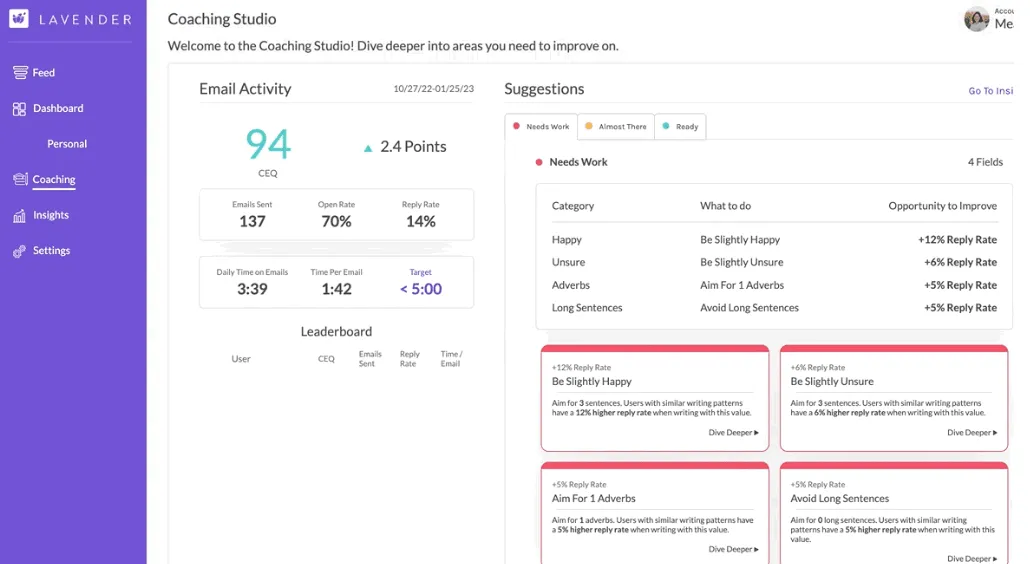
Lavender Email Coach helps sellers draft, assess, and improve sales emails. It provides email scores, AI writing recommendations, and a personalization assistant within supported email and sales tools.
It is a useful choice when reps have relevant prospects but struggle to turn their research into a clear message.
How to use it for sales outreach
Start with a rough draft that explains why you are contacting the buyer. Use Lavender’s suggestions to review the wording, personalization, and overall clarity before sending.
For example, a rep’s first draft might contain a company introduction, six product features, and a request for a 30 minutes demo. The editing goal could be a shorter email built around one buyer need and an easier question to answer:
“Are you reviewing scanners for the new practice? I can send a short overview of the workflow your team would use.”
Buying consideration: Treat an email score as coaching input. A well-written message still depends on relevant targeting, timing, and a credible offer.
5. Instantly
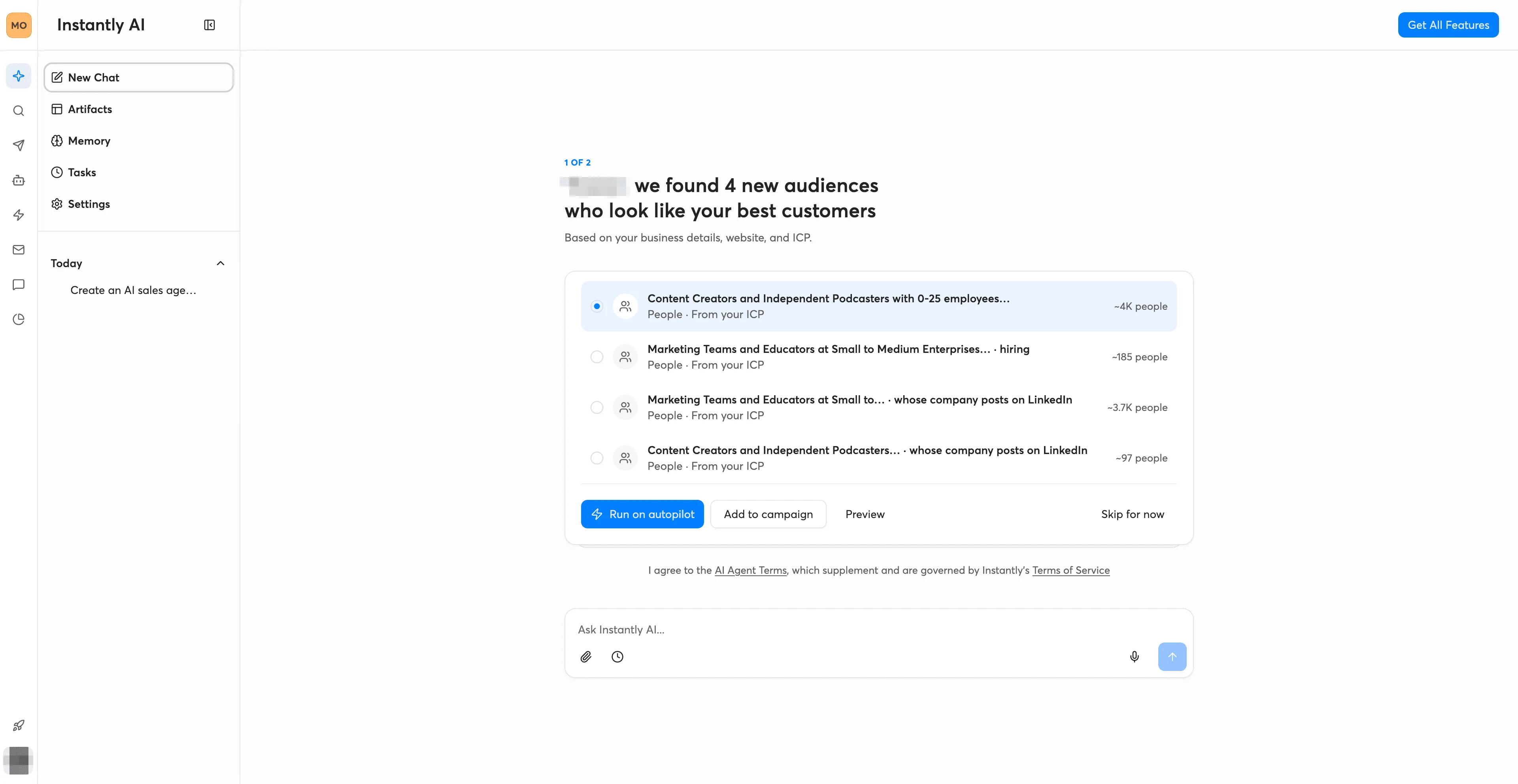
Instantly combines outbound email campaigns with AI capabilities for sales outreach and reply handling. It is useful when a team needs a repeatable process for sending relevant messages and managing the responses.
Its campaign tools support sequences, while AI agent features can assist with research, outreach, and replies. Availability depends on the product and plan selected.
How to use it for sales outreach
Build a sequence around a narrow audience and a specific reason to contact them. Each follow up should give the buyer something useful: an answer to a common question, a relevant product explanation, or a clear next step.
A rep could introduce a product in the first email, share a short video addressing a likely workflow question in the second, and ask about evaluation timing in the third. Decide in advance which replies need a human response and when a prospect should leave the sequence.
Buying consideration: Budget for the full setup, including sending accounts, lead data, and AI features where applicable. Review targeting and reply rules before expanding campaign volume.
6. HubSpot Sales Hub
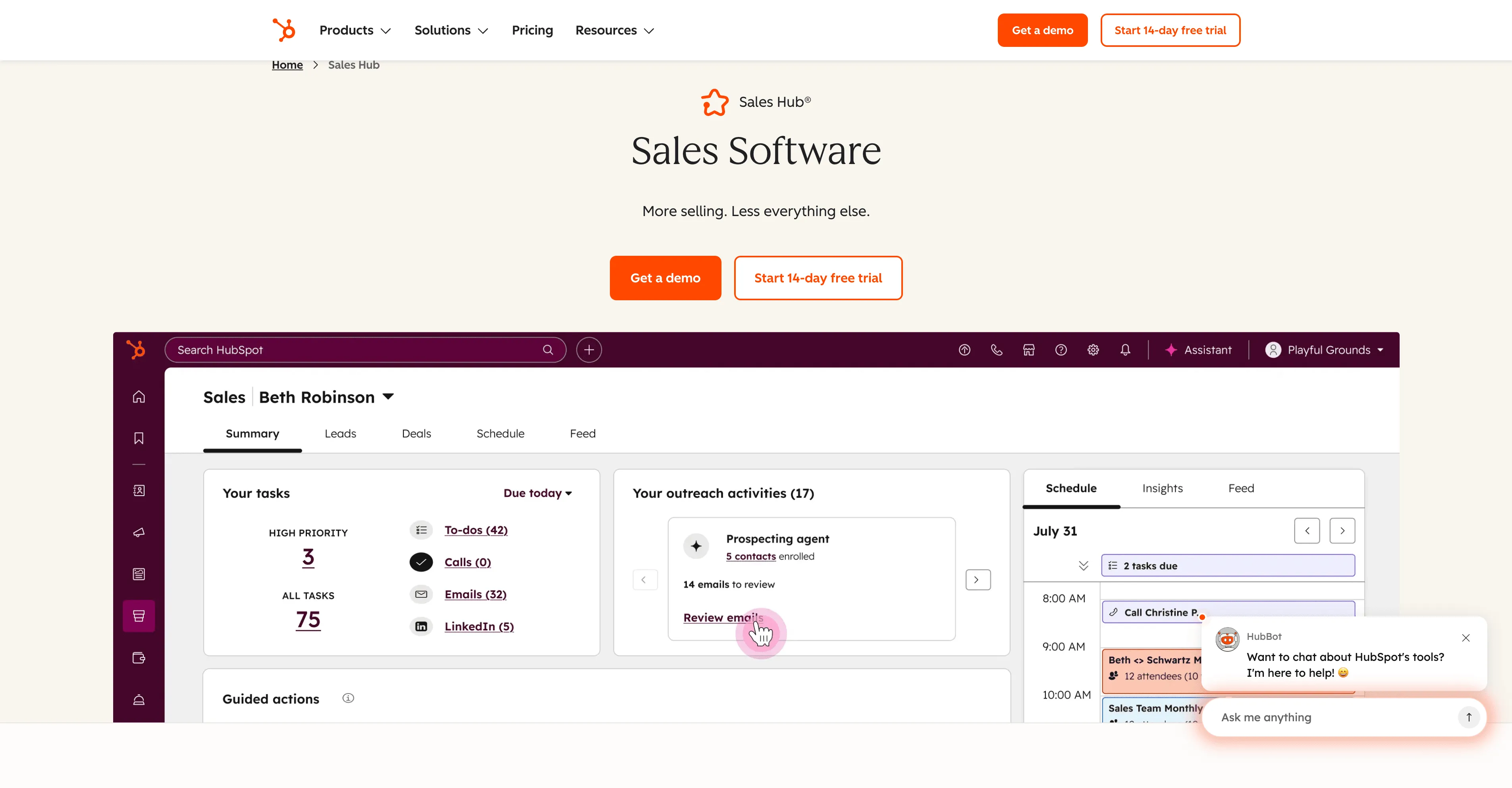
HubSpot Sales Hub connects sales activity with contact and deal records. It is a strong candidate for teams that want outreach, follow-up tasks, and account history available in the same system.
Its AI capabilities include help with deal follow ups and next steps. HubSpot also lists Breeze Prospecting Agent in beta for account discovery and personalized outreach.
How to use it for sales outreach
After a buyer responds, record the need they described, the person responsible for the next action, and the agreed timing. Use the available AI assistance to prepare a follow-up, then check it against the conversation before sending.
For an equipment sale, the next step might involve arranging a demonstration with an operations lead and a purchasing manager. Keeping those contacts, questions, and tasks together helps the rep prepare a relevant message and coordinate the meeting.
Buying consideration: Confirm which AI, automation, and prospecting features your subscription includes.
7. Gong Engage
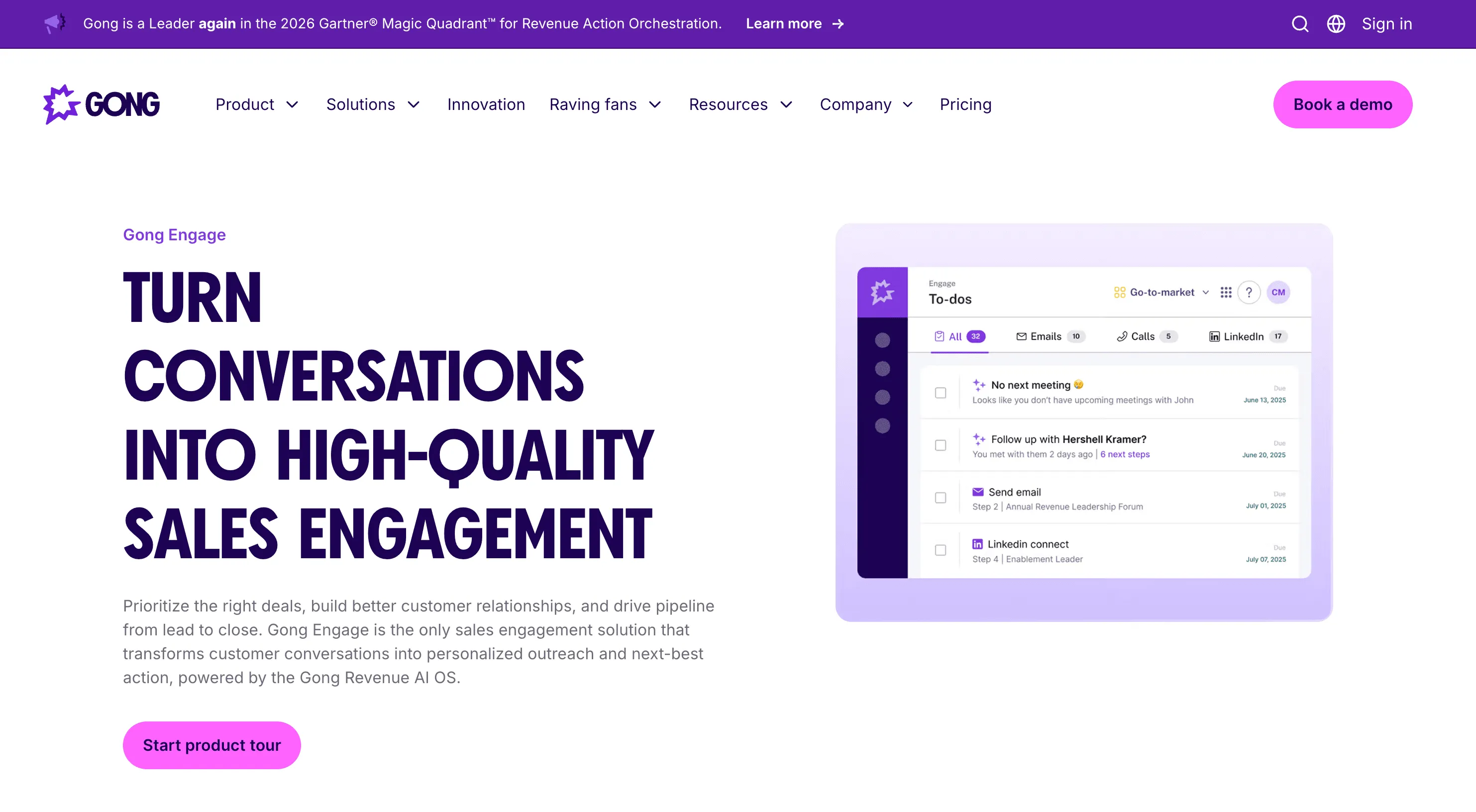
Gong Engage uses customer conversation context to support sales engagement. Its AI Composer can draft emails based on actual buyer discussions, and its engagement features help reps organize follow-up activity.
It is especially relevant after a discovery call or demo, when the next message should reflect what the buyer said.
How to use it for sales outreach
Imagine a prospect asks about installation, staff onboarding, and an upcoming purchasing deadline during a demo. A follow-up should address those points and state the agreed next action.
How to Choose AI Tools for Sales Outreach
Start with the point where work slows down:
-
You need to explain a product visually: Consider JoggAI.
-
You need relevant contacts: Start with Apollo.
-
Your outreach lacks account context: Consider Clay.
-
Your emails need clearer writing: Look at Lavender.
-
Your team needs a repeatable email campaign process: Evaluate Instantly.
-
Follow-ups get lost across contacts and deals: Consider HubSpot Sales Hub.
-
Post-call emails miss buyer priorities: Evaluate Gong Engage.
You do not need all seven. Check the capabilities already included in your CRM or engagement platform, then add a tool for the gap that matters most. For a small team, fewer tools with clear ownership can be easier to maintain.
A Practical AI Sales Outreach Workflow
Take a supplier contacting a dental group that has announced a new practice:
-
Find the relevant account and contact. Confirm the person’s role and the practice’s fit for the product.
-
Verify the reason to reach out. Read the expansion announcement and record its source.
-
Prepare a focused message. Ask about one relevant need, such as equipment evaluation for the new location.
-
Create a short video if it helps explain the offer. Use JoggAI to introduce the product workflow with an accurate script and supporting visuals.
-
Send and follow up. Share the video through your chosen hosting and email setup, then use the buyer’s response to decide the next step.
Measure qualified replies, meetings held, and progress toward a relevant sales conversation. Compare similar audiences and messages when evaluating whether a new tool helps.
FAQs
What are AI tools for sales outreach?
They are tools that use AI to assist with prospect research, message creation, email campaigns, or follow-ups. Some focus on a single task, such as creating videos or improving email drafts. Others combine several sales functions.
How can AI video support sales outreach?
AI video can help a rep explain a product, introduce a relevant use case, or recap a discussion. Keep the message focused on the buyer’s situation and include a clear next step. Review the script and visuals before sharing.
Can these tools work together?
Yes, but the workflow depends on their supported integrations and your setup. You can also move information or finished assets between tools manually. For example, create a video in JoggAI, publish it through your chosen hosting service, and include its link in an outreach email.
Which tool should a small sales team choose first?
Choose around your immediate need and existing software. A team with a solid contact list may benefit from clearer messages or product videos. A team struggling to find suitable accounts should address prospecting first.
Create Your Next Sales Outreach Video with JoggAI
Give buyers a focused explanation of what your product can help them do. Use JoggAI to create a product introduction, adapt a message for a target account, or prepare a video follow-up around a buyer’s question.
Explore JoggAI for sales outreach or book a demo to discuss your team’s video needs.