

The best AI video generators in 2026 solve different video-production problems. This AI video generator guide compares JoggAI, Synthesia, HeyGen, Runway, Adobe Firefly, Canva, and Descript by workflow, price, and a public test method you can repeat.
Quick Answer: Which AI Video Generator Should You Choose?
Choose JoggAI if your work starts with product information and you need short-form marketing videos plus meaningful creative variations. Choose Synthesia or HeyGen for presenter-led explainers and language-focused videos. Choose Runway for generative visual concepts, Adobe Firefly when Adobe is already your creative system, Canva for fast template-based social assets, and Descript for editing recorded video.
| Tool | Best for | Start Pricing/Pay Monthly |
|---|---|---|
| JoggAI | Marketing video and Training video | $29 |
| Synthesia | Presenter-led explainers | $19 |
| HeyGen | Avatar video and localization | $29 |
| Runway | Generative video and creative exploration | $15 |
| Adobe Firefly | Adobe-centered creative workflows | $19 |
| Canva | Design to video | $18 |
| Descript | Editing existing spoken video | $18 |
How We Test AI Video Generators
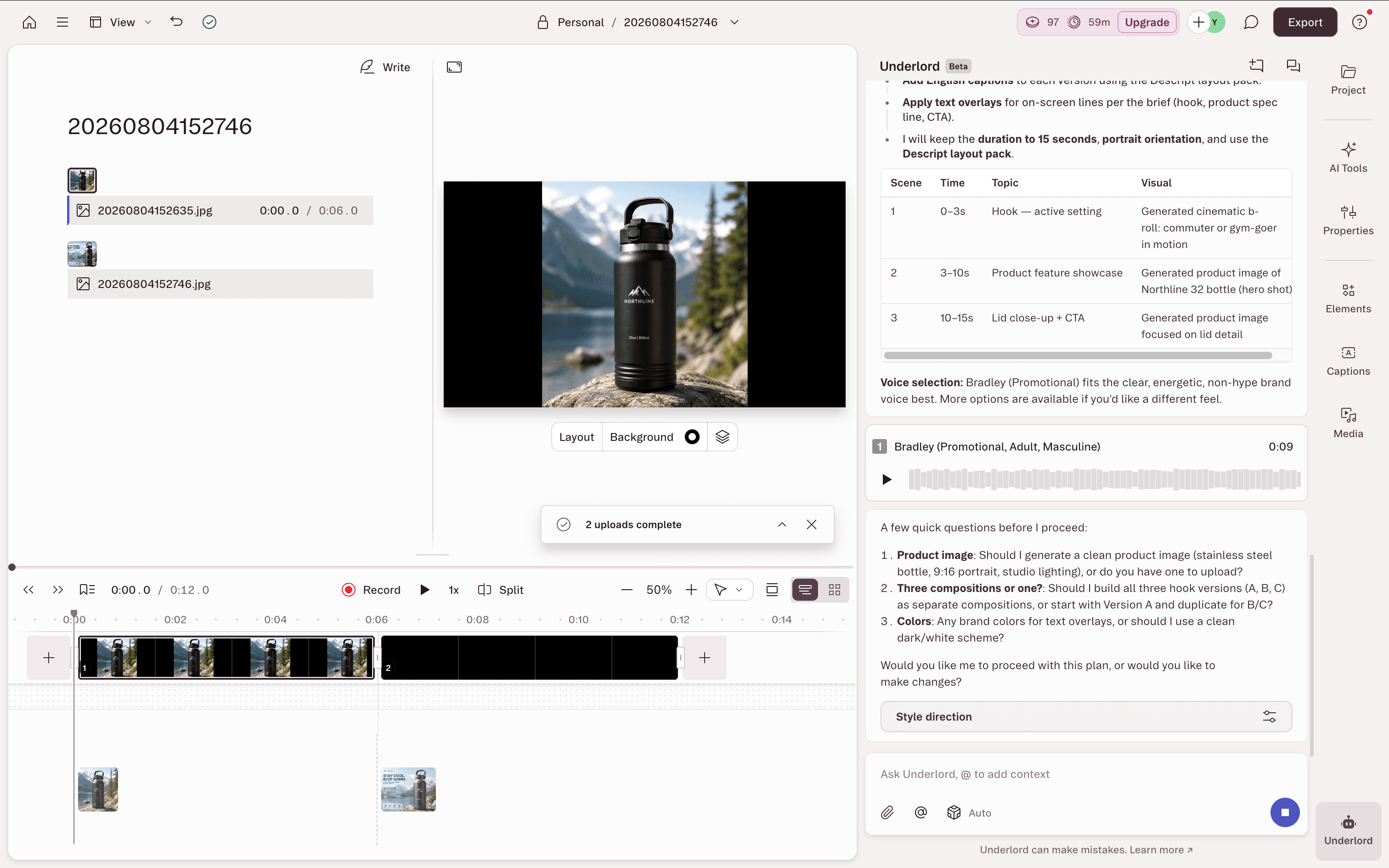
We use a single, public test brief so readers can reproduce the comparison. The objective is not to declare one universal winner. It is to identify which AI video generator workflow produces a reviewable 15-second product marketing video most effectively, without inventing product claims or creating an unnecessary editing bottleneck.
For transparency and reproducibility, we provide our complete testing document, including the test brief and evaluation criteria:
https://docs.google.com/document/d/1wn4vrzFOZ9L6vslZJ0diKpKxel2XvkcpqwYrlvQ4sRs/edit?usp=sharing
The exact test prompt
- Create a 15 second 9:16 vertical marketing video for Northline 32, using only the supplied product image and the approved facts below.
- Audience: commuters and gym-goers who want cold water through a busy day.
- Approved benefit: Double-wall vacuum insulation helps keep drinks cold.
- Approved specification: 32 oz stainless-steel bottle with a leak-resistant lid.
- CTA: Explore Northline 32.
- 0-3 seconds: Open with the product in a real, active setting and this on-screen line: “Cold water. Long day.”
- 10 seconds: Show the supplied bottle clearly. Use this caption: “32 oz stainless steel. Double-wall vacuum insulation.”
- 10-15 seconds: Show the lid and end with: “Explore Northline 32.”
- Use clean, readable English captions and practical, energetic pacing. Keep the product shape, lid, color, and branding faithful to the supplied image. Do not invent temperature-retention hours, health benefits,
For each tool, create two additional versions by changing only the hook:
- Version B opening: “Your water bottle should keep up.”
- Version C opening: “32 oz. Less refilling. More moving.”
7 Best AI Video Generators in 2026
JoggAI
Unlike many AI video tools that start with a general chat box, JoggAI provides simple templates to guide users through product information input. This makes the process much easier for marketing teams and product sales teams, as they can provide product details directly without needing to learn complex prompt writing.
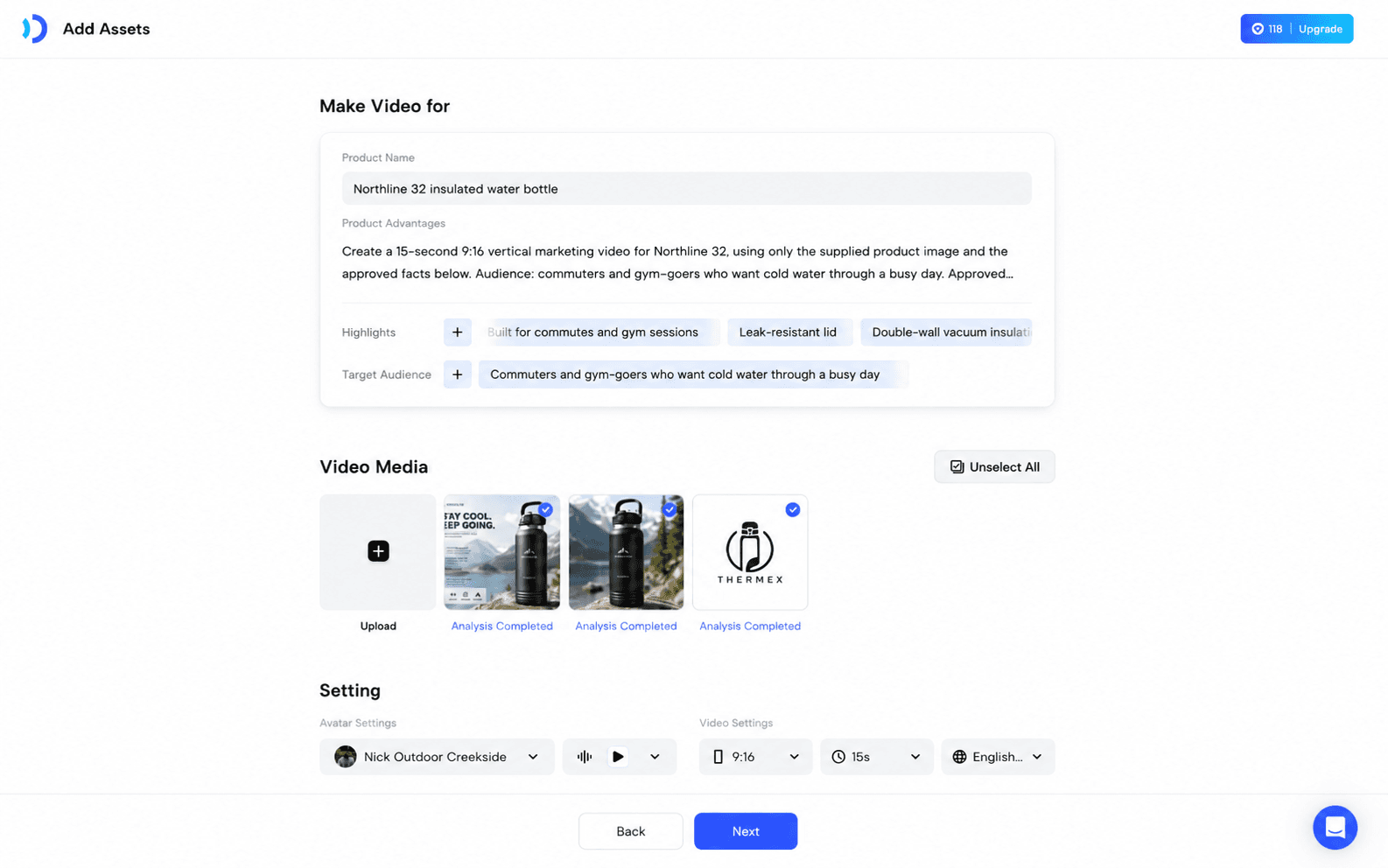
After entering the product information, users can upload their own media assets to help JoggAI better understand the product and improve video quality. One thing to note is that users need to upload at least 3 images or 1 video before continuing.
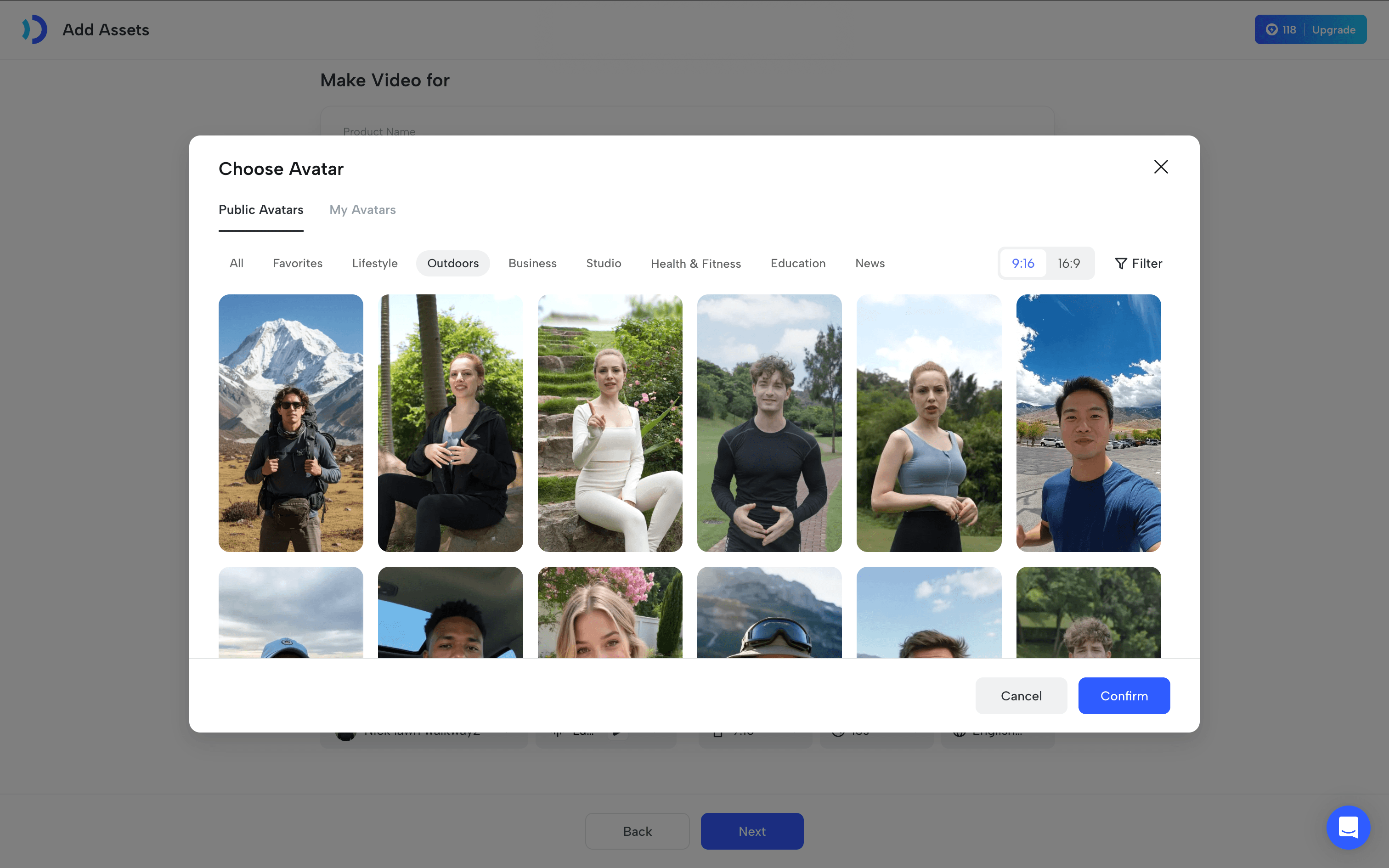
After uploading assets, users can select AI avatars based on different use cases. Among the AI avatar tools tested, JoggAI is the only one that categorizes avatars by use cases. For an insulated water bottle video, users can directly choose Outdoors to find a more suitable avatar.
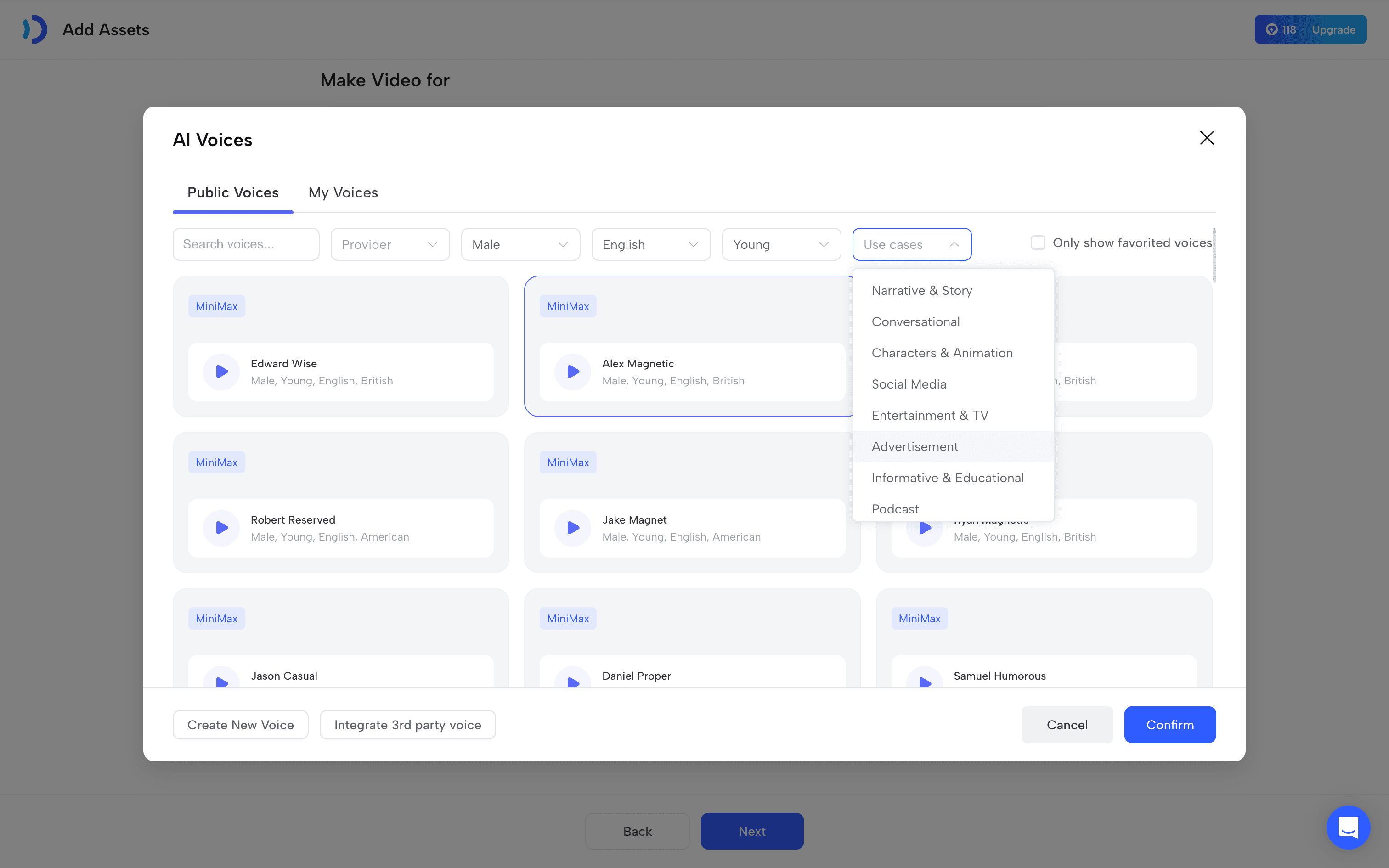
The voice selection follows the same approach, with voices organized by use cases to help users quickly find the right style for their content.
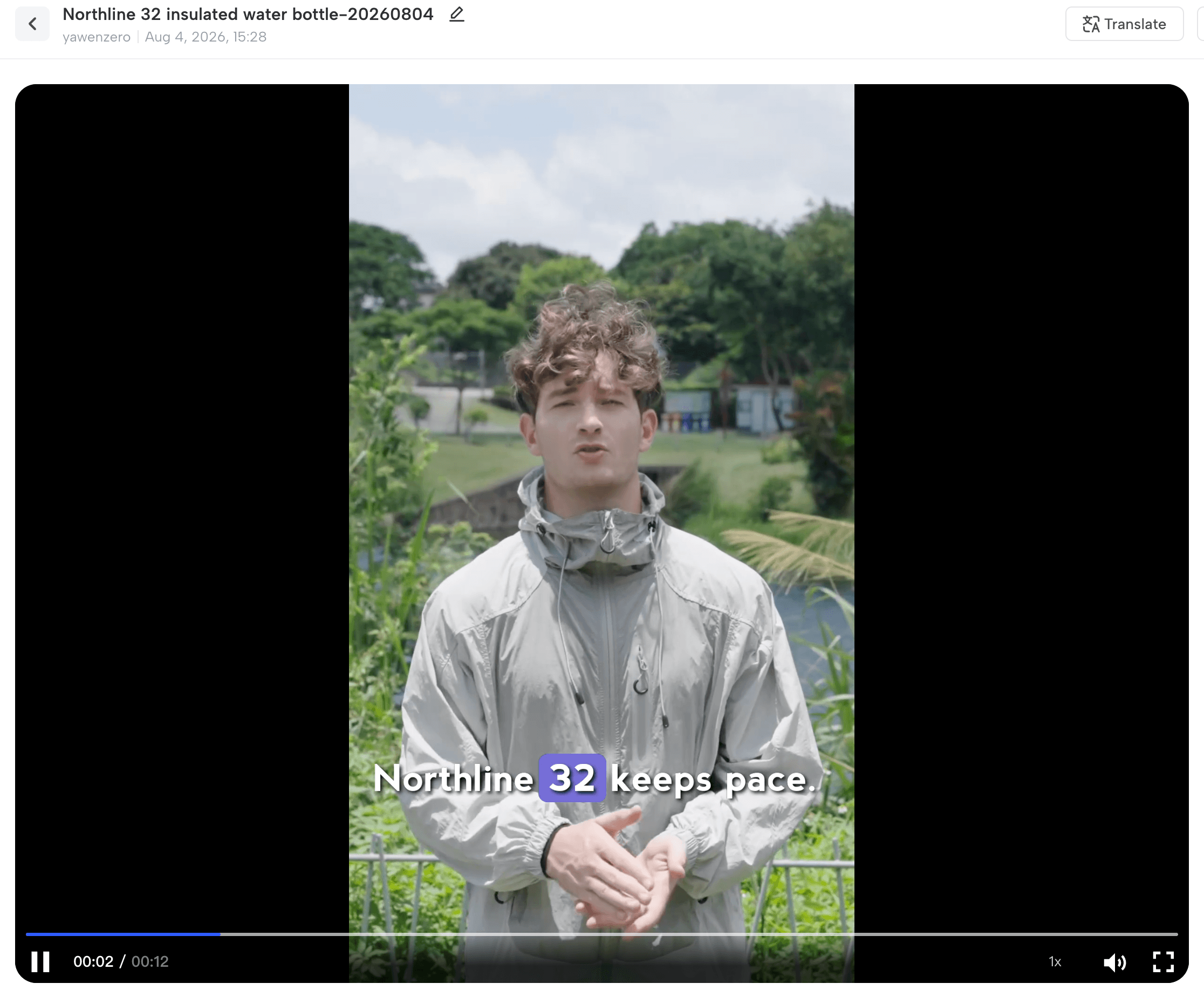
The final video result turned out really well. I even used an avatar from the public avatar library, and the quality was still impressive.
Here is the result:
2. Synthesia
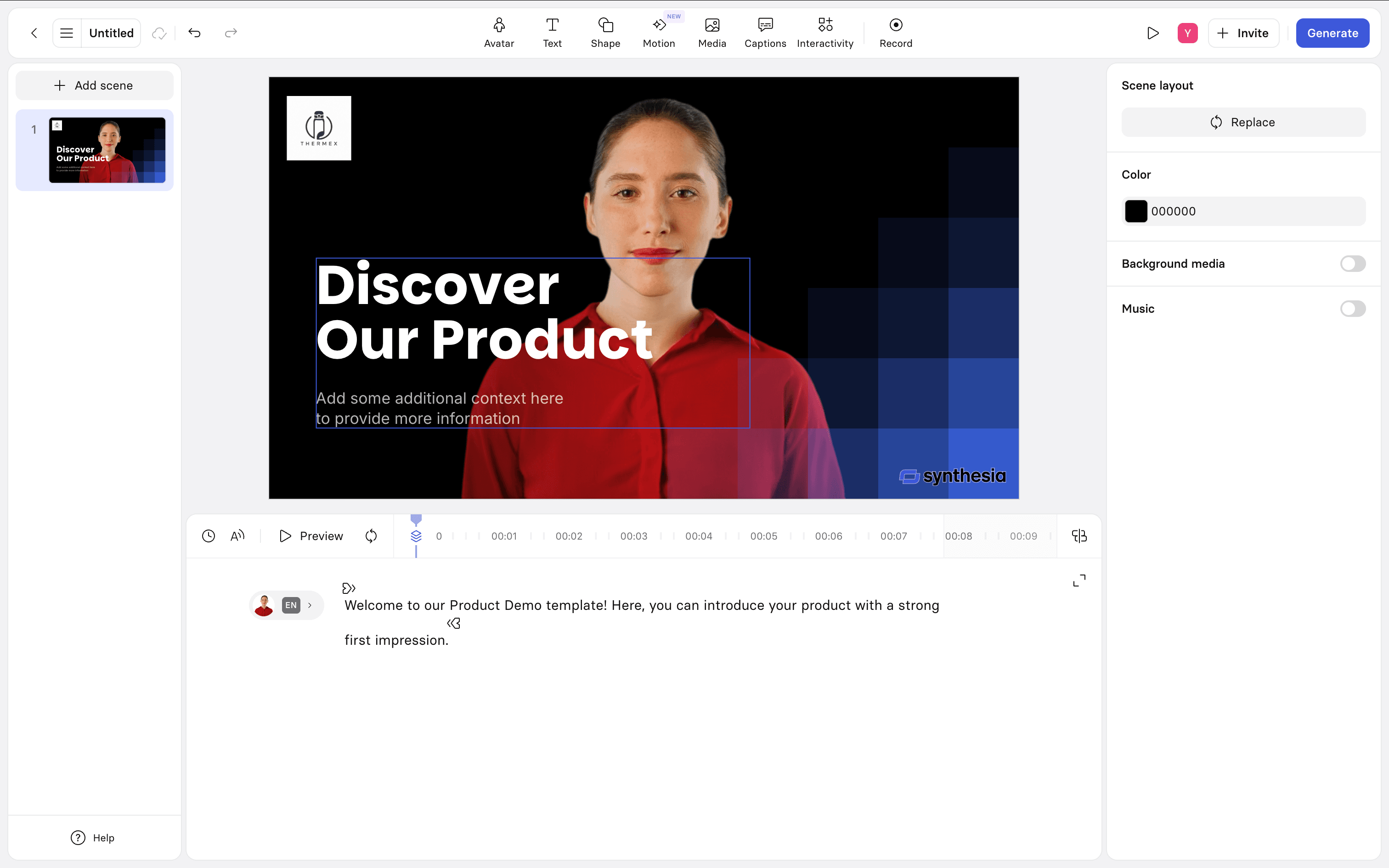
Synthesia’s video creation workflow is mainly template-driven. Compared with a product-focused workflow, it is more suitable for users who need to create structured content such as training videos, corporate presentations, and educational materials.

For our product marketing video test, Synthesia felt relatively limited. The available templates and avatars are mainly designed for professional business scenarios, with fewer lifestyle-oriented options for consumer product promotion.
For example, when creating an Amazon-style product video, the result may feel less engaging and product-focused.
Overall, Synthesia works very well for business communication and training scenarios, but for product marketing videos that require more diverse scenes and storytelling, it feels less flexible.
3. HeyGen
HeyGen uses a traditional chat-based workflow, which provides flexibility but may be challenging for users who are not sure how to structure their product briefs.
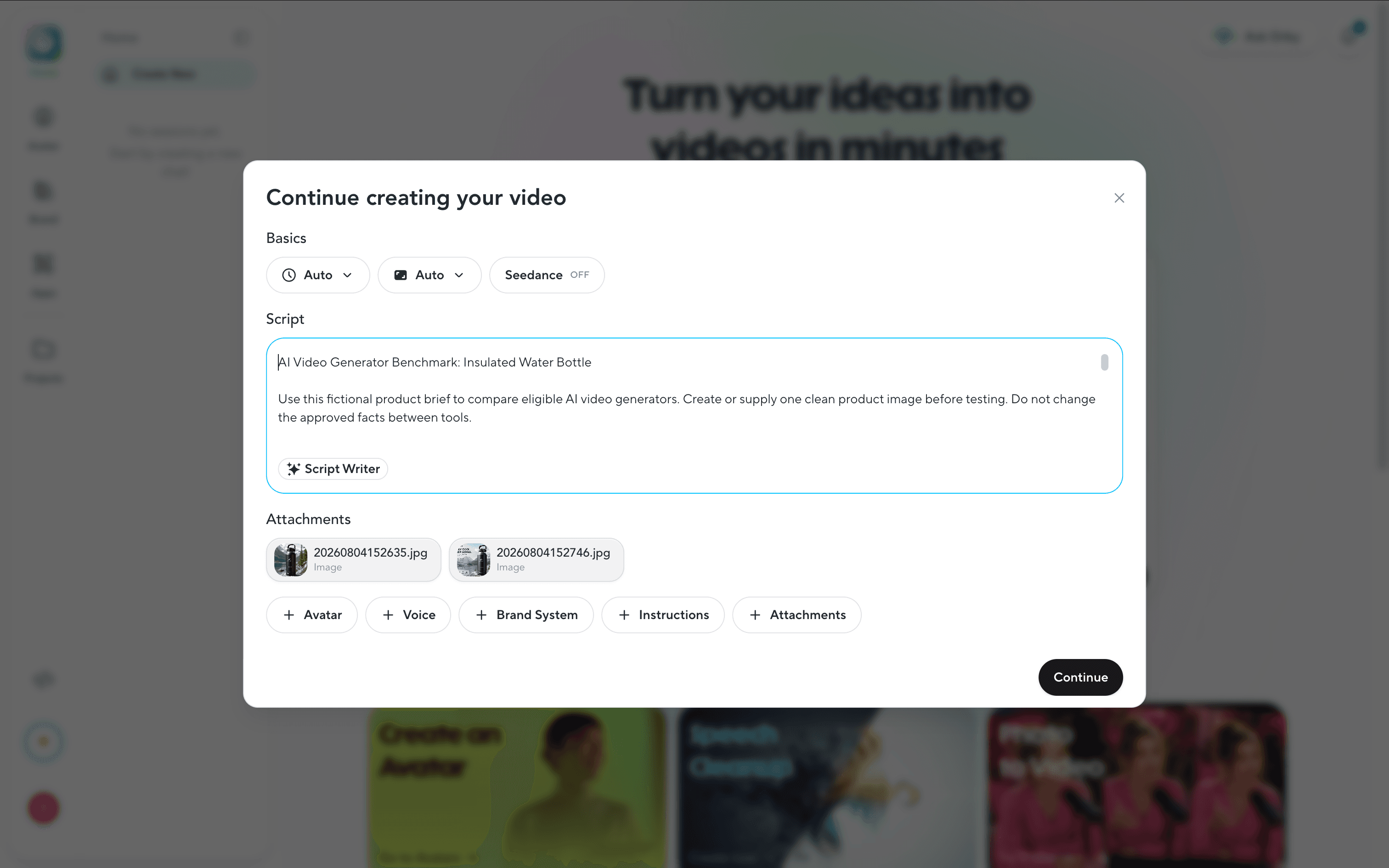
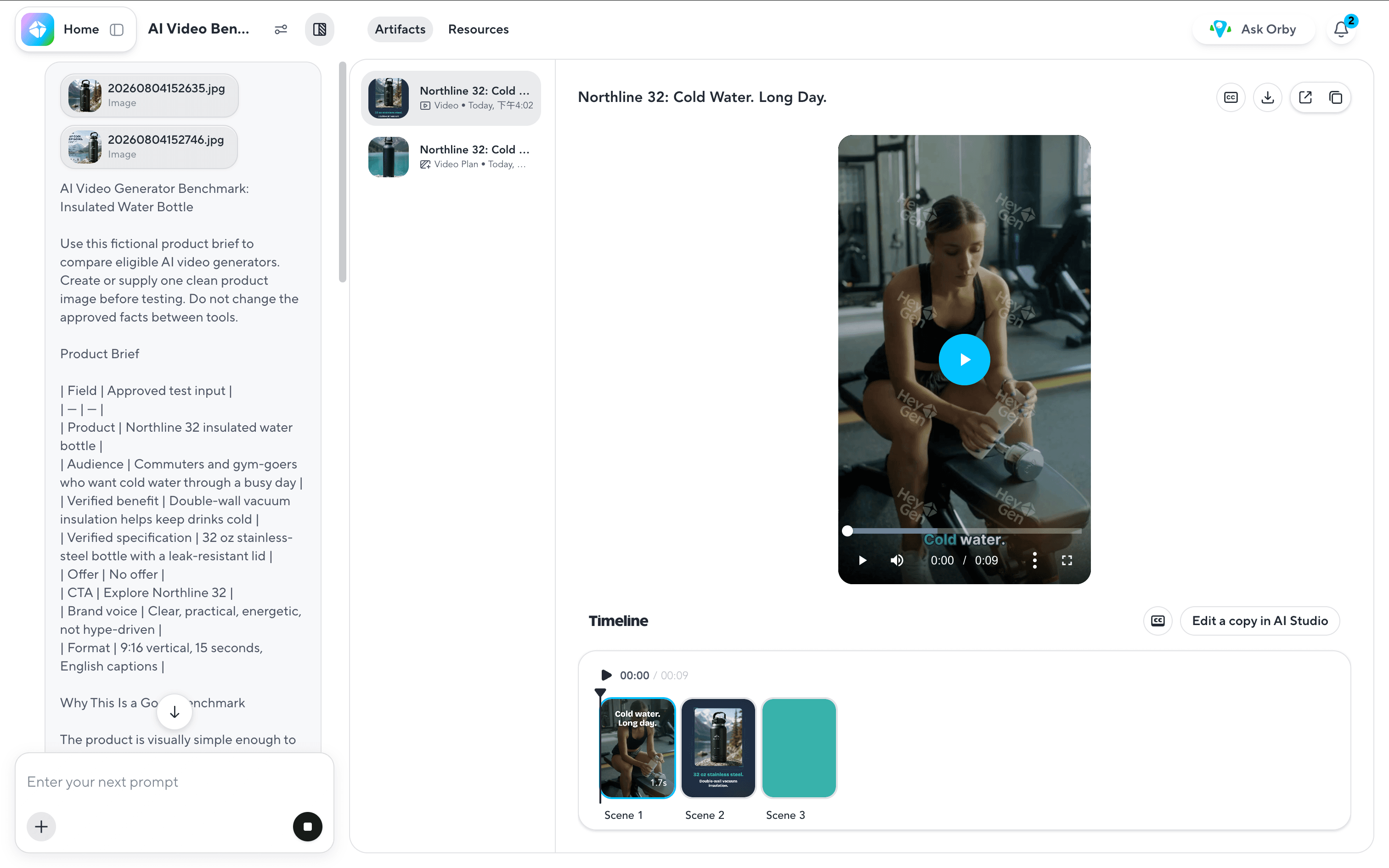
After entering our test prompt, HeyGen’s AI assistant analyzed the requirements and generated a video directly. One impressive part was that it correctly identified fitness users as a key audience for the insulated water bottle and created a highly relevant gym scene.
However, the avatar mainly served as a visual element and did not directly introduce the product. The product was later shown as a static image with voiceover narration, making the overall product presentation feel less dynamic.
Overall, HeyGen is strong at understanding scenarios and generating relevant visuals, but the product showcase experience could be more interactive.
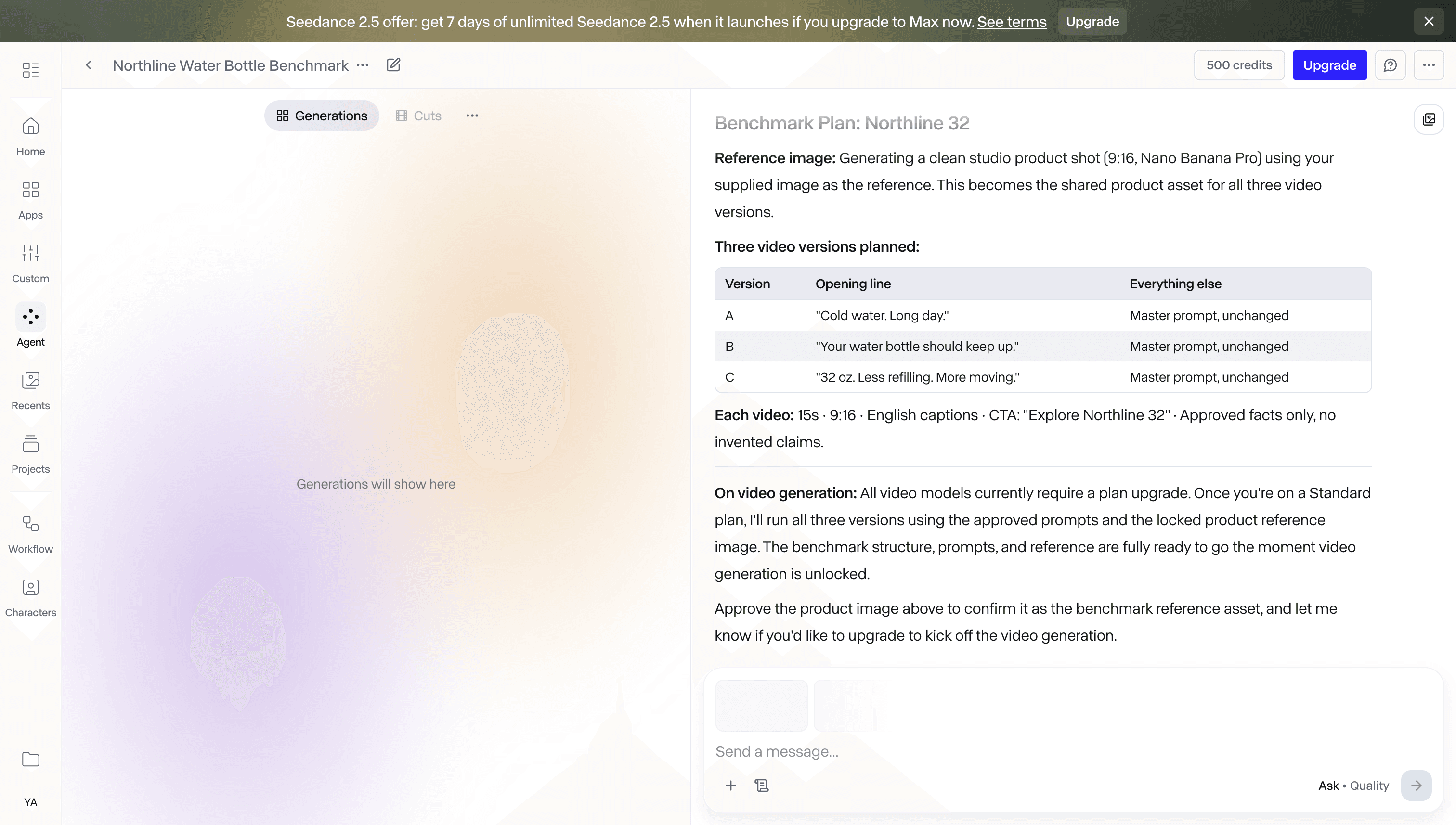
4. Runway
Runway uses a traditional large input box workflow, but it also integrates an AI agent that helps analyze the brief before generating the video.
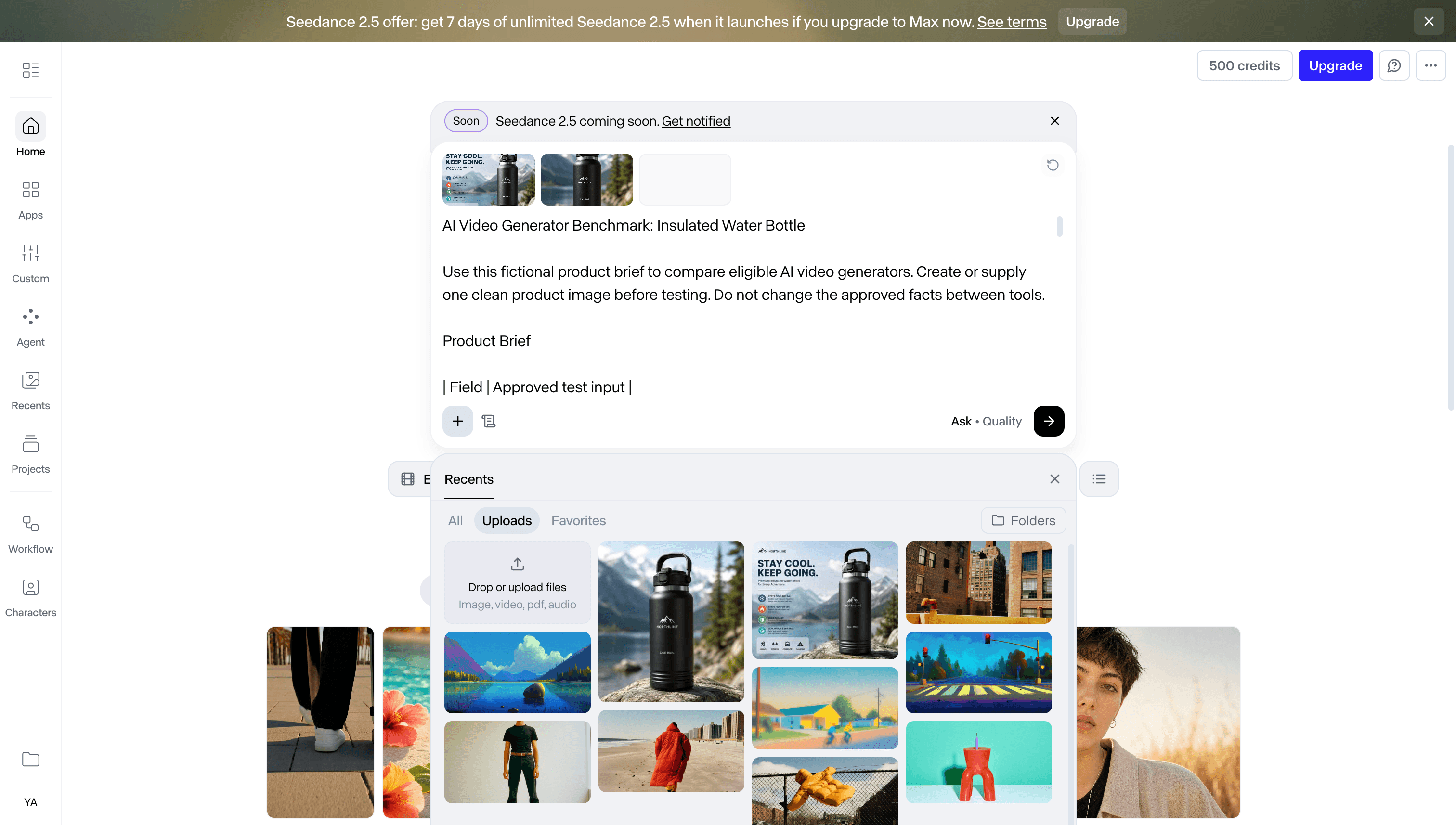
For users who are not experienced in writing detailed briefs, this agent can be helpful because it can identify better creative directions, refine the video concept, and suggest more suitable angles.
However, the video generation process is relatively slow compared with other tools tested.
Overall, Runway’s strength is its AI-assisted planning and creative analysis, making it useful for users who need help turning rough ideas into clearer video concepts. However, the generation speed may be a limitation for users who need faster marketing content production.
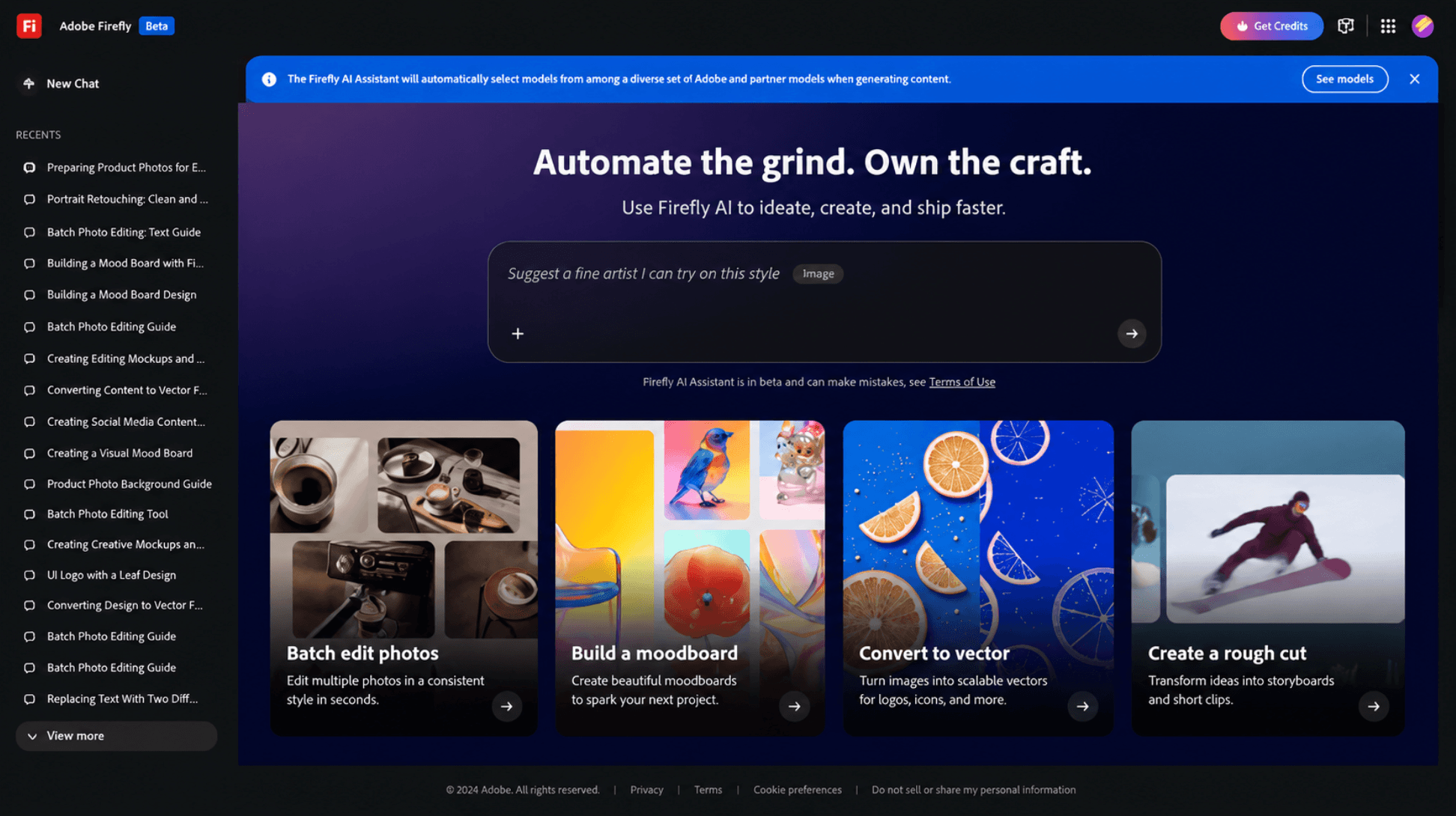
5. Adobe Firefly
Adobe Firefly also uses a large input box workflow, but after entering the creation process, professional settings like frame rate may feel overwhelming for non-professional users.
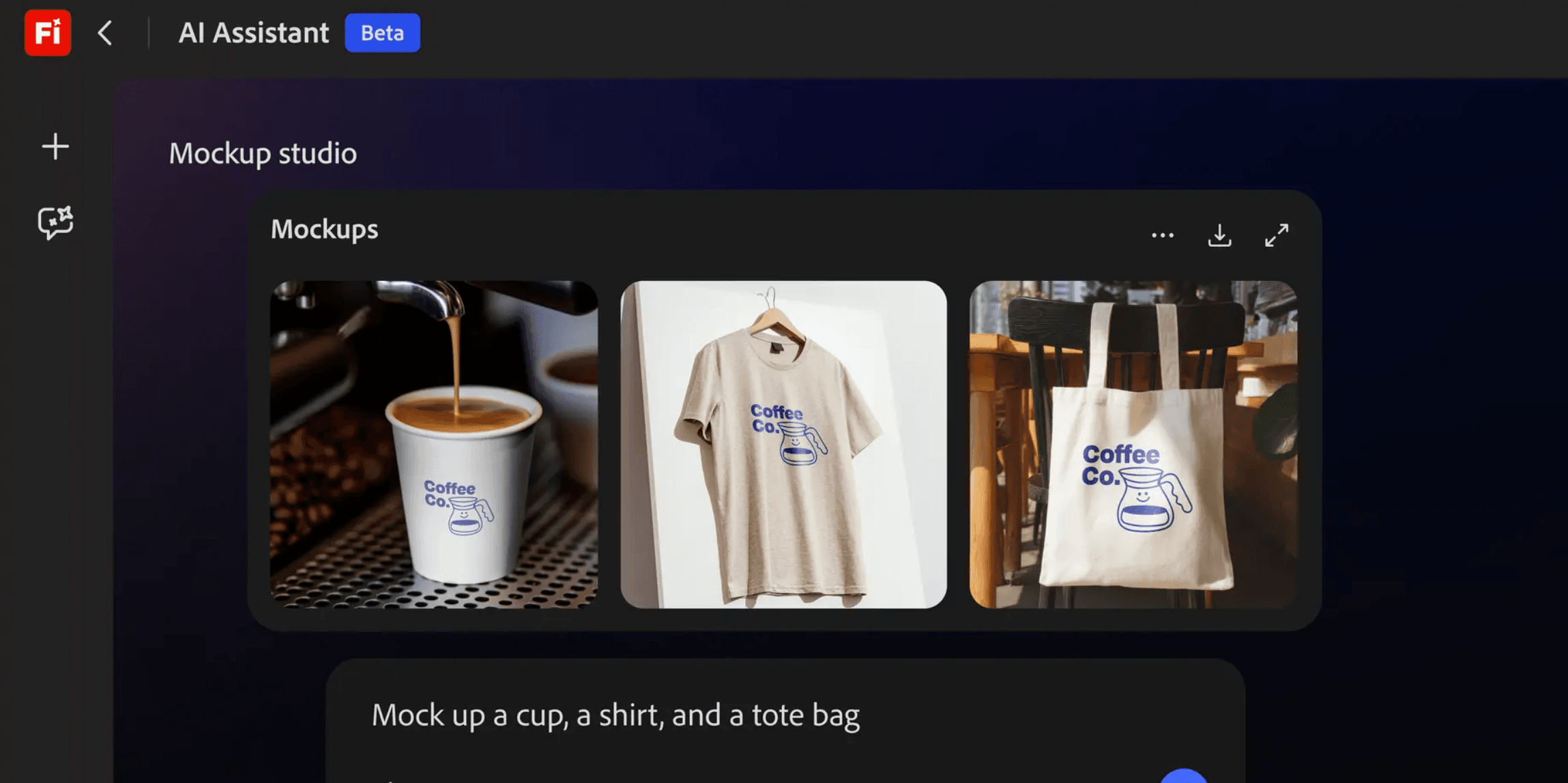
The final video output feels more design-focused, while avatar customization and character-driven video creation are still limited. Avatars are difficult to integrate into the generated videos, making it less suitable for product marketing videos that require a presenter.
Overall, Adobe Firefly is a good choice for designers or users already familiar with Adobe tools, especially for creative advertising visuals and design-oriented content.
6. Canva
Canva’s AI video capability is built around its existing design ecosystem. Instead of being a standalone AI video generator, it focuses on extending the workflow from design to video.
If users already have existing designs, Canva provides a smooth way to transform those assets into videos. However, for users who are looking for a dedicated AI video generation workflow from scratch, there are more specialized tools that may offer a better experience.
Overall, Canva works well for designers who want to turn existing visual assets into videos, but it is less focused on pure AI video creation.

7. Descript
Descript is more focused on video editing rather than AI video generation.
Unlike tools that generate videos from prompts or product information, Descript’s workflow starts from existing video materials. Its biggest advantage is the AI-powered editing experience, especially features like transcript-based editing, removing filler words, and quickly refining content.
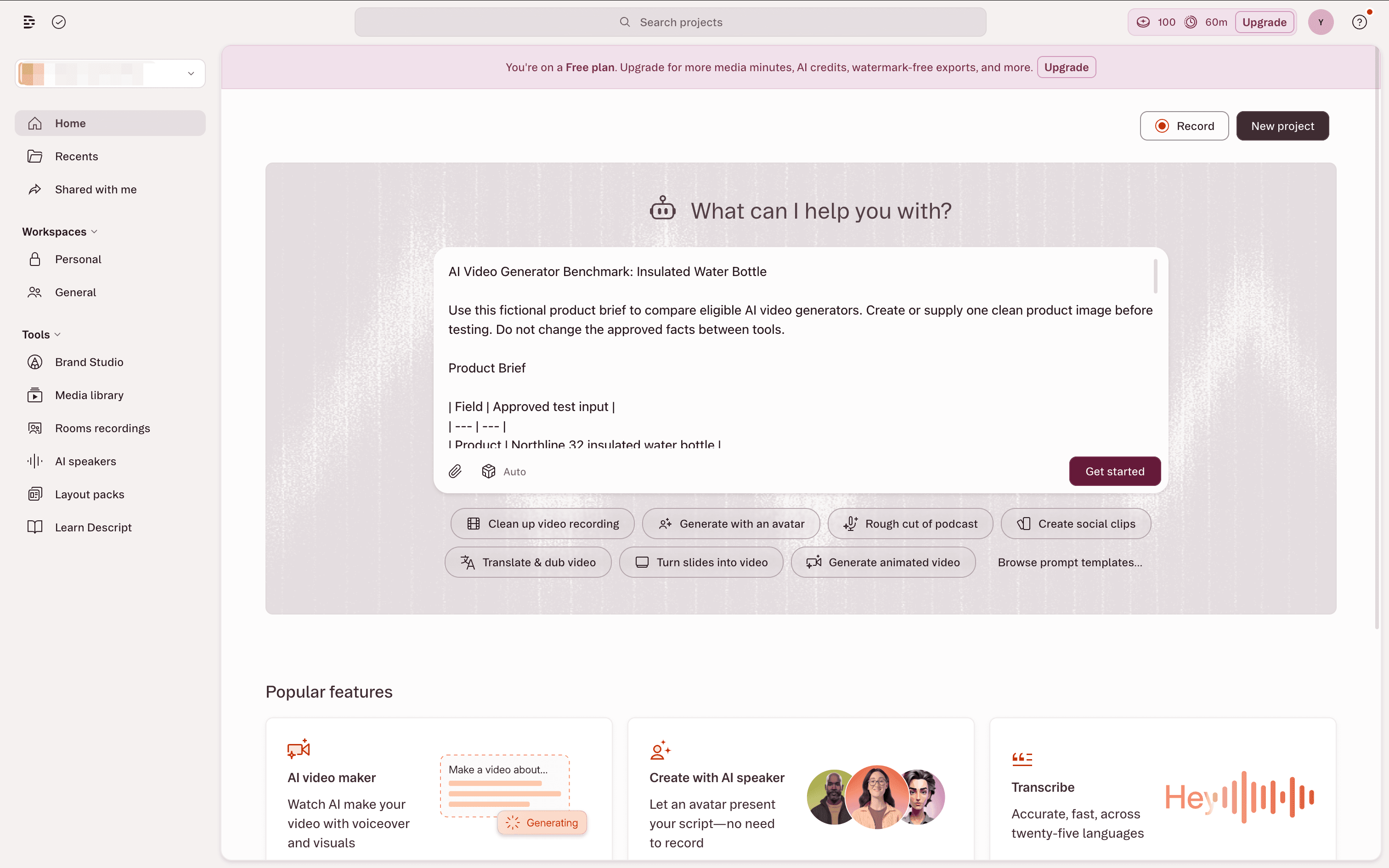
For users who already have recorded videos, podcasts, or marketing footage, Descript can significantly simplify the editing process.
However, for creating a product marketing video from scratch, Descript feels less suitable. It does not provide the same level of AI-generated scenes, avatars, or product-focused video workflows as dedicated AI video creation tools.
Overall, Descript is a strong choice for creators, podcasters, and teams that need efficient editing, but it is more of an AI editing assistant rather than an AI video generation tool.
Which AI Video Generator Is Best for Each Scenario?
JoggAI is an AI video generation platform designed to help users turn existing content into engaging videos. It supports multiple use cases, including product marketing videos, educational videos from presentations, training content, and social media creatives. By combining AI avatars, voice generation, and automated video workflows, JoggAI makes professional video creation faster and more accessible.
| Your scenario | Start with | Why |
|---|---|---|
| Turn a product page or product assets into short marketing videos | JoggAI | The test should start from product context and assess creative variations |
| Create multiple paid-social hooks from one approved product brief | JoggAI | Measure speed, accuracy, and meaningful hook differentiation |
| Produce a training, onboarding, or internal explainer with a presenter | Synthesia、JoggAI | The central task is reliable script delivery by an avatar |
| Make presenter-led videos for multiple markets | HeyGen、JoggAI | The central task is a presenter and language-focused workflow |
| Explore high-concept or art-directed motion visuals | Runway | The central task is prompt- or reference-led creative exploration |
| Work inside an established Adobe asset and review process | Adobe Firefly | The central task is creative workflow continuity |
| Build simple social videos from approved templates and assets | Canva | The central task is fast, collaborative assembly |
| Turn long-form recordings into clips and captioned edits | Descript | The central task is transcript-led editing of existing footage |
FAQ: Choosing an AI Video Generator
What is the best AI video generator for product marketing?
JoggAI is the best tool to evaluate first for product-led marketing video when the team starts with approved product information, images, or a product page. The decisive test is whether it produces accurate, editable short-form concepts and useful hook variations from those inputs. Publish the score, output screenshots, and final settings before making a performance claim.
Which AI video generator is best for avatar videos?
Synthesia and HeyGen are the strongest starting categories for avatar-led video because their workflows are centered on a presenter and approved script. Use Synthesia for structured business explainers and HeyGen when presenter-led localization is the main evaluation. Validate pronunciation, language quality, permissions, and plan limits for the specific markets you serve.
Which AI video generator is best for creative visual concepts?
Runway is the best category to evaluate for prompt- or reference-led visual concepts, rather than product-to-video automation. Test three outputs from the same prompt and reference image, then score visual consistency and the manual cleanup required. A single striking clip does not establish a repeatable creative workflow.
How should a team compare AI video generator pricing?
Compare AI video generator pricing by usable generation allowance, not only the advertised monthly price. Record the monthly and annual plan price, currency, generation credits, included features, commercial-use terms, and date checked from each official AI video generator pricing page. This makes a comparison more durable when vendors change credit models or regional pricing.
Can public reviews replace an AI video generator test?
No. Public reviews are useful for discovering recurring questions, but they cannot replace an AI video generator test using your product assets, language requirements, approval process, and target formats. Attribute every external quote to its original source and report your own test inputs and results separately.