

AI sales enablement can help teams turn product knowledge into training and buyer resources they can use repeatedly. With JoggAI, an existing presentation can become an onboarding lesson, a product update can become a short briefing, and an approved video can become training in several languages.
The opportunity is in work that otherwise requires another recording, edit, or voice session. This guide covers seven video use cases template, the production work each can reduce, and generation-cost examples calculated from its published credit rates.
Where JoggAI Fits in AI Sales Enablement
Salesforce’s sales enablement guide describes a support system spanning training, coaching, content, analytics, and technology. JoggAI supports the video-production part: creating lessons, demonstrations, and customer explanations from the knowledge your team already has.
Use PPT to Video for an existing deck. Use AI Presentation Maker to organize documents and other source materials into narrated scenes. Add an AI presenter, or create an authorized custom avatar of a trainer or product expert. AvatarX supports natural expressions and several face angles.
This gives experts a review role instead of requiring them to perform every version on camera. Your learning system can deliver the lessons, while sales reps share buyer-facing videos through their existing channels.
7 Practical AI Sales Enablement Use Cases with JoggAI
The cost column below uses Starter’s $29 monthly subscription with 12,000 credits, as listed on JoggAI’s pricing page.
These are Web workflow examples; other settings or API use may have different rates.
| Sales enablement use case | JoggAI workflow | Production work it can reduce | Example generation cost |
|---|---|---|---|
| Sales onboarding | PPT to Video | Repeated presenter recording and assembly of slide-based lessons | 3 minutes: 300 credits, about $0.73 |
| Product update training | Editable PPT/presentation projects | Recording a whole lesson again for a small update | 1-minute PPT video: 100 credits, about $0.24 |
| Objection-handling examples | Avatar video | Setting up and filming a short demonstration response | 45 seconds: 200 credits, about $0.48 |
| Competitive positioning training | PPT to Video | Recording explanations of approved comparison slides | 2 minutes: 200 credits, about $0.48 |
| Complex product explainers | Animated Presentation | Repeated presenter shoots and manual scene assembly | 2-minute final render: 200 credits, about $0.48, plus slide generation |
| Multilingual sales training | Video Translator | Separate voice recordings for each language | 3 minutes × 3 target languages: 900 credits, about $2.18 |
| Post-demo follow-ups | Standard Avatar Video | Recording and editing a new presenter message | 30 seconds: 50 credits, about $0.12 |
Allocated generation costs are not standalone purchase prices or complete video budgets. The calculation and subscription-utilization example appear below.
1. Create Sales Onboarding Videos from Existing Presentations
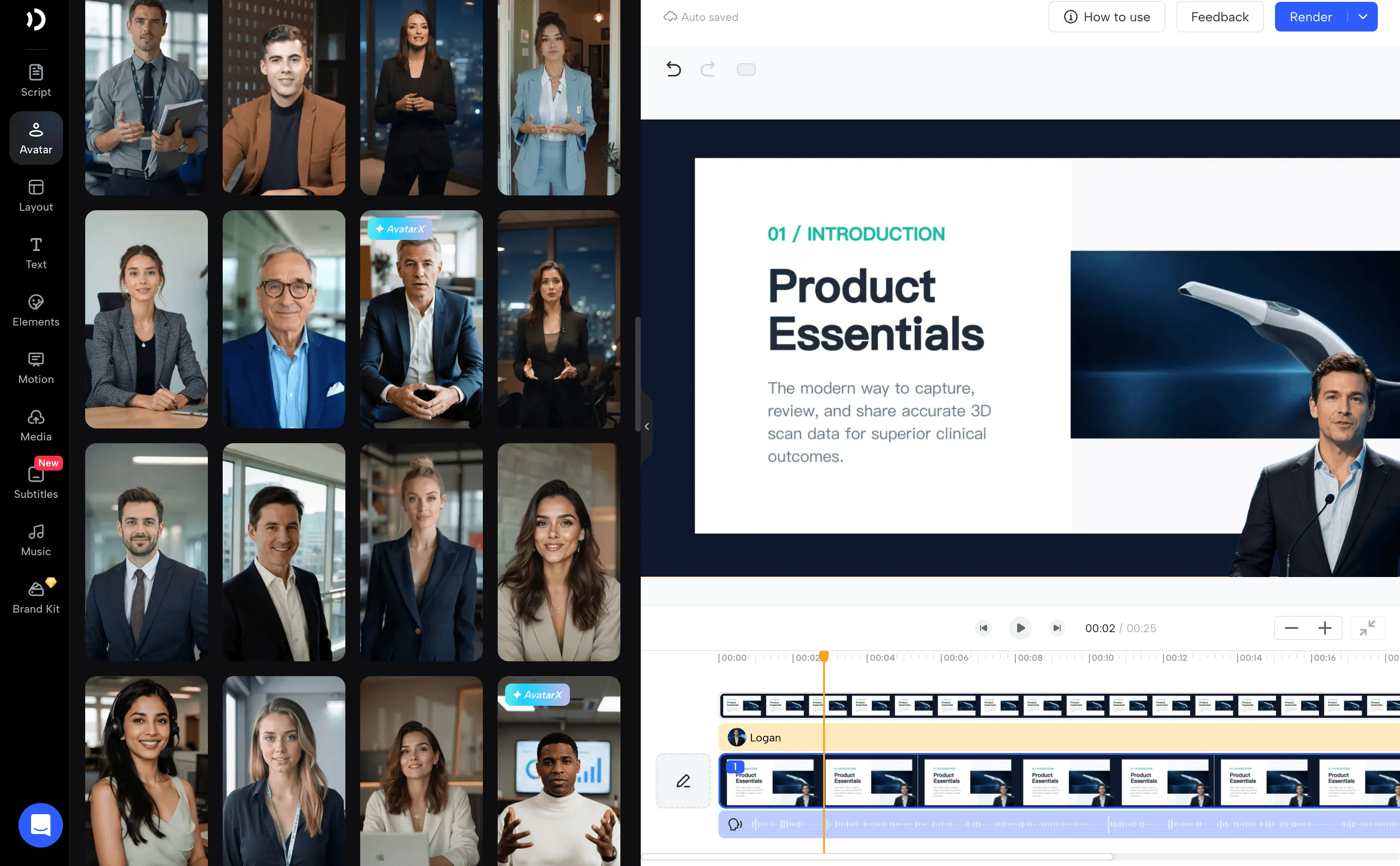
New sales hires need a clear introduction to the product, buyer, and sales process. JoggAI can turn a reviewed onboarding deck into short narrated lessons with an AI presenter.
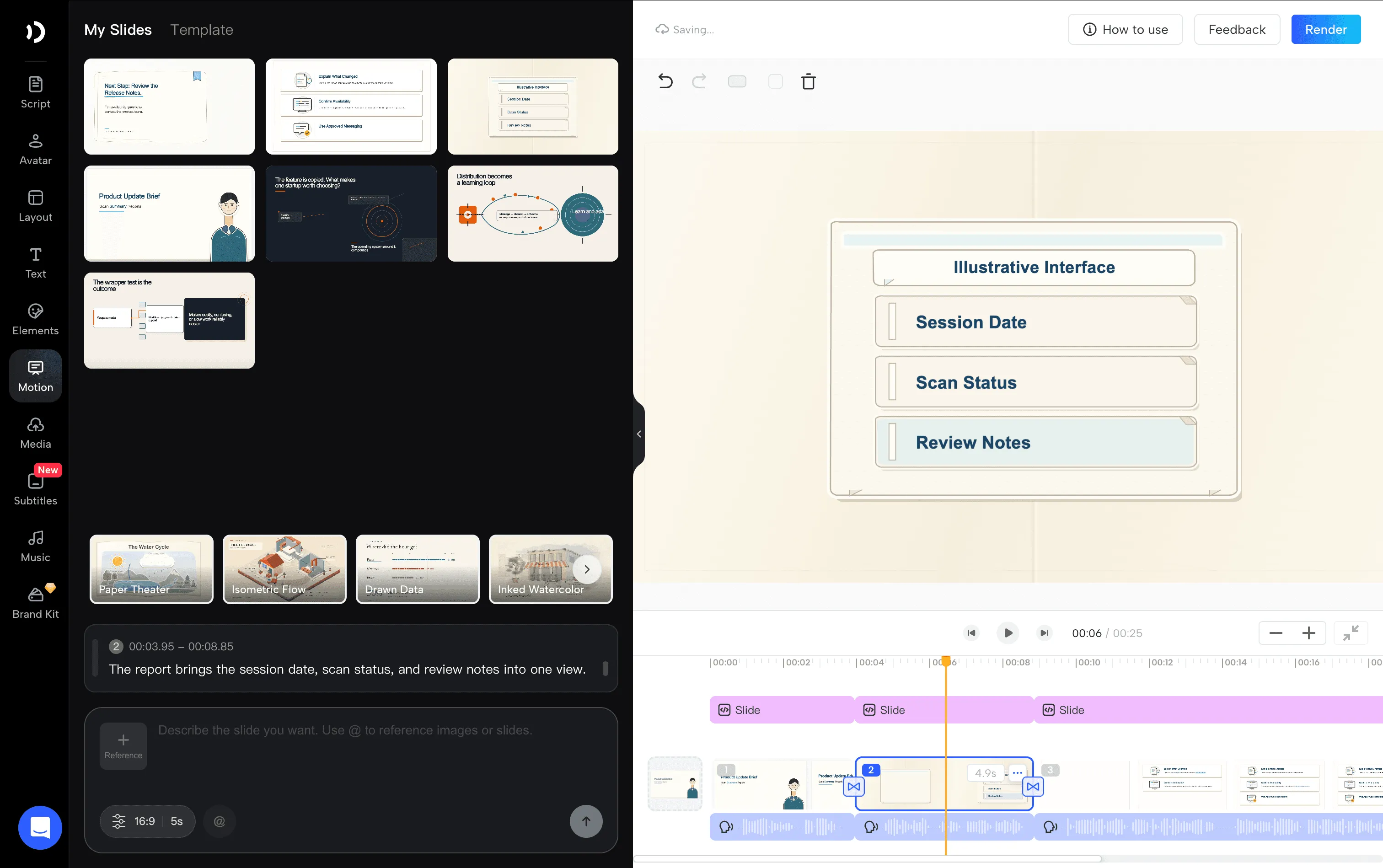
For a medical device supplier, one module might explain product positioning, another the scanning workflow, and another the questions to ask before a demonstration. PPT to Video preserves slide order, visual structure, and supported animations, and can use speaker notes for narration. Preview the result before sharing.
What you save: The presenter recording, retakes, and some editing work needed to turn slides into a course. Managers can use live sessions for questions and practice rather than repeating the same introduction.
Cost example: A three minutes PPT video uses 300 credits at 25 credits per 15 seconds, or approximately $0.73 in allocated generation cost. Preparation and review still belong in the budget.
2. Deliver Product Launch and Feature-Update Briefings
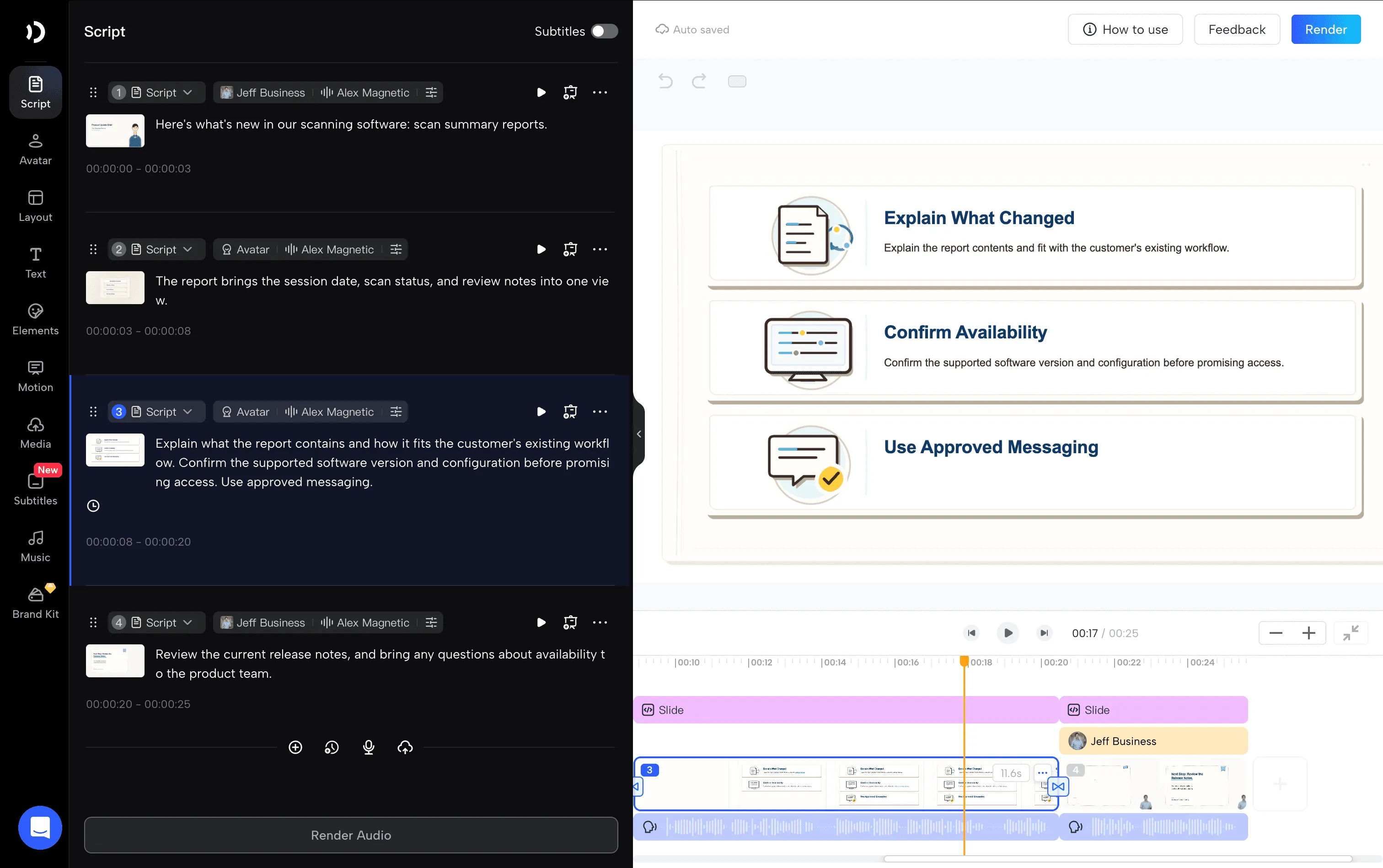
A product update should quickly become an explanation reps can use in their next conversation. Bring approved launch slides, release notes, and screenshots into JoggAI to create a focused update video.
For an equipment supplier introducing a reporting option, the lesson can explain what changed, which configurations support it, and which questions need a specialist. Keep the original product facts and conditions attached to the explanation.
Edit the script and relevant scenes in the presentation project. Animated Presentation supports individual scene regeneration, so production teams can work on the changed section rather than rebuilding the entire project.
What you save: Scheduling another presenter session and repeating production for material that has not changed.
Cost example: A complete one minute PPT video uses 100 credits, approximately $0.24 allocated. An edit does not guarantee free rendering; budget for the actual regeneration and export steps shown in the tool.
3. Produce Objection-Handling Demonstration Videos
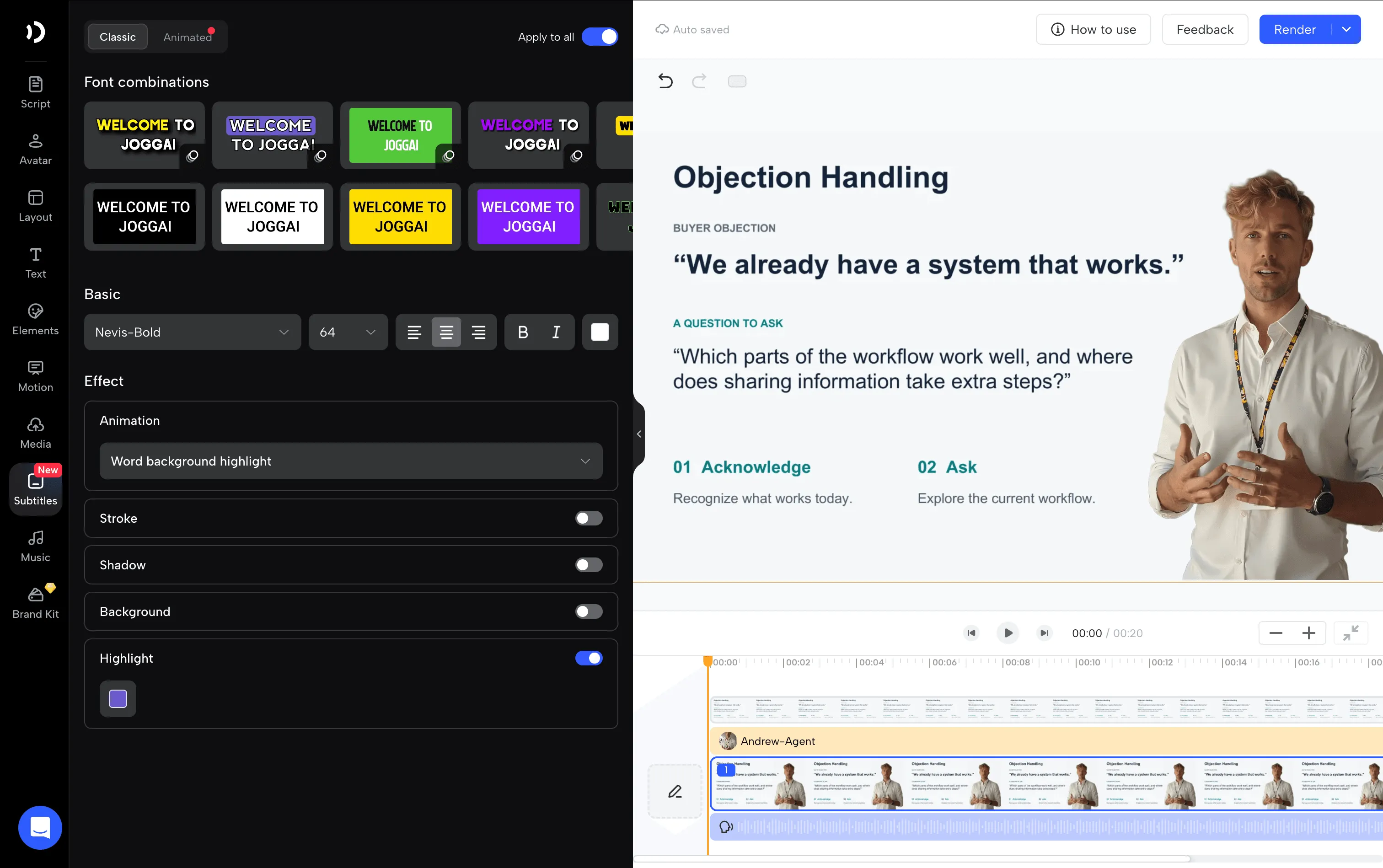
Give reps a model response they can study before practice. With a presenter video, a sales trainer can explain how to respond when a buyer says, “We already have a system that works.”
A useful lesson acknowledges the buyer’s position, demonstrates a discovery question, and explains why that question matters. For example: “Which parts of the current workflow work well, and where does sharing information take extra steps?”
Use an Avatar video for the explanation and place the buyer’s objection on screen. An authorized custom avatar can preserve a familiar trainer’s identity across modules. These are recorded teaching examples; managers or specialist coaching tools handle interactive practice and scoring.
What you save: Filming a trainer for each short response, arranging retakes, and maintaining a consistent on-screen presenter.
Cost example: The published Avatar video rate for a video up to one minute is 200 credits. A 45 seconds example therefore allocates approximately $0.48, before any avatar setup or extra assets.
4. Turn Competitive Battlecards into Training Videos
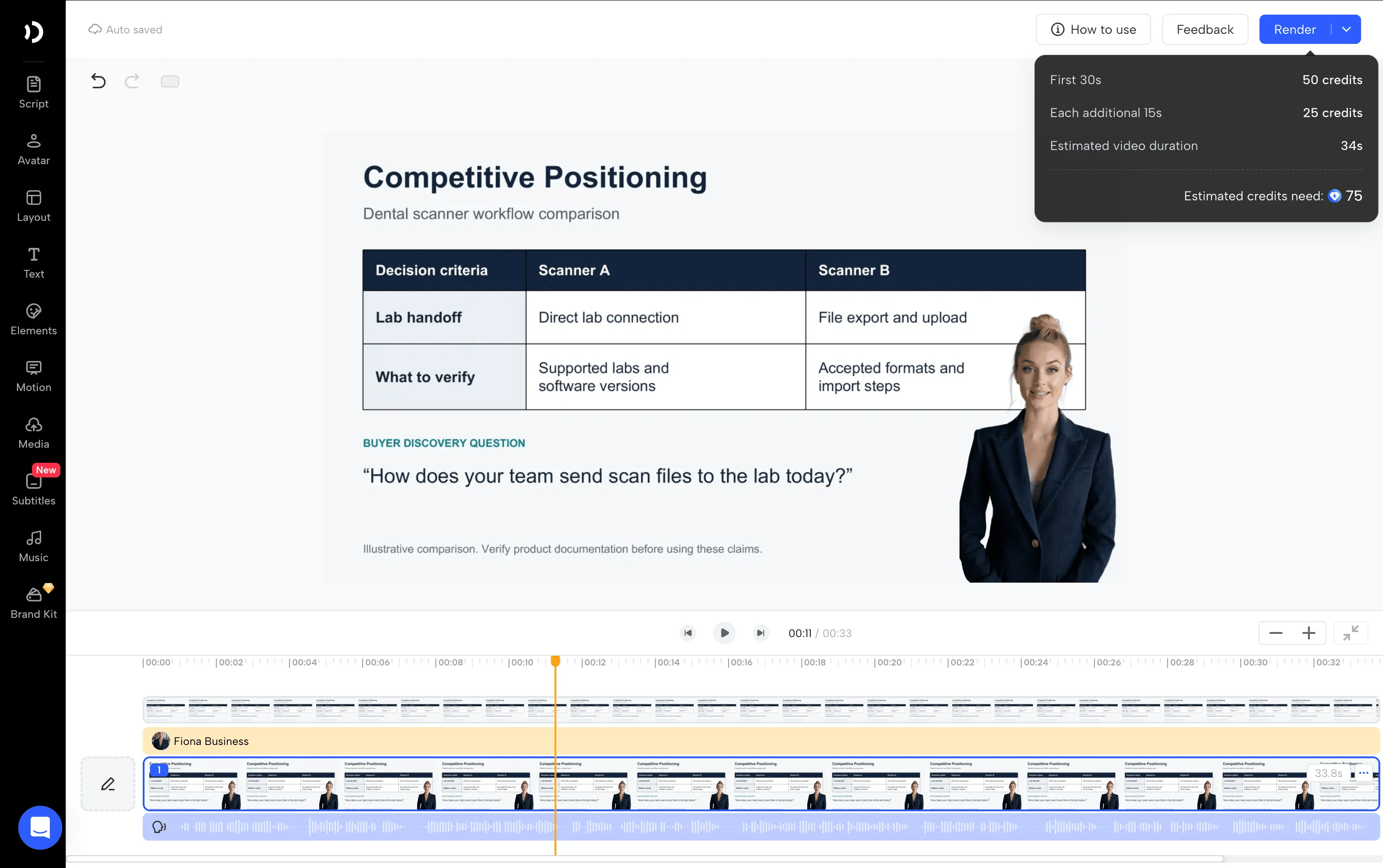
A battlecard helps reps prepare for a competitive conversation, but a brief explanation can make its guidance easier to learn. Use JoggAI to turn approved comparison slides into a narrated lesson.
Focus each video on a decision: when your product fits, which differences matter, and what a rep should ask before making a recommendation. A trainer can explain a comparison table, highlight a documented limitation, and show how to discuss it accurately.
Use the current comparison material as the source. JoggAI produces the lesson; the product marketing team owns the competitor research and approved claims.
What you save: Recording a separate presentation every time the comparison changes, plus some of the work of assembling a narrated slide video.
Cost example: A two minutes PPT lesson uses 200 credits, approximately $0.48 allocated.
5. Explain Complex Product Workflows with Visual Demonstrations
Some products need a workflow explanation before their value becomes clear. JoggAI’s presentation workflow can combine an AI presenter, real product imagery, supplied footage, and process graphics into a reusable explainer.
For a hypothetical dental scanner, show capture, digital model review, and the questions needed to confirm the downstream workflow. Use actual approved device images or recordings for the product steps. The presenter connects those visuals into a clear explanation.
Review the outline, script, and storyboard before generating. This helps catch missing steps and inaccurate wording before the team spends time revising a finished video.
What you save: Repeated presenter shoots and some scene assembly. Creating or licensing genuine product footage remains part of the project.
Cost example: Animated Presentation’s two minutes final render uses 200 credits, approximately $0.48 allocated. Slide generation is charged separately at approximately 0.1 credit per 1,000 tokens; additional generated media adds its own charges.
6. Localize Sales Training Without Separate Voice Sessions
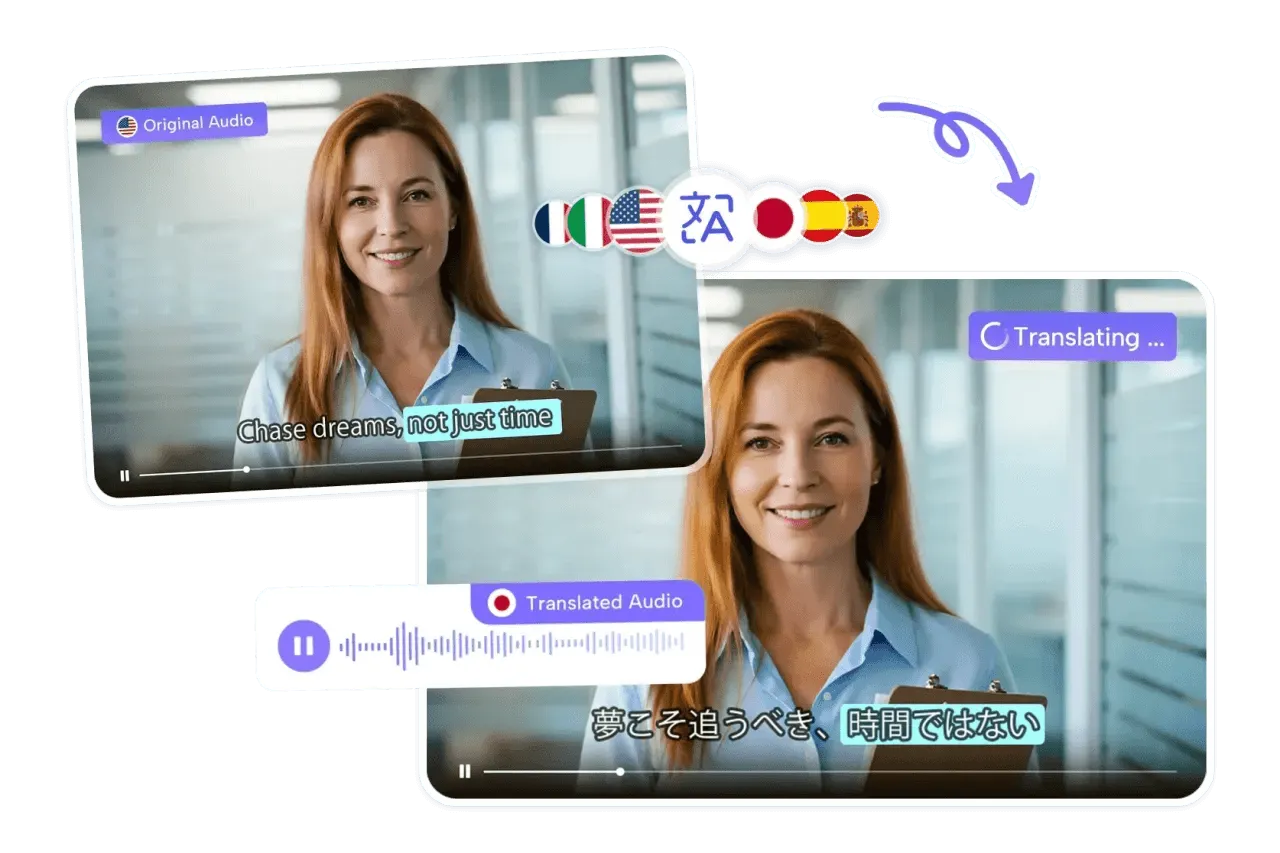
Once a source lesson is approved, JoggAI’s Video Translator can prepare language versions with voice cloning and lip-sync. It supports 90+ languages. JoggAI’s avatar and presentation creation workflows separately support 50+ languages.
This is useful when regional teams need the same product launch lesson or demonstration. Reuse the source explanation and visuals, then have local reviewers check terminology, narration, subtitles, and market-specific details.
What you save: Separate presenter or voice recordings for each target language and some synchronization work. Translation review still needs a place in the schedule.
Cost example: Translation is 25 credits per 15 seconds per target language. Translating an existing three minutes lesson into three languages uses 900 credits, approximately $2.18 allocated, excluding the source video’s creation and review.
7. Create Post-Demo Videos That Answer Buyer Questions
After a demonstration, a buyer may need an explanation they can forward to colleagues. Use JoggAI to create a short presenter-led answer with the relevant product images or checklist.
For a practice manager asking about staff onboarding, cover who needs training, which workflows to review, and who should join the next discussion. Adapt the script to what was actually discussed, then have the rep check it before sending.
JoggAI’s sales outreach video workflow supports this content-production step. The rep shares the approved video through their chosen email and hosting setup.
What you save: Recording and editing each presenter message, especially when a common answer can be adapted. For a simple webcam message, compare your actual effort before switching.
Cost example: A 30-second standard Avatar Video uses 50 credits, approximately $0.12 allocated. AvatarX has a different minimum and should be budgeted separately.
How Much Can JoggAI Save Your Sales Team?
Calculate generation cost and complete production cost separately. At the Starter monthly rate:
Allocated credit value = $29 ÷ 12,000 = approximately $0.00242 per credit.
For standard Avatar Video, PPT/PDF to Video, and Video Translation, the published rate is 25 credits per 15-second interval. Round duration up to the next interval; multiply translation usage by the number of target languages.
That makes a three-minute PPT video’s generation allocation $0.725, rounded to $0.73.
A Worked Production-Budget Example
Suppose your existing three-minute training video requires six total labor hours. For a planning exercise, assume the JoggAI-assisted version requires two, including preparation, generation setup, revisions, and review. Use the same $50 hourly labor value and the same approved script, visuals, and quality requirements.
| Budget item | Recorded workflow | JoggAI-assisted workflow |
|---|---|---|
| Assumed labor | 6 hours × $30 ×30 Days = $5400 | 2 hours × $50 = $100 |
| New software allocation | $0 | Entire Starter monthly bill: $29 |
| Example total | $5400 | $129 |
| Difference | $5271 lower modeled cost |
This is an illustrative budget, not a measured JoggAI customer result. It assumes the output fits the plan’s limits and includes no additional paid assets or setup. Labor time saved represents capacity unless it also reduces an actual payment. Replace the hours and rates with your team’s measurements.
For a complete comparison, include avatar setup, licensed visuals, repeat generations, expert checks, translation review, and any extra credits. Use either subscription allocation or the full applicable bill consistently. Check current plans and the pre-generation estimate before committing the budget.
How to Start a JoggAI Sales Enablement Pilot
Choose one recurring lesson before producing a full library. A product introduction or launch briefing gives you a manageable comparison.
-
Use an approved source. Bring the same deck, script, and product visuals used in your existing process.
-
Choose the matching workflow. Use PPT to Video for a finished deck, Animated Presentation for source-based scenes, or Video Translator for an existing video.
-
Review before rendering. Confirm the script, terminology, layout, and presenter choice.
-
Record the real inputs. Track labor time, charged credits, revisions, and review effort through final approval.
-
Deliver and assess. Put the video in your learning or sales channel and test whether it helps the rep or buyer answer the intended question.
Compare approved outputs. A low-cost draft that needs substantial correction is not the finished result you are budgeting for.
FAQs About AI Sales Enablement with JoggAI
Can JoggAI Turn a Sales Training PPT into a Video?
Yes. PPT to Video can use an existing presentation, retain slide order and supported animations, and add a presenter and narration. Preview formatting and timing before sharing the lesson.
Does Every JoggAI Video Cost the Same Number of Credits?
No. Standard Avatar Video, AvatarX, Animated Presentation, and other media workflows have different rates or additional charges. The examples above use the published Web credit guide and specified durations.
Can JoggAI Create Interactive Sales Role-Play?
The use case here is producing recorded examples for reps to study. Interactive conversations, scoring, and manager assessments belong in the coaching or learning tools used alongside those videos.
Can We Use the Videos in Our LMS?
Export the video and upload it to an LMS that accepts MP4. Assignments, quizzes, and learner completion tracking remain in that system.
Create Your First Sales Enablement Video with JoggAI
Start with a lesson your team records or explains repeatedly. Turn the approved source into a video, measure the production effort, and reuse the result across new hires, updates, or customer conversations.
Explore JoggAI’s sales enablement capabilities to learn more. For higher-volume or enterprise needs, book a demo to discuss your requirements with our sales team.