
A recent Reddit post asked a question many creators are now searching for: What is the best free AI video generator for making an existing video longer?
I understand the frustration behind that question. A clip can end while someone is still moving or before a product shot has enough room to breathe. Looping it looks repetitive, slowing it down can make the motion unnatural, and regenerating the entire shot is excessive when I only need a few more seconds. If I needed to create a completely new clip instead, I would use a different workflow, such as an AI video generator that creates videos from text.
An AI video extender promises a simpler solution: I upload an existing clip, describe what should happen next, and let the model generate a continuation. In practice, however, the tools differ sharply in continuity, subject consistency, free credits, resolution, watermarks, and even whether an uploaded video can be processed at all.
I tried five browser-based AI video extenders with two Pexels clips. Four produced an output I could review. Media.io let me test the upload and generation setup, but its free credits were not enough to create a video.
Quick answer:
-
JoggAI produced the strongest and most consistent results in my tests, with both 5-second and 10-second extensions and optional prompt control. It requires an eligible paid plan.
-
Clipfly was the best free alternative because it generated a fairly clear, watermark-free product extension, although the motion speed and label text were not fully stable.
-
Magic Hour offered the broadest editing workflow, but its free exports were softer, watermarked, and less consistent.
View all original clips and unedited test results here.
The 5 AI Video Extenders I Tried at a Glance
| Tool | What stood out in my test | Added duration | Prompt control | Pricing & access | Best for |
|---|---|---|---|---|---|
| JoggAI | The most consistent results across both clips | 5s or 10s | Optional | Paid plans start at $29/mo; 200 credits for 5s or 400 credits for 10s | Best overall |
| Clipfly | A fairly clear, watermark-free export with several output settings | 5s or 10s | Yes | Paid price shown at checkout; 15 signup credits, with the number of generations depending on settings | More output control |
| Magic Hour | A flexible editor, but obvious joins and softer free outputs | 2–10s | Yes | From $10/mo annually; 3 no-sign-up extensions/day or 400 signup credits; queueing required | Browser editing workflow |
| TopMediaAI | Coherent camera motion, but weak product-detail preservation | 3s or 4s | Yes | From $8.99/mo at the current promotional rate; free credits support limited low-resolution testing | Basic low-resolution tests |
| Media.io | Useful controls, but the free allowance could not produce an output | Adjustable | Yes | From $6.99/mo annually; 5 free credits, but at least 8 are required per extension | Existing Media.io users |
How I Tested These Tools
I used two free Pexels clips with different continuity challenges:
-
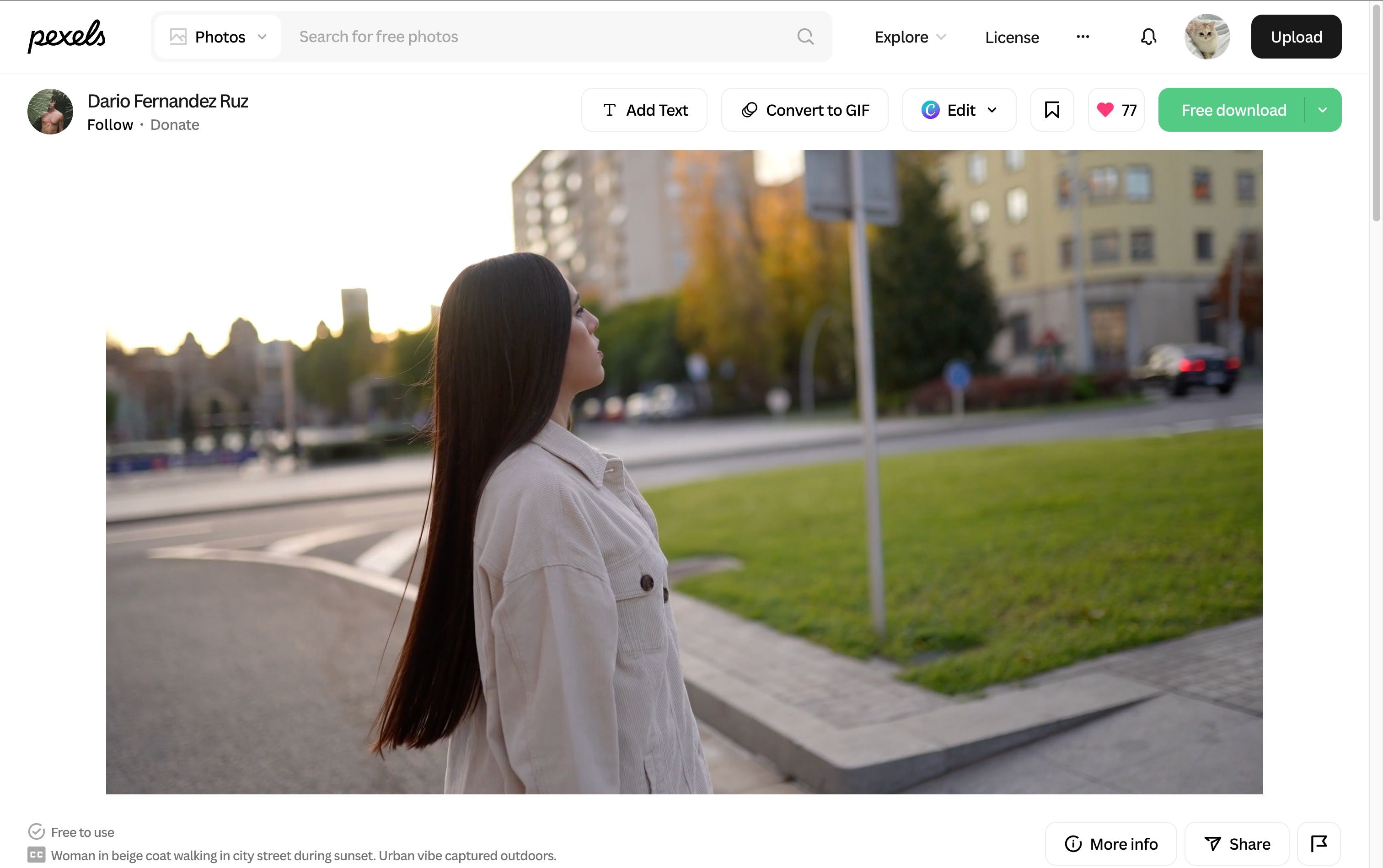
A woman walking across a street: I trimmed the clip to its first 15 seconds and used it to assess full-body motion, identity, clothing, walking rhythm, background continuity, and sunset lighting.
-
Prompt:
- Continue the original shot naturally. The same woman in the beige coat keeps walking in the same direction at the same pace, maintaining a consistent stride, posture, appearance, clothing, and hair. Preserve the original camera movement, framing, perspective, sunset lighting, street environment, and background. Continue the motion smoothly from the final frame with no change in identity, walking rhythm, or scene composition. Do not introduce any new actions, people, vehicles, or objects.
-
-
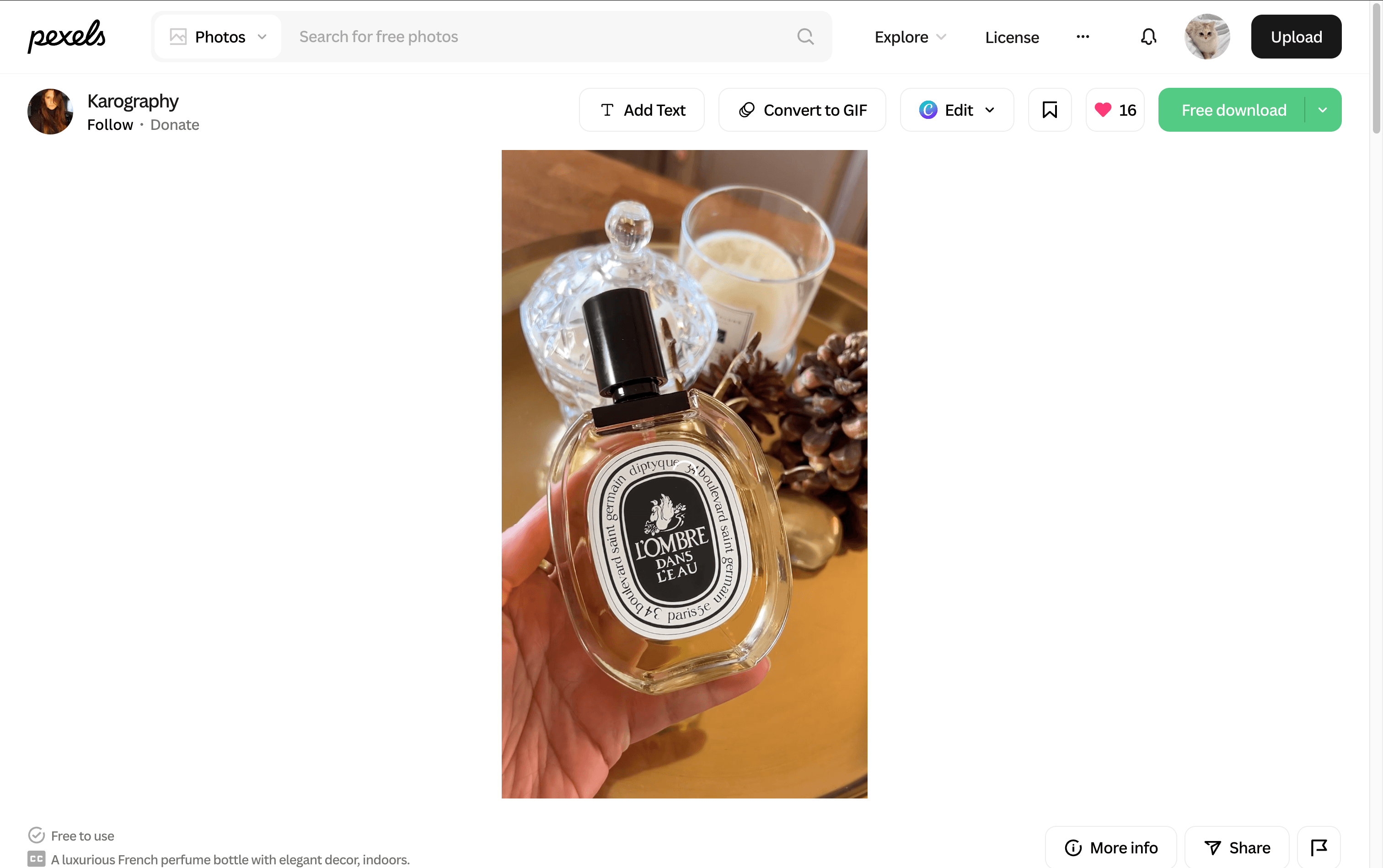
A perfume bottle display: I trimmed the clip to its first 10 seconds and used it to assess product shape, label text, glass texture, reflections, shadows, hand details, and camera speed.
-
Prompt:
- Continue the original product shot naturally. Maintain the exact shape, proportions, label, cap, color, and position of the perfume bottle. Continue the existing camera movement at the same slow and steady pace, preserving the original framing, focus, lighting, reflections, shadows, and background. Keep the bottle sharp and visually consistent as the camera gently completes its movement. No new objects, scene changes, or sudden motion.
-
Both clips ended while the original motion was still in progress. Since the tools had different duration options, credit costs, and upload limits, I recorded these differences separately instead of treating them as measures of output quality.
I evaluated each completed generation based on five factors:
-
Transition continuity: How naturally the generated frames connected to the original clip.
-
Motion coherence: Whether movement, camera speed, and lighting continued naturally.
-
Prompt adherence: Whether the tool followed the requested continuation without unrelated changes.
-
Output usability: How much of the extension could be used without cropping, hiding errors, or regenerating.
Generation time, credit cost, watermark, resolution, and upload restrictions were recorded separately as product-access factors.
1. JoggAI: Best Overall Result in My Tests

JoggAI’s AI Video Extender uses Kling 2.6 Pro to continue an uploaded video by 5 or 10 seconds. It includes optional prompt control and accepts MP4, MOV, WebM, and AVI files up to 200 MB and 30 seconds.
Pricing
JoggAI Video Extender requires an eligible paid plan. The Starter plan costs $29 per month and includes 12,000 shared credits. These credits can be used across the JoggAI platform, API, and MCP-supported workflows.
Video Extender currently uses Kling 2.6 Pro and costs 40 credits per second. A 5-second extension uses 200 credits, while a 10-second extension uses 400 credits. Regenerating or rerendering an extension uses credits again.
JoggAI also offers several Creator tiers with larger credit allowances. Because the same credit balance can be used across different JoggAI workflows, the number of extensions available depends on how the account’s credits are used. The Free plan does not include Video Extender. Users moving from a legacy Unlimited subscription can review JoggAI’s subscription plan update for transition details.
My test result
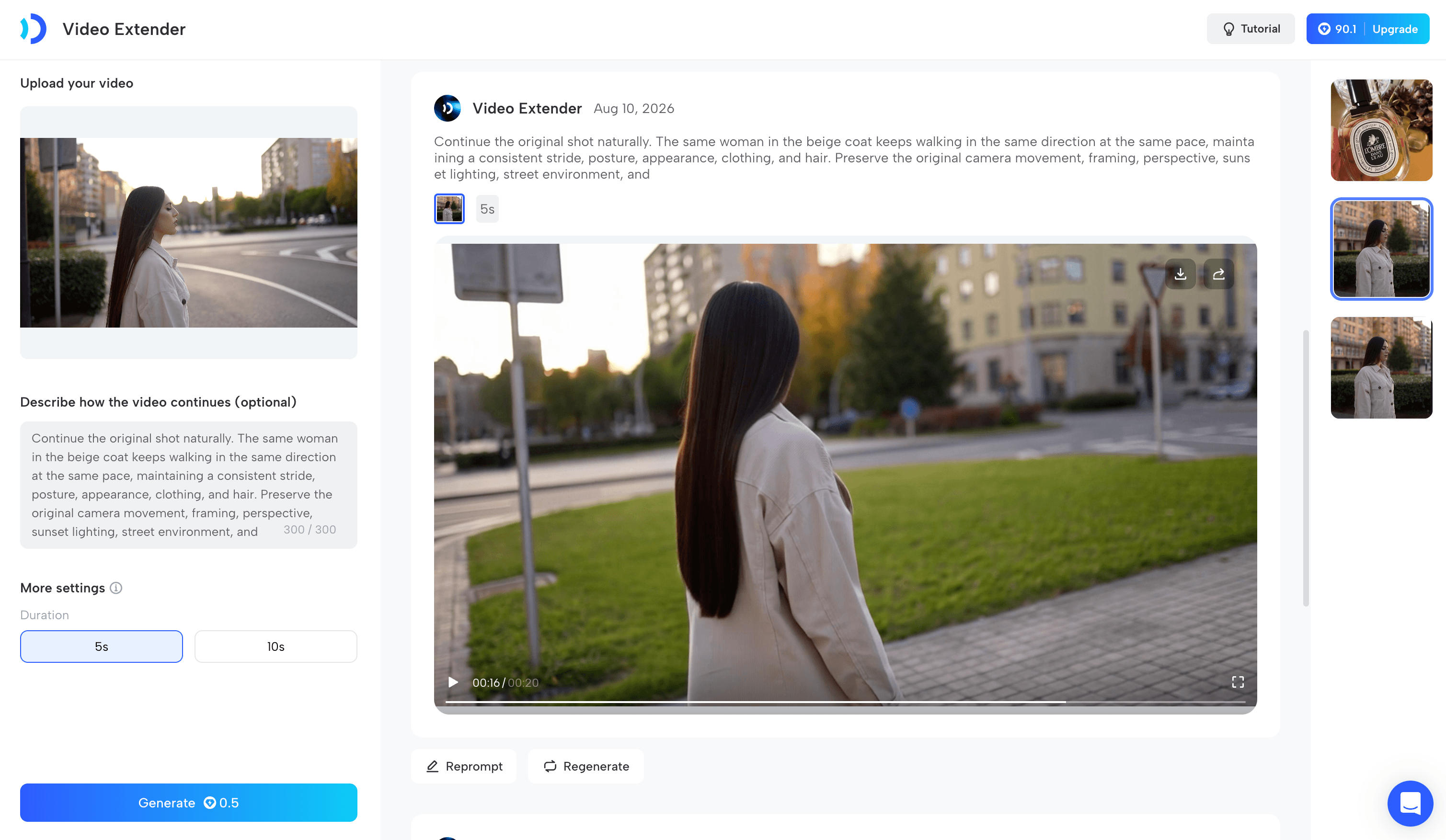
The generation finished faster than I expected. My export matched the source resolution and had no visible JoggAI watermark. The transition into the generated footage was stable: the woman continued in the same direction at a coherent pace, while her identity, clothing, lighting, background, and overall appearance stayed close to the source. I also did not see unrelated people, objects, or actions appear, so the continuation followed the prompt well.
The clearest weakness was her hair. The original strands had finer movement and texture, while the generated hair looked slightly heavier and less detailed. Even so, most of the ten-second continuation remained usable.
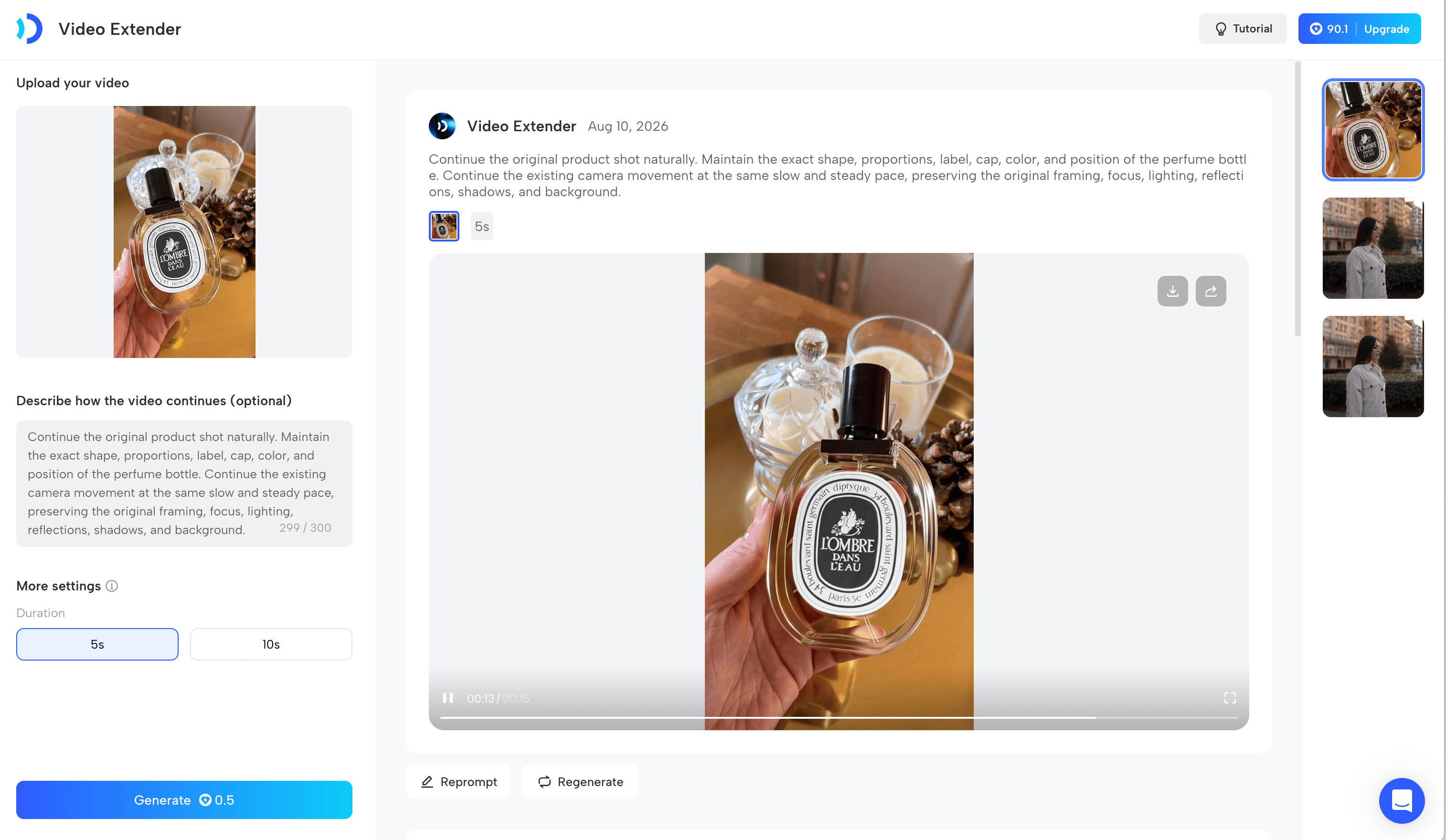
I then tested the 10-second perfume source with a five-second extension.
This product scene produced an even stronger result. I could barely identify where the original video ended and the generated section began. The bottle, label, cap, hand, ring, reflections, lighting, background, and camera movement remained consistent. The output strictly followed my prompt without introducing unrelated changes, and the full five-second extension was clear and usable without cropping or regenerating.
Pros
-
Shared plan credits can be used for both 5- and 10-second extensions
-
Offers both 5- and 10-second extensions with optional prompt control
-
Supports common video formats, files up to 200 MB, and direct watermark-free exports
Cons
-
Only two fixed extension lengths are available
-
Does not include the broader editing features found in full browser editors
Verdict: JoggAI was the best AI video extender in my tests. Across both clips, it delivered the strongest combination of transition quality, subject preservation, prompt adherence, and usable output.
Try it: Extend a video with JoggAI
2. Clipfly: Best Free Watermark-Free Alternative

Clipfly’s AI Video Extender lets me upload a clip, enter a prompt, and choose the definition, duration, and motion mode before generating. It offered 540p, 720p, and 1080p options; five- or ten-second durations; and Standard or Smooth motion.
Pricing
Clipfly gave my new account 15 free credits. That was enough to create one five-second extension at 540p. Its public pricing page did not expose a stable paid-plan price in readable text during my fact-check, so I would confirm the current subscription or credit-pack price in the live checkout rather than rely on an older figure.
My test result
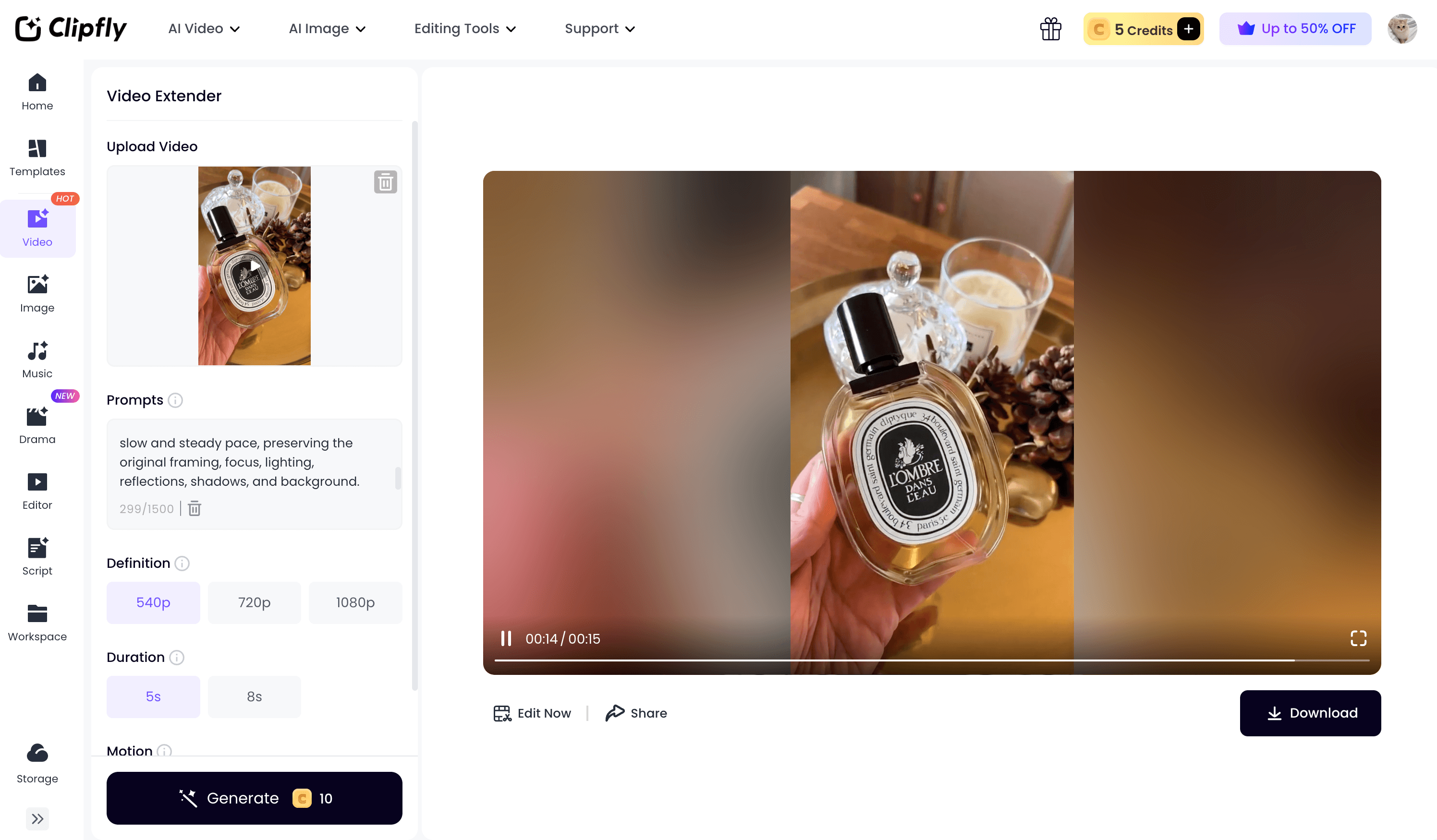
I first tried to upload the walking clip. The upload itself succeeded, but I could not confirm it because Clipfly applies a 1920-pixel limit that was not shown before upload. I switched to the perfume clip and used my 15 free credits for a five-second 540p extension in Standard mode.
The result generated quickly. The bottle and overall product scene remained recognizable and visually consistent, and I could download the clip directly without a watermark. The transition was usable, but the video slowed noticeably at the join before returning to a speed closer to the original.
The bottle label was less stable. Its text changed from frame to frame and became very blurry in one moment. Clipfly followed the requested continuation overall and did not introduce an unrelated scene, but the label drift and speed change meant it did not fully satisfy the prompt’s consistency requirements. This matters for product footage, where even a small label change can make an otherwise convincing result unusable in an advertisement.
Despite those issues, Clipfly produced the second-best completed result in my tests. I would use it for a quick free extension when exact text preservation is not critical.
Pros
-
Provides controls for duration, resolution, prompts, and motion mode
-
Allows watermark-free downloads on free generations
-
Suitable for users who want to customize the output before generating
Cons
-
Free credits may cover only one generation, depending on the settings
-
Paid pricing is not clearly displayed on the public pricing page
-
Some upload restrictions appear only after a file has been submitted
Verdict: Clipfly was my best free alternative to JoggAI. The result was immediately downloadable and visually solid overall, but I would avoid it for product shots where labels, logos, or other exact text must remain unchanged.
3. Magic Hour: More Editing Controls, but a Weaker Free Export

Magic Hour combines video extension with a broader browser editor. I could trim my clip, choose an output duration, add audio, import a YouTube URL, upscale the result, or move into other Magic Hour tools from the same workspace.
Pricing
Magic Hour’s official pricing page lists Creator at $19 per month or $12 per month when billed annually at $144. Pro is $39 monthly or $25 per month billed annually, while Business is $99 monthly or $66 per month billed annually.
My signed-in account received 500 free credits. A ten-second extension used 288 credits, so the signup allowance covered one ten-second test but not two. I could also claim daily credits. The unsigned workflow was available, but it placed my job in a slow queue, so I signed in to finish the test.
My test result
I uploaded the walking clip, chose a ten-second extension, and used the same continuity goal as in my JoggAI test. The editor itself was flexible: I could trim the source immediately and select an output between two and ten seconds.
The join between the original walking footage and the generated section was easy to notice. The whole video looked softer after rendering, and a large watermark appeared in the lower-right corner. The street background and general direction of movement continued, but the woman’s movement became stiff and her body proportions widened and shifted. The result followed the broad instruction to keep her walking, yet it did not preserve her appearance, stride, or visual quality closely enough to satisfy the prompt.
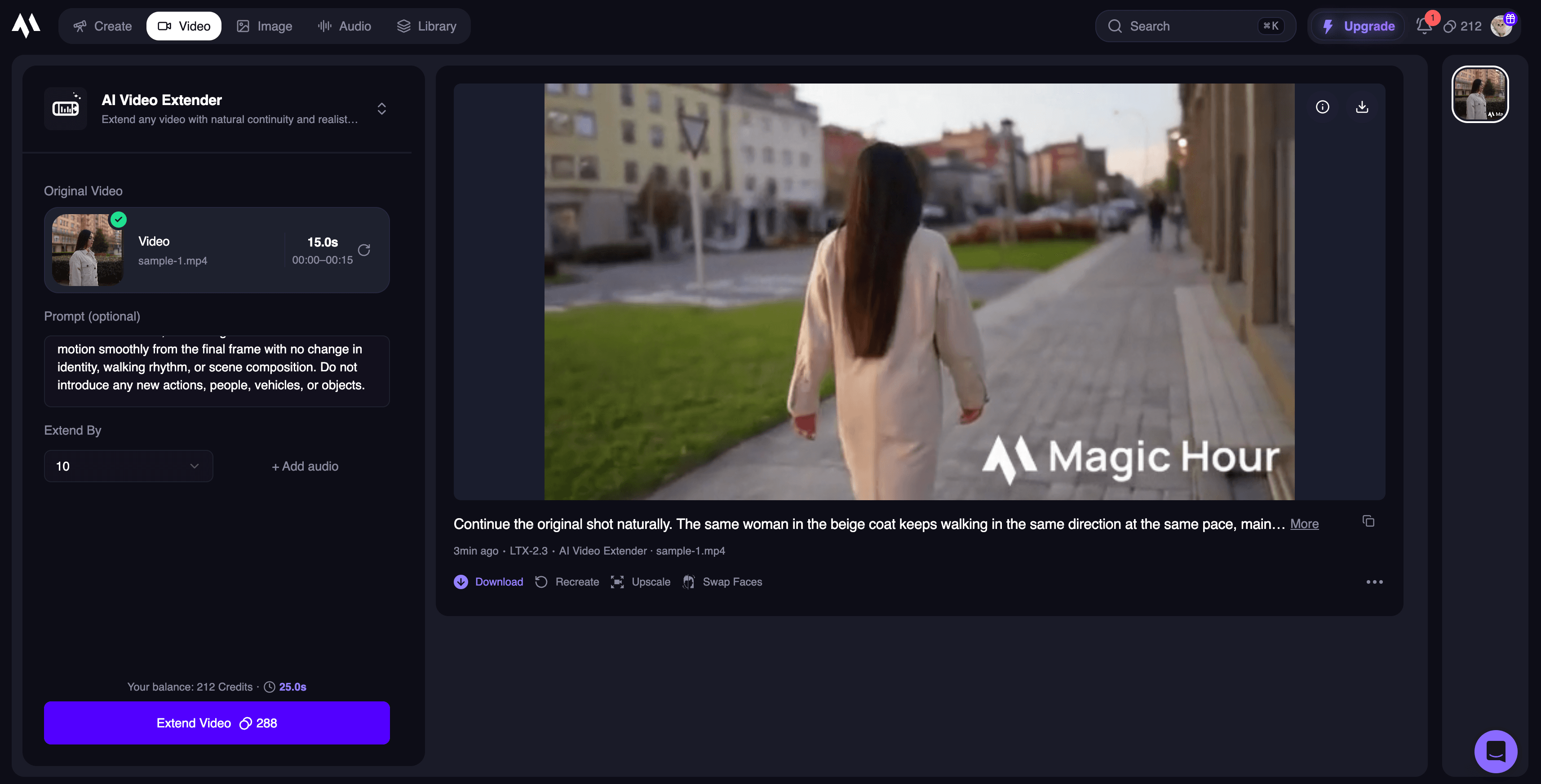
I might accept that tradeoff for a background-led shot, but the full extension was not usable for full-body human footage without cropping, hiding the watermark, or generating another version.
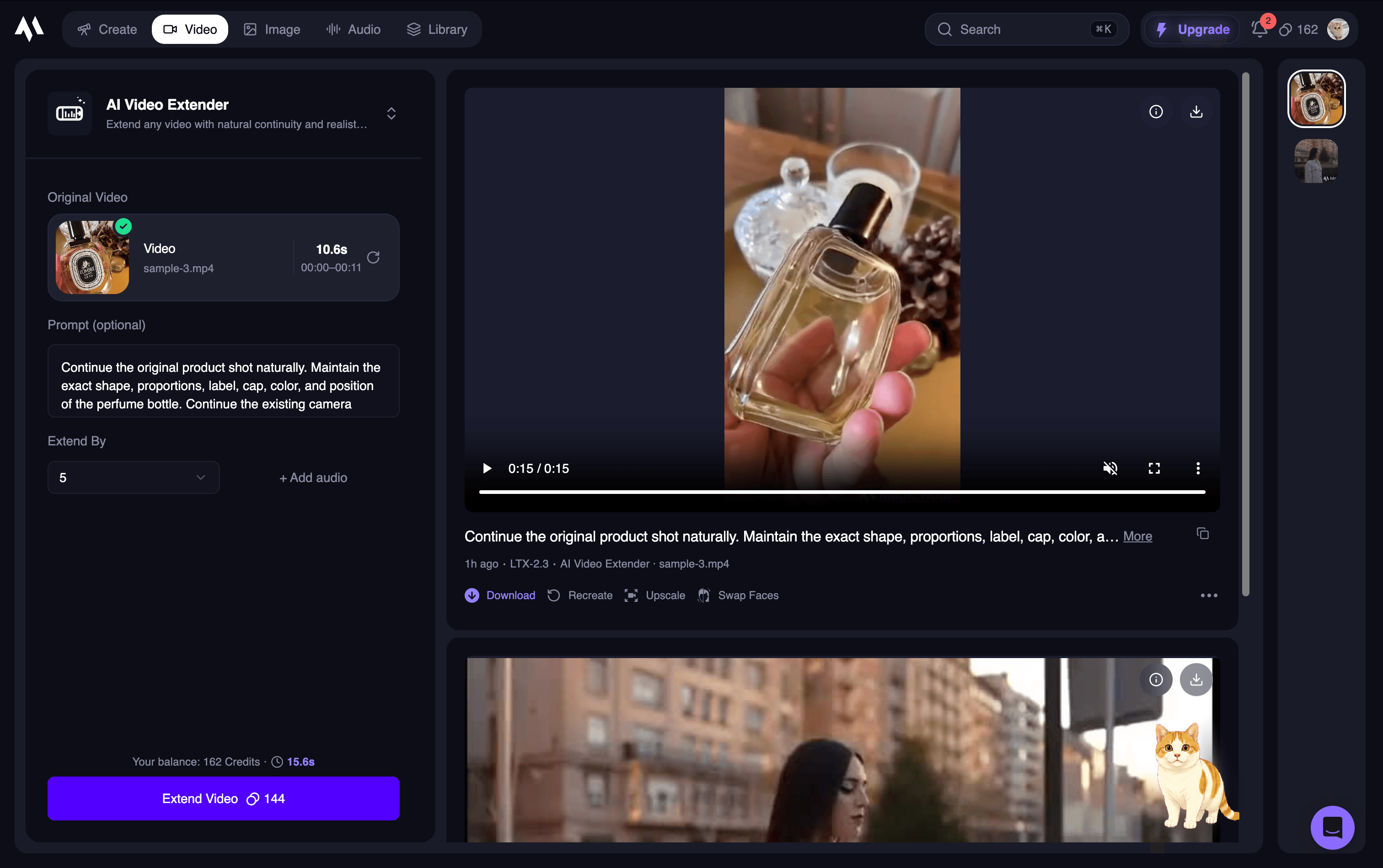
I also tested the 10-second perfume clip with free credits, the same product prompt, and a five-second extension.
The transition point was clearly visible, and the generated section looked noticeably blurrier than the source. The camera movement changed instead of continuing at the same slow, steady pace. The label became heavily blurred and distorted, the bottle’s size and proportions changed considerably, and the hand developed an extra finger. These changes directly contradicted the prompt’s request to preserve the bottle, label, camera movement, and visual details, so the extension was not usable without regeneration. Because I tested the free experience, I could not determine whether a paid plan would produce a different result.
Pros
-
Includes trimming, audio, URL import, upscaling, and flexible duration controls
-
Can be tried without creating an account
-
Connects the extender with a broader collection of AI video tools
Cons
-
Free generations can require queueing even after sign-in
-
Free exports include a visible watermark
-
Higher-resolution or repeated generations can consume free credits quickly
Verdict: Magic Hour had the broadest browser-editing workflow, but neither free output was ready to use. I would treat the free tier as a workflow trial rather than a dependable source of finished human-motion or product footage.
4. TopMediaAI: A Free Generation, but the Weakest Product Result
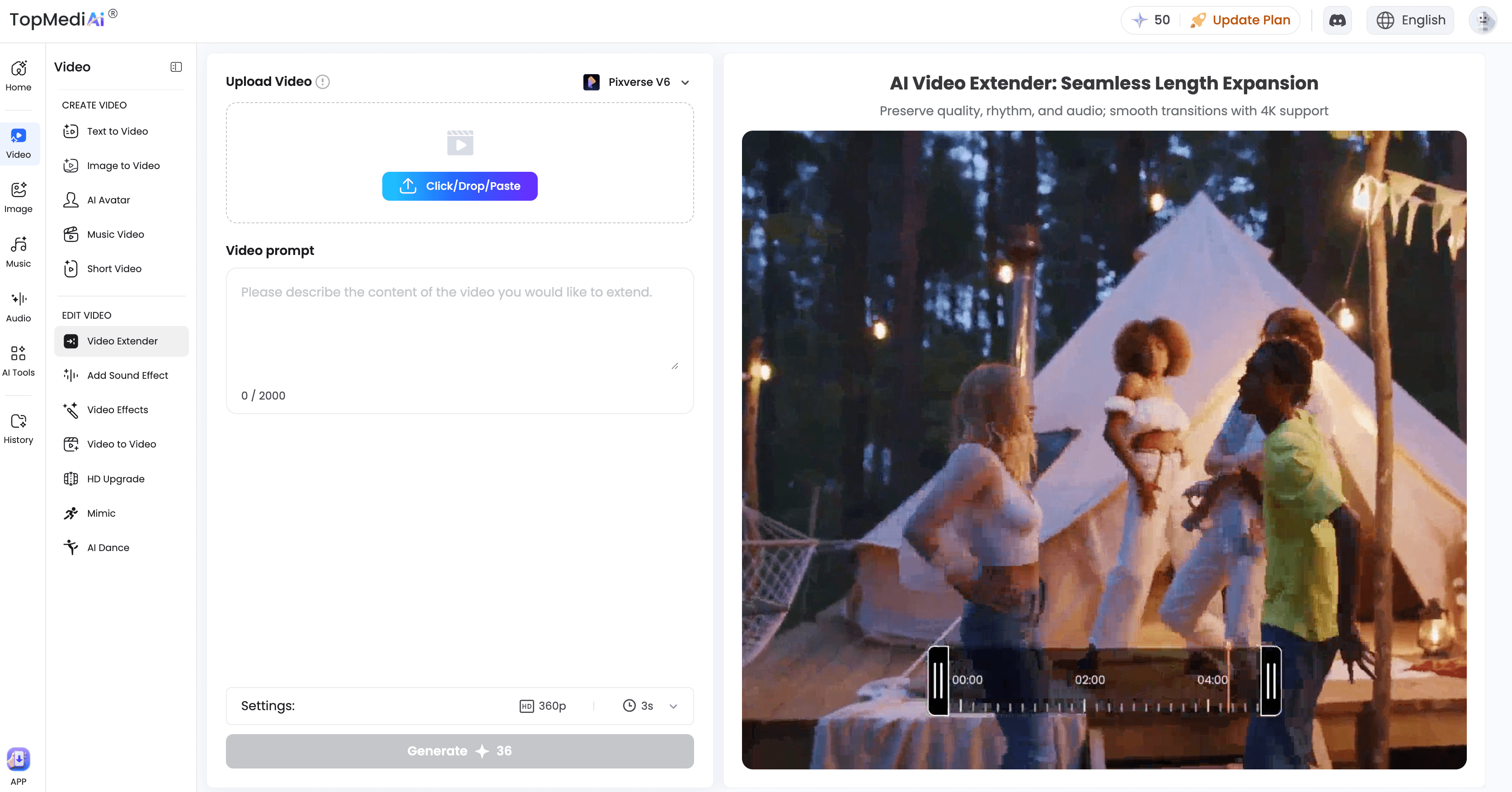
TopMediaAI’s AI Video Extender is part of a larger AI creation platform. It accepts MP4 and MOV files up to 50 MB and gives me control over resolution and duration before generation.
Pricing
TopMediaAI’s official AI video pricing page lists a monthly plan at $14.99 with 3,500 credits, an annual plan at $89.99 with 23,700 credits, and a lifetime plan starting at $125.99 with 34,500 credits. These are promotional prices displayed during my fact-check.
My new account received 50 free credits. The successful four-second 360p extension used 48 credits, leaving almost no room for a second attempt.
My test result
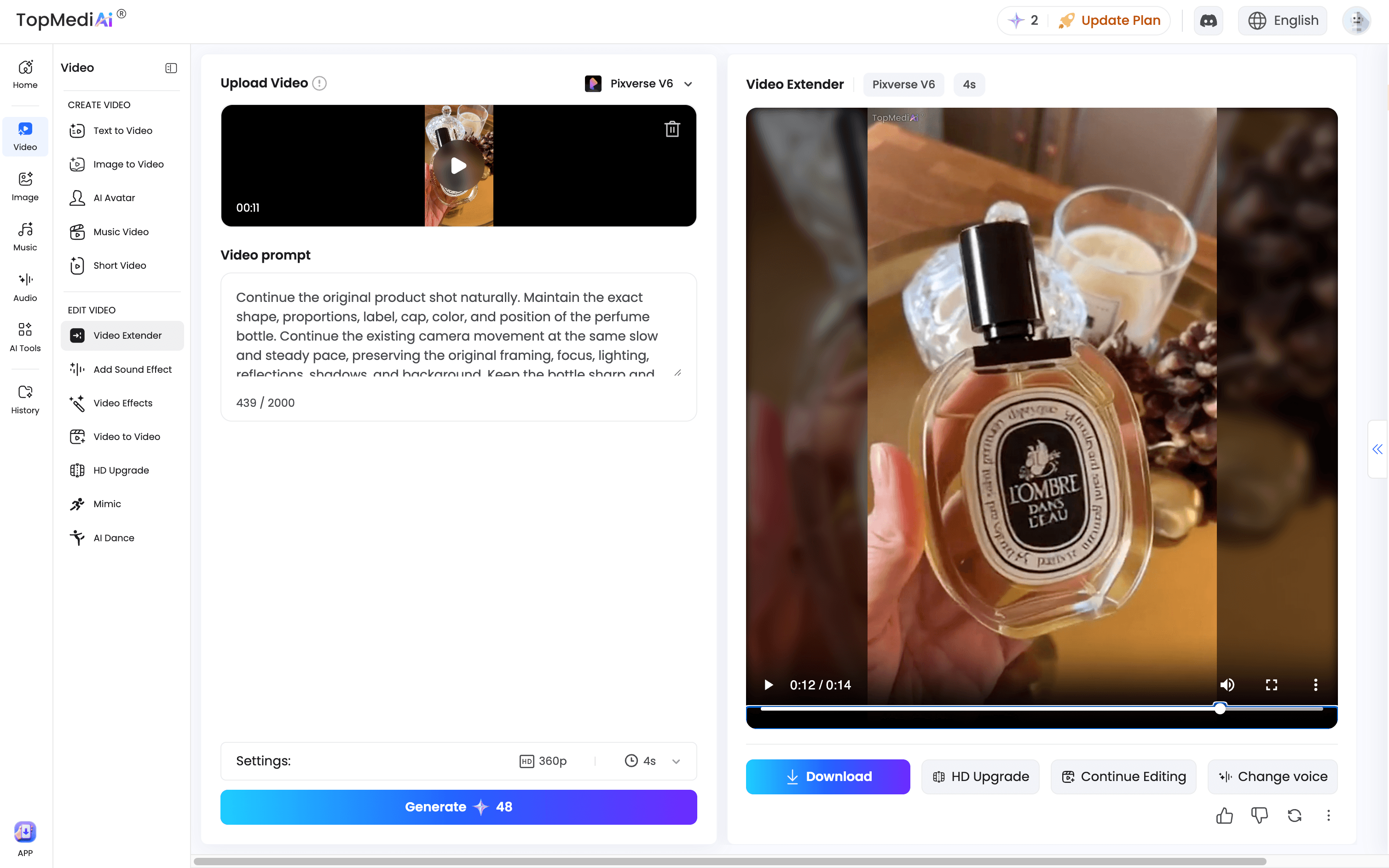
I used the perfume clip. My first attempt—a three-second extension at 540p—failed repeatedly. When I changed the settings to four seconds at 360p, the job finally ran, even though the interface showed the same 48-credit cost.
The camera movement continued naturally and remained coherent with the original product shot. However, the join between the source and generated footage was clearly visible. The bottle text changed almost every second and became too blurry to read, while the glass bottle took on a plastic-like appearance and its proportions shifted. The background also softened, making the generated section noticeably different from the source. These changes did not follow the prompt’s preservation requirements, so the output was not usable without regeneration. A small watermark appeared in the upper-left corner.
Pros
-
Lets users select the extension length and resolution before generating
-
Provides free signup credits for testing the workflow
-
Includes the extender within a broader suite of AI content tools
Cons
-
Free credits generally cover only one low-resolution generation
-
Free exports may include a watermark
-
Higher-resolution generations may be less reliable or require paid credits
Verdict: I would not recommend TopMediaAI specifically for video extension based on this test. It may have stronger tools elsewhere on the platform, but its extender did not preserve the product details I needed.
5. Media.io: A Video Extender Inside a Broader Browser Workflow
Media.io’s AI Video Extender sits inside a broader online editing platform. Before uploading, the interface listed MP4 and MOV support, a 500 MB file-size limit, and a source duration of 4 to 60 seconds. It also let me choose an ending frame or create one with a text-to-image tool.
Pricing
Media.io’s official pricing page lists a Free Trial at $0. Standard is shown at $9.99 per month after a three-day trial or $6.99 per month billed annually at $83.88. Premium is $17.99 per month after the trial or $12.99 per month billed annually at $155.88.
The extender also uses AI credits. My free account received 5 credits, while the cheapest option I saw—a five-second 720p extension—required 8. A seven-second 1080p result required 15 credits. Media.io also stated that videos on the free plan would be stored for only seven days.
I first uploaded the walking clip. Only after upload did Media.io tell me that the video resolution had to stay within 1920 × 1920 pixels, even though that restriction had not appeared with the initial upload requirements. I found that confusing because the file met the displayed format, size, and duration limits.
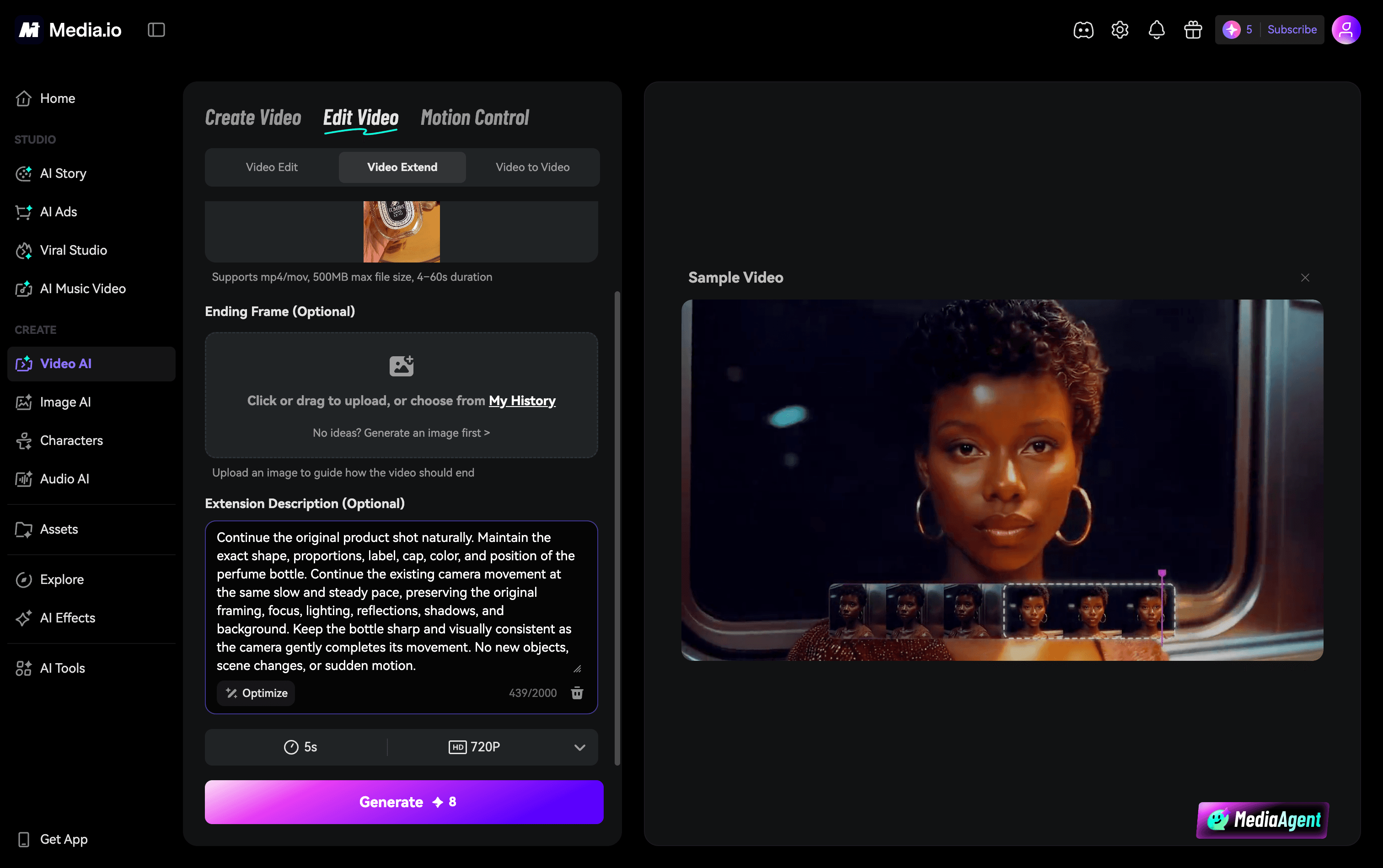
I then uploaded the perfume clip successfully, entered my prompt, and reviewed the available duration and resolution settings. However, my 5 free credits were not enough for the minimum 8-credit generation, so I could not create an output or judge its transition quality, product consistency, or watermark.
Pros
-
Combines video extension with a broader browser-based editing workflow
-
Offers prompt, duration, resolution, and ending-frame controls
-
Supports larger uploads than several lightweight extender tools
Cons
-
The free credit allowance may not cover even one extension
-
Some resolution restrictions are disclosed only after upload
-
Free-plan projects are stored for only seven days
Verdict: I tested Media.io’s upload and setup workflow, but not its generated quality. I would only choose it if I already used Media.io or was willing to buy credits; I would not describe it as a genuinely free AI video extender based on my account.
What I Learned From Testing All Five
The strongest result did not come from the tool with the most settings. It came from the tool that best preserved the information already present in the source.
Human motion and product footage failed in different ways. In the walking clip, I watched for posture, proportions, stride, hair, clothing, and background movement. In the perfume clip, the most revealing details were the label, glass material, reflections, ring, finger texture, and camera speed. A product extension can look polished at first glance and still fail because its text changes in every frame.
This is especially important for commercial footage, where the strongest product video examples depend on consistent branding and clearly recognizable product details.
Longer is not always better either. A ten-second extension gives the model more room to create, but also more time to drift. If I only need five seconds, I would not request ten simply because the option is available.
Finally, “free” described four different experiences in this comparison: enough credits for several useful exports, enough for one generation, enough only for a low-resolution attempt, or not enough to generate anything. I would always check the live credit cost, watermark, resolution, and storage period before uploading project footage.
Which AI Video Extender Should You Choose?
-
Choose JoggAI if you want the strongest balance of continuity, prompt control, and 5- or 10-second output, and you are comfortable using a paid credit-based plan. It handled both my human-motion and product clips better than the alternatives.
-
Choose Clipfly if you want a fast, free, watermark-free product extension and can tolerate some text or speed instability.
-
Choose Magic Hour if editing controls matter more to you than the quality of the free export. Its workspace was flexible, but neither of my free results was reliable enough to use directly.
-
Choose TopMediaAI only if you want to experiment with its settings or other AI tools. I would not choose its video extender for detail-sensitive product footage based on my result.
-
Choose Media.io if you already work in its browser editor and have paid credits. The free allowance in my account was not enough to test the generated output.
How I Would Get a Better Video Extension
I would trim the source so its final second contains clear, continuous movement rather than a cut or sudden blur. That gives the model stronger context.
I would also ask for the shortest useful extension. Every extra second creates another opportunity for a face, hand, label, reflection, or background object to drift.
In the prompt, I would state both what should change and what must remain fixed. For example:
Continue the shot for five seconds. Preserve the same subject, clothing, product shape, lighting, background, lens, and camera angle. Continue the existing movement at the same speed without adding new objects or changing the scene.
For an important project, I would generate more than one version and review the transition both at normal speed and frame by frame. I would pay particular attention to faces, hands, labels, logos, shadows, straight lines, and the first second of generated motion.
Final Verdict
After trying all five workflows, I found that AI video extension can solve a real editing problem—but only when the model preserves the original subject as carefully as it generates the next action.
JoggAI was the clear winner in my tests. It produced the most natural continuation for the walking clip and preserved the perfume bottle’s product details more consistently than the alternatives. JoggAI uses a paid, credit-based workflow, while Clipfly was a credible free alternative for fast, watermark-free generation, although its speed and text consistency still needed improvement.
Magic Hour offered stronger editing controls than generation quality in my two free tests. Its joins were obvious, both outputs were softer than the sources, and the perfume extension changed the camera motion and product details. TopMediaAI maintained coherent camera movement, but its visible join and degraded product details prevented me from recommending it. Media.io did not provide enough free credits to generate even its lowest-cost extension, so I could not evaluate its visual result.
If I had a short clip that ended too early, I would start with JoggAI’s AI Video Extender, request only the duration I needed, and inspect the generated join and fine details before placing it into a final edit.
Frequently Asked Questions
How can I extend a video with AI?
Upload the original clip, choose how many seconds to add, and describe what should happen next. The tool analyzes the ending frames and generates a continuation. Clips that end during a clear action or camera movement usually give the model better context than clips that end on a cut.
Can I extend a video with AI for free?
Yes, but check whether the allowance covers a complete generation. Some tools offer several free extensions, while others provide only enough credits for one low-resolution result—or not enough for one output at all. Also check the watermark, resolution, queue time, and commercial-use terms.
How many seconds can AI add to a video?
The tools in this comparison offered roughly two to ten seconds per generation. Some let you extend the result again, but repeated extensions increase the chance of changes in the subject, motion, text, or background.
What should I write in an AI video extension prompt?
Describe the next action and state what must remain unchanged. Include the subject, motion speed, camera movement, lighting, framing, and background when they matter. A focused continuation is usually easier to preserve than several new actions or a scene change.
How can I get a smoother AI video extension?
Trim the source while its movement is still in progress, request only the duration you need, and keep the prompt specific. Review the join as well as faces, hands, product shapes, text, reflections, and motion speed before using the result.
Does an AI video extender maintain the original quality?
Not always. Free plans may reduce resolution or add a watermark, while the generated section can introduce blur, speed changes, warped objects, or unstable text. In my tests, JoggAI preserved the perfume label most consistently; Clipfly and TopMediaAI showed more text drift, and Magic Hour’s perfume result changed both the product and hand.
What is the difference between an AI video extender and an AI video expander?
An AI video extender makes a clip longer by generating new footage before or after it. An AI video expander adds content around the existing frame to change the aspect ratio. Extending time and expanding the canvas are different tasks, although some tools use the terms interchangeably.