
Quick answer
JoggAI and HeyGen are both AI video generators, but they start from different production problems.
| Category | JoggAI | HeyGen |
|---|---|---|
| Best starting input to test | Product information, product assets, marketing brief | Approved script, presenter direction, language target |
| Strongest evaluation scenario | Short-form product marketing and campaign variations | Presenter-led communication and localization |
What are JoggAI and HeyGen actually being compared on?
The phrase “AI video generator” covers several different workflows. Some products begin with a product brief, some with a script, some with a text prompt, and some with recorded footage. Treating every tool as if it were the same kind of generator creates misleading rankings.
For this comparison, we use five buyer-facing stages:
-
Input fit: What can the tool use as the source of truth?
-
First draft: How quickly does it produce something worth reviewing?
-
Creative control: Can a marketer or producer make meaningful changes?
-
Scale: Can the team create versions for hooks, formats, audiences, and languages?
-
Approval: Can the team verify claims, permissions, captions, rights, and exports?
The result is more useful than comparing isolated features. A spectacular generated scene is not enough if it changes a product detail. A realistic avatar is not enough if the script contains a wrong number.
What can we conclude?
The strongest provisional conclusion is a category split, not a universal winner:
-
JoggAI has the clearer first use case for product led marketing video. Start there when the source of truth is a product page, product image set, or marketing brief.
-
HeyGen has the clearer first use case for presenter led and language focused video. Start there when the source of truth is an approved script and the video needs a presenter or controlled language version.
HeyGen’s avatar technology is no longer an unbreakable moat. As advanced models become more widely available, the gap in avatar quality is becoming smaller.
We conducted a side by side test of JoggAI and HeyGen’s avatars, and both achieved highly realistic results.

Our hands-on test: Creating the same AI video with JoggAI and HeyGen
To better understand the difference between JoggAI and HeyGen, we tested both tools using a similar video creation scenario.
Instead of comparing only individual features, we focused on the complete workflow:
-
How easy it is to provide input materials
-
How quickly each tool creates a usable first draft
-
How much control creators have after generation
-
How realistic the avatar and final presentation feel
The bigger difference was not only the avatar itself, but the workflow around it — how users move from an idea or source material to a complete video.
To ensure a fair comparison, we used the same Amazon product URL to test the video generation capabilities of both JoggAI and HeyGen.
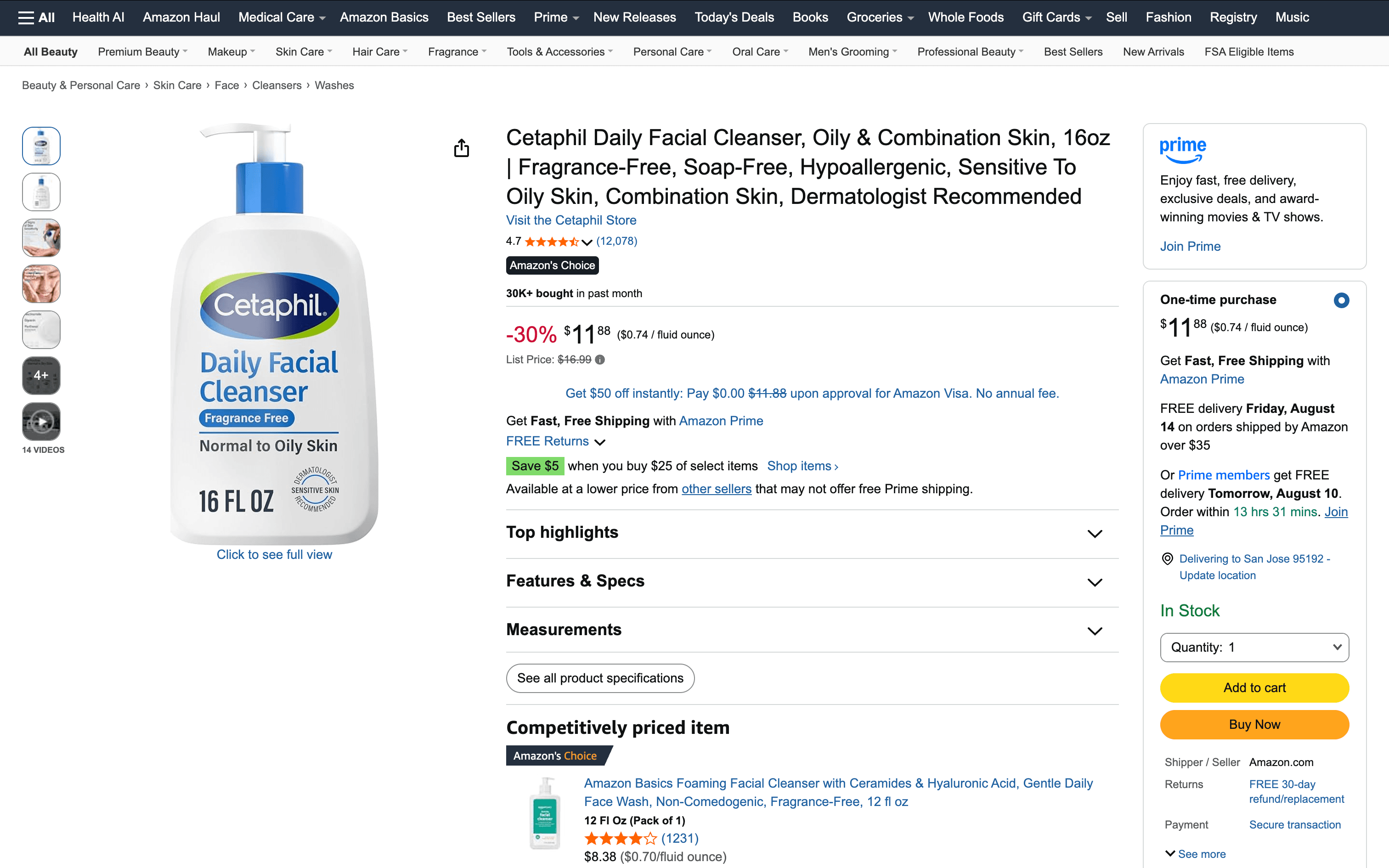
My experience during the JoggAI test
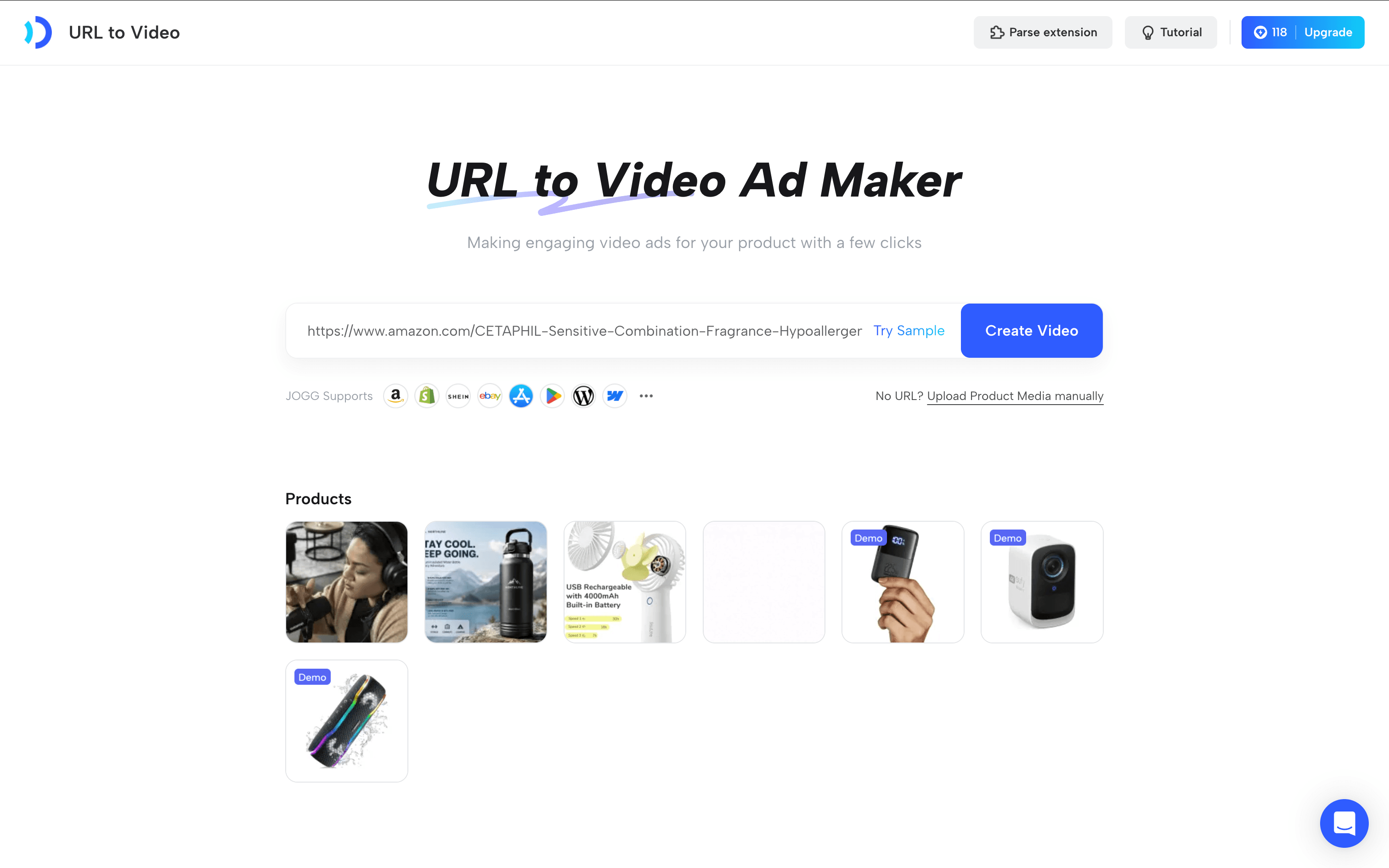
During the test, I started by using the same Amazon product URL as the input source for JoggAI. Instead of manually collecting product information, images, and marketing materials, I simply provided the product page link and let JoggAI analyze the content.
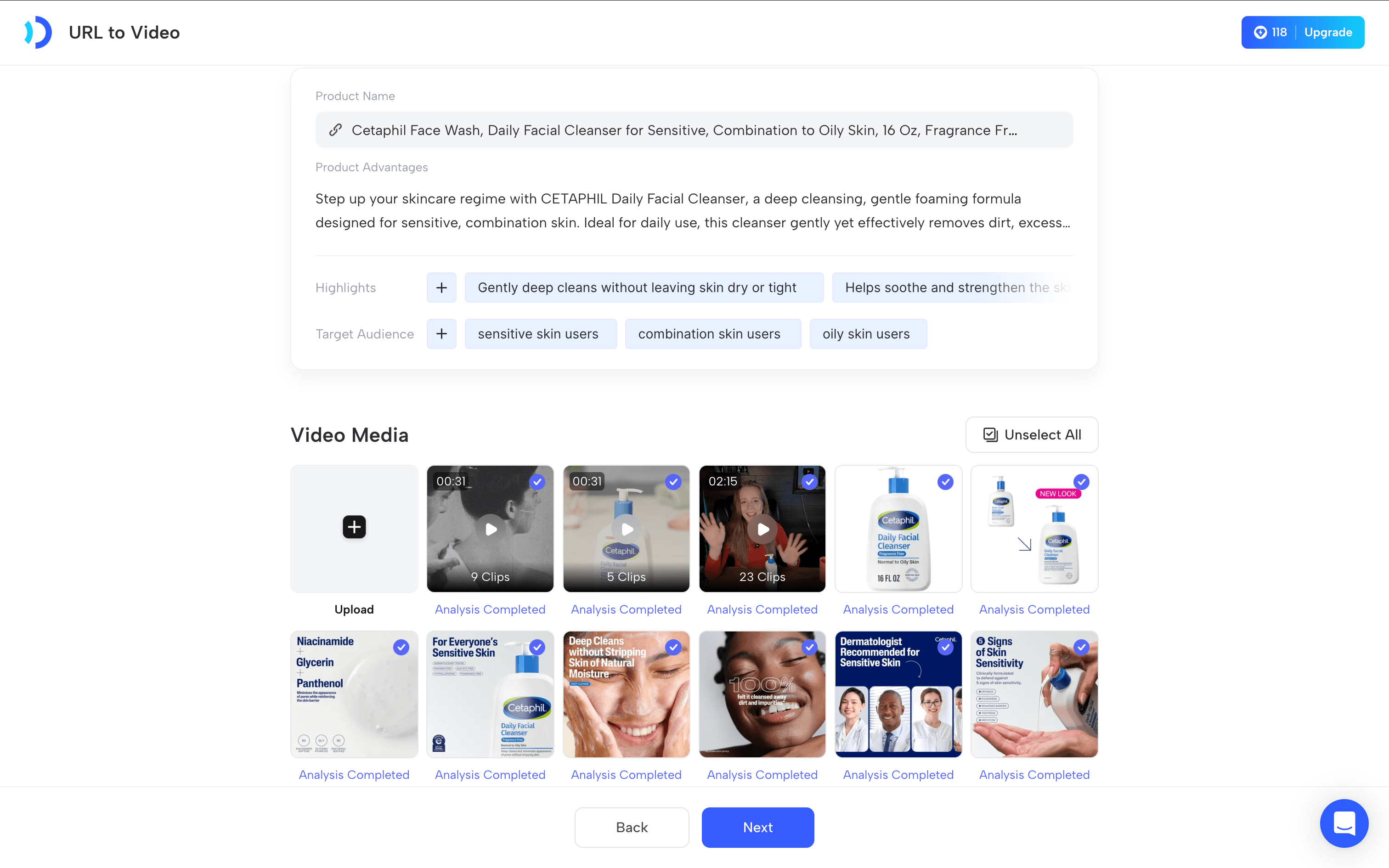
The tool automatically extracted key product information, including the product name, advantages, highlights, and target audience. It also identified relevant product images and videos from the product page, allowing me to review and select the materials before generating the video.
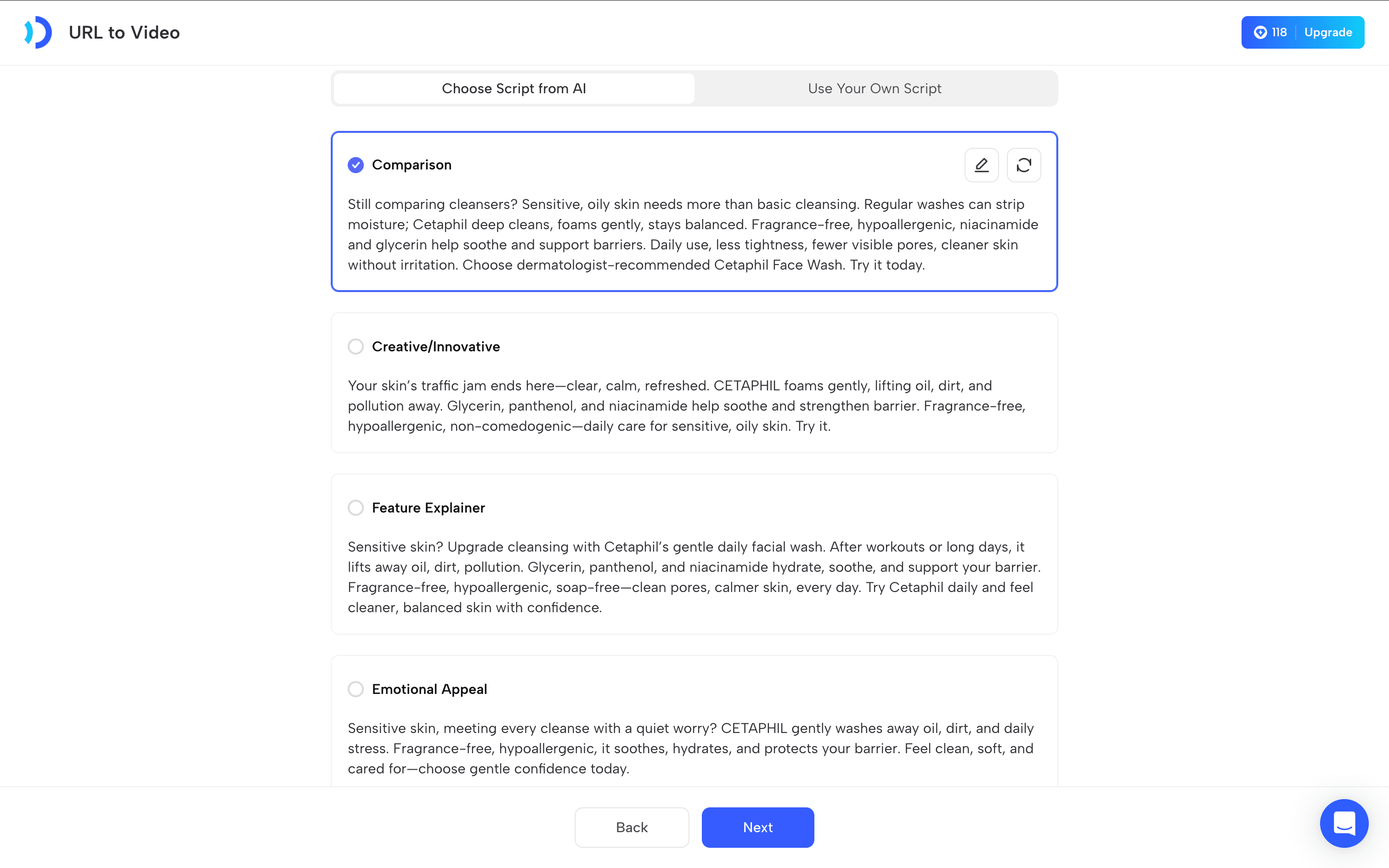
After confirming the materials, JoggAI generated several script options based on different content styles, including Comparison, Creative/Innovative, Feature Explainer, and Emotional Appeal. I could directly use the AI-generated script or edit it before moving forward, which gave more flexibility compared with starting from a blank page.
Once the script was ready, JoggAI generated multiple video variations with different avatar layouts. The same product information could be transformed into different presentation styles, such as a standard avatar presenter, avatar bubble, floating avatar voiceover, and other visual formats.
From my experience, the biggest advantage of this workflow is that it connects the entire process from product research to final video generation. Instead of preparing scripts, collecting assets, and designing the video structure separately, users can move from a product URL to a complete AI-generated video with fewer manual steps.

My experience during the HeyGen test
During the test, I tried to find a similar URL-to-video workflow in HeyGen. However, after exploring the current interface, I did not find a direct URL-to-video feature similar to JoggAI’s workflow. Instead, I used HeyGen’s Product Placement feature to create a product-focused video.
Unlike JoggAI, where users can directly provide a product URL and let AI extract product information and media assets, HeyGen requires users to prepare and upload the necessary materials manually before generating the video. This includes uploading product images as well as selecting or uploading an avatar to present the content.
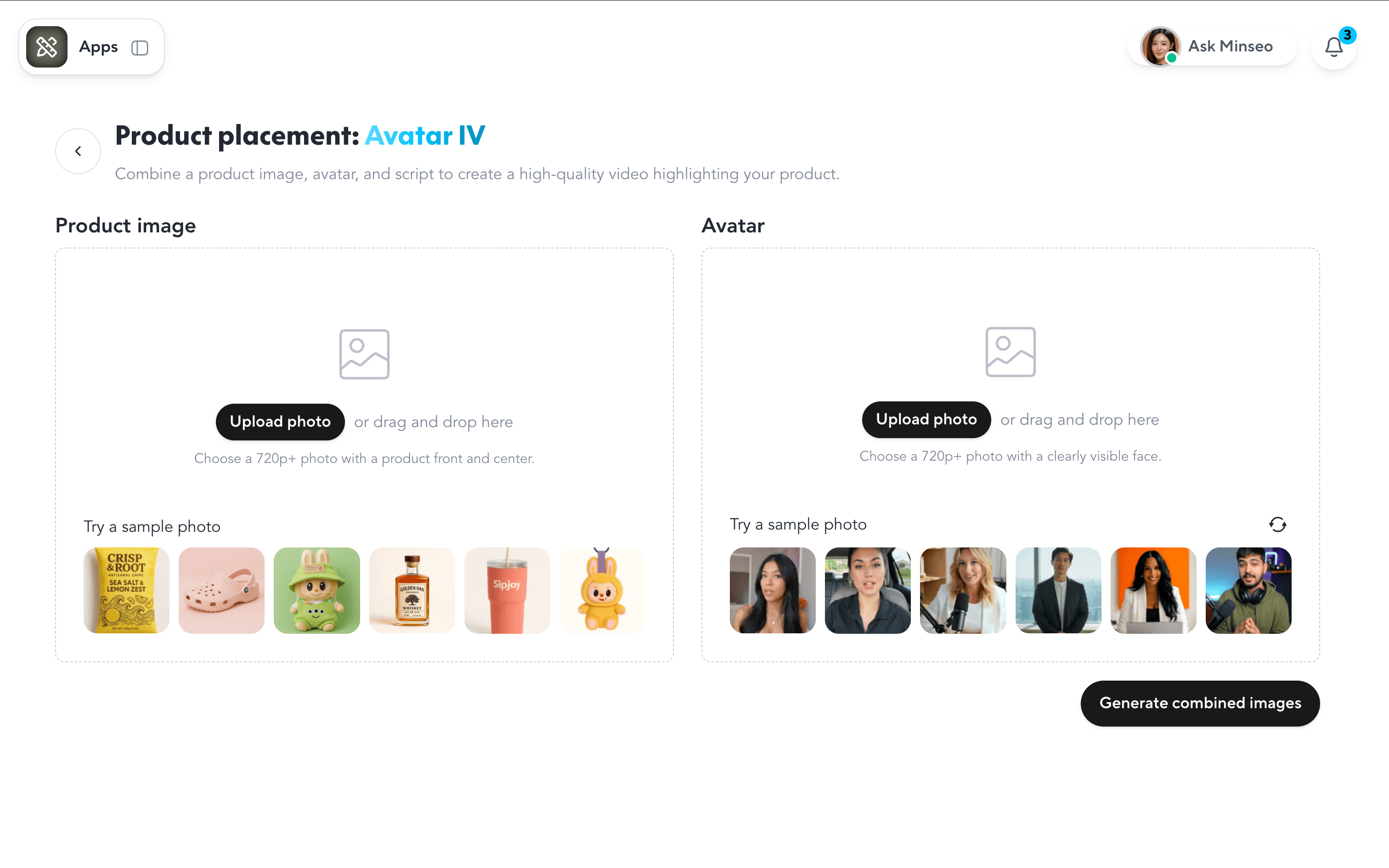
After providing the required assets, HeyGen allows users to combine the product visuals with an AI avatar presentation. This workflow works well for creators who already have prepared product materials and want to create avatar-based marketing videos with more control over the input assets.
However, compared with a URL-to-video workflow, this approach requires more preparation before generation. For teams that need to quickly produce multiple product videos at scale, manually collecting product images and preparing avatar assets may add additional steps to the creation process.
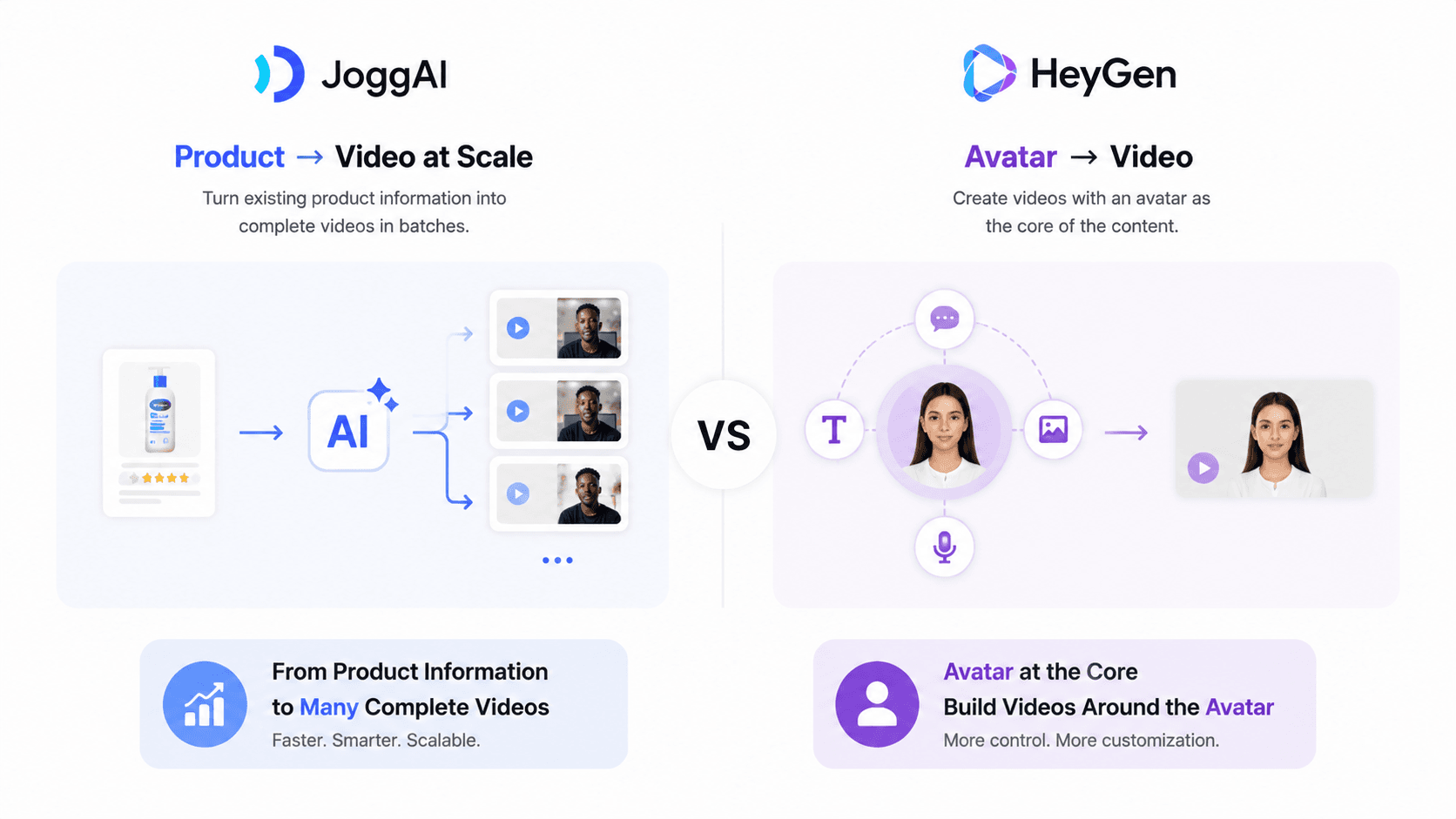
From my experience, the main difference between JoggAI and HeyGen is not only the avatar quality, but also the starting point of the workflow. JoggAI focuses on transforming existing product information into a complete video, while HeyGen provides a more avatar-centered creation experience where users build the video around prepared assets.
Final Verdict
After testing both JoggAI and HeyGen with the same product video scenario, the biggest difference I noticed was not only the quality of the AI avatar, but where the video creation process starts.
HeyGen takes an avatar-driven approach. The avatar is the center of the workflow, and users build the video around their chosen presenter. This approach works well for creators who want a personalized digital spokesperson or need more control over their avatar presentation.
JoggAI takes a different approach. It focuses on transforming existing product information into complete videos. Starting from a product URL, JoggAI can understand the product, organize key information, generate scripts, and create multiple video variations. This makes the workflow more suitable for teams that need to produce product videos quickly and at scale.
If your goal is to create an AI spokesperson video centered around a specific avatar, HeyGen is a strong choice. However, if you need to turn product information into multiple marketing videos efficiently, JoggAI provides a more streamlined workflow.