If you are simply looking to cancel your subscription, please go to this article on Subscription Invoice & Cancellation.
How to Permanently Delete Your Account
If you choose to delete your account entirely, please note that this is a permanent action and cannot be undone. All your personal data and associated information will be permanently removed from our system.
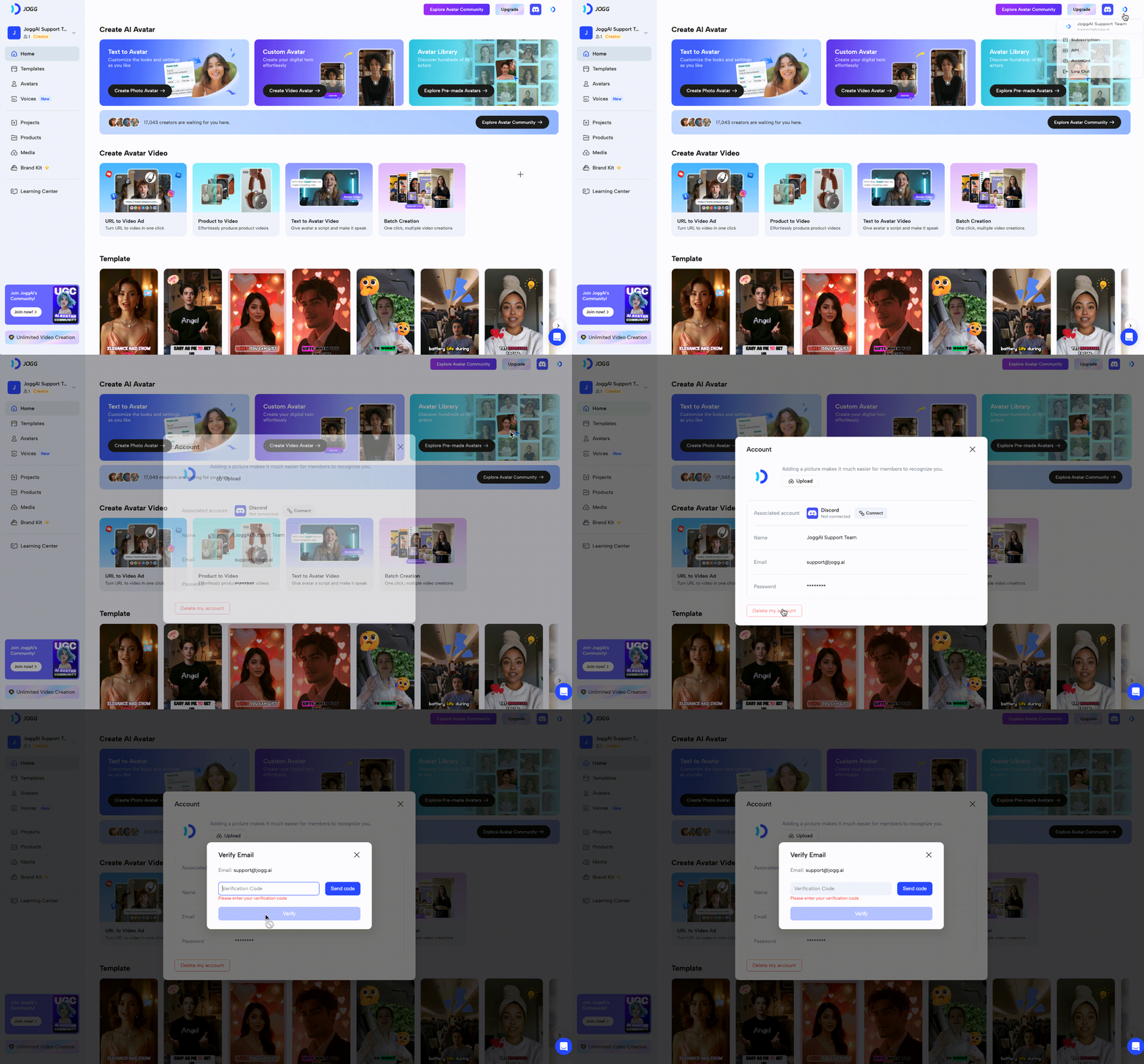
To delete your account, follow these steps:
- Step 1: Click to your account settings in the top right corner
- Step 2: Locate the option to delete your account.
- Step 3: Click the designated button to initiate the account deletion process and confirm by typing in the verify code.
‼️Important: Please ensure this is what you want to do, as the action cannot be reversed.