
JoggAI’s Video Extender is a powerful tool that can intelligently extend your video content. It supports a variety of video formats, including MP4, MOV, WEBM, and AVI, with a file size limit of less than 200MB and a duration of no more than 30 seconds. In just a few simple steps, you can lengthen your video content to meet different needs.
Getting Started with Video Extender
Step1: Upload Your Video
Click the “Upload Video” button and choose the video file you want to extend.
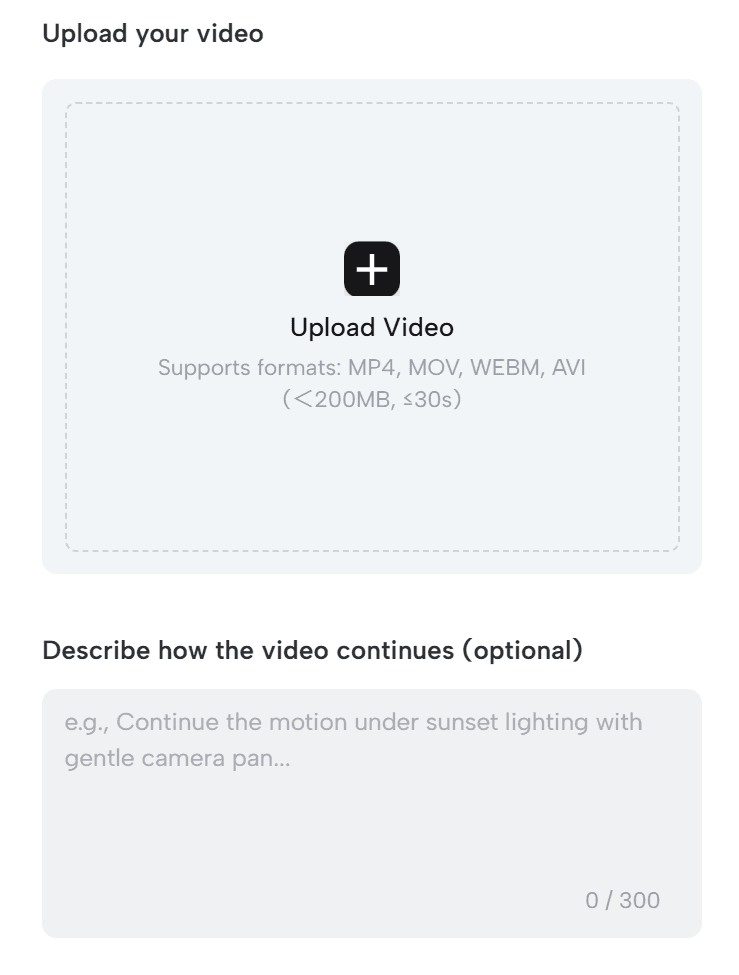
After uploading the video, you can optionally enter a description in the “Describe how the video continues” area.
This helps the AI better understand the content of your video, resulting in more accurate extended content. The description can be up to 300 characters.
Step2: Set Extension Duration and Generate Extended Video
Choose Duration: In the “More settings” section, you can select the duration for the video extension. Currently, options for 5 seconds and 10 seconds are available. Choose the extension duration that best fits your needs.
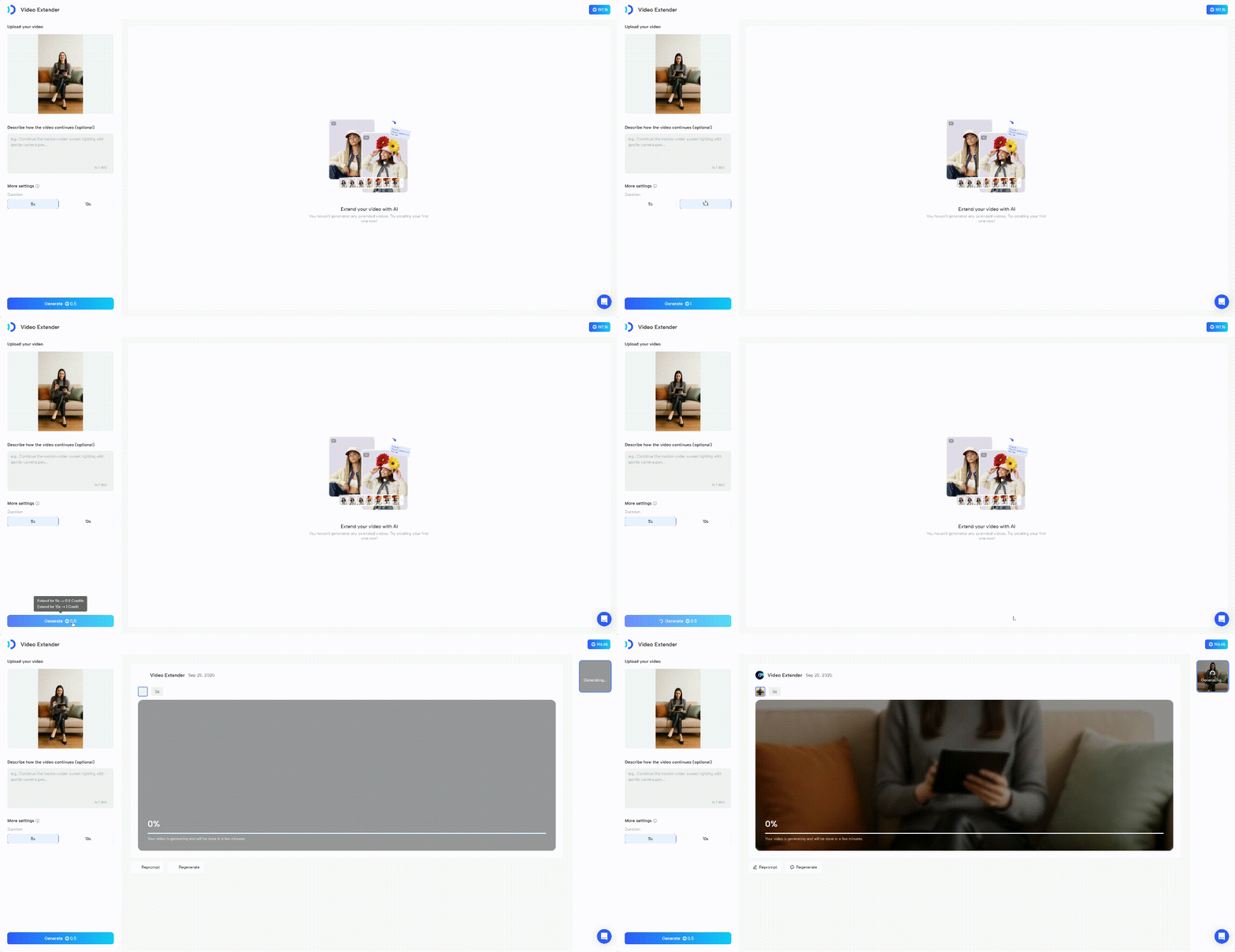
Once you have completed the above settings, click the “Generate” button.
This process may take some time, depending on the complexity of the video and server load.
Notes
File Format and Size: Ensure that the uploaded video file is in one of the supported formats (MP4, MOV, WEBM, AVI), with a file size less than 200MB and a duration of no more than 30 seconds. Files that do not meet these requirements may fail to upload or produce poor results.
Description Accuracy: Although the description is optional, providing an accurate description can help the AI better understand the video content, resulting in extended content that meets your expectations.
Multiple Attempts: If the first result is not satisfactory, do not be discouraged. You can try adjusting the description or extension duration and generate again to achieve the best results.
