What is Talking Photo?
Talking photo is a type of digital content that combines a still image with animated features and voice narration to create an engaging, video-like experience.
If you already have a photo you like, it’s super easy to create a talking photo. Just upload it to JoggAI and it’ll turn it into a walking photo with one click.
Tutorial Video👇
Upload or Select the Photo
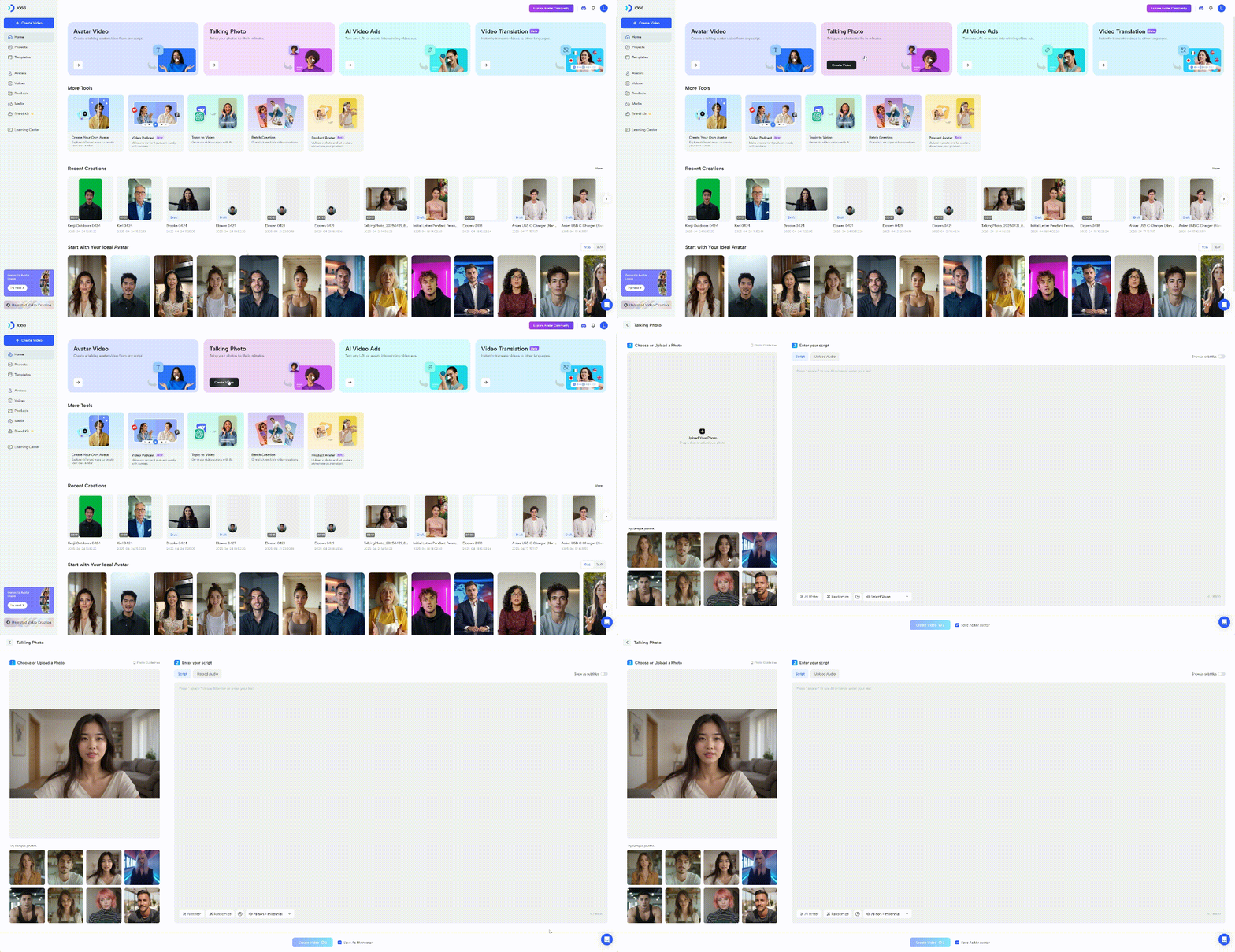
- Log in to your JoggAI account.
- Click ‘Talking Photo’ on the homepage.
- Upload or select the template photo you want to.
Input the Script
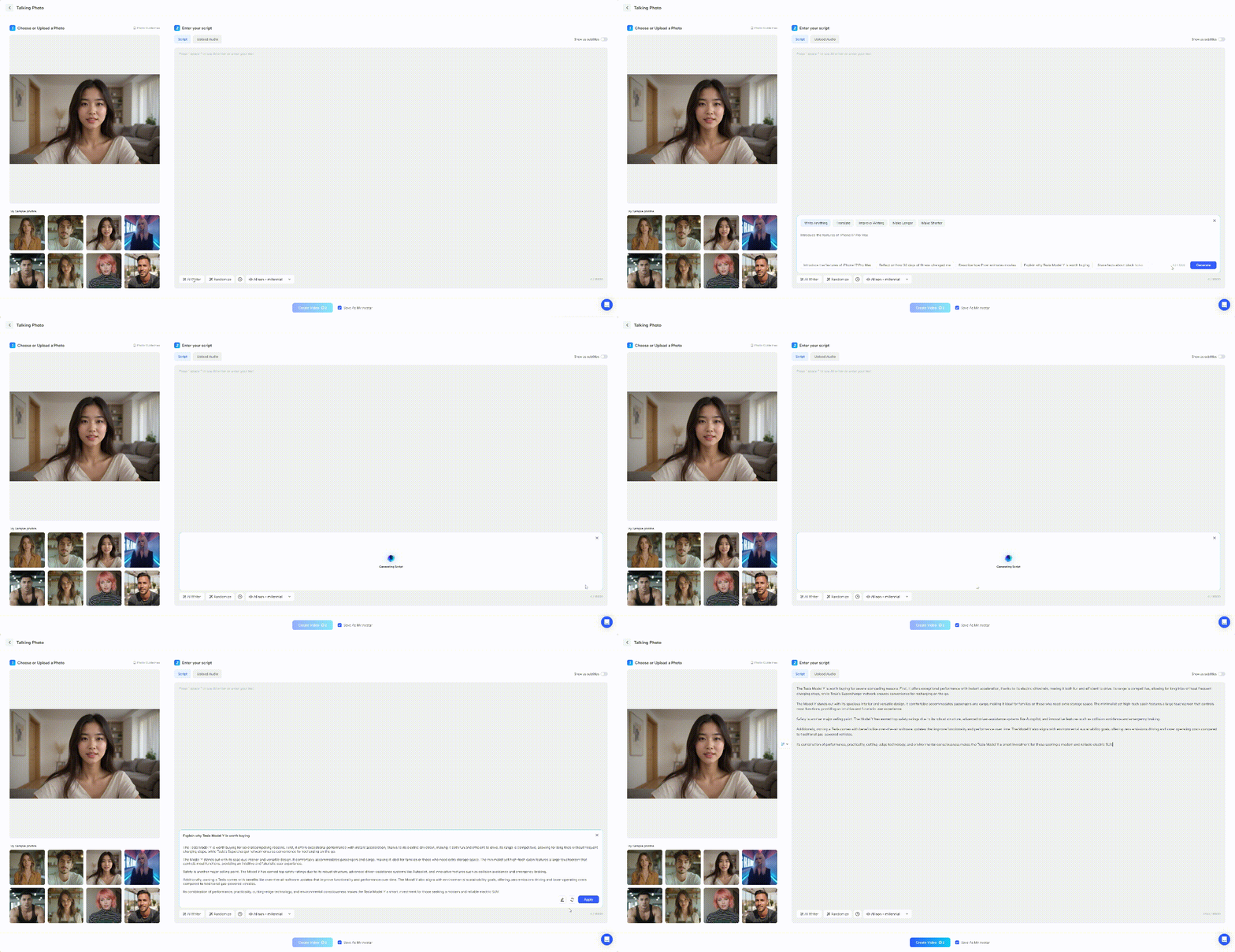
- You can type what you want, if you don’t have a better idea? It doesn’t matter, AI write can help you.
- In addition, you can also upload recorded audio.
Notes:Maximum supported characters 15000 and 20MB for audio
Generate the Video
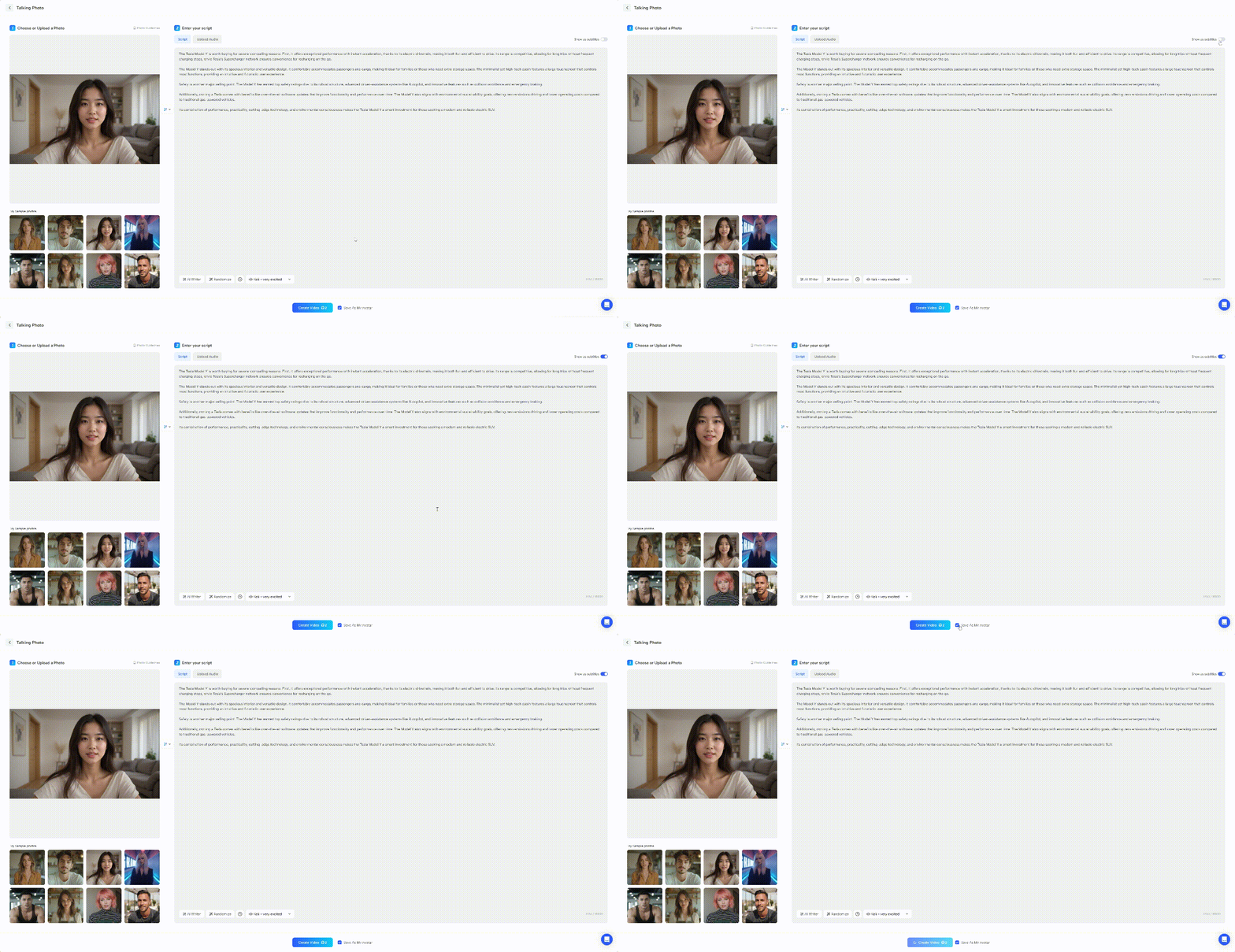
- Remember to enable the subtitles if you need to display the scripts.
- It is recommended that you check’Save As a Avatar ’ so that you can find it later in your photo avatar.
- Click ‘Generate’ and wait patiently for the production to be completed.
Notes:Making a talking photo requires 2 credits as it requires motion creation and it does not support Edit As New.