What is a “AI Voice”?
JoggAI offers a wide selection of AI voices to generate speech that aligns with your project’s personality.
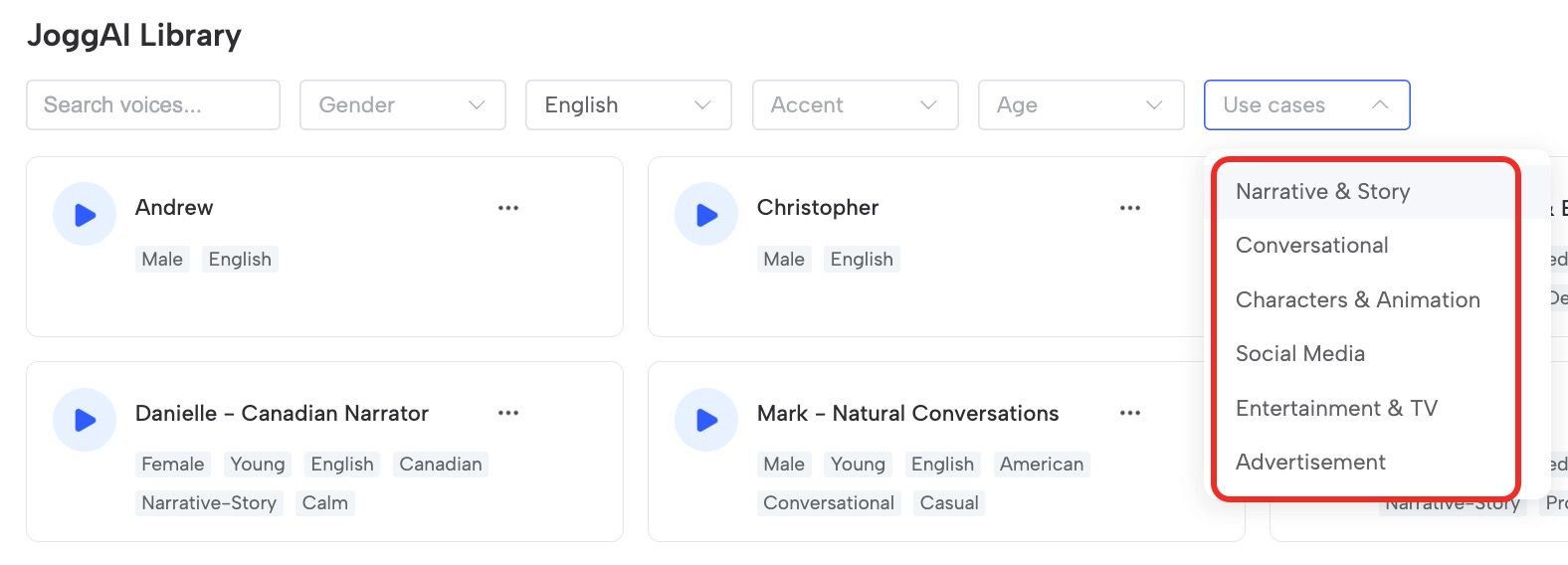
The JoggAI Voice Library lets you explore various public AI voices, so you can preview and choose the perfect fit for your video. You can also create a custom voice by cloning your own, all without the need for an avatar.
JoggAI Voice Library
Delve into the extensive JoggAI Voice Library to explore a diverse range of voices, offering a broad selection of options customized to suit your unique preferences and needs.
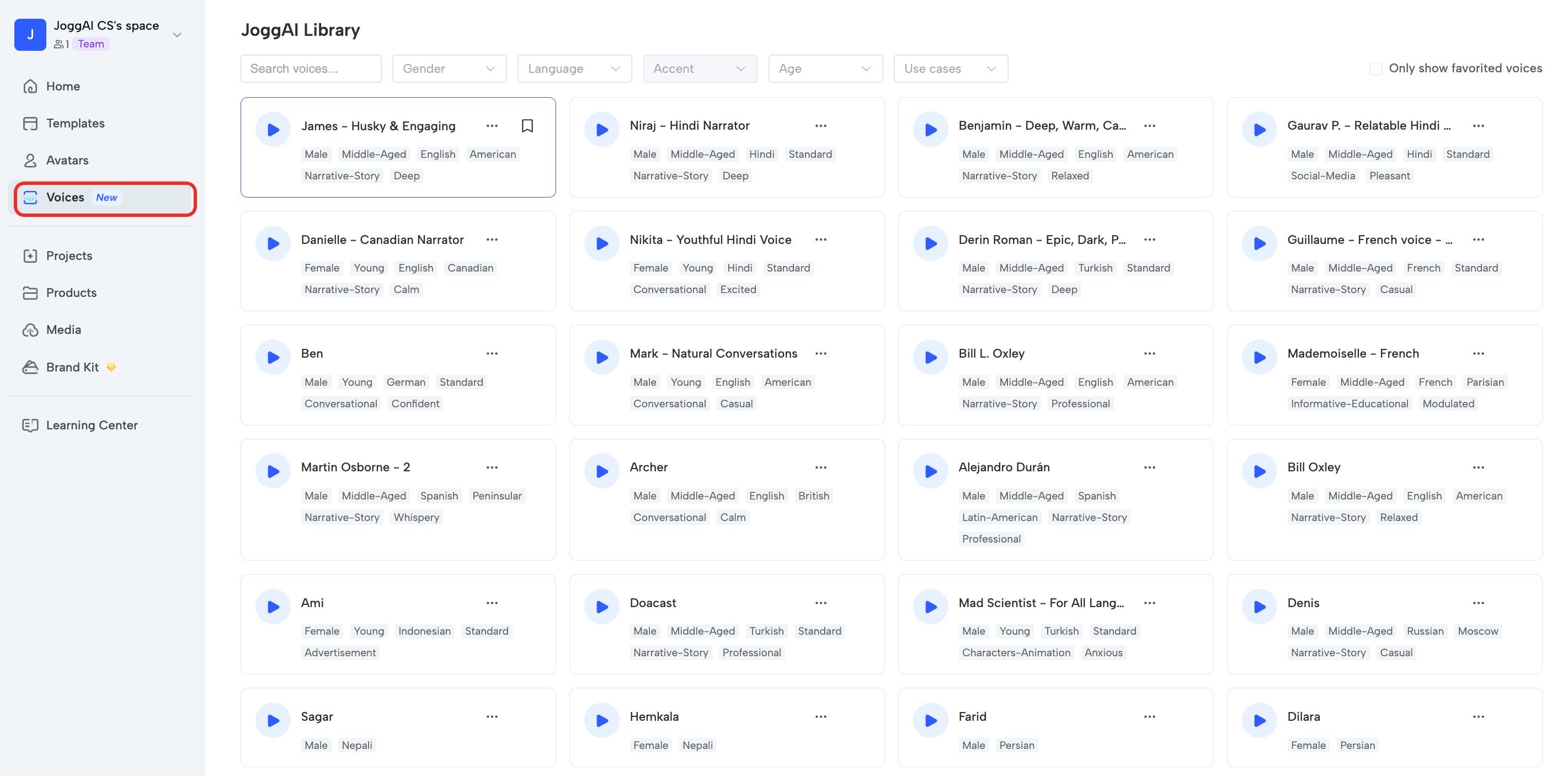
Clone Your Own Voice Without an Avatar
You can also create your own voice independently without needing to create an avatar. Simply click ‘Create your voice’ button to get started.
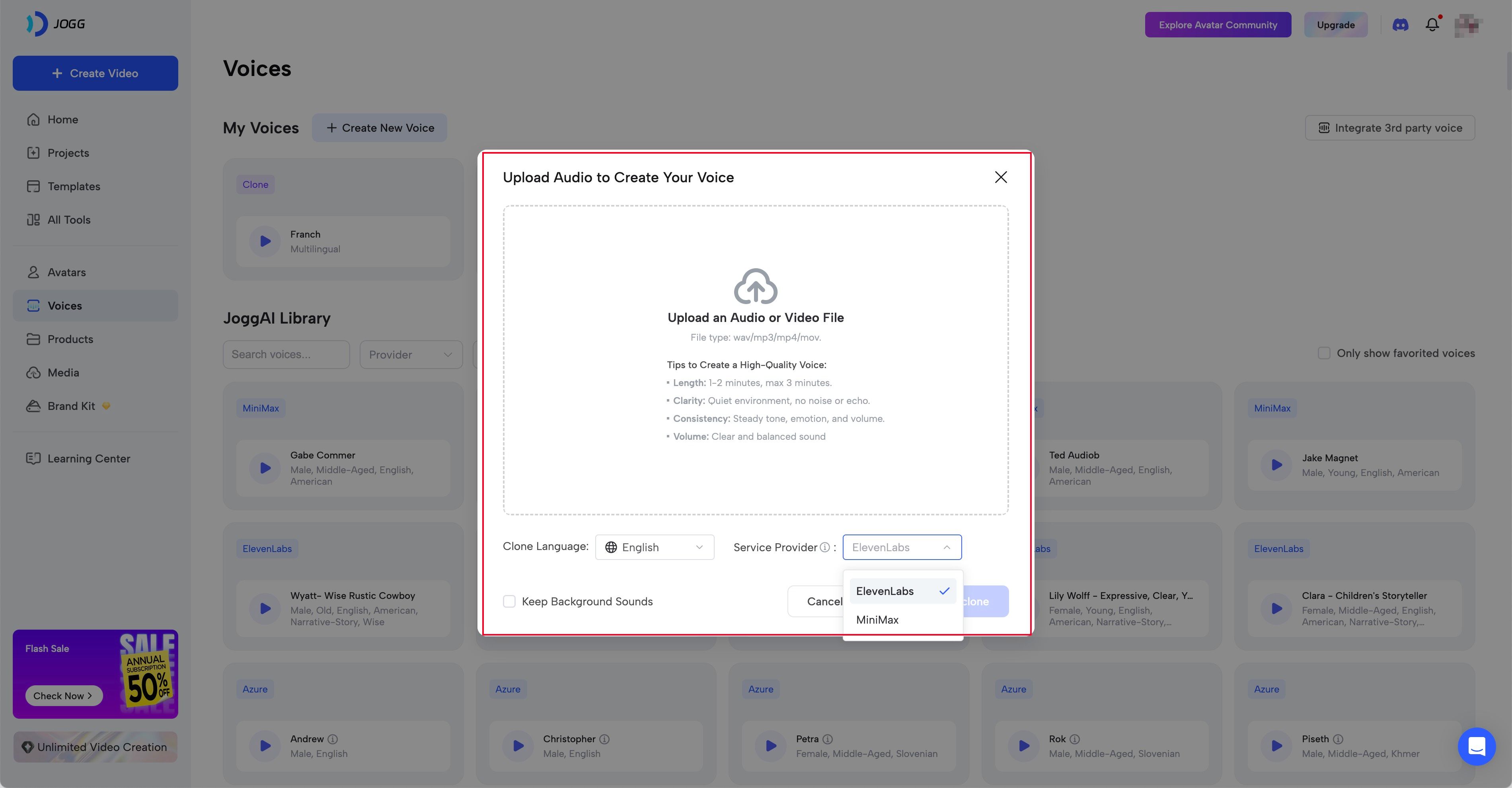
Intergrate 3rd Party Voice
You can now use your favorite ElevenLabs voices directly in JoggAI! Just enter your API key and start creating with your preferred voice selection.
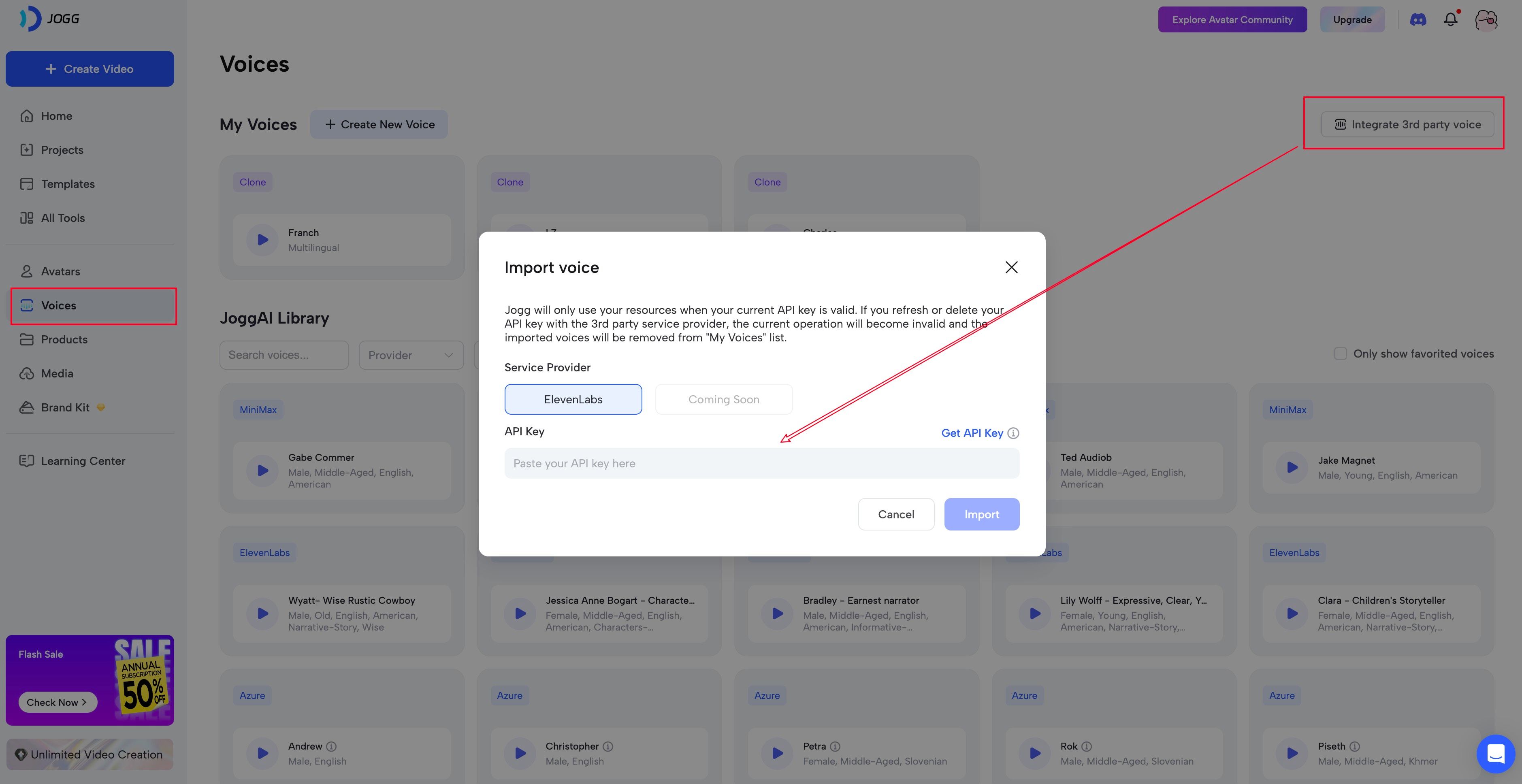
How to Use Voices in ProEdit
Select your desired voice for each scene in the scripts section. Keep your audience engaged from beginning to end.
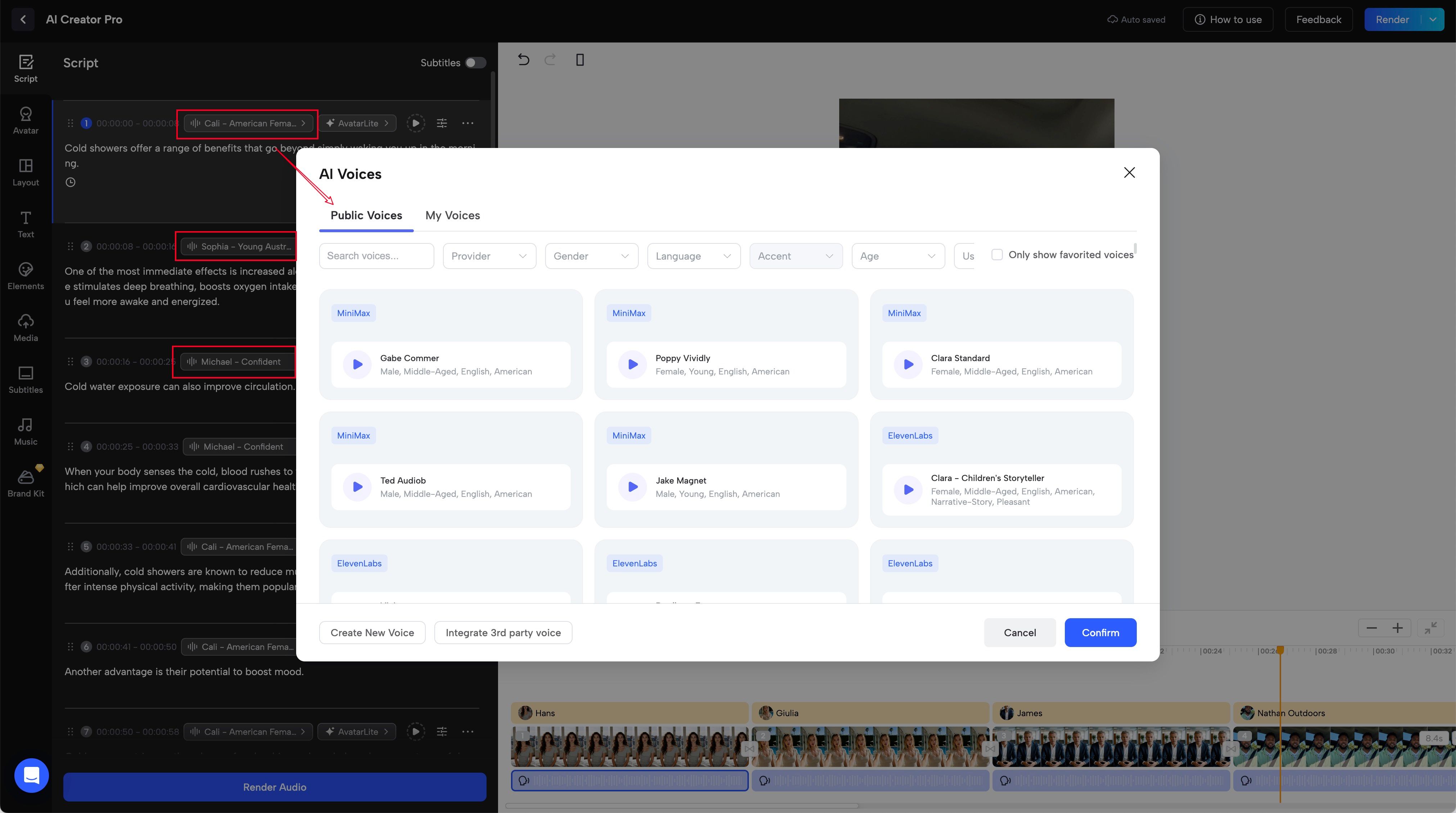
‼️Note: Don’t forget to click the ‘Render Audio’ button to update your script section after any voice edits.
Adjusting Voice Settings
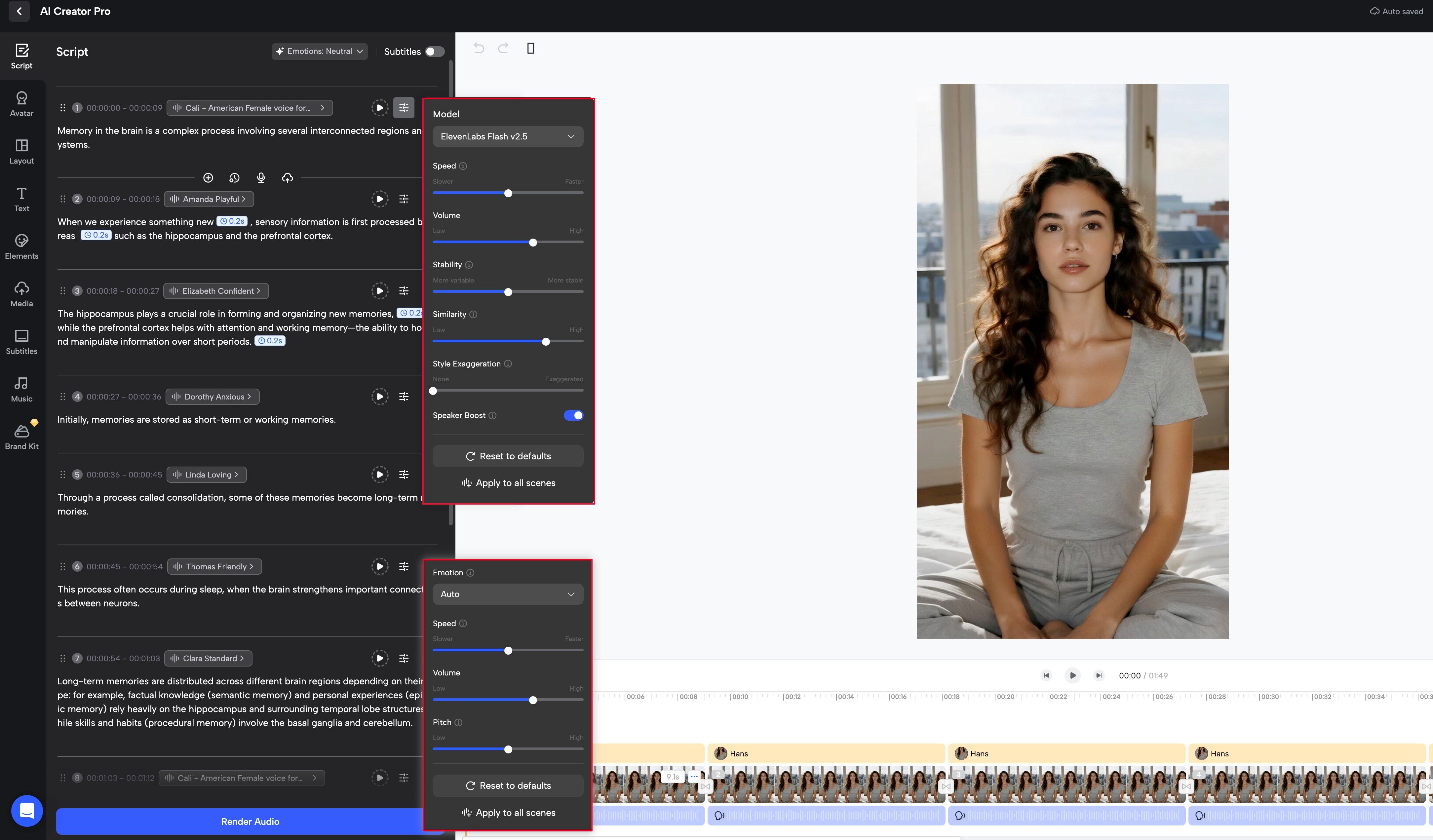
Fine-tune your voice settings to match your project’s needs. If you’d like to change these specific settings, you can click the three dots beside the play button to access more Voice Settings(options vary by provider).
Learn More About the JoggAI Voice Library 🔍
-
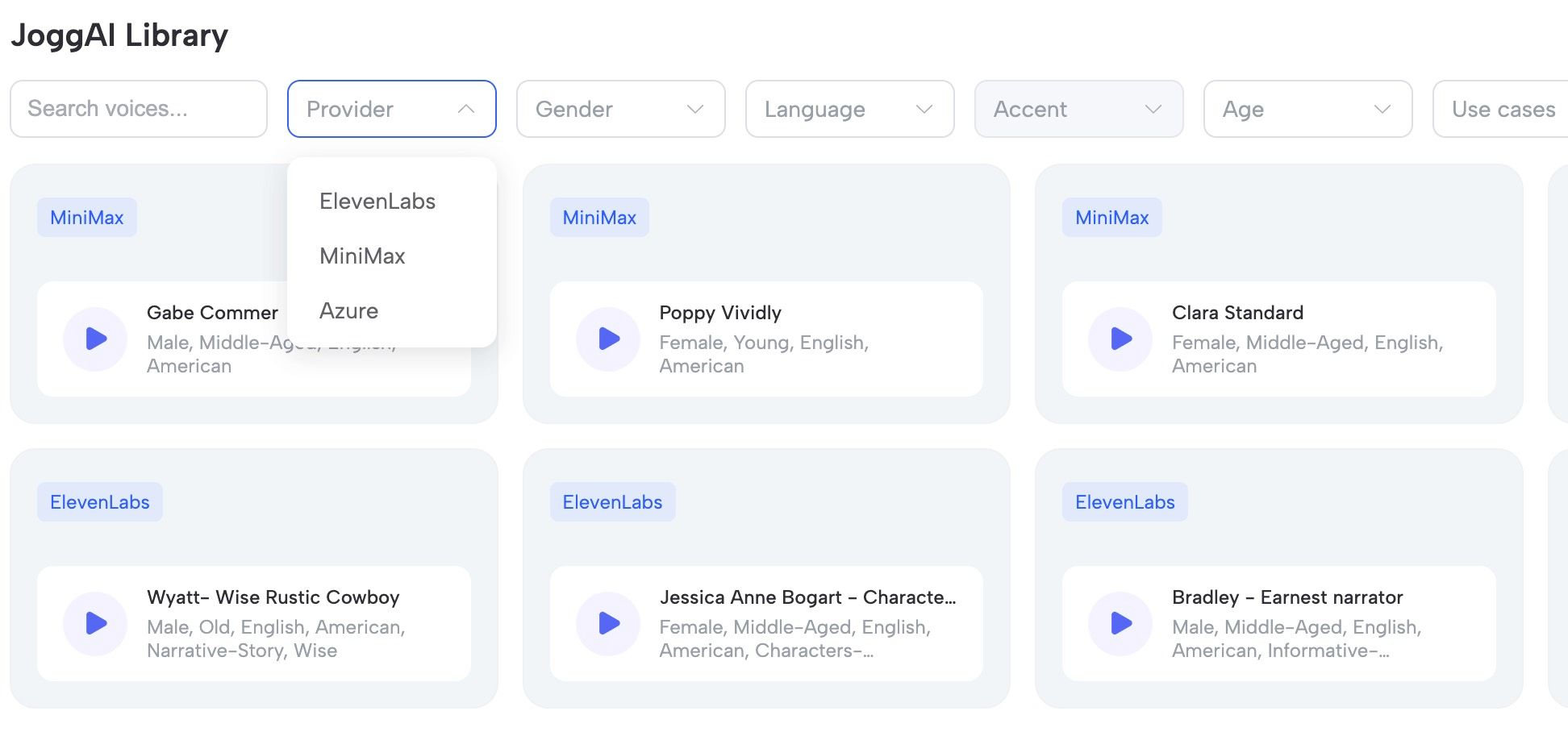
Provider: Choose the voice from different voice providers: ElevenLabs, MiniMax, and Azure.
-
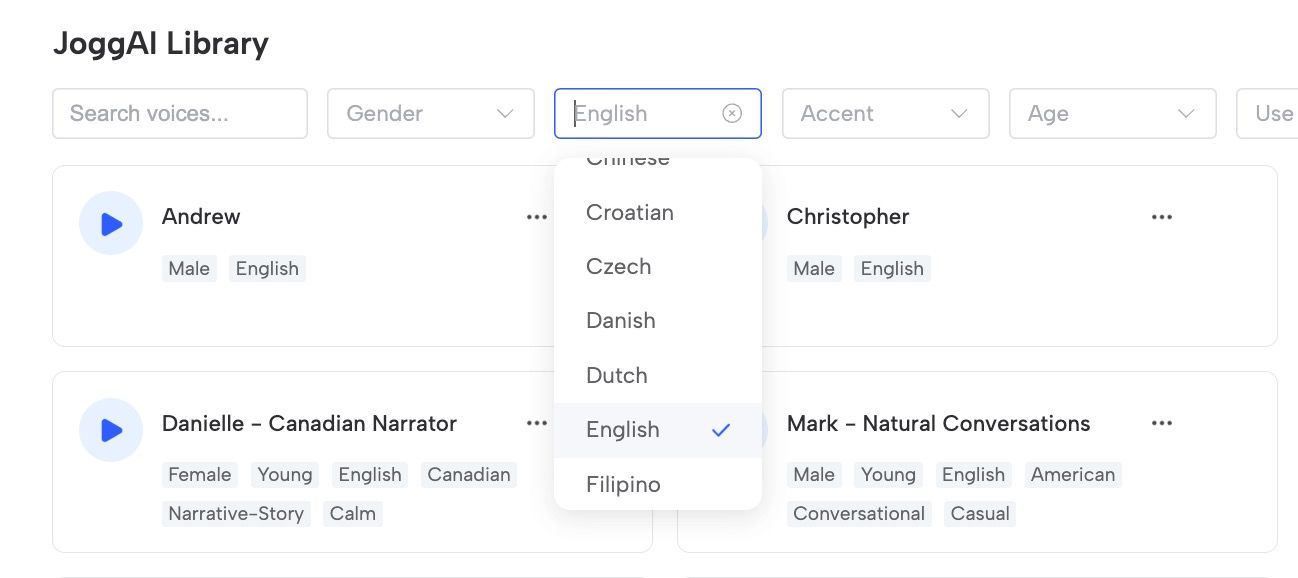
Language: Select your preferred language to hear all the voices most compatible within that selection.
-
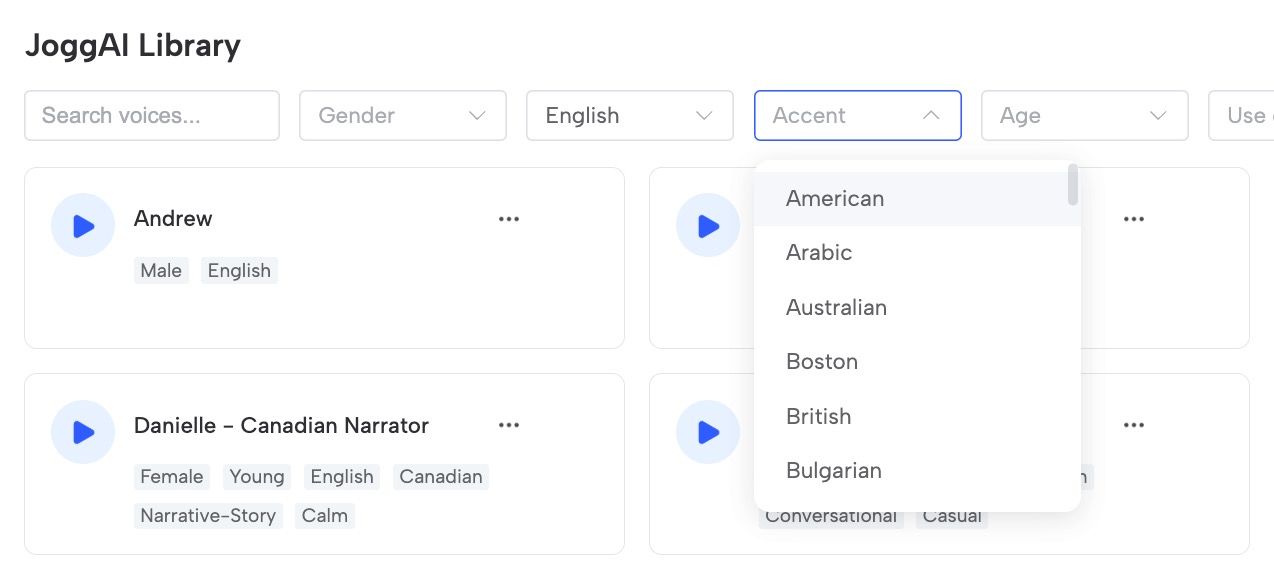
Accent: Select your preferred accent.
-
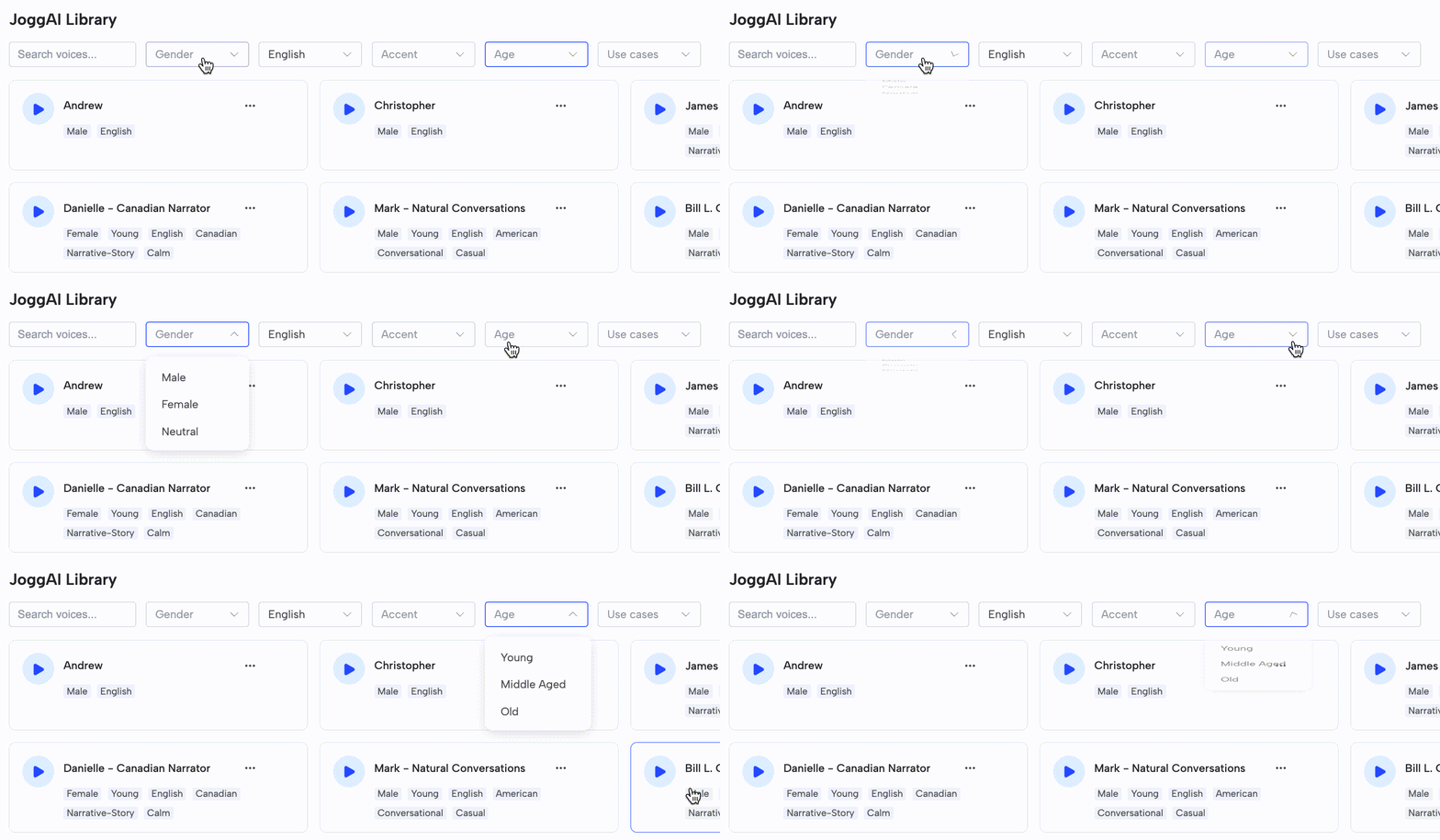
Gender&Age: Choose the gender and age range that best fits your needs.
-
Use Cases: Select from a variety of use cases to tailor the voice selection to your specific needs.