Voice Selection
Click the voice section in the bottom left corner on the scripts page to select your desired voice.
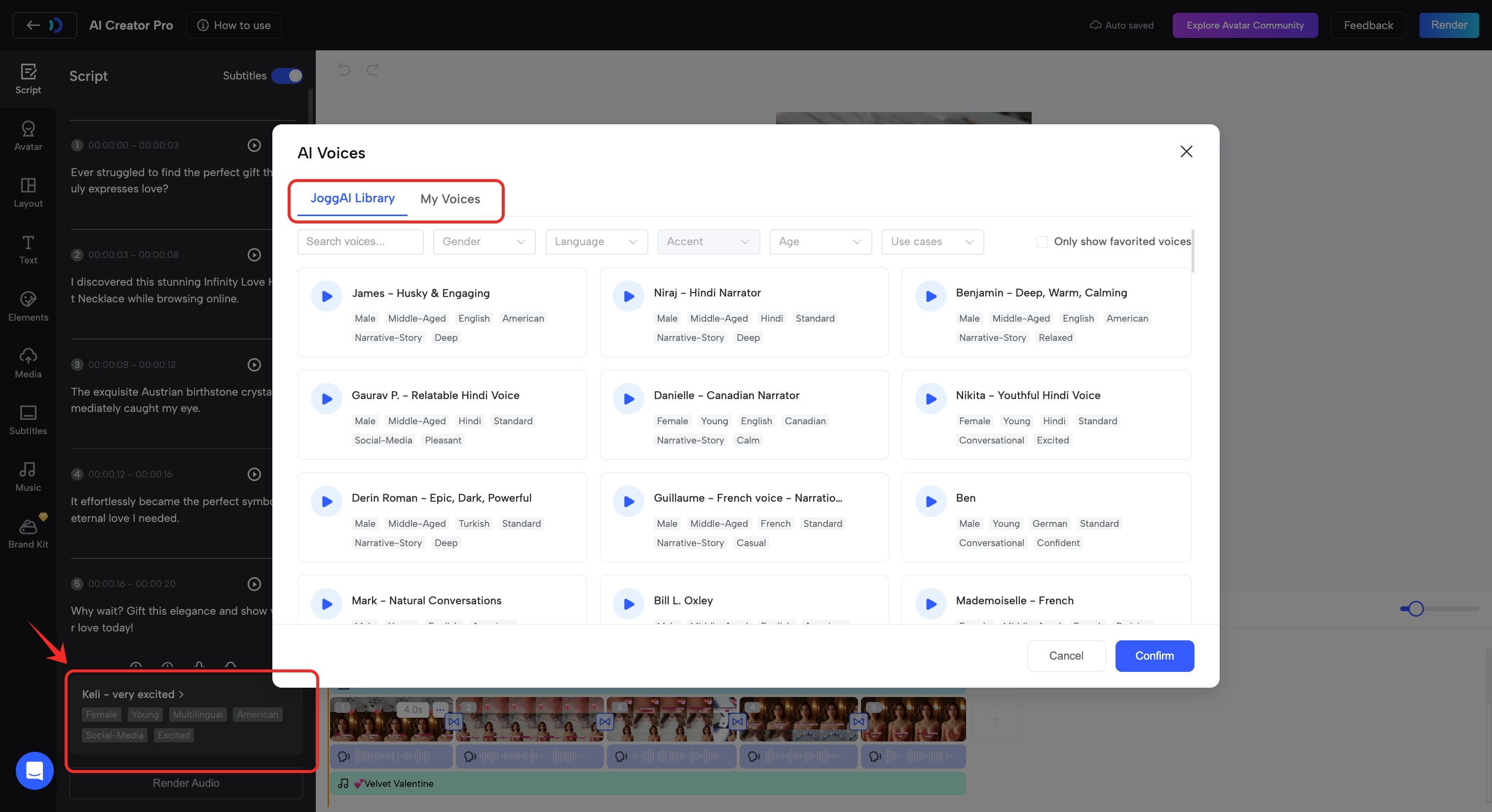
‼️Note: Don’t forget to click the ‘Render Audio’ button to update your script section after any voice edits.
Adjusting Voice Settings
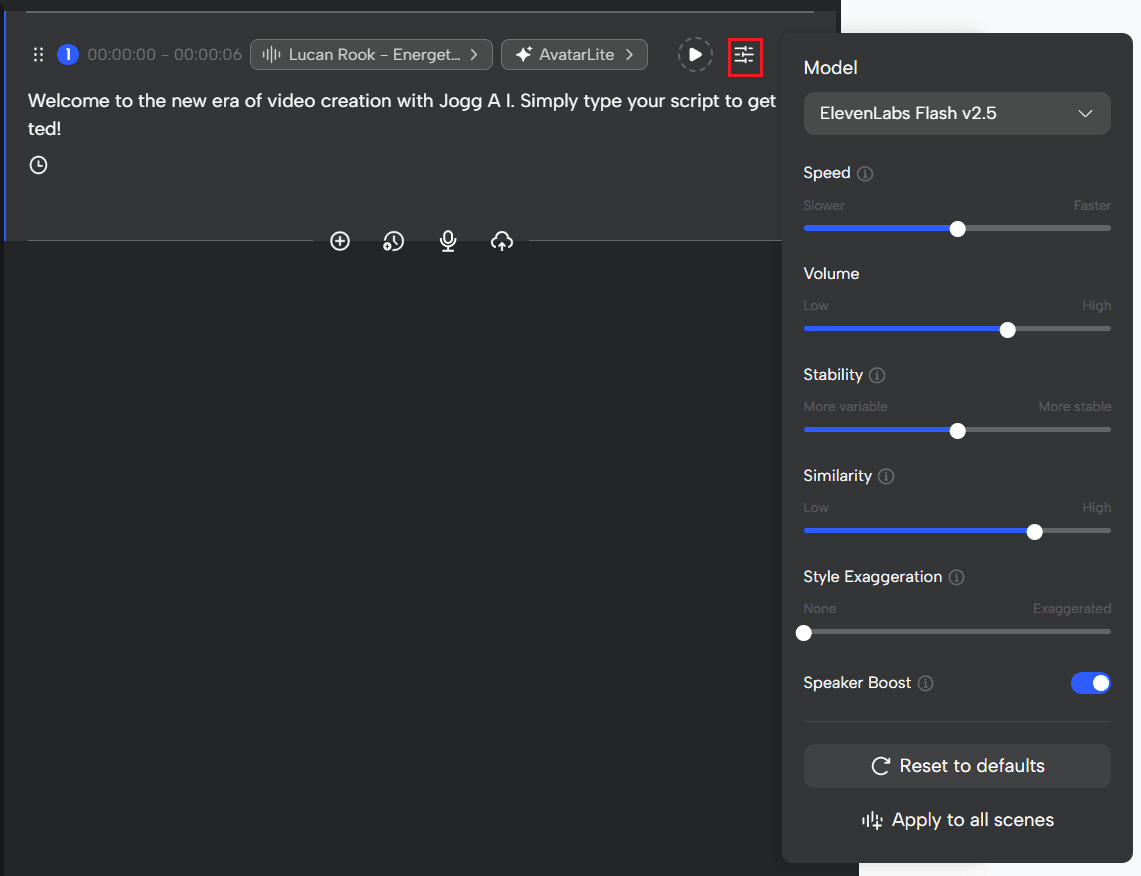
- Eleven Labs Voice
Adjust volume, speed, stability, similarity, and style exaggeration to achieve the perfect tone.
You can also manually switch to the V3 model for enhanced expressiveness and more natural delivery.
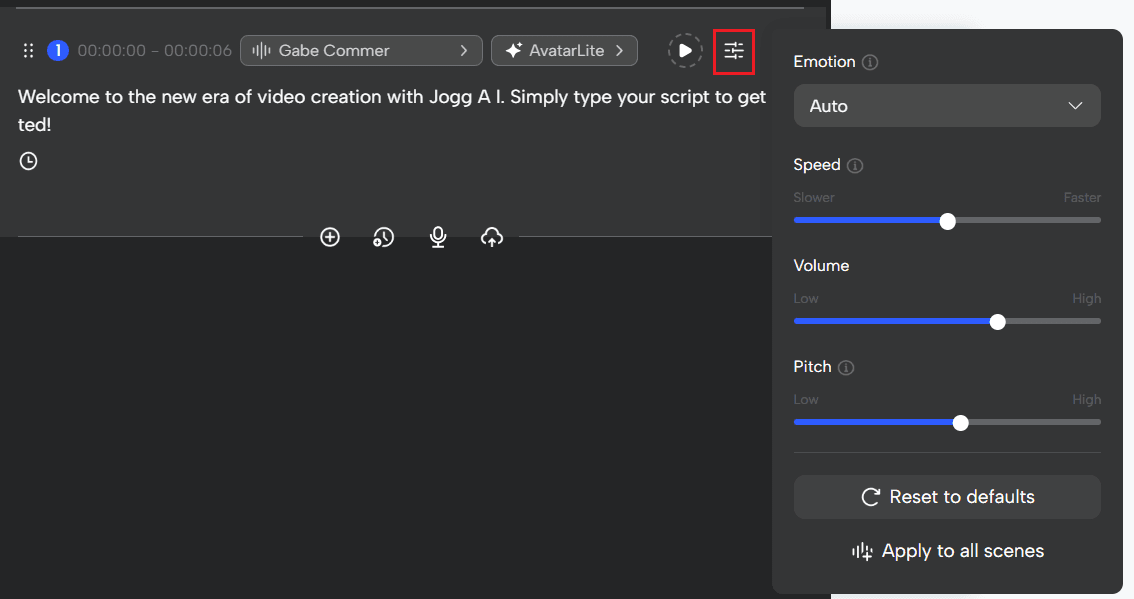
- MiniMax Voice
Modify volume, speed, and pitch, with added support for emotional expression, bringing more life and variation to your voiceovers.
- Azure Voice
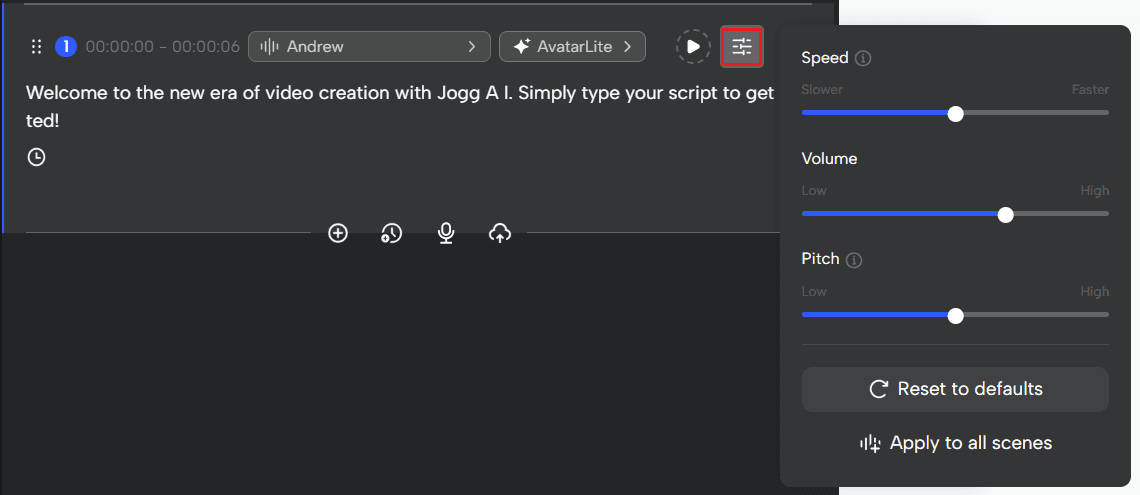
Offers essential controls over volume, speed, and pitch, ideal for straightforward voice synthesis needs.